Why you need proxies in ZennoPoster
ZennoPoster is a powerful automation tool. But here's the catch. Without proxies, most templates quickly hit blocks and restrictions.
Multithreading and parallel projects
Launched 10 registration threads from one IP? The site will block access in 2-3 minutes. Anti-fraud systems instantly spot suspicious activity: too many actions from one address in a short time. The solution is simple — each thread gets its own proxy. Then the site sees it as actions from different users in different places.
Working with multiple accounts without blocks
Facebook, Instagram, Google closely monitor IP addresses. Logged into 5 accounts from one internet address? Get ready for photo verification or a ban of the entire chain. It's especially critical for traffic arbitrage and SMM tasks. The golden rule: one account = one unique proxy. Otherwise, when one profile gets blocked, you'll lose all the others.
Bypassing limits and captchas
Every service limits the number of requests. Google throws a captcha after 100 search queries in a row. Avito blocks parsing after 50-70 listings. With rotating proxies, these limits are easily bypassed — the IP changes automatically, the request counter resets.
Geotargeting for local search tasks
Need to check site rankings in Novosibirsk? Or scrape competitor prices in Germany? Without proxies from the right region, you're out of luck. Search engines and marketplaces show different content depending on the user's location.

Contents
Datacenter
Cheap and cheerful. Cost pennies, work fast. One problem — they get detected instantly. Any social network or ad account immediately sees: this isn't home internet, it's a server in a data center. Fine for parsing public data. For working with accounts — forget it.
Residential
Real internet connections from home providers. Rostelecom, Beeline, Comcast — look like regular users. Cost more than datacenter ones, but pass most service checks. Residential proxies remain the optimal choice for working with accounts and multithreaded projects. Maximum similarity to real users means minimum blocks. Services like GonzoProxy offer a large pool of residential IPs with different geos, which is especially convenient for ZennoPoster.
Mobile
Top-tier option. Mobile operator IPs practically never get banned. The reason is simple — thousands of subscribers sit behind one address. Block such an IP = lose tons of real users. The obvious downside — the price bites.
With or without authorization — what to choose
Two connection methods. First — IP binding. Added your address to the whitelist, you're working. Convenient if the IP is static. Second — login and password. Universal option, works from anywhere. For ZennoPoster there's no difference, both methods are supported.
ZennoPoster understands several formats:
- IP:PORT — basic variant with IP binding - IP:PORT:LOGIN:PASSWORD — classic with authorization - IP binding — your address in the provider's whitelist
Important point: one character in the wrong place — proxy won't connect. Check the format twice. Especially if copying from the provider's personal cabinet.
Connection through ZennoPoster
- Create a text document (.txt) on your device.
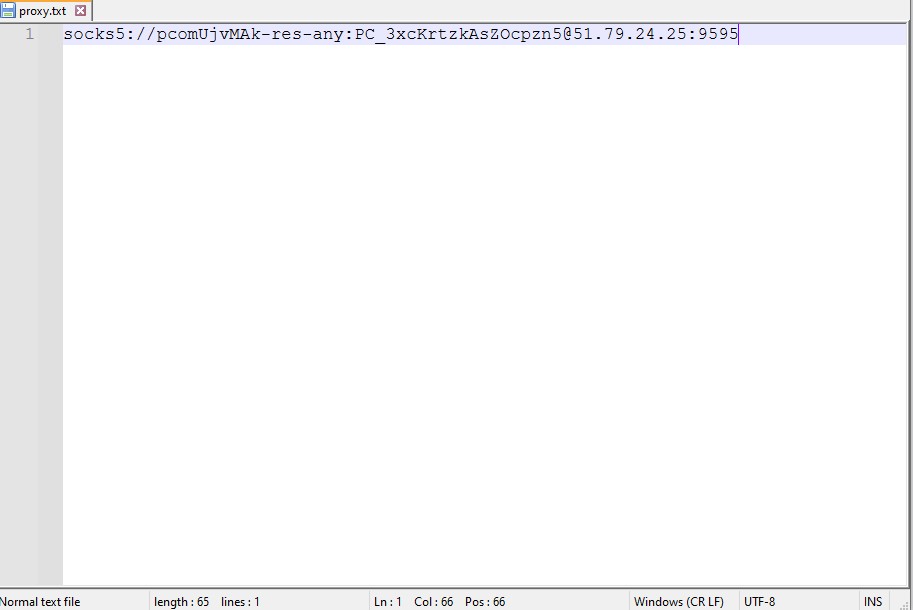
Enter all proxies in this format:
- Free ones - IP:port
- With authorization - login:password@IP:port
- Launch the program and create a new project.
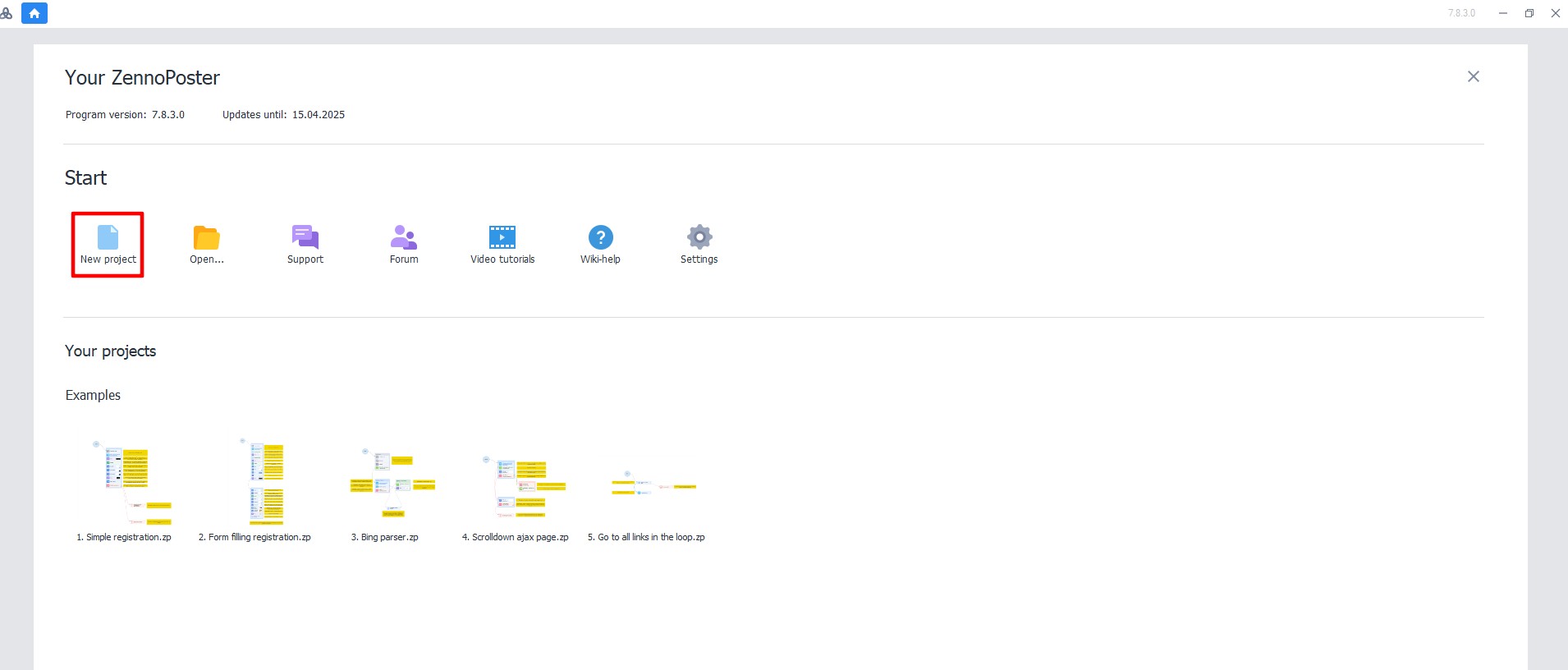
3. At the bottom of the screen, click the "+" icon (submenu "Add").
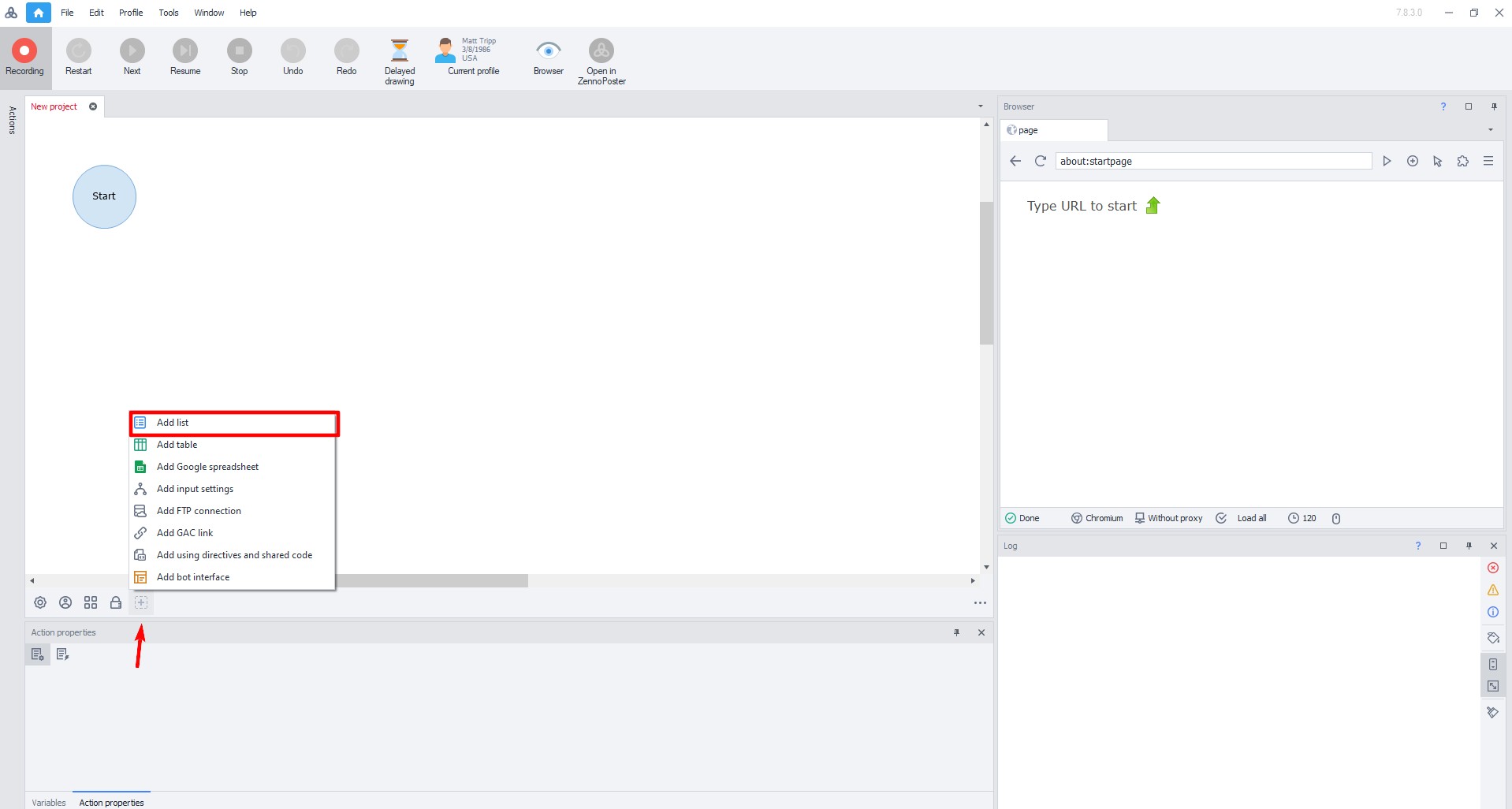
- Select "Add list".
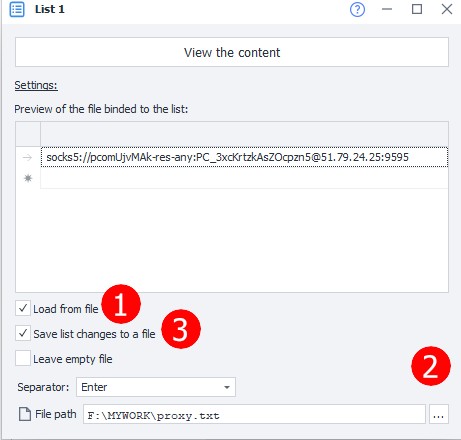
Set the list name and click "OK". In the opened window:
- Check the box next to "Load from file".
- Specify the path to the previously created file with proxies.
- Check the box next to "Save changes to list".
After this, the proxy list will appear in the program.
- In the workspace, drag the arrow from "Start" to the right.
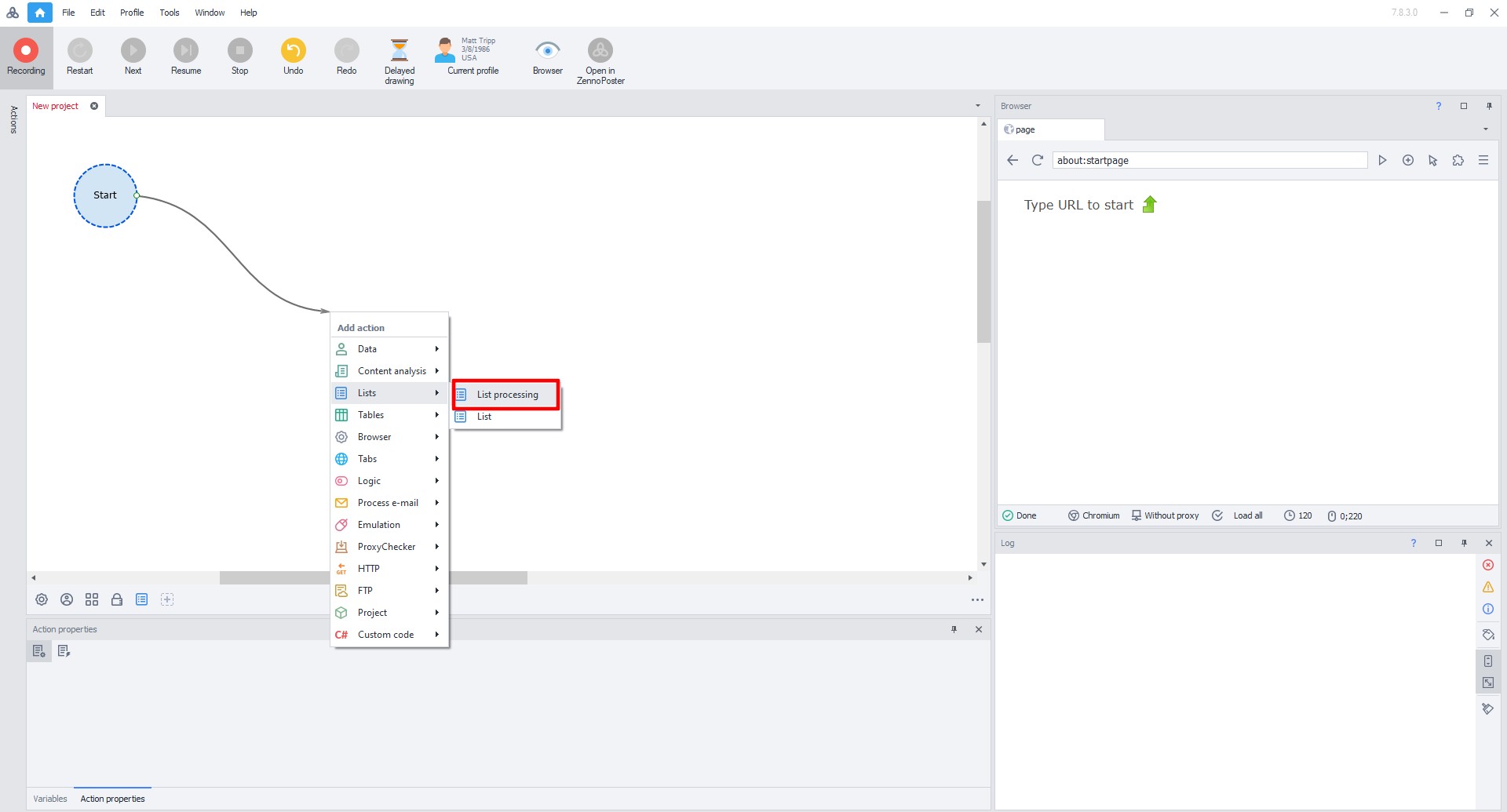
5. In the opened menu, select "List" → "List operations"
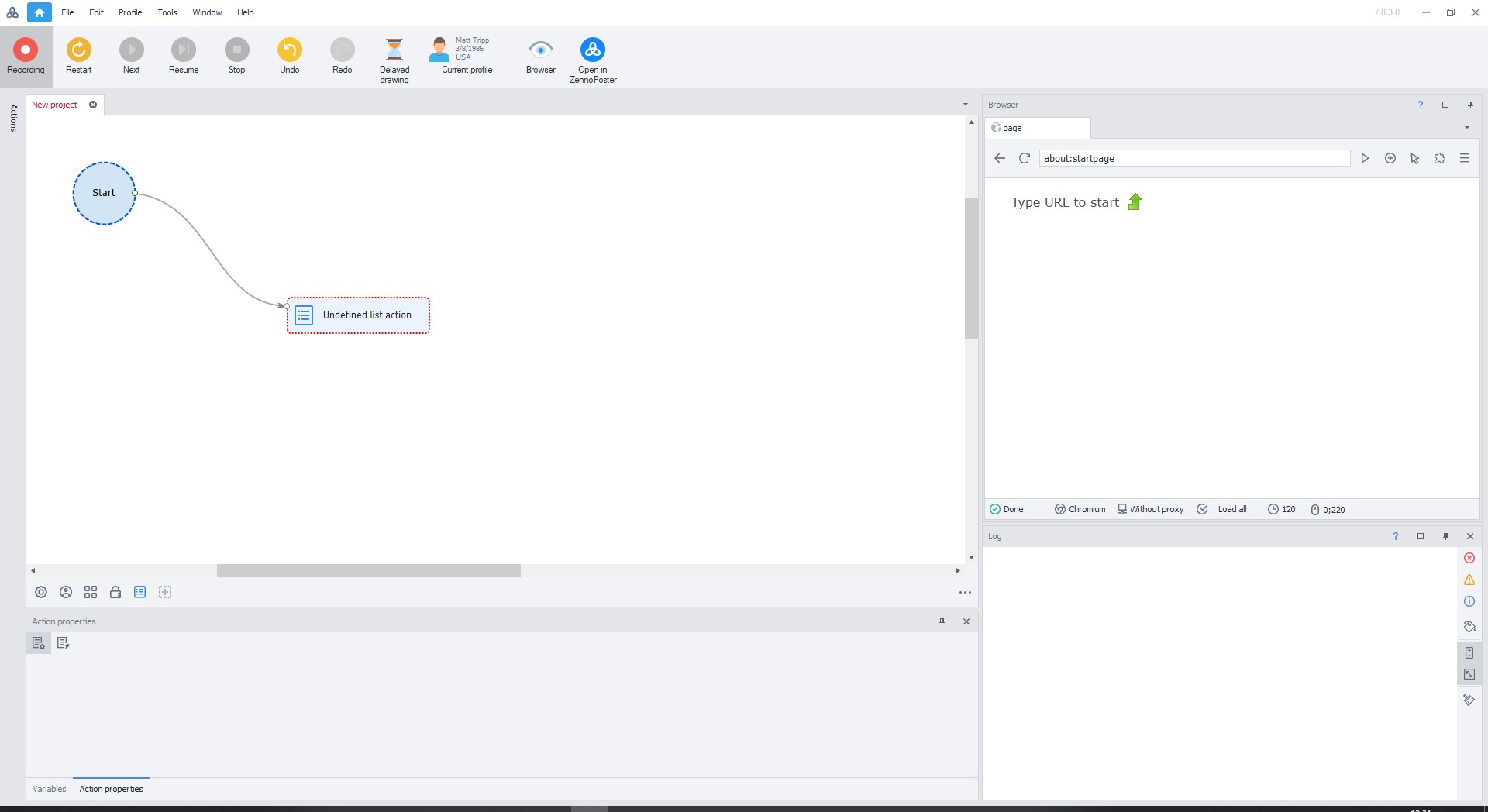
6. Double-click on "Undefined list actions"
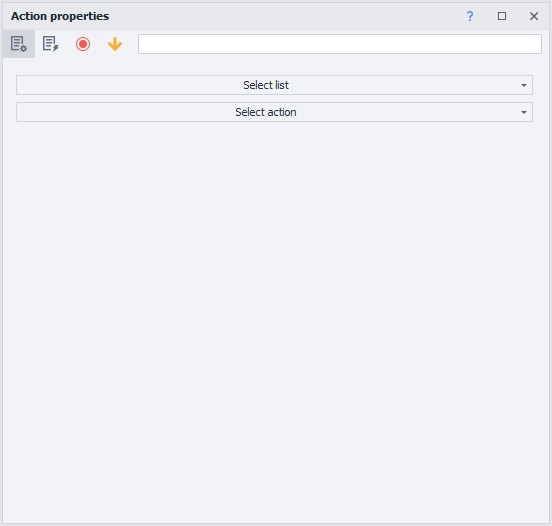
7. In the opened menu select:
- List — select the added proxy list.
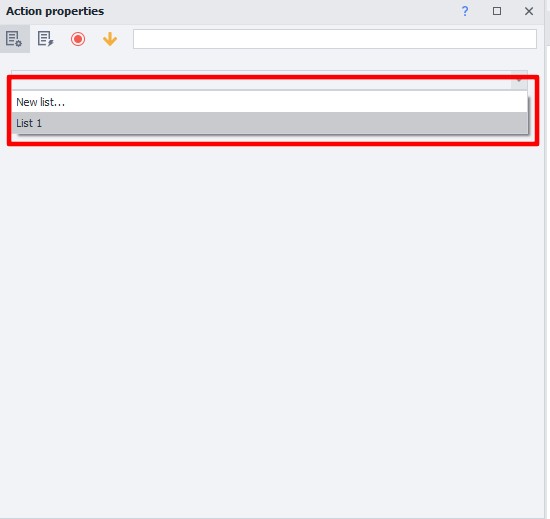
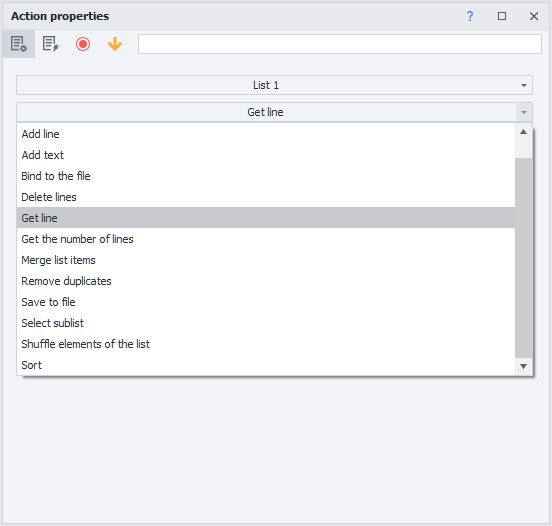
- Action — select "Get line".
- In the "Put in variable" field, enter the variable name in English.
- Click "Create"
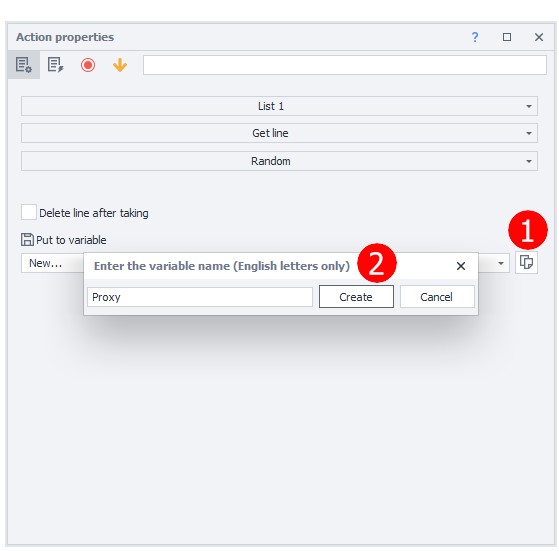
- Close the window.
- Drag the arrow from "Start" to the new action.
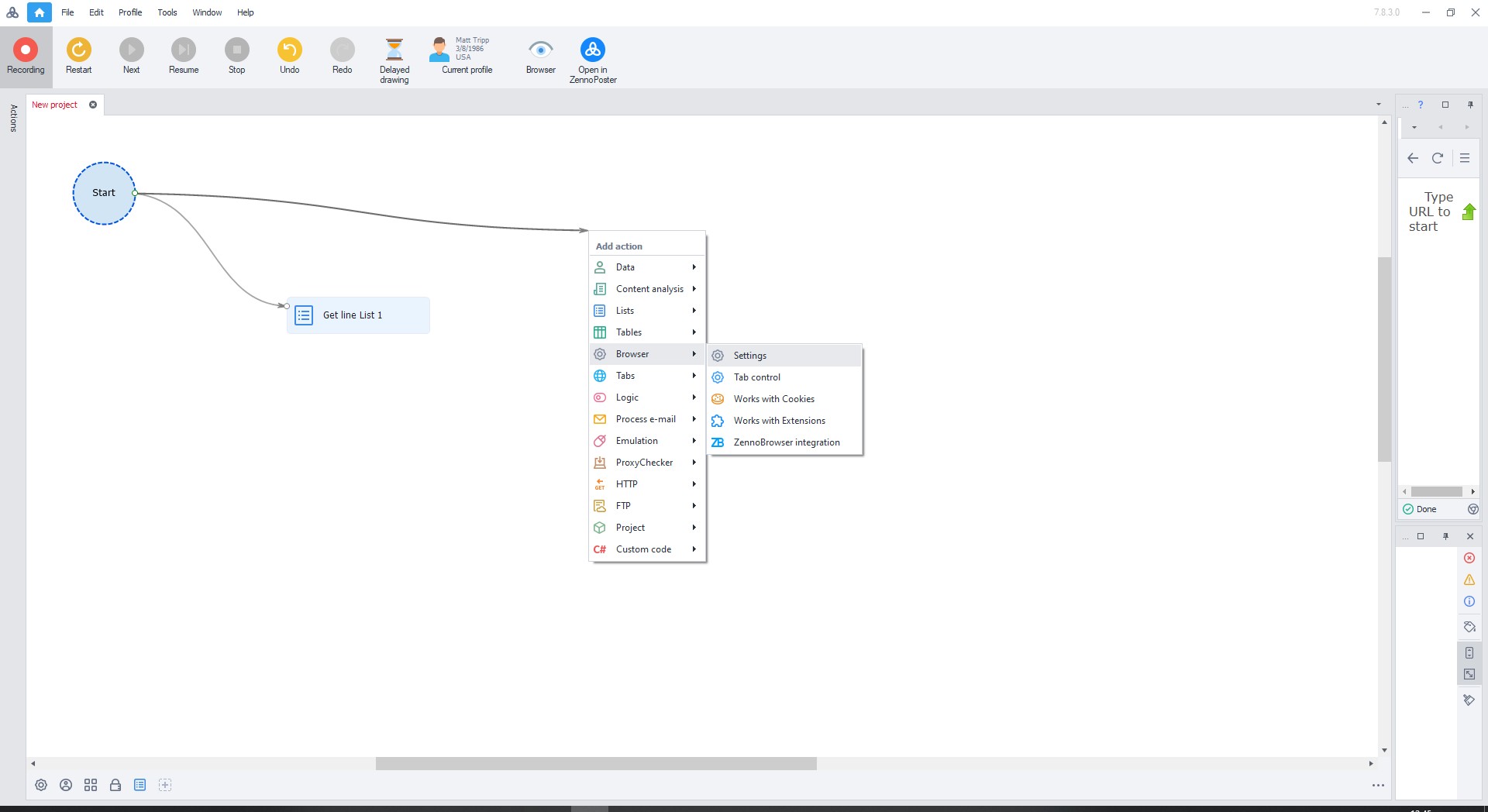
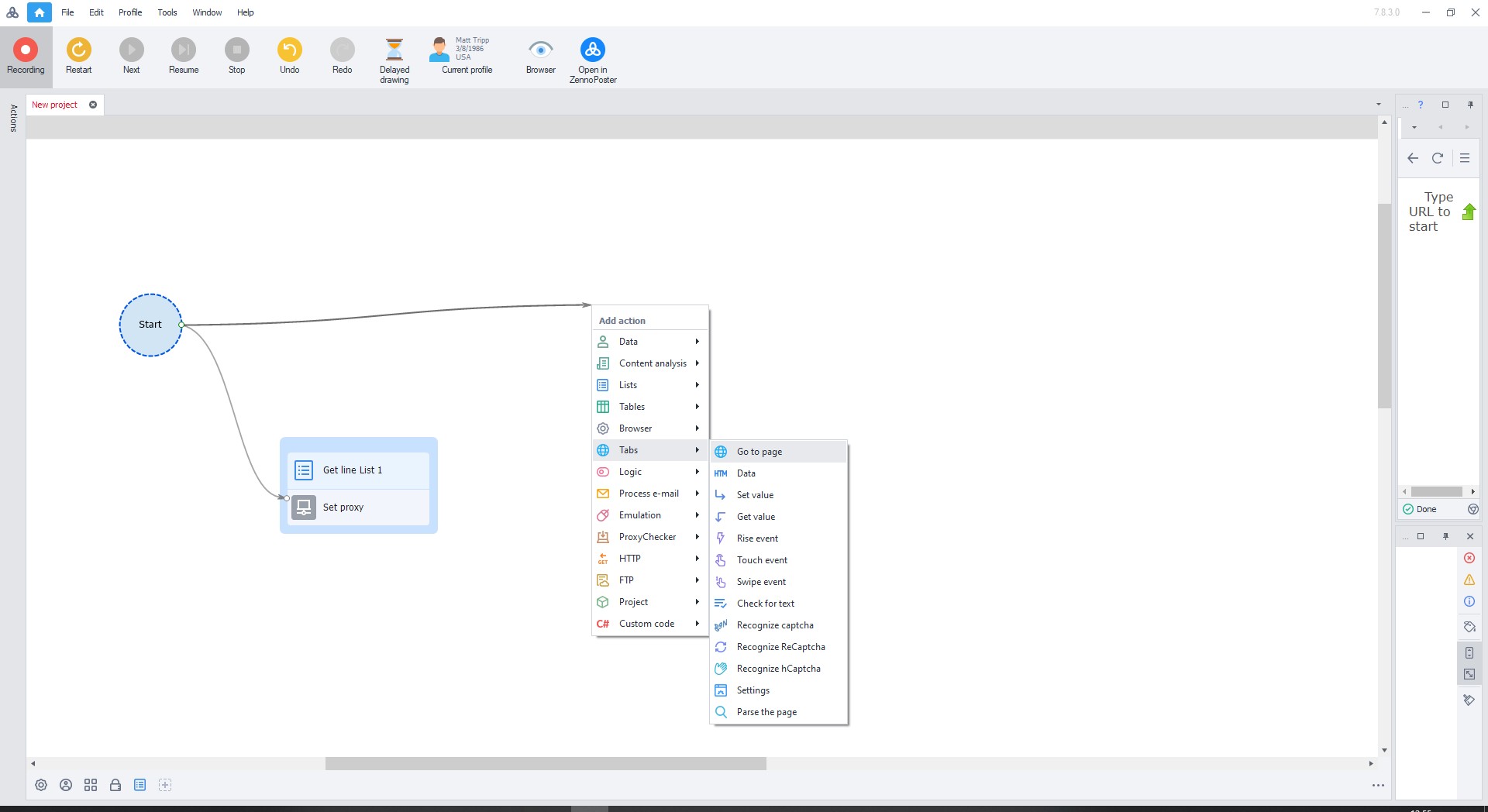
- In the opened menu, select "Browser" → "Settings".
- Double-click on the "Browser settings" rectangle.
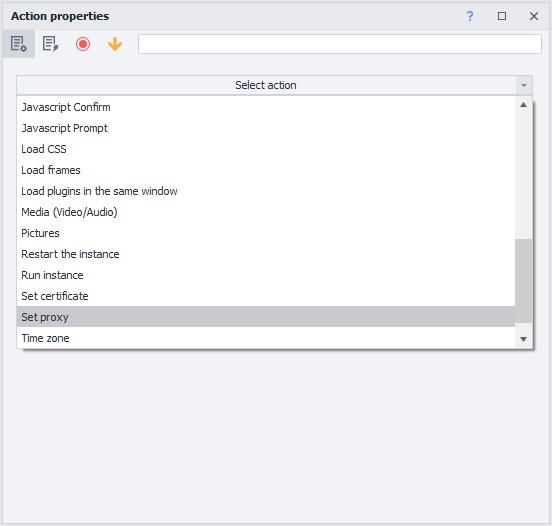
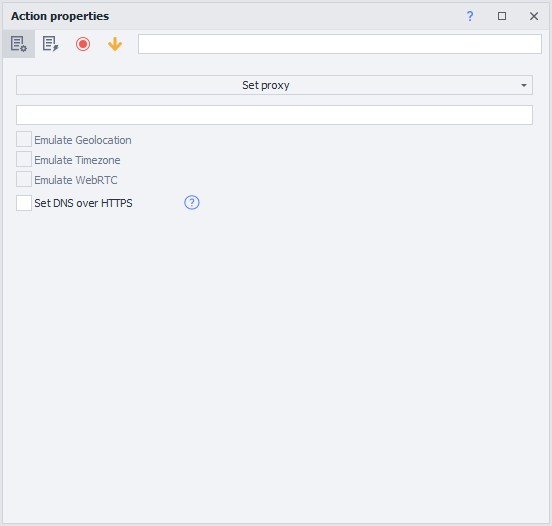
- In the menu select: Set proxy.
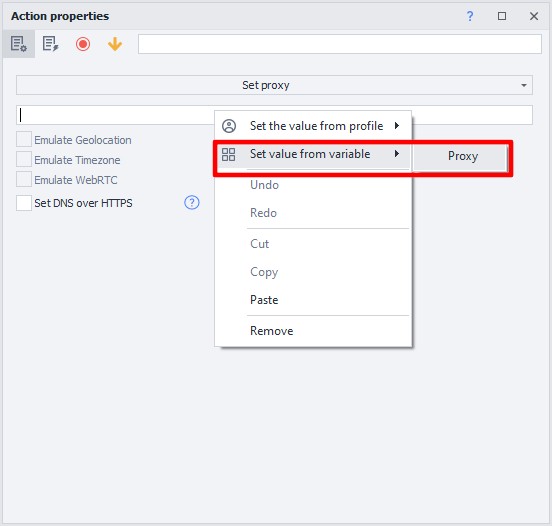
- Right-click in the field and select "Set value from variable".
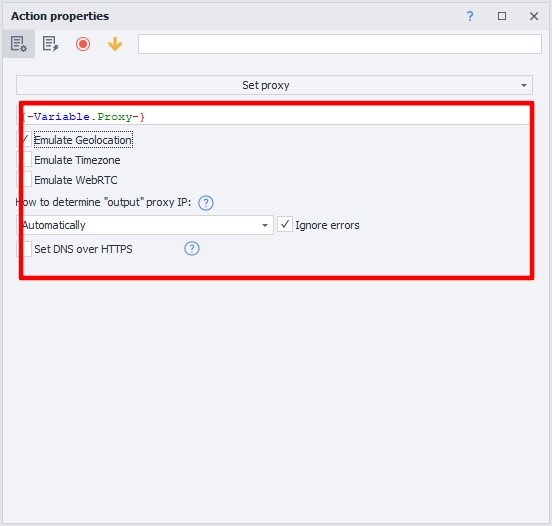
- Close the window.
- Drag the arrow from "Start" to the new action.
- In the opened menu, select "Navigate to page"
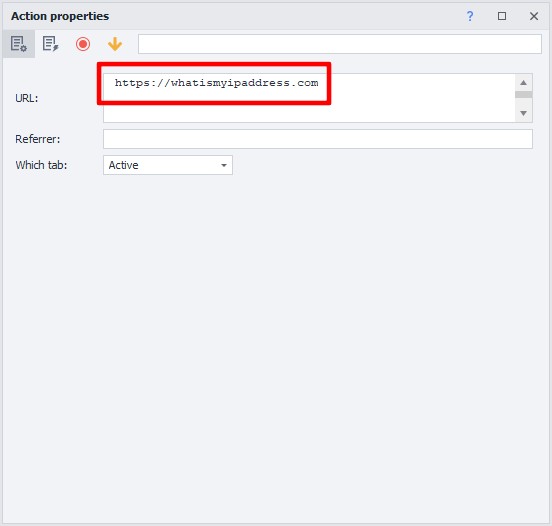
- Enter any site in the URL field (For example whatismyipaddress.com) and close the window.
- Drag all three rectangles so they connect with arrows.
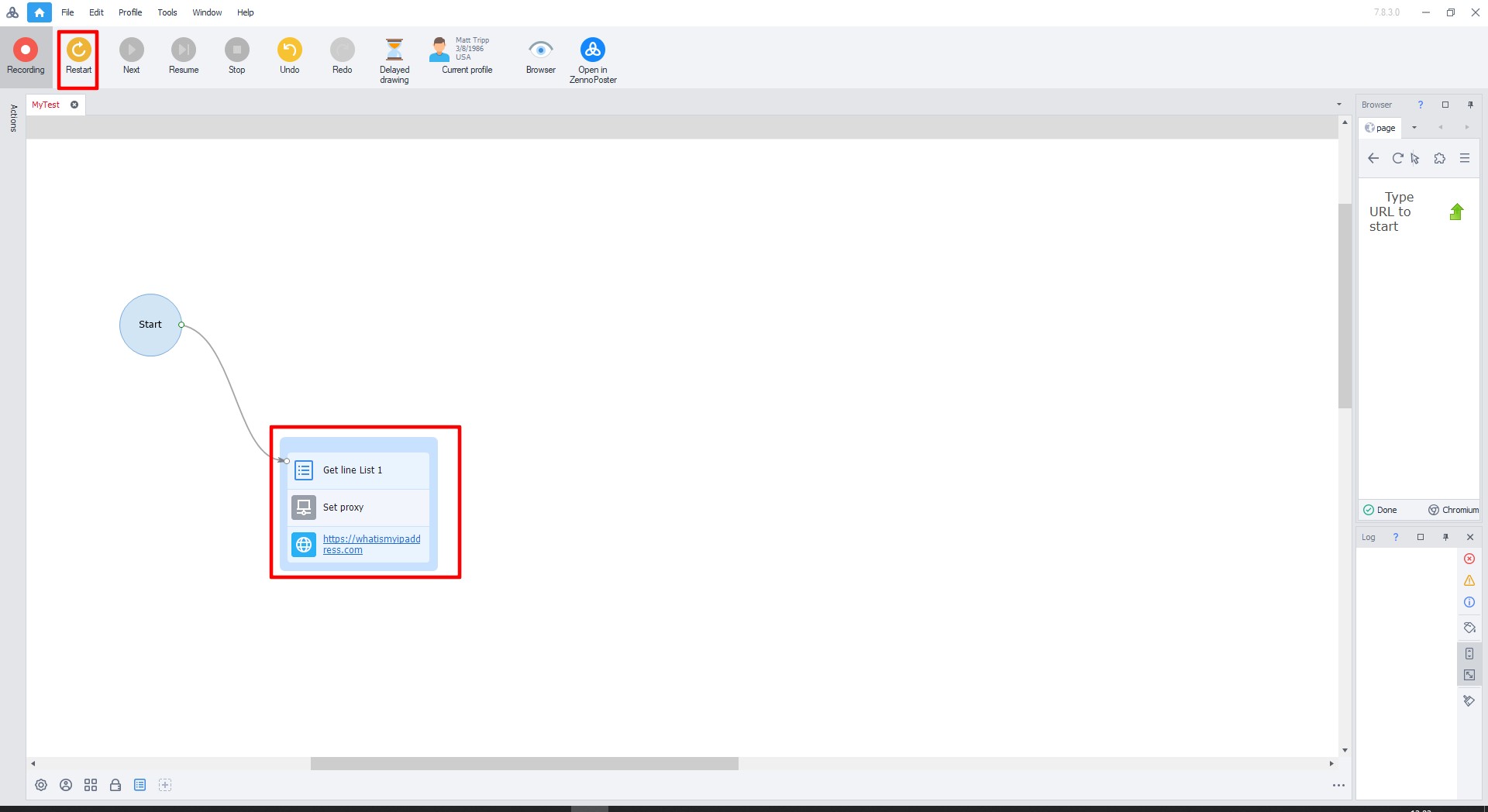
- Click the green arrow to launch (or press F10).
If the setup is done correctly, green checkmarks will appear next to the rectangles.
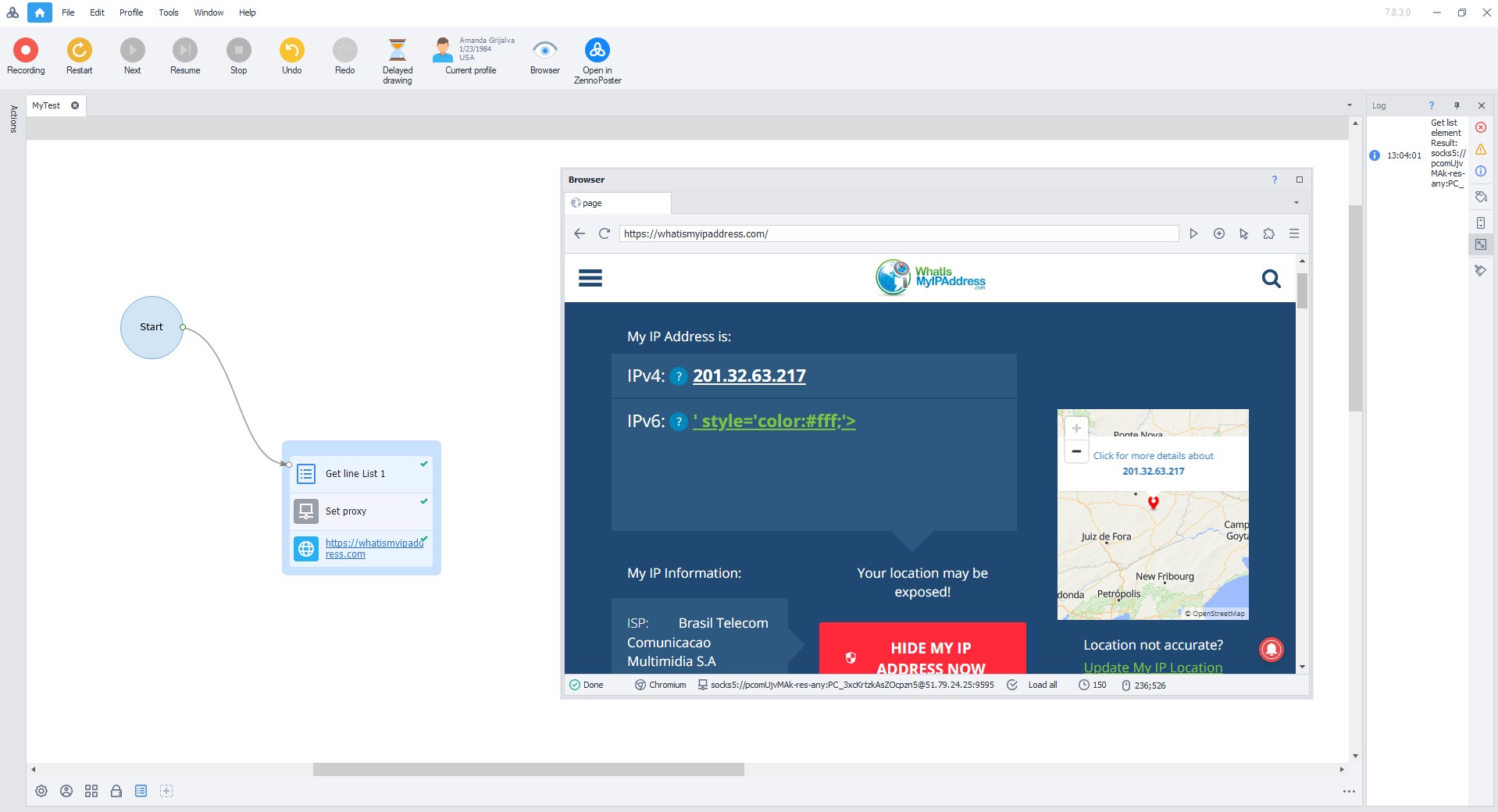
- After execution, the site will open.
Congratulations! You've successfully set up proxies in ZennoPoster.
Setting up through ProxyChecker
ProxyChecker is a built-in utility for checking proxies. Load the list, select a site for testing (preferably the one you'll be working with), run the check. You get data: speed, country, loss percentage. Dead proxies are filtered out automatically.
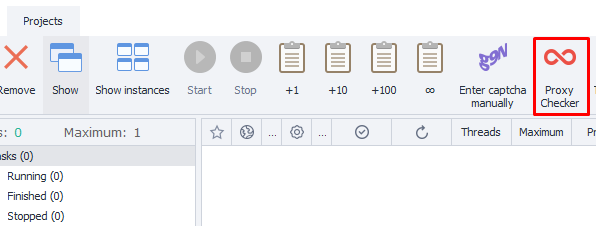
- Launch ZennoPoster and click the "ProxyChecker" button located on the top panel.
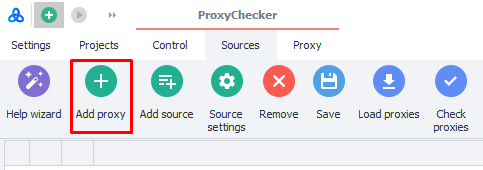
2. Go to the "Sources" tab and click "Add proxy".
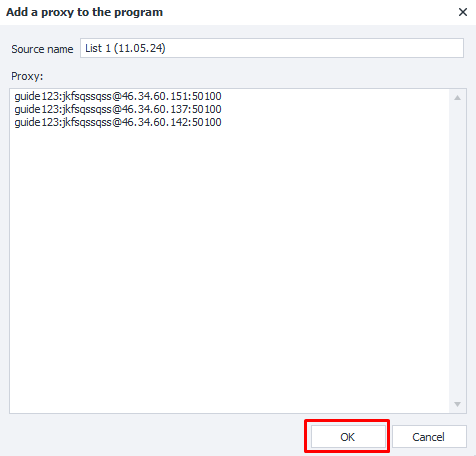
3. In the pop-up window, fill in the data with the format "username:password@IP-address:port"
4. After adding proxies, click the "Start check" button. ProxyChecker will test all added proxies and provide detailed information about each: location country, connection speed, anonymity, type and other parameters.
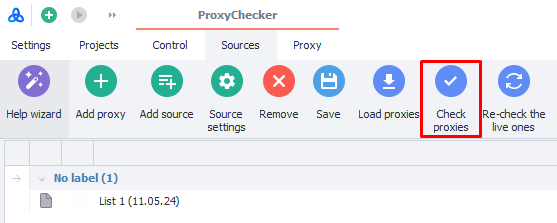
Use the filters at the top of the window to sort proxies by needed parameters: for example, select only high-speed ones or only from a specific country.
Checking proxy "Aliveness"
Proxies die. Fact. Works today, doesn't tomorrow. Set up auto-checking: once an hour for critical tasks, once a day for regular ones. For stable work, it's better to use only verified IPs. Residential proxy services, like GonzoProxy, provide already filtered addresses with high uptime. This eliminates constant manual checking in ProxyChecker.
Set up IP rotation
The golden mean matters. Change IP too often — the service will get suspicious. Too rarely — you'll catch a ban. For parsing, optimal is: change after 5-10 requests. For accounts: once every 36-72 hours. For registrations: new address for each attempt.
Update proxy lists
Proxy lists age like milk. A week — and half the addresses are dead. Update regularly. For important projects — every day. For background tasks — once a week is enough. Automate the process through scheduled loading.
Geography for tasks
Parsing Avito in Moscow? Get Moscow addresses. Checking Google results in the USA? Need American proxies. Geo mismatch = security system suspicion. Create separate pools for each work region.
Using service APIs
Manual proxy updates are last century. Normal providers give APIs. Embed the request in the ZennoPoster template, get fresh proxies automatically. No routine, always current addresses.
Technical glitches happen. Even with perfect settings. Let's break down common problems.
Proxy not responding. Check the entry format. One extra dot — and nothing works. Try connecting to the proxy through a regular browser. Doesn't work? Problem is on the provider's side.
Authorization errors. Classic: mixed up login with password. Or forgot to add your IP to the whitelist. Check the provider's personal cabinet.
Frequent captchas. Working too fast. Add pauses between actions. Use 3-5 second delays. If that doesn't help — problem is proxy quality. Switch to residential or mobile.
FAQ


The right proxy choice is determined by tasks. Parsing public data will work with datacenter proxies. Working with accounts requires residential IPs. The most demanding projects justify the costs of mobile proxies.
Proper proxy setup in ZennoPoster saves time and nerves. Test proxies before launching. Set up reasonable rotation. Update lists regularly. Following these rules will help avoid blocks and keep projects running for months.