Remember the times when YouTube opened with the first click? Today the picture has changed dramatically. Half the planet faces problems accessing the platform. Some see endless loading, some get a message about content unavailability, and some have to settle for 480p quality instead of the usual 4K. Proxy for YouTube becomes a lifesaver where VPNs have long given up. Let's figure out why this happens and how to get full YouTube back without dancing with a tambourine.

Contents
Regional blocks and corporate networks
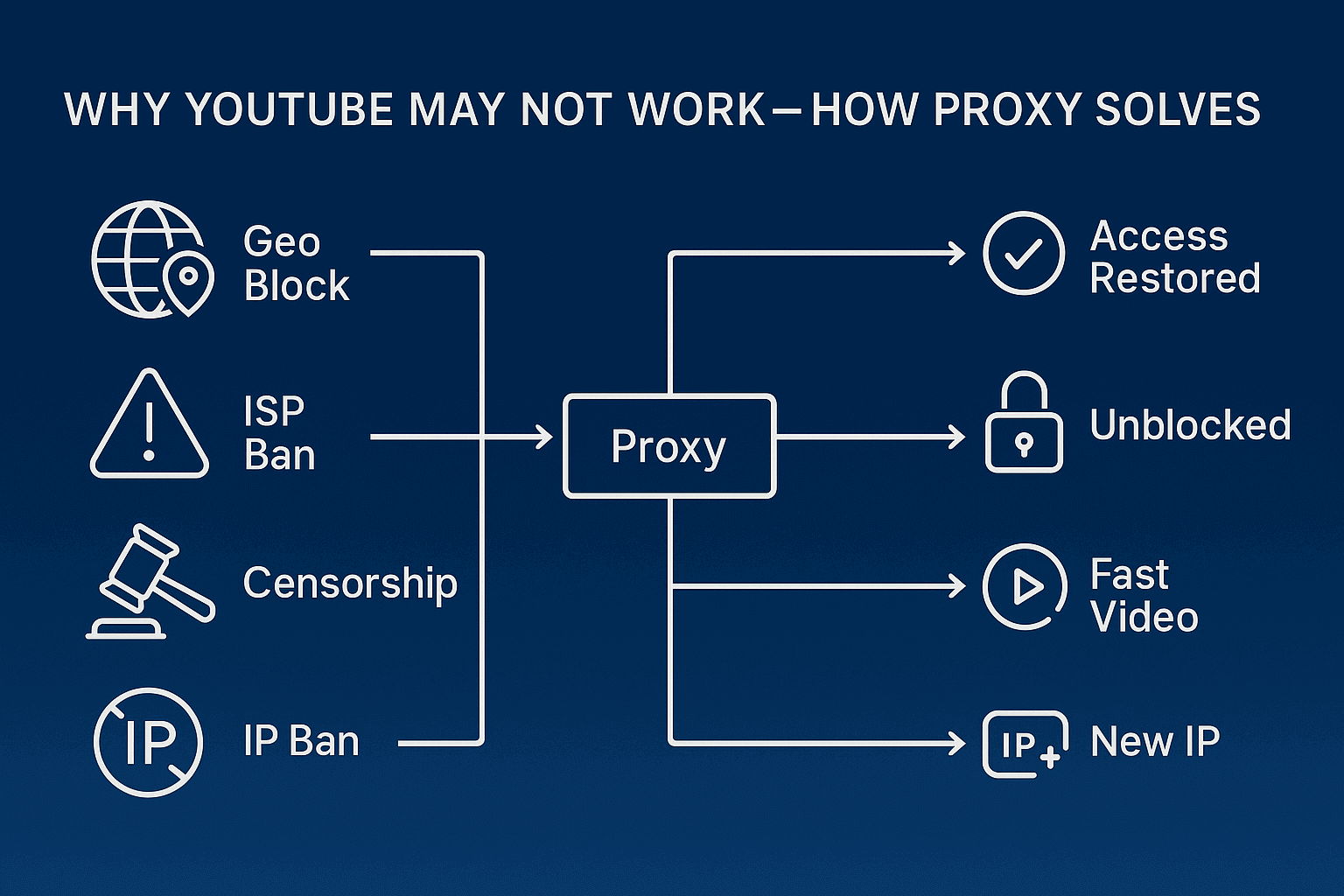
Familiar story. You arrive on a business trip, open your laptop in the office, and YouTube won't load. The corporate firewall believes that employees should work, not watch cat videos. But it's not just about office restrictions. Entire countries decide that their citizens will survive without YouTube. Copyright holders also contribute their share. That same clip from your favorite band that was available yesterday now shows "Video unavailable in your country".
Universities block the platform during exam periods, schools do the same during school hours. And if before you could cheat through mobile internet, now operators have joined the fun too.
Viewing quality restrictions
So you have 500 megabit fiber optic, speedtest shows cosmic speeds, and YouTube thinks for a minute over each video. Familiar? Providers have learned to cleverly throttle traffic specifically for video hosting. Formally there's internet, but watching something in normal quality becomes a whole adventure. 4K? Forget it. 1080p? If you're lucky. And comments load as if they're being delivered by carrier pigeons.
Why VPN doesn't always help
YouTube wasn't born yesterday and has learned perfectly to recognize VPN connections. You turn on your favorite VPN service, and in response get a captcha for every sneeze. Want to leave a comment? Prove you're not a robot. Like a video? Captcha again. And sometimes you even get a message that suspicious activity has been detected from your IP address.
The thing is, popular VPNs use a limited pool of addresses that YouTube has long blacklisted. Thousands of people go online through the same VPN server. The platform sees this and blocks it.
Residential proxies
Imagine that you're connecting to the internet not directly, but through an ordinary person's computer somewhere in Miami or Berlin. That's exactly how residential proxies work. YouTube sees an ordinary user with a home IP from a local provider, no suspicions arise. Such proxy for youtube are practically impossible to distinguish from a real user.
With residential proxies you can easily manage a dozen channels, and each looks like it's run by a separate person from different cities. The only downside is that speed can fluctuate, as it depends on that person's internet in Miami.
Mobile proxies (4G / 5G)
Mobile proxies work like a teleport to a random passerby's smartphone. YouTube loves mobile traffic (over 70% of views come from phones), so such connections have maximum trust. Mobile operators constantly change IP addresses for their subscribers. This is normal behavior that doesn't raise questions with security systems.
Want to boost views or comment on a hundred videos? Mobile proxy server for YouTube will handle it better than others. The platform thinks these are ordinary people sitting in the subway watching videos.
ISP proxies
ISP proxies rent IPs directly from providers but place them in data centers. You get a hybrid with the speed of server proxies and trust almost like residential ones. Perfect when you just need to watch YouTube through proxy in good quality, without hassle with accounts and promotion.
Public (free) proxies
Free cheese, as we know, is only in a mousetrap. Public proxies for bypassing YouTube blocks work every other time, speed resembles 90s dial-up, and security is at the "maybe it'll work" level. Half of such servers are already on YouTube's ban lists, the other half belong to who knows who. You risk not only time but also account passwords.
PC and laptops (Windows, macOS, Linux)
Setting up proxy on a computer is simple, but there are nuances. In Windows 10/11 go to Settings, find the "Network & Internet" section, then go to "Proxy server". Enter the address and port that the proxy provider gave you. But here's the catch. System settings don't work with all programs. Some browsers ignore them and go online directly.
Solution: use Proxifier or ProxyCap.
Let's look at how to set up Proxifier:
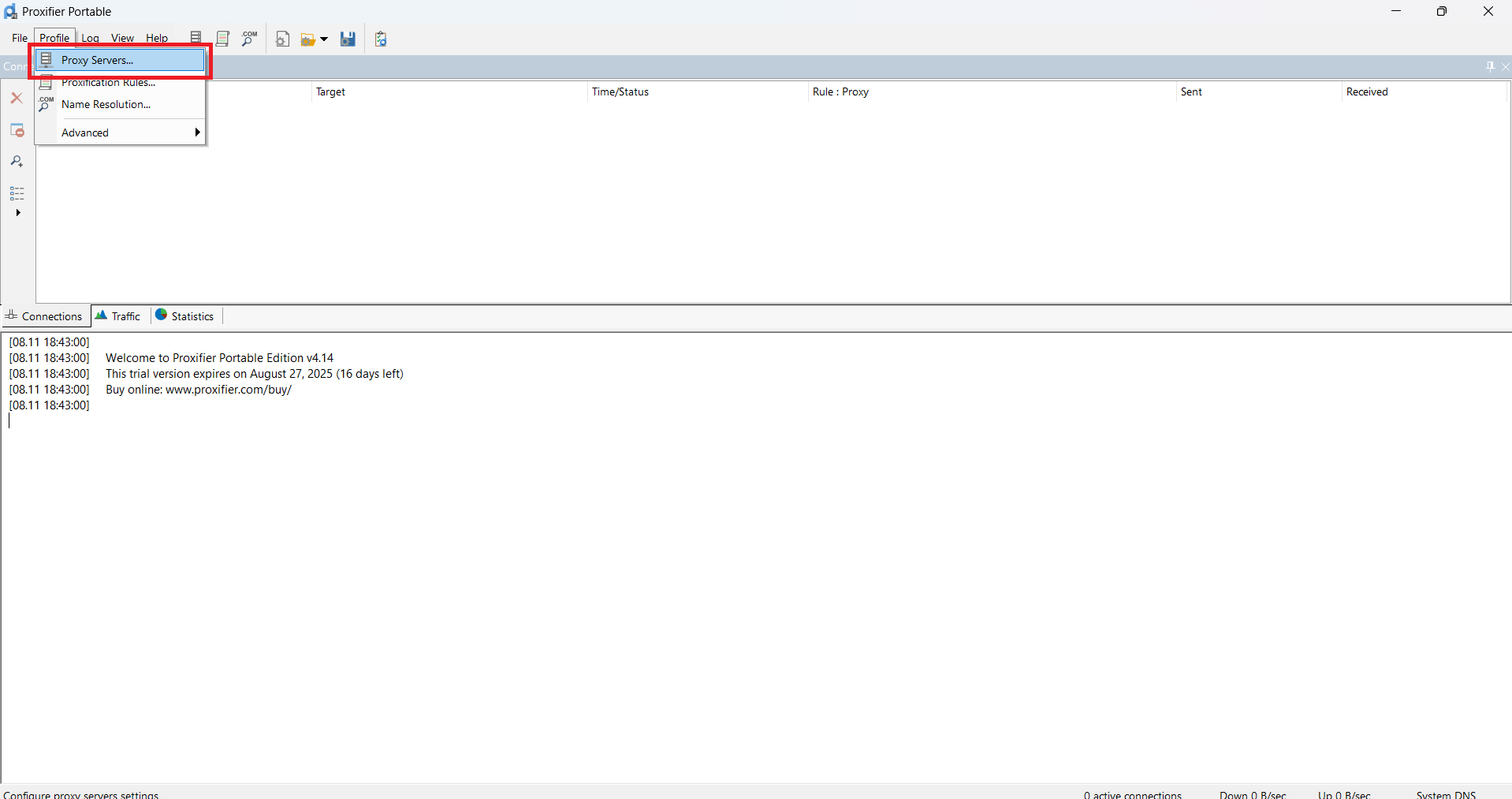
- In Proxifier click on Proxy Servers
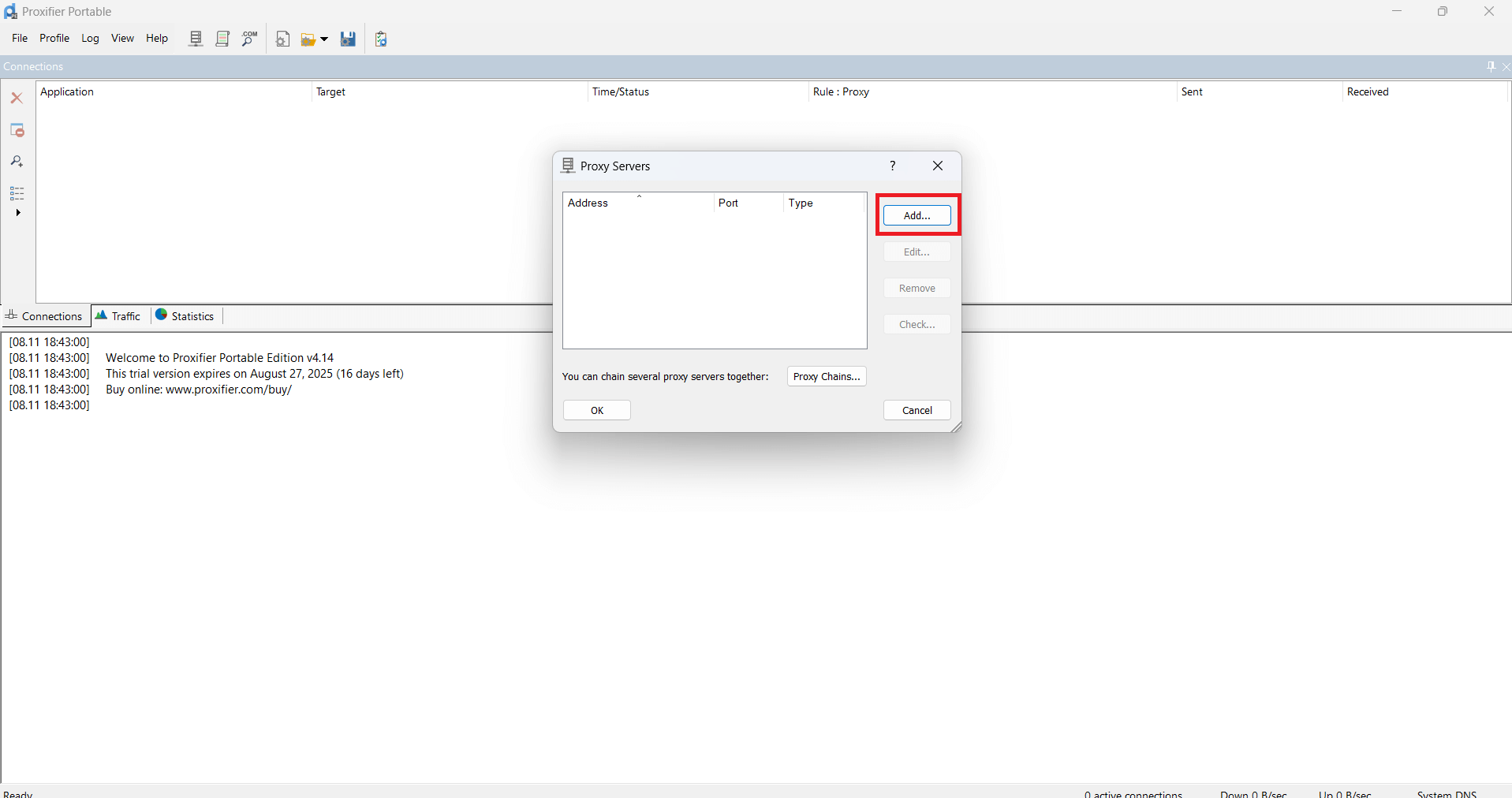
- Then click Add
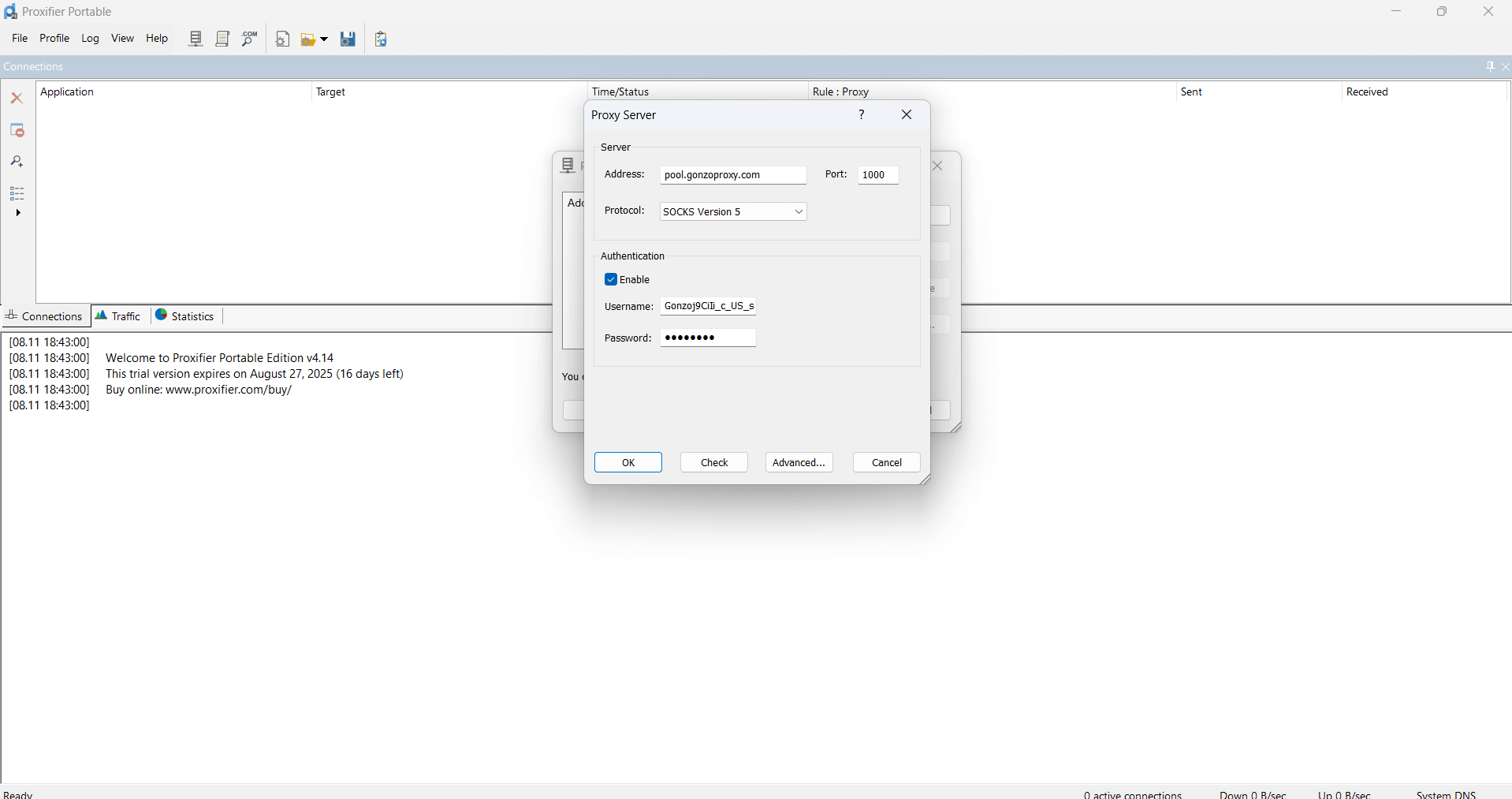
- In the window that appears, paste the obtained proxy data
For example:
Server/Host: pool.gonzoproxy.com
Port: 1000
Login: Gonzoj9CiIi_c_US_sd_79_city_Ozark_s_87231IXF_ttl_72h
Password: RNW78Fm5
- Click OK
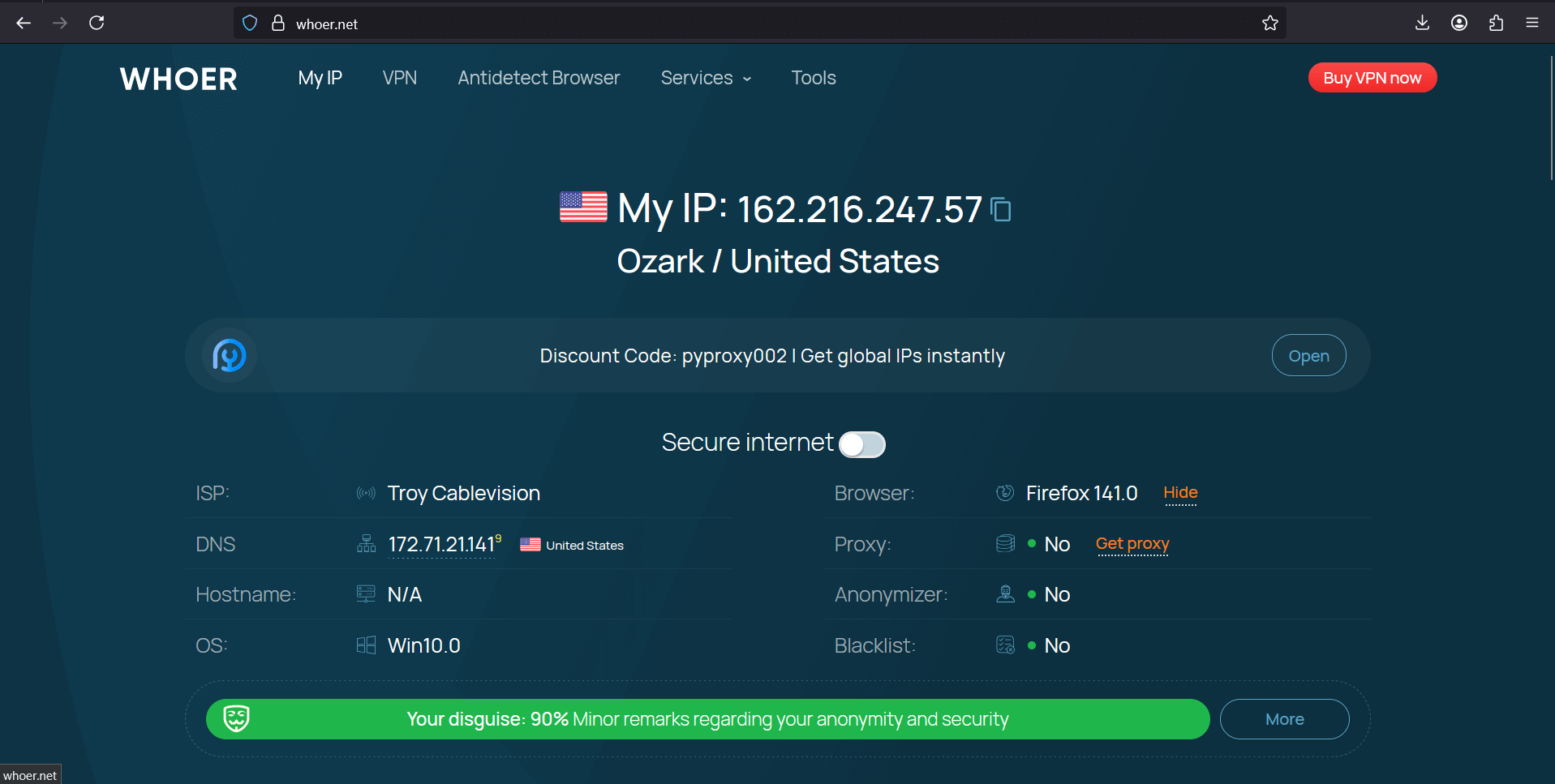
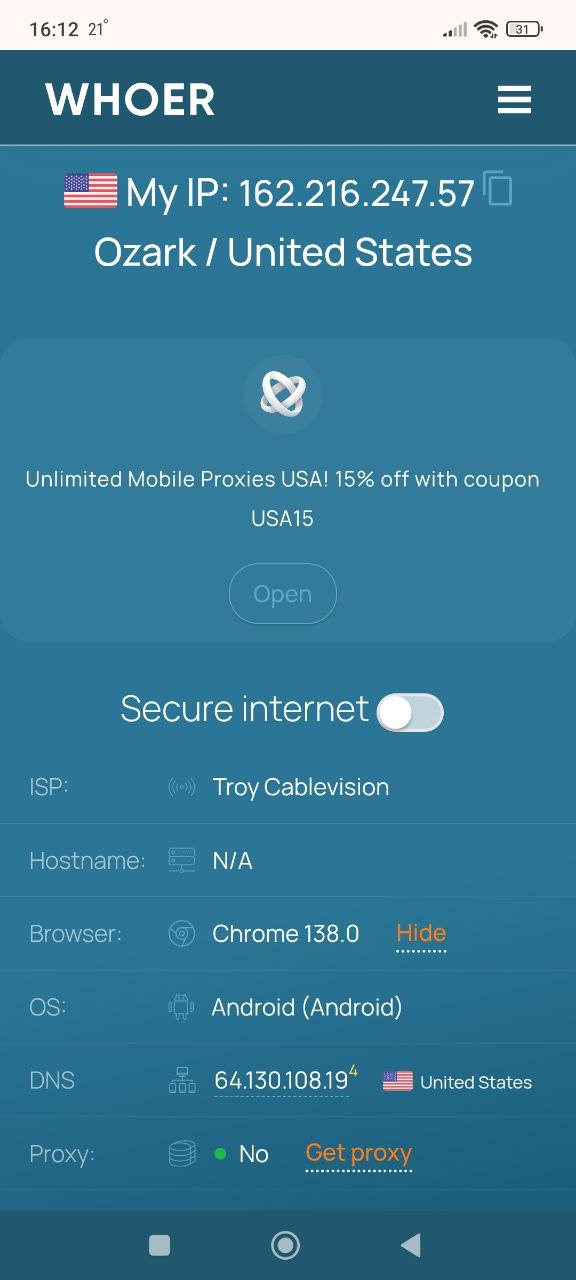
- Go to whoer.net website. Everything works!
On Mac the situation is better. In system settings select network, click "Advanced", go to the "Proxies" tab. Check HTTP and HTTPS, enter the data. Works more stable than in Windows.
Linux users usually know what to do anyway. In brief, either through your distribution's GUI, or type export http_proxy and export https_proxy in the terminal. Geeks can set up proxification through iptables, but that's advanced level.
Smartphones (Android, iPhone)
On Android everything depends on the system version and manufacturer's shell. The usual path looks like this.
1. Open phone settings, find the Wi-Fi section
2. Tap on the arrow in your network name
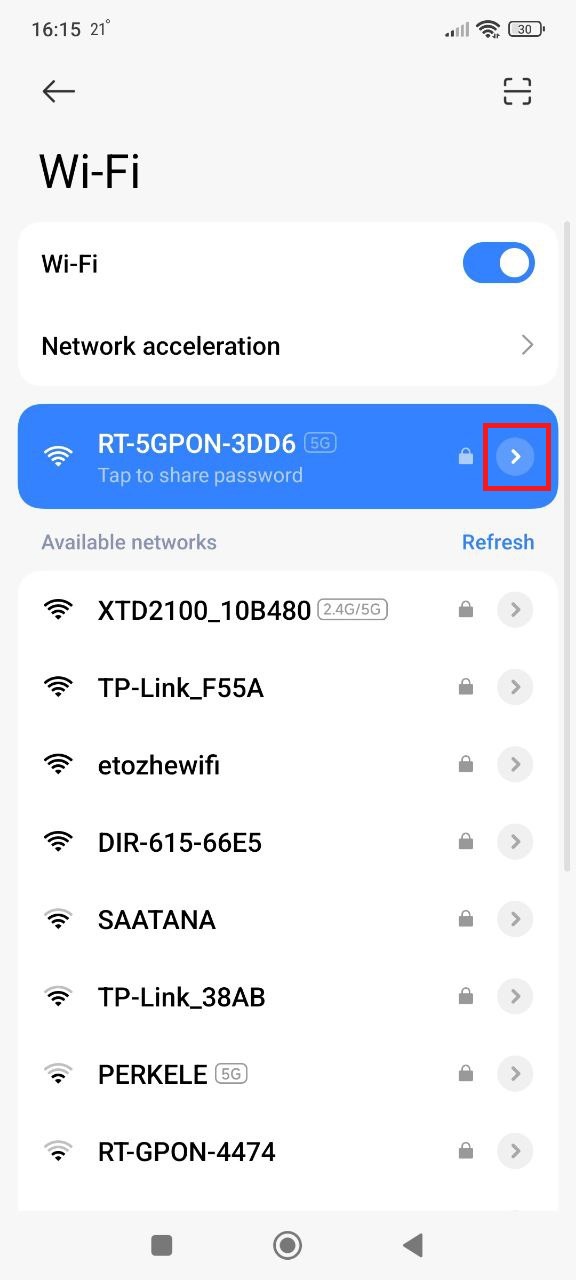
3. Look for proxy and specify manual configuration
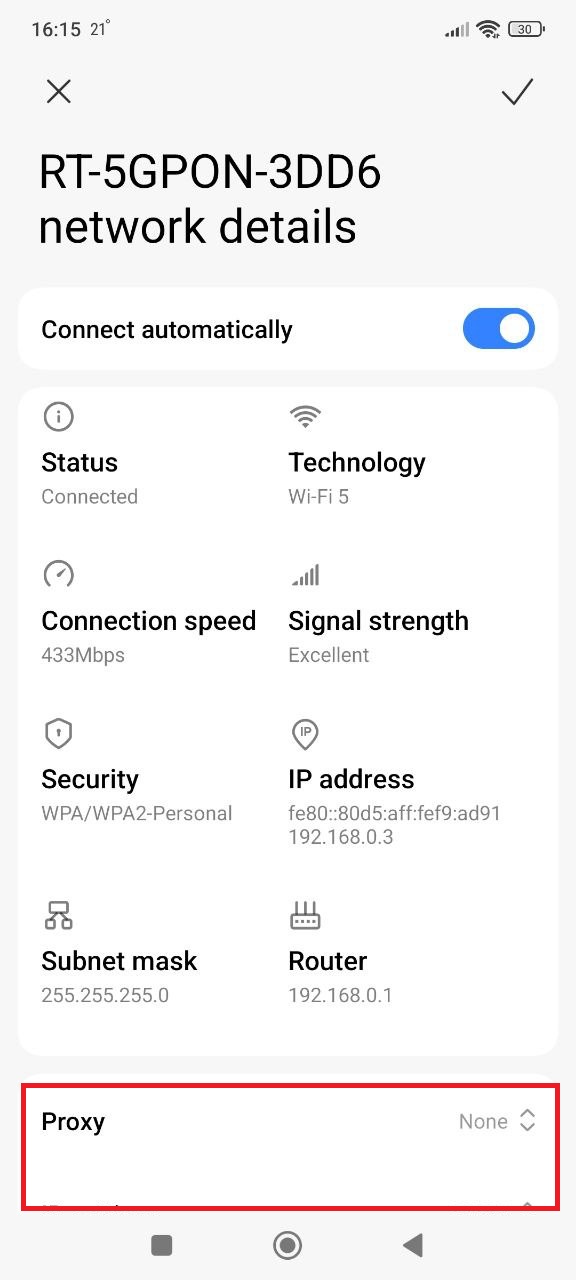
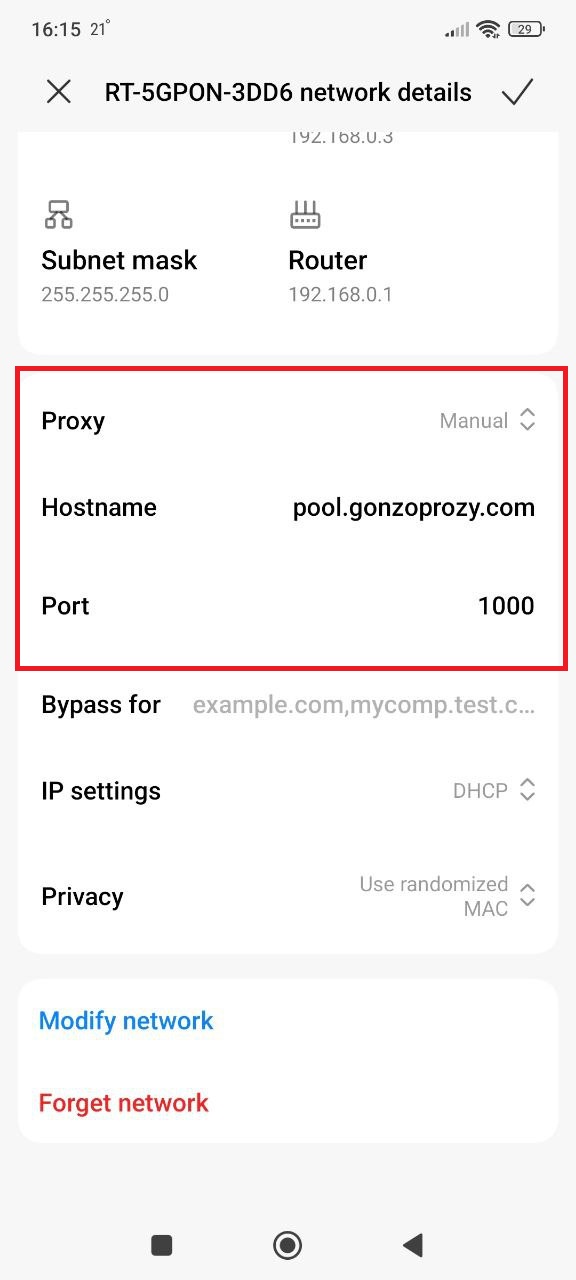
4. Enter proxy data:
For example:
Server/Host: pool.gonzoproxy.com
Port: 1000
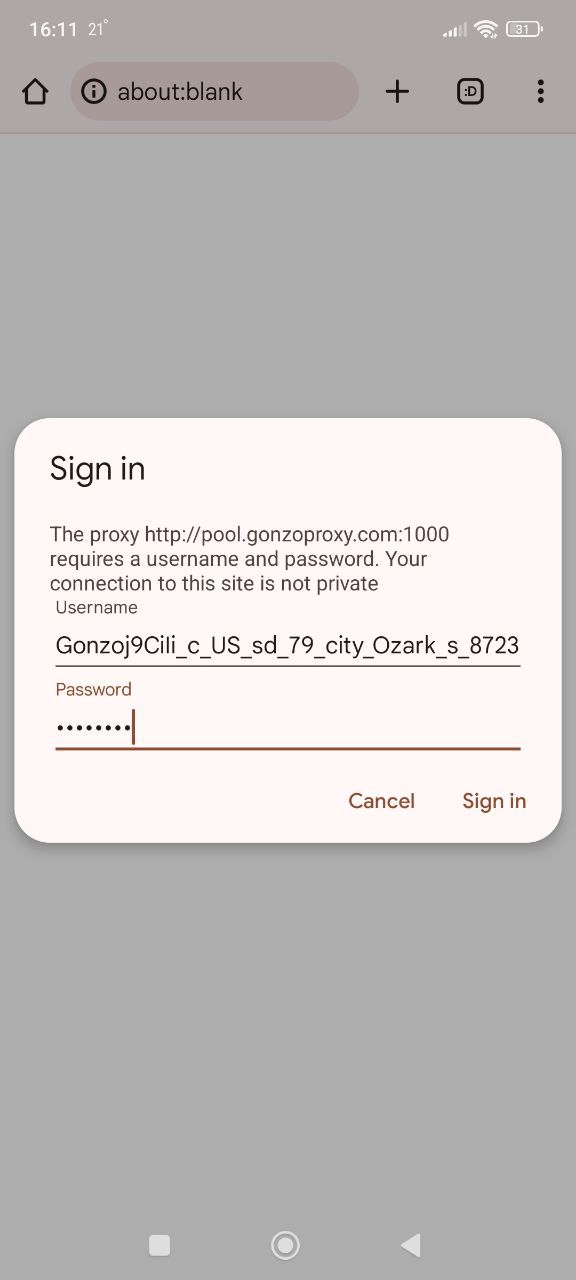
- Launch the browser, it will ask for login and password, enter:
Login: Gonzoj9CiIi_c_US_sd_79_city_Ozark_s_87231IXF_ttl_72h
Password: RNW78Fm5
Go to whoer.net website. Everything works!
iPhone owners will find proxy settings for YouTube on phone at the following address.
- Open Settings, find the Wi-Fi section.
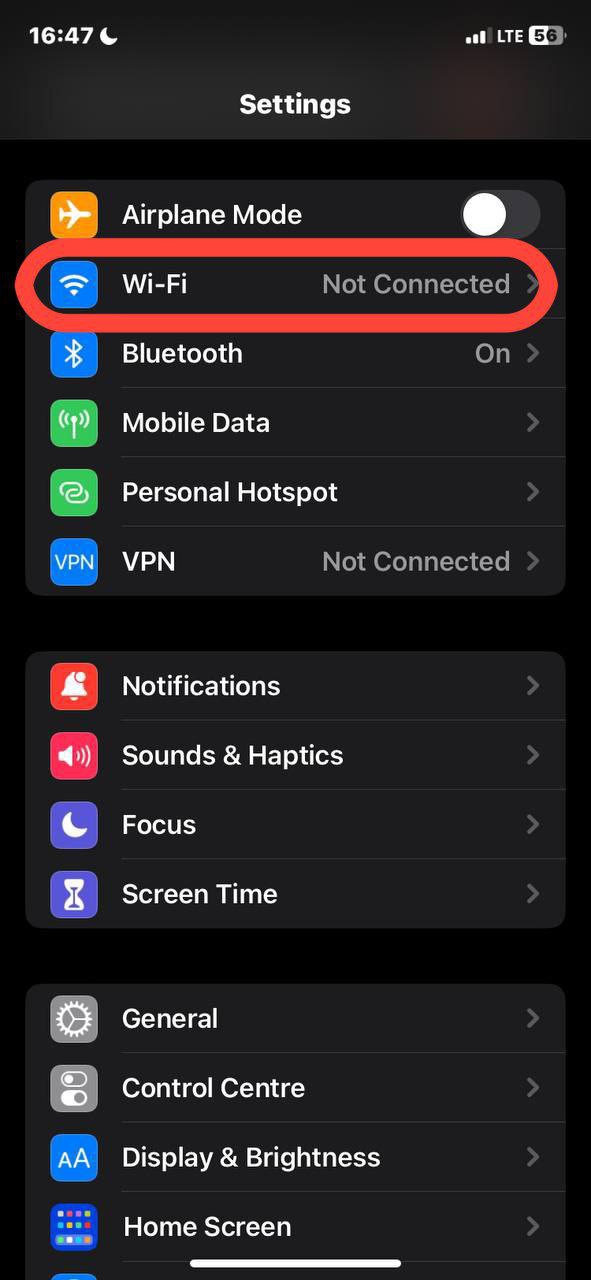
- See your network? Tap the information icon next to the name.
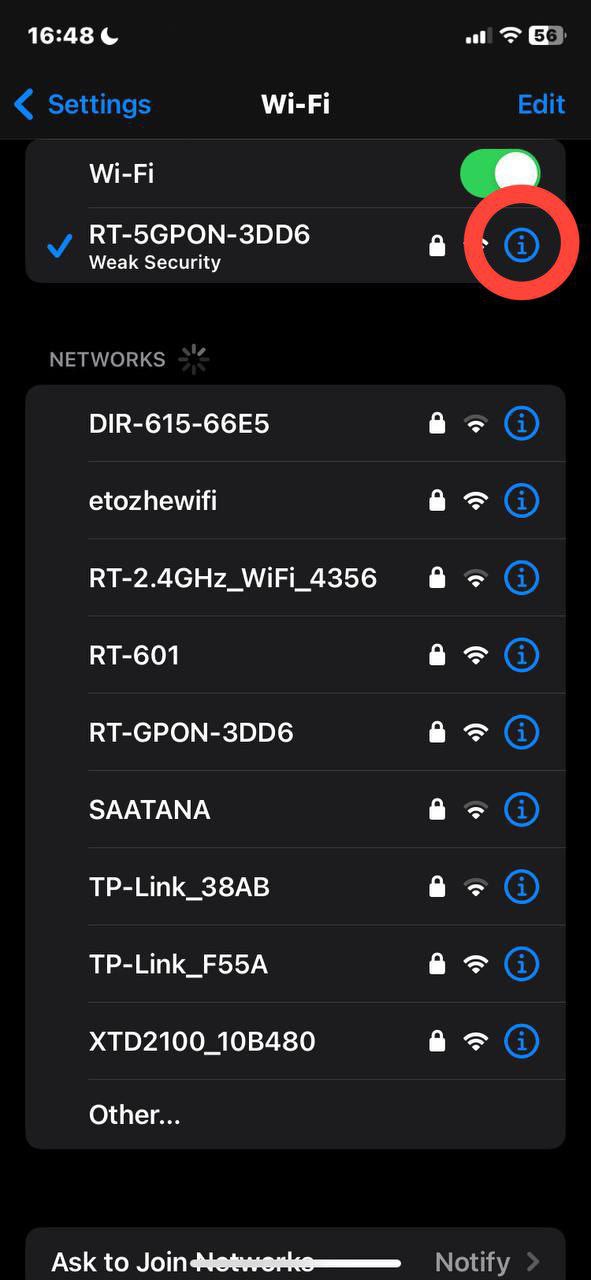
- Scroll down to "Configure Proxy". Change "Off" to "Manual".
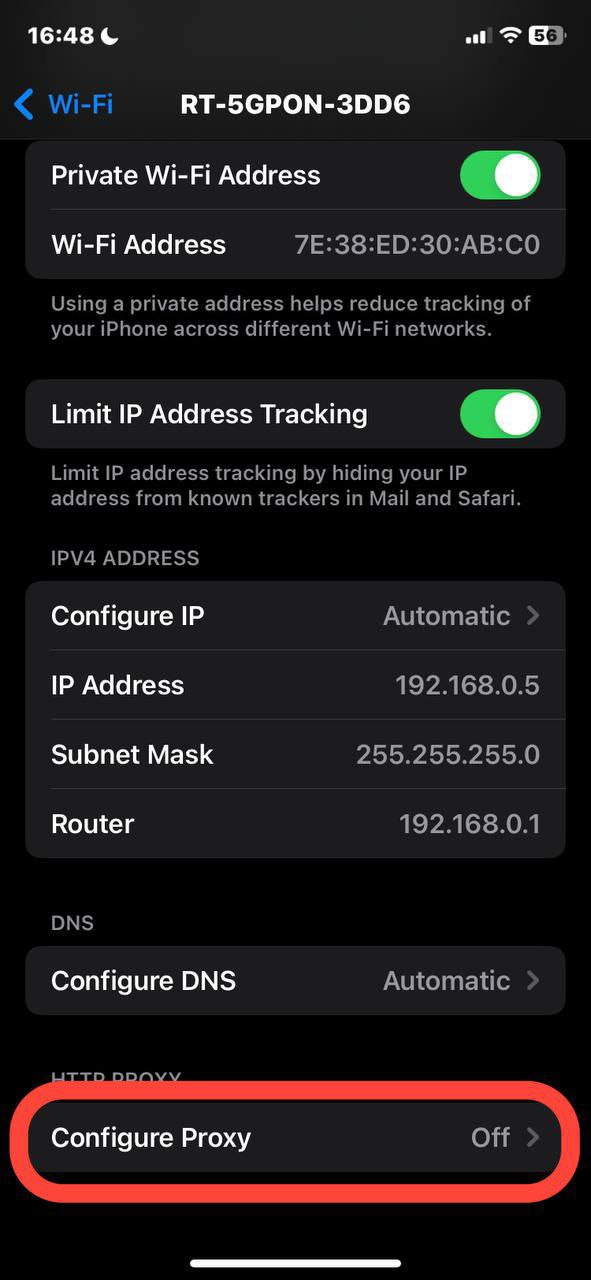
- Enter the data received from the provider: server address (looks like a set of numbers 192.168.1.1), port. For paid proxies add login and password.
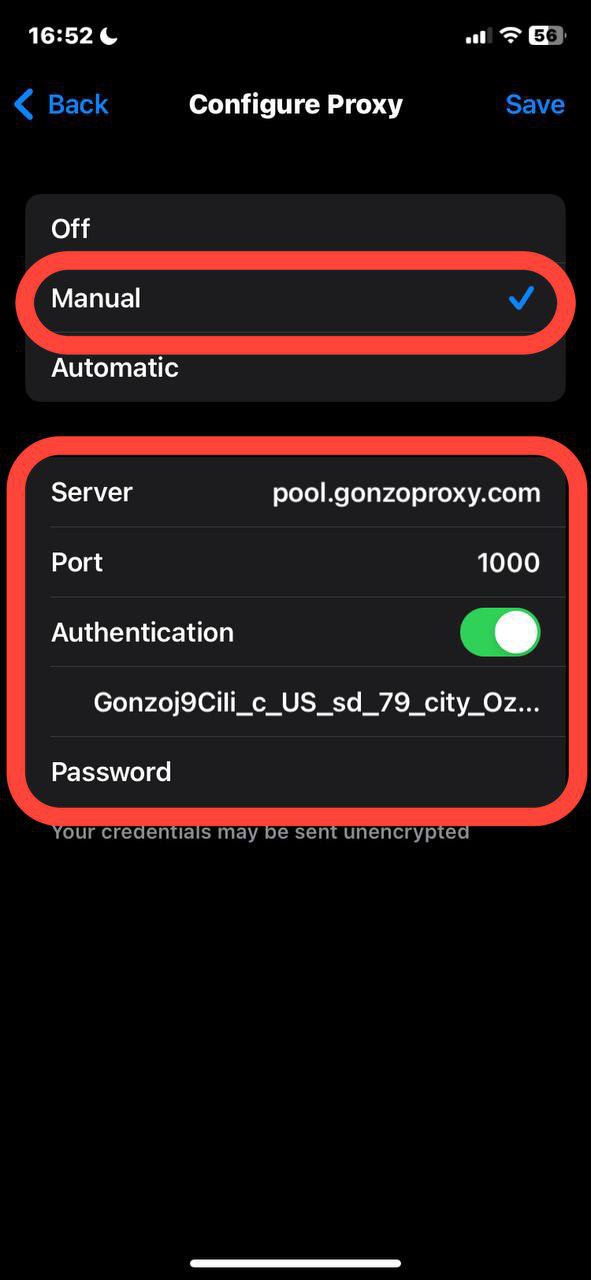
- Save settings. Done, you're in another country.
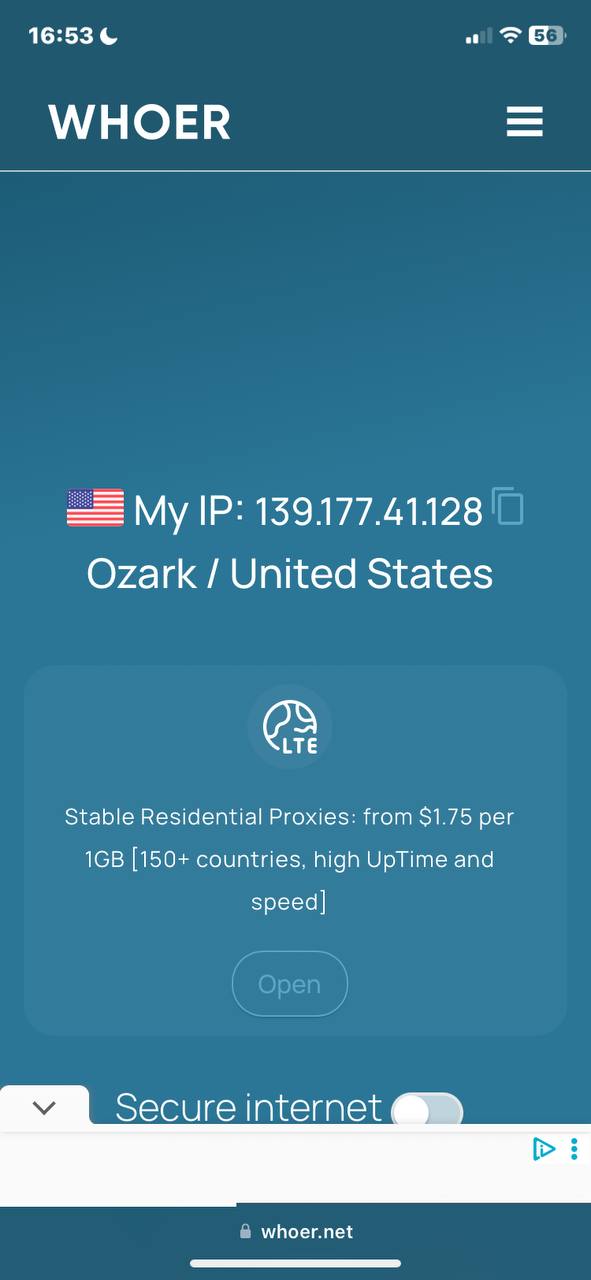
Life hack instead of system settings. Use apps like Shadowrocket (iOS) or ProxyDroid (Android). They allow quick switching between different proxies and work with all applications.
TVs and Smart TV
With TVs everything is complicated. Each manufacturer has their own quirks. On Samsung Smart TV look for "IP Settings" in network settings and select "Manual configuration". On LG webOS the path is roughly the same, but the interface differs. Android TV allows you to set up proxy for YouTube on TV through third-party apps from Play Store.
If the TV is stubborn, there's a workaround. Set up proxy directly on the router. Then all home traffic will go through proxy. The downside is that internet speed will drop for all devices.
Browsers with proxy extensions
The easiest way is to install a browser extension. In Chrome Web Store or among Firefox add-ons you'll find dozens of options. Popular options include FoxyProxy, Proxy SwitchyOmega, Browsec.
For example, let's look at FoxyProxy for Firefox
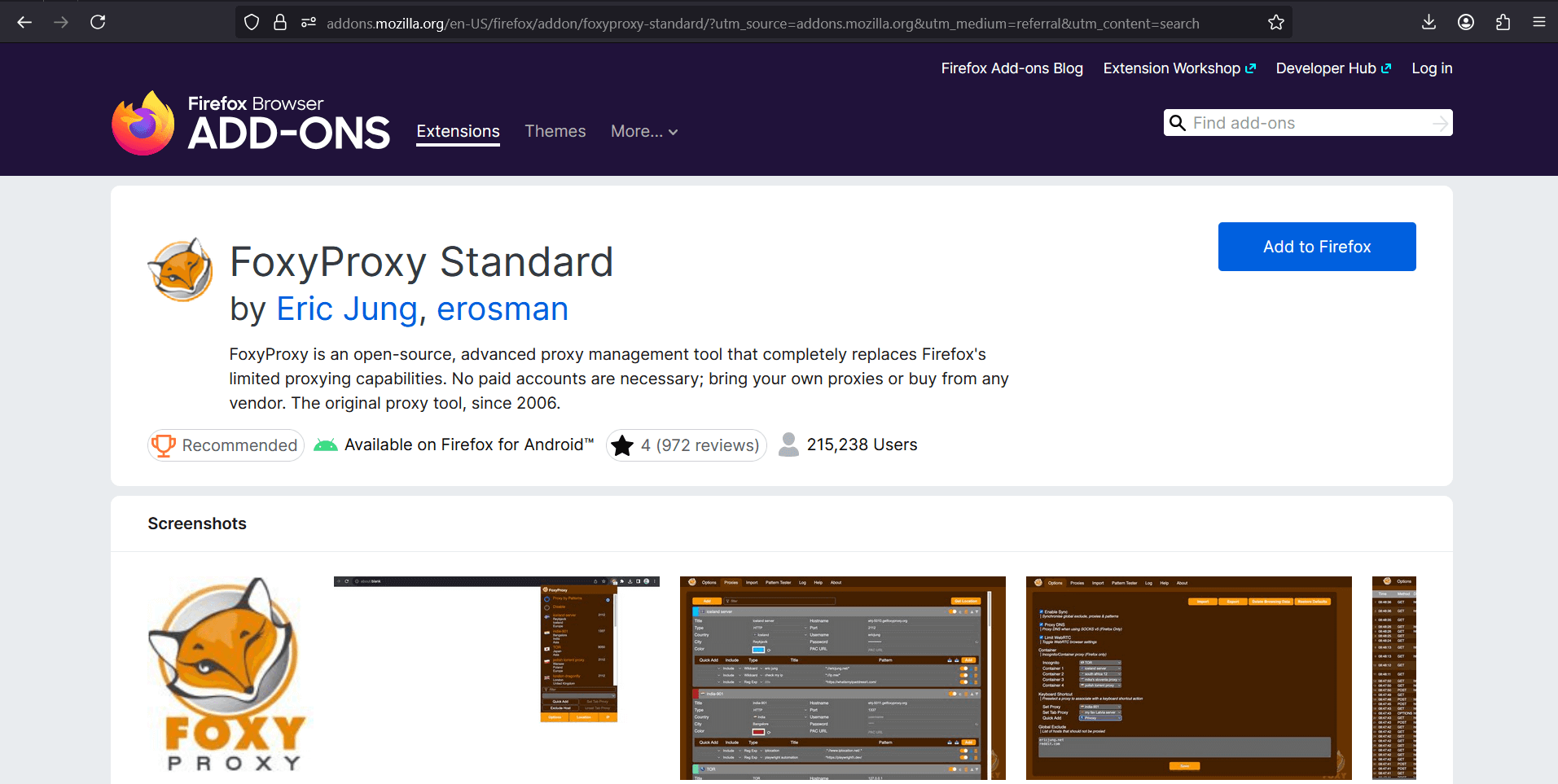
- After installation, click on the extension icon → "Options".
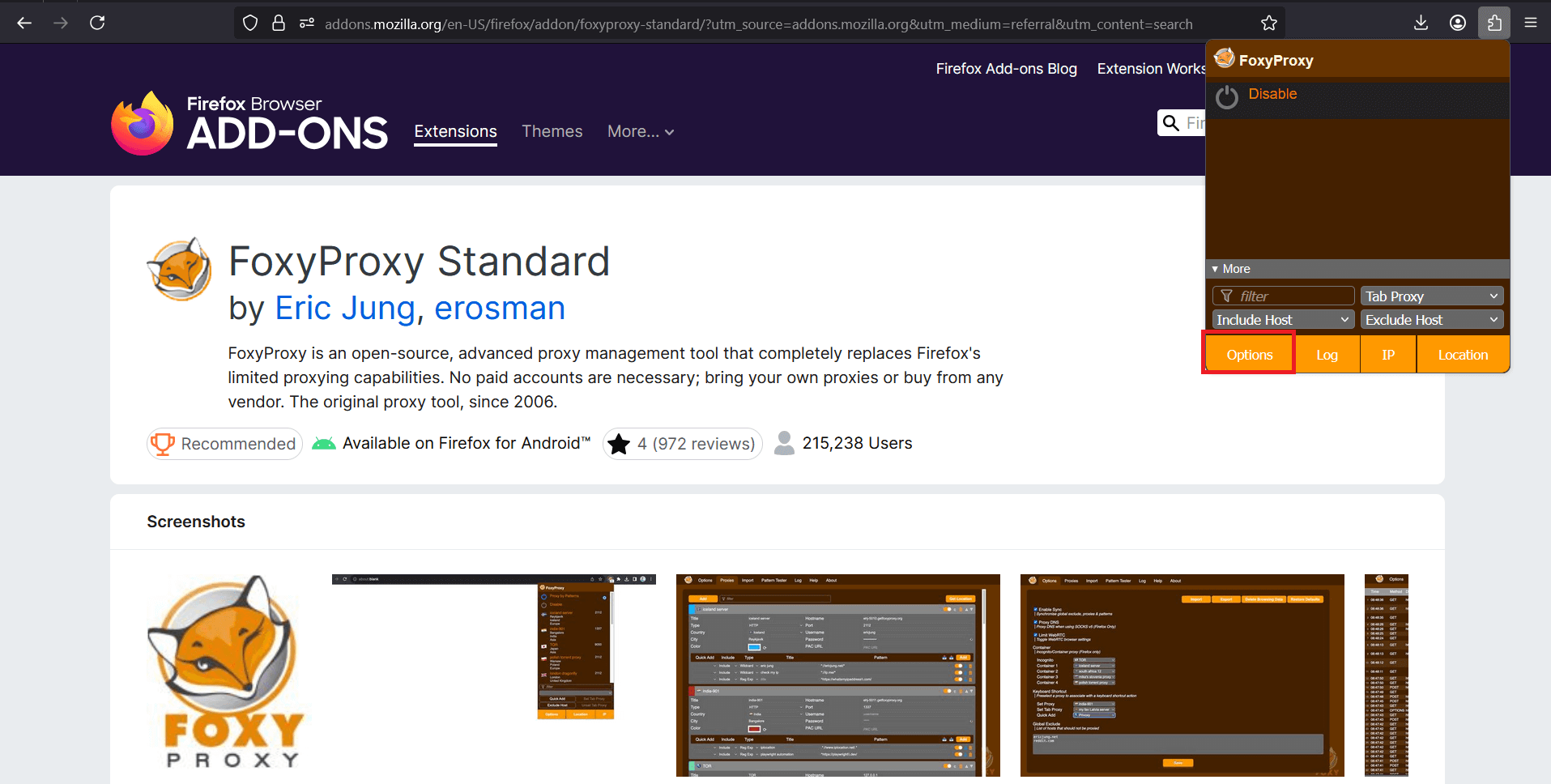
- Go to the Proxies tab and click Add
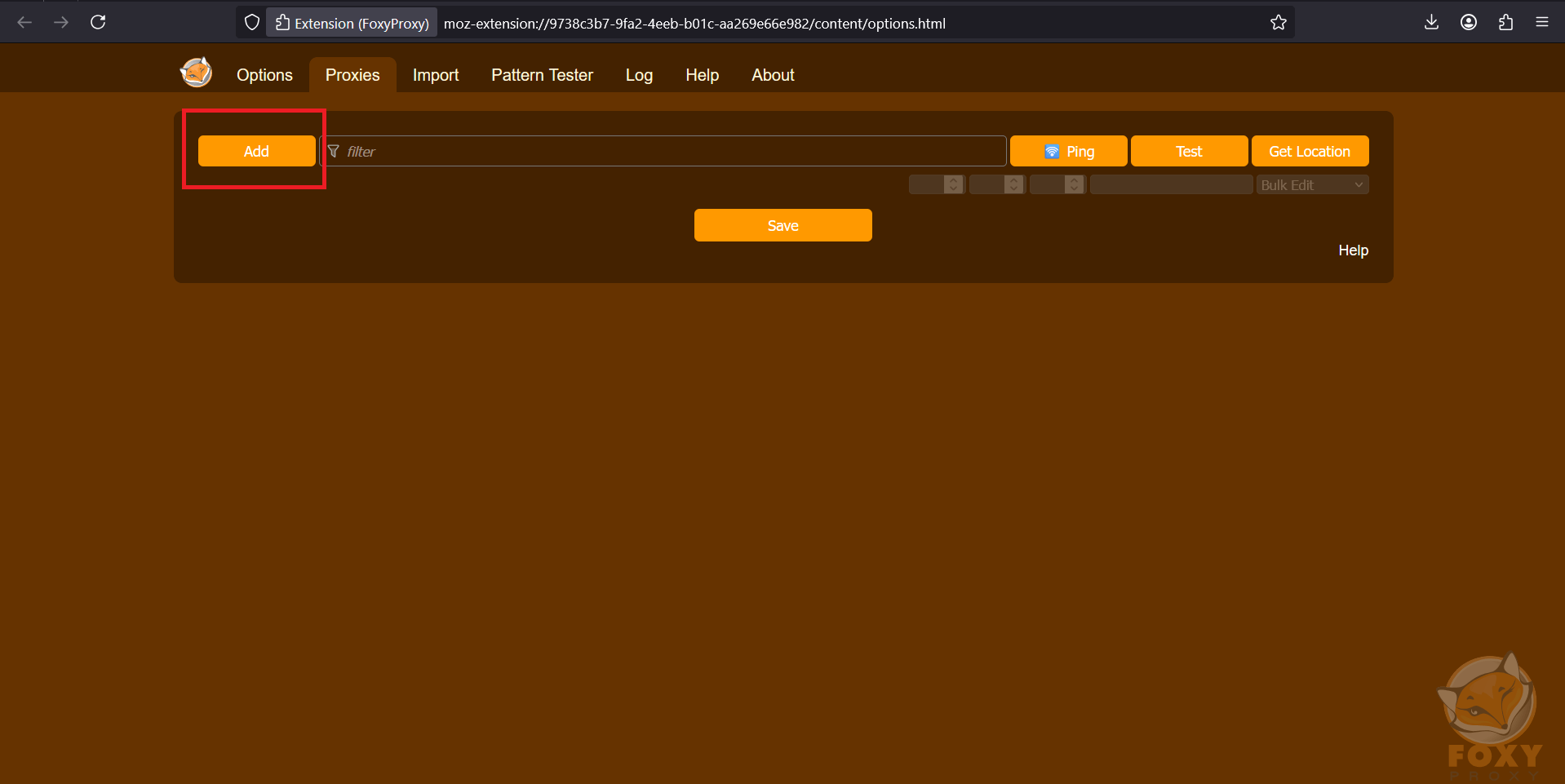
- Add a new proxy profile, enter your proxy data there.
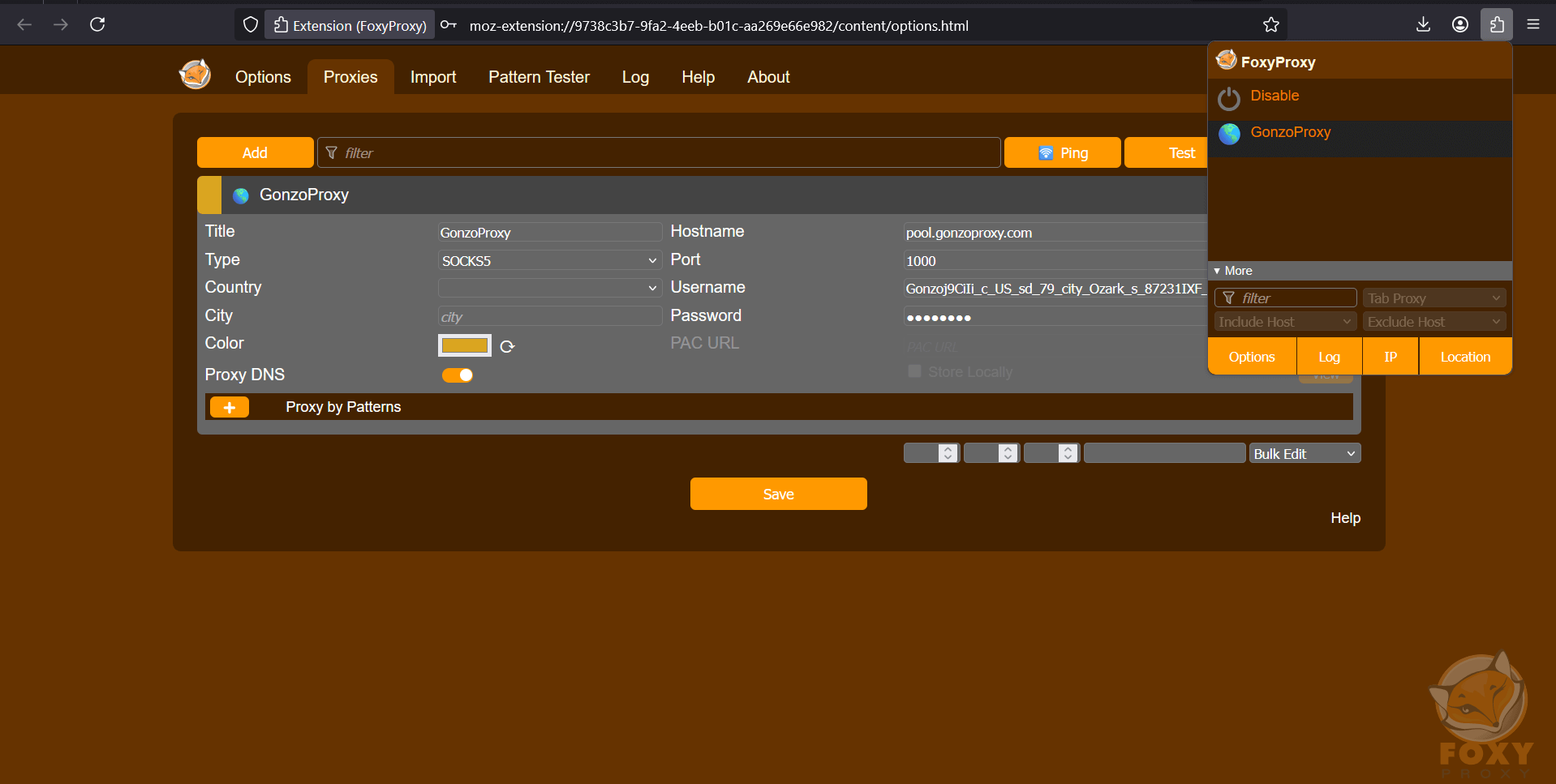
Server/Host: pool.gonzoproxy.com
Port: 1000
Login: Gonzoj9CiIi_c_US_sd_79_city_Ozark_s_87231IXF_ttl_72h
Password: RNW78Fm5
Click Add and activate proxy in the extension
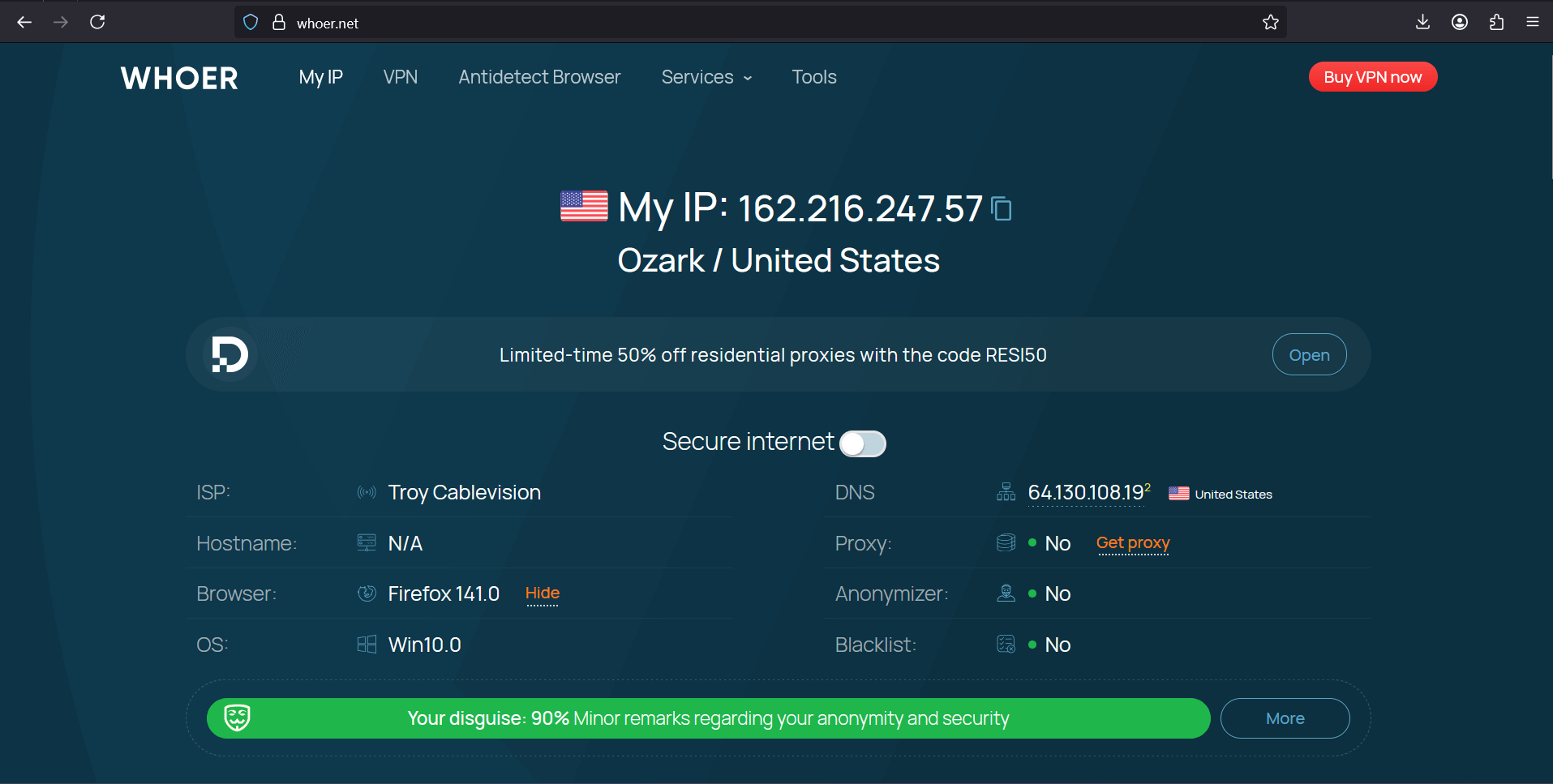
- Go to whoer.net website. Everything works!
Setting up proxy for YouTube in Yandex browser is no different, since it supports all extensions from Chrome Store. Enter your proxy data in the extension settings, turn on with one button, and done. It's convenient that you can create multiple profiles and switch between them on the fly.
Promotion and SMM
Here's where it gets really interesting. Know why some channels take off in a couple of weeks? It's not just about content quality. SMM specialists use hundreds of accounts to promote one video. Each account works through its own proxy, imitating activity from different countries and cities.
The scheme is simple. Video uploaded, an hour later views start pouring in from USA, two hours later likes appear from Germany, three hours later comments come from Japan. YouTube thinks the video is going viral worldwide and starts promoting it in recommendations. Without proxy you can't pull off this trick, the platform will immediately see that all actions come from one IP.
Parsing and analytics
Marketers love data. Which videos get views, what tags competitors use, what time to publish content. You need an ocean of information. But YouTube doesn't let you download all this with one click. You have to parse, that is, automatically collect data with scripts.
Try making a thousand requests to YouTube from one IP. In five minutes you'll get banned. But if each request comes from a new proxy, the system won't suspect anything. Professional analytics tools integrate with proxy servers and collect terabytes of data without problems.
Bypassing restrictions on music and trending track downloads
YouTube Music is far from available everywhere. In some countries the feature to download tracks for offline listening simply doesn't exist. Connect through an American proxy, and voila, you can download music to your phone. Same with exclusive releases. Artists often release tracks first for USA, and the rest of the world waits weeks.
Access to "American YouTube" and local recommendations
YouTube algorithms work differently in different countries. American YouTube shows some trends, Japanese shows completely different ones. For content makers this is a gold mine. You can peek at ideas that took off in Asia, adapt them and launch in CIS.
Using proxies from different countries, you study local trends, find niches not yet occupied in your region. GonzoProxy, for example, provides access to IPs from 150+ countries. You could do a round-the-world YouTube trip.

Easy LVL (Beginner)
If you're just starting to figure out proxies to make YouTube work, remember the main rule. Speed decides everything. Check through Speedtest that the proxy gives at least 5 megabits. That's enough for 1080p viewing without lags.
Don't be greedy. Start with one quality proxy for one account. Understand the working principle, then scale up. And yes, forget about free options. Better to pay a couple dollars for residential proxy than get an account banned that you've been growing for six months.
Middle LVL (Experienced)
When you master the basics, start thinking about performance. For 4K streaming you need not just a fast proxy, but a stable one. Ping up to 50ms is a mandatory condition. Packet loss over 1% means you need to find another provider.
The secret to successful work lies in geographic matching. Promoting a channel about European travel? Use European proxies. Making reviews of American gadgets? Need IPs from USA. YouTube is smart, it matches viewer location with channel theme.
Hard Skill (Pro)
At the professional level, working with proxies becomes an art. Managing 50+ channels requires not just different IPs, but addresses from different subnets (/24 minimum). Before launch, check each IP through services like IPQualityScore. If fraud score is above 75, the proxy goes in the trash.
Automation will become your main tool. Python + Selenium + proxy rotation through API will give a combo for any task. Set up SOCKS5 instead of HTTP where possible, less chance of detection. And always, ALWAYS keep logs. When YouTube bans half the accounts, logs will help understand which proxies got burned.
Before starting, check basic things. Is your main internet stable (proxy won't fix a bad connection), did you copy access data correctly (one typo and nothing works), do you have backups of important accounts (just in case).
During work, watch for red flags. Captcha appearance becomes the first bell, loading slowdown the second, suspicious activity warning means it's time to change proxy. Don't sit on one IP for more than 2-3 hours with active work.
After the session, clean up traces. Clear cookies and cache (or use incognito mode), save working proxies in a separate list, note which proxy was used for which account.
If you chose residential proxies, prepare for fluctuating speed, but you'll get maximum security. Settled on mobile? Speed may drop during peak hours, but YouTube's trust will be maximum. ISP proxies will be the golden mean for content viewing without special requirements.
FAQ


In 2025, there's nothing to do on YouTube without proxy. Either watch what's allowed in your region, or take tools into your own hands. For casual viewing, a simple residential proxy for a couple dollars is enough. For serious work with channels you need mobile proxies with rotation and proper setup.
Many professionals choose GonzoProxy for a unique feature. Their traffic never expires (bought 10 gigs, can use for even a year), plus proxies from all necessary countries are available. For beginners there's a START15 promo code, which gives 15% discount on the first order. Worth trying if you're tired of messing with VPNs that YouTube blocks faster than you can set them up.