Yandex is everywhere. In the browser, on your phone with music, even the TV now talks with Alice. Only here's the catch. YouTube won't load, they ban new accounts in Direct faster than you can launch a campaign, and half the apps on Smart TV show a "not available in your region" stub. Sound familiar? That's where proxies come to the rescue. Let's figure out what's what with these servers and why you can't do without them in Yandex anymore.

Contents
Yandex.Browser
Let's start with the obvious. People mostly set up proxy for Yandex browser for YouTube. And other blocked sites, of course. The browser itself is cool, I won't argue. But what's the point if half the internet is unavailable?
And if you're running ads or working with a bunch of accounts, there's no other option at all. Proxy server for Yandex makes Facebook see ten different people, not one smartass with an account farm. And yeah, you can also see what ads they show Germans or Americans. You sit in Moscow but see the internet through the eyes of a Berlin resident.
Yandex.Disk

The disk has its own story. Proxy for Yandex Disk is needed when you download a lot at once. The system sees someone pulling terabytes of data and thinks "Isn't this a bot by any chance?" Cuts the speed right away. Or blocks access altogether.
Went abroad? Here we go again. Some files might not open. Geography, you know. With proxy, these hassles disappear. Download the whole library if you want, the system won't suspect a thing.
Yandex Smart Tv (Alice)

Bought a cool TV with Alice, turned it on. And there's... not much really. YouTube is limited, Netflix doesn't work at all, I won't even mention Apple TV. Annoying, right? Proxy for Yandex TV solves this problem in no time. Five minutes of tinkering with settings, and voila, all world content is on your screen.
Yandex.Music, Yandex.Eats, Yandex.Direct
With music, it's clear. Proxy for Yandex music is needed to listen to the full catalog from anywhere in the world. But the interesting part starts with Eats and Direct.
Look at this trick. A new account in Yandex.Eats gets a discount on the first order. A new account in Direct gets a 5-10 thousand bonus for advertising. Set up proxy for Yandex Direct, register a dozen accounts, and you've got a decent amount for testing. Just don't get greedy, or they'll ban you.
Residential proxies
These are IPs of regular people. Someone's sitting at home watching a show, and their IP is used as proxy for Yandex. Sounds weird, but works like a charm. These proxies cost a pretty penny, from two to six dollars per gigabyte. But Yandex almost never bans them. Perfect for Direct and account management.
Mobile proxies (4g/5g)
This is where it gets beautiful. Hundreds of people use a mobile operator's IP simultaneously. Banning such an address is like cutting off internet for a whole neighborhood. They cost from 30 bucks a month, but traffic is usually unlimited. Can't beat it for registering new accounts and grabbing promo codes.
Data centers
Server proxies. Fast as lightning, cheap as lunch at a cafeteria. A dollar or three a month. But! Yandex spots them instantly. Only good for parsing and price monitoring. Try to run an account through them, you'll get banned faster than you can blink.
Free (public) proxies
Forget it. Seriously, don't even try. Slow, constantly dropping, half are already blacklisted. Plus passwords get stolen through them easily. You need that?
Windows and macOS
Alright, let's set this up. Setting up proxy for Yandex browser takes five minutes if you know where to click.
- Open the browser, click three lines on the top right.
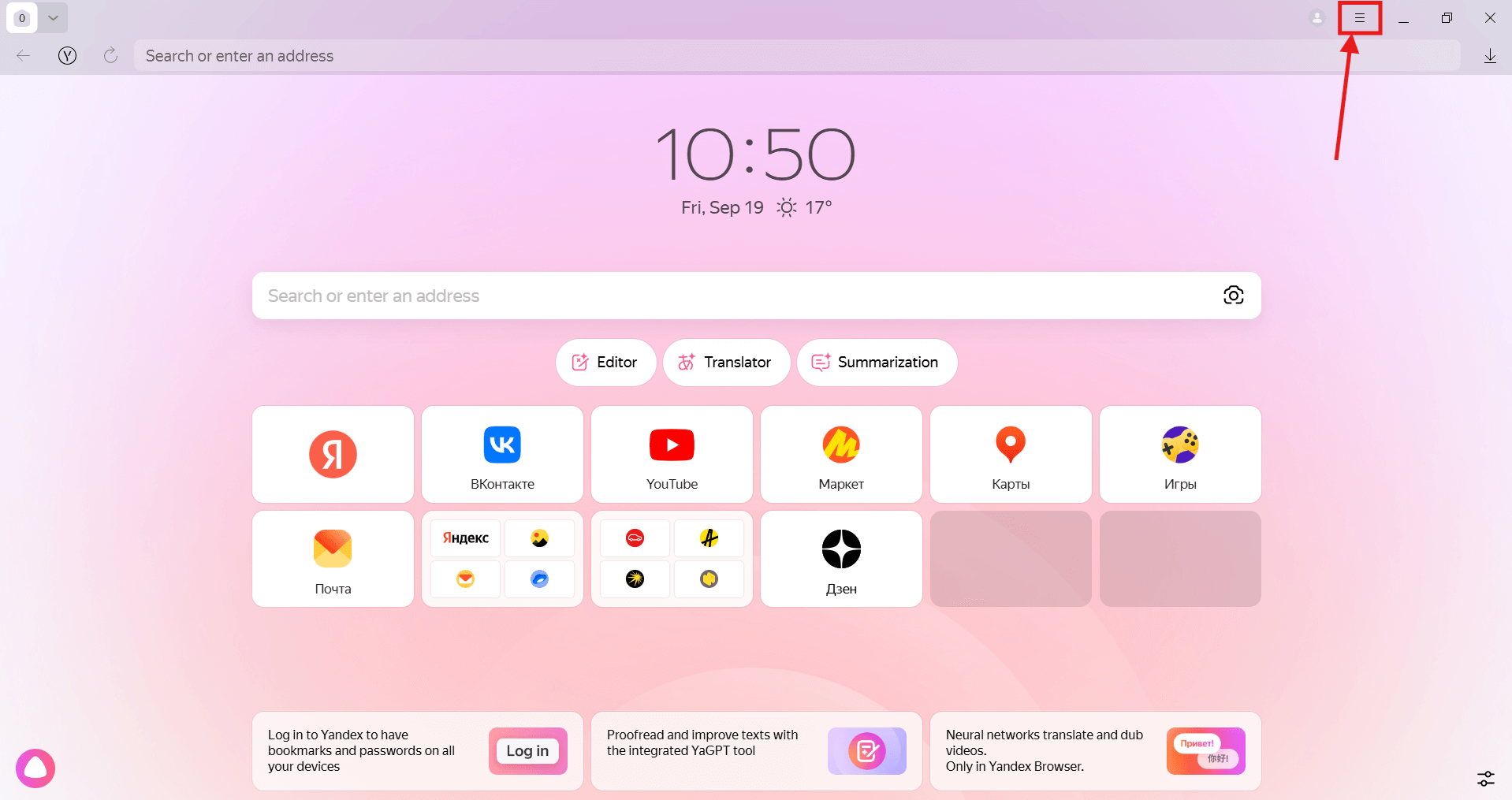
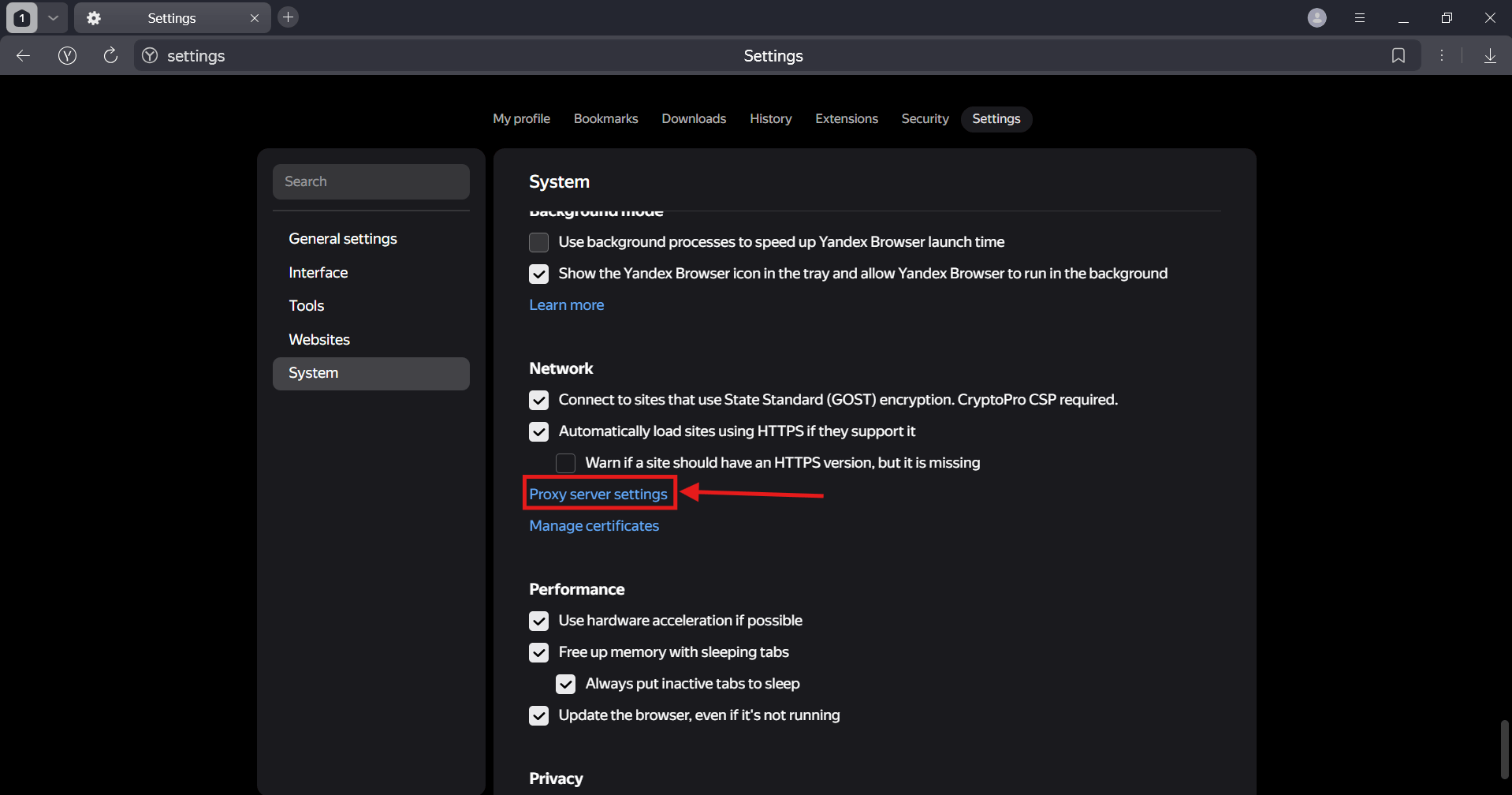
- Look for Settings there, then System. See the "Proxy server settings" button? That's what we need.
- A system network settings window will open. Here's the catch - Windows settings don't include proxy login and password. So for Windows we recommend using Proxifier, it's a program that will definitely route browser traffic through the right proxy.
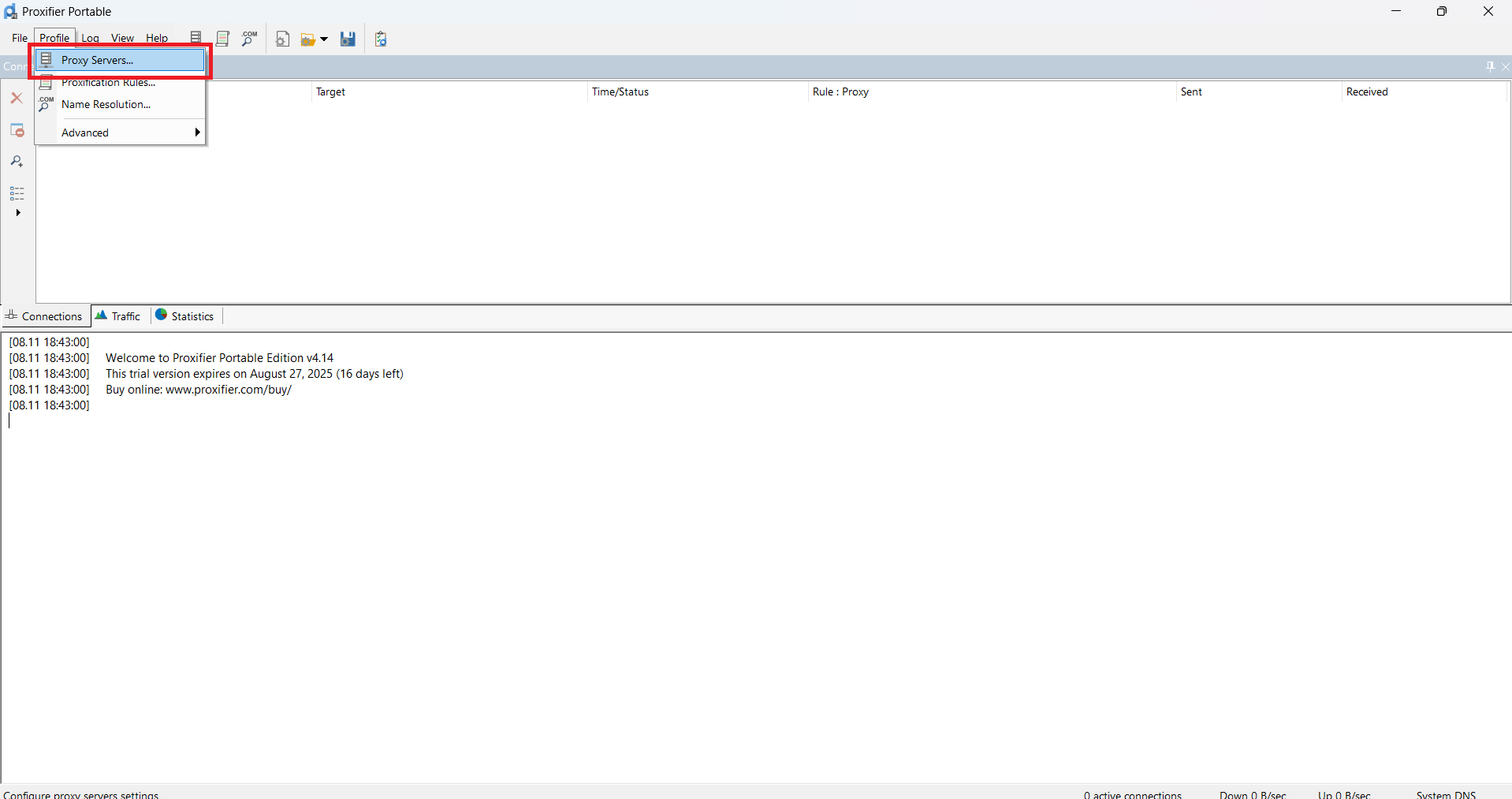
- In Proxifier, click on Proxy Servers.
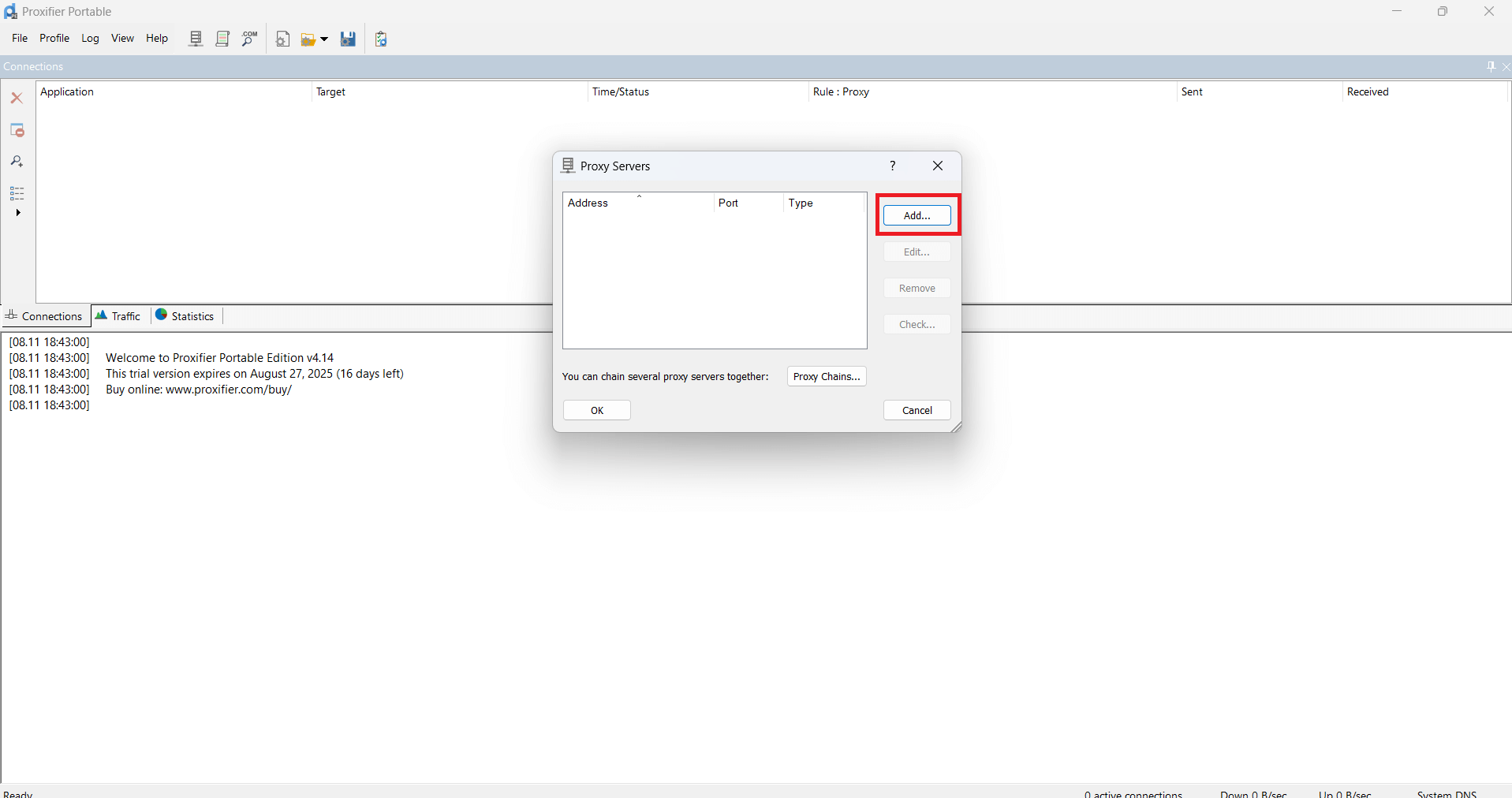
- Then click Add.
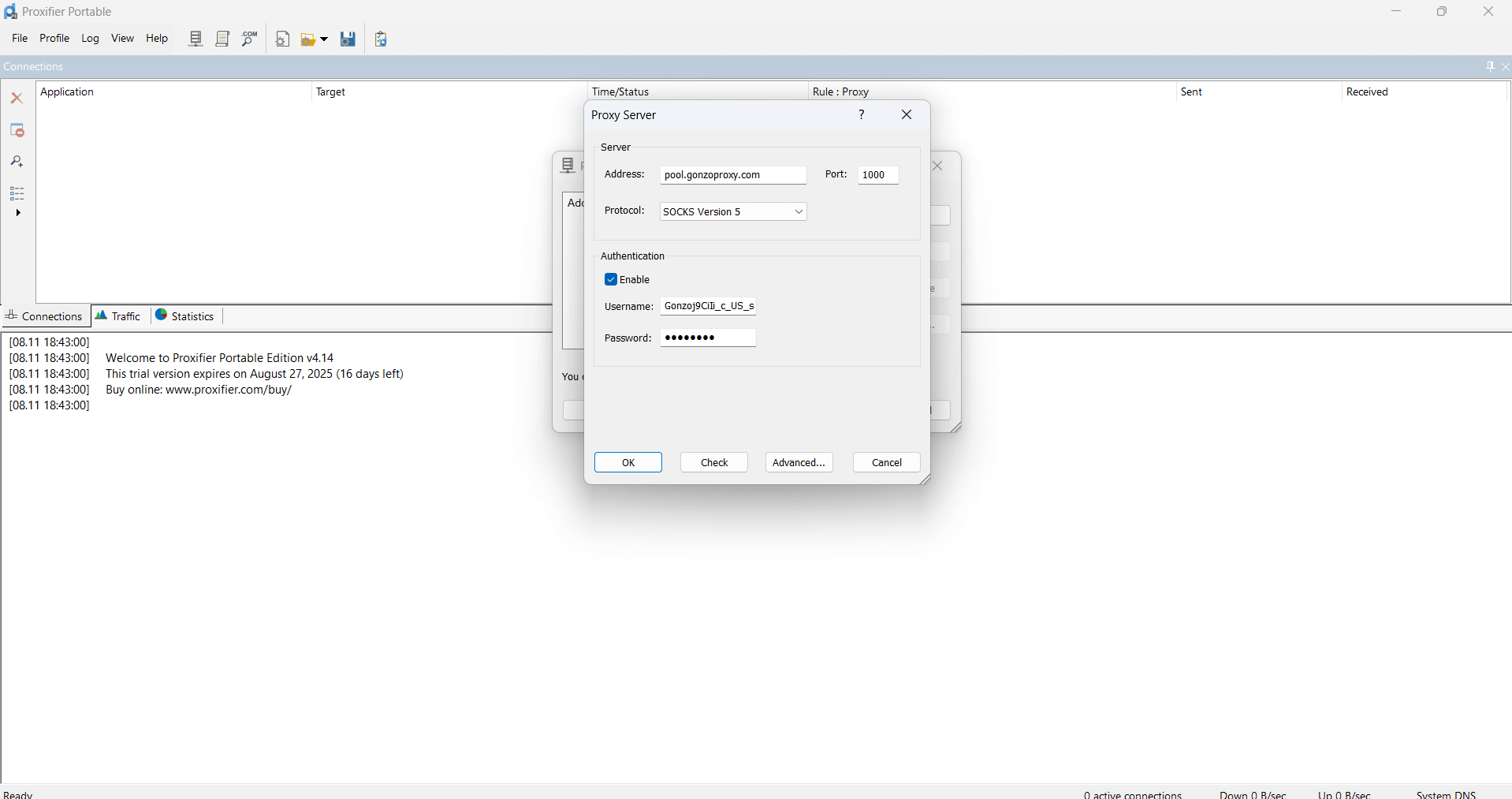
- In the window that appears, paste the proxy data you got.
For example:
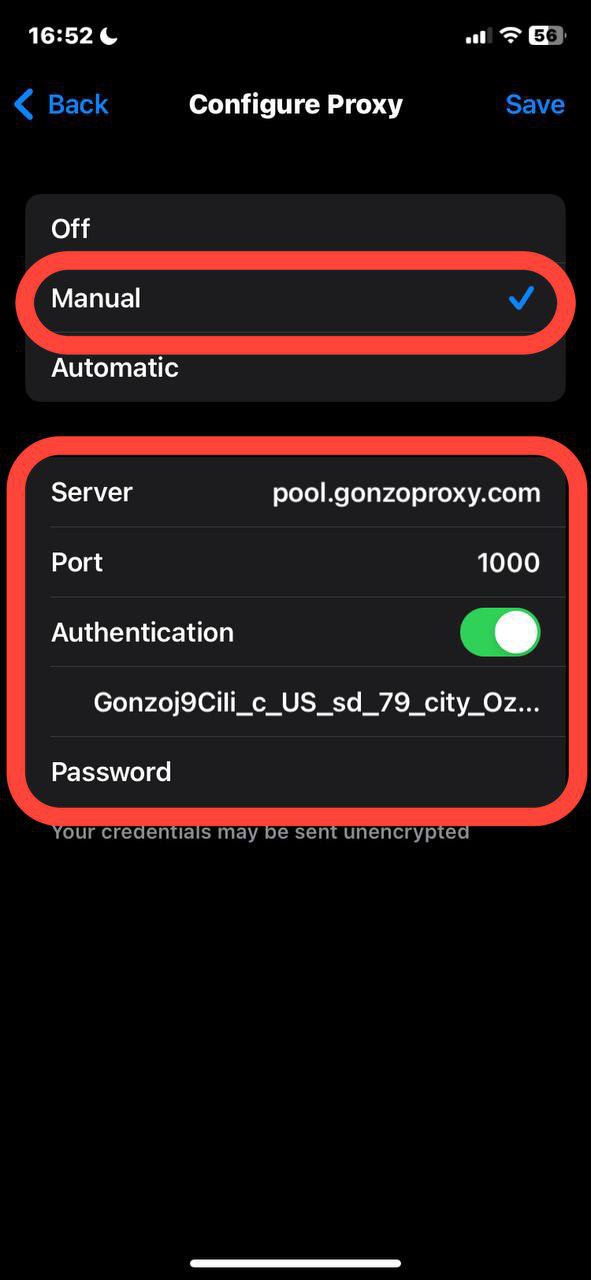
Server/Host: pool.gonzoproxy.com
Port: 1000
Login: Gonzoj9CiIi_c_US_sd_79_city_Ozark_s_87231IXF_ttl_72h
Password: RNW78Fm5
- Click OK.
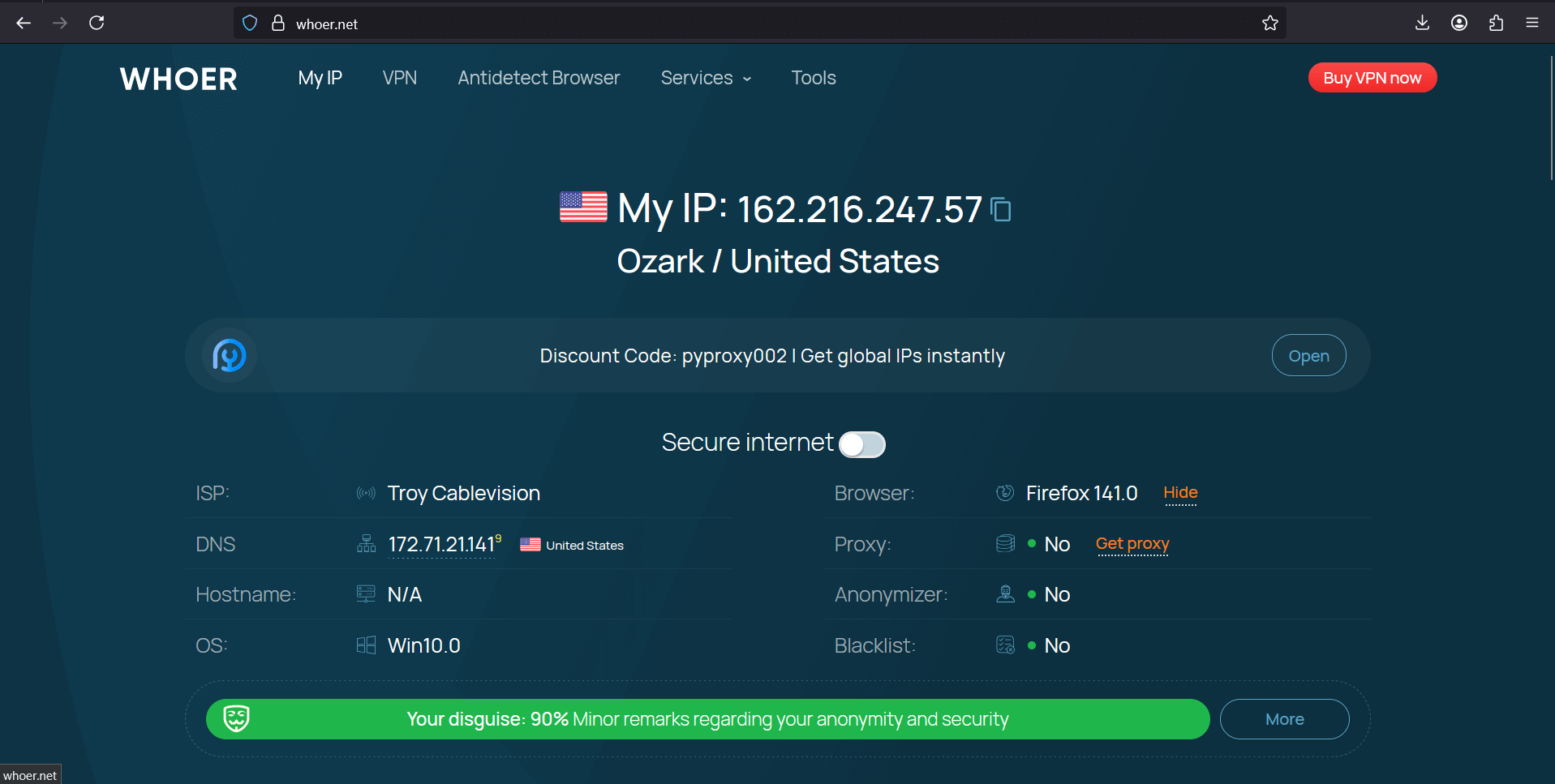
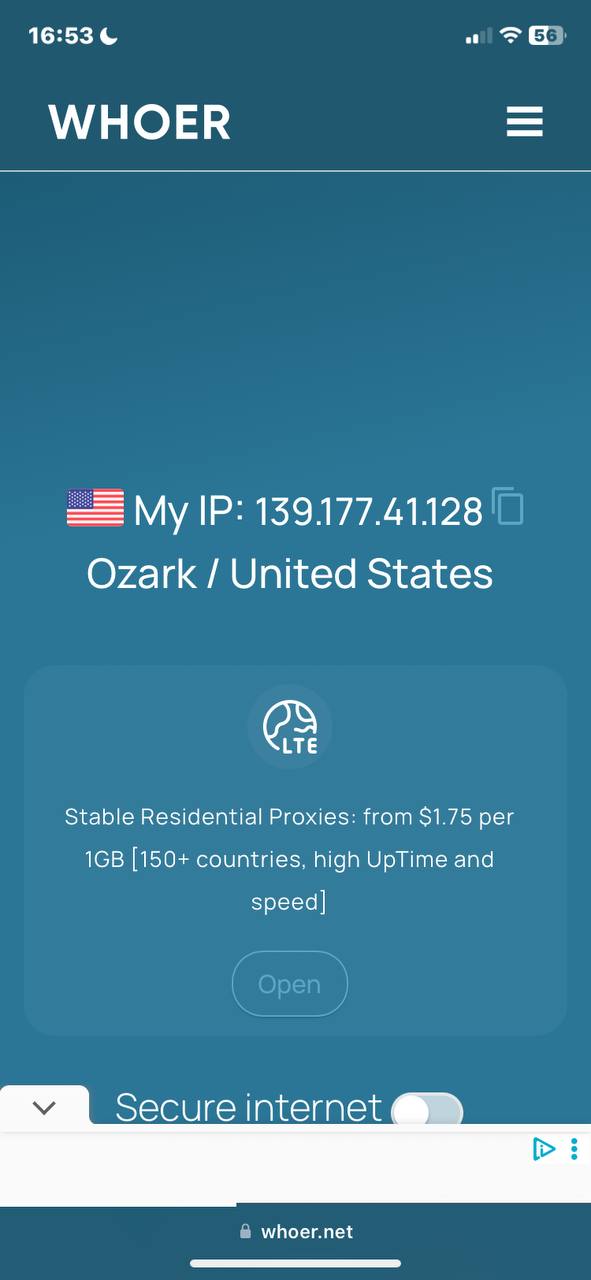
- Go to whoer.net. Everything works!
Android and IPhone
On phones it's a bit different. Proxy is set up not in the browser, but in wifi settings.
Android:
1. Open phone settings, find the Wi-Fi section
2.Tap the arrow next to your network name
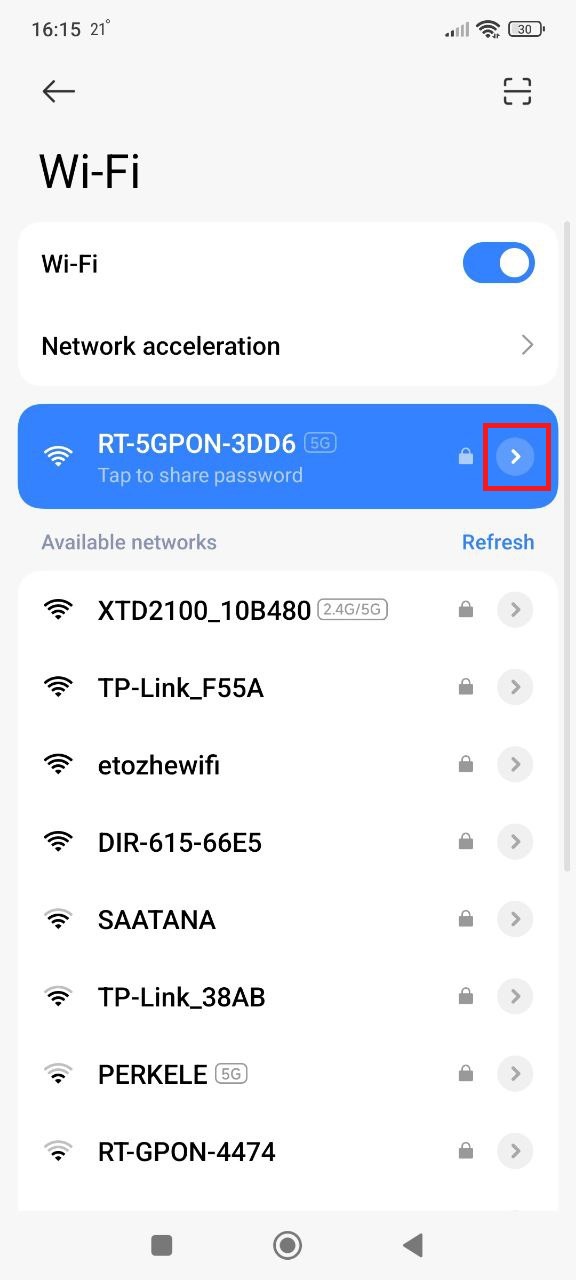
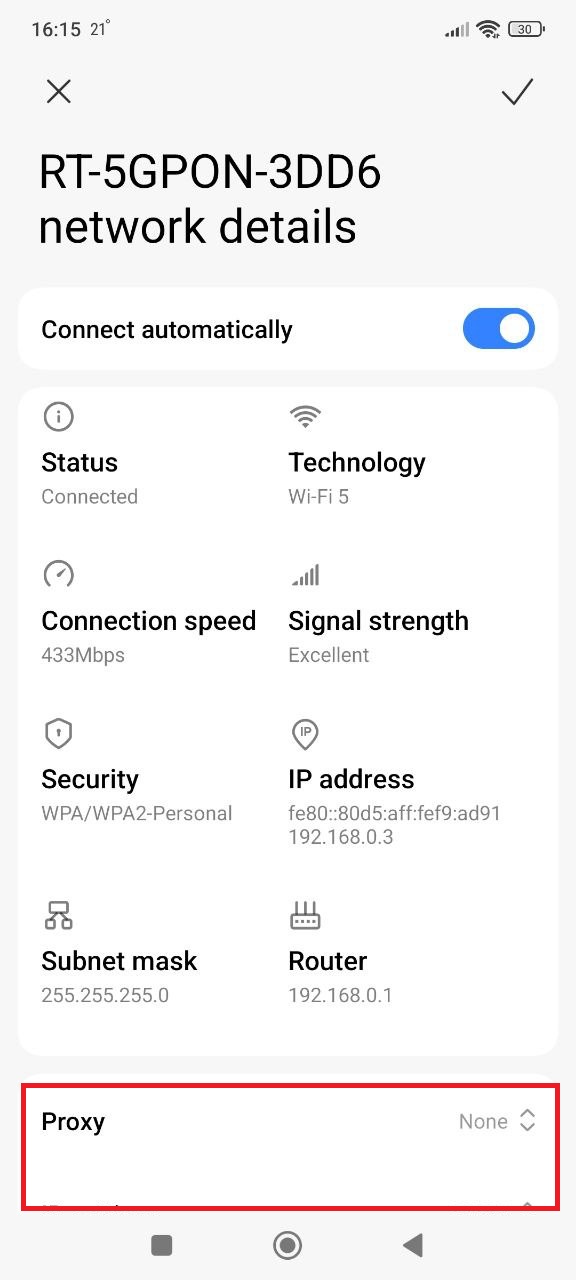
3. Look for proxy and select manual setup
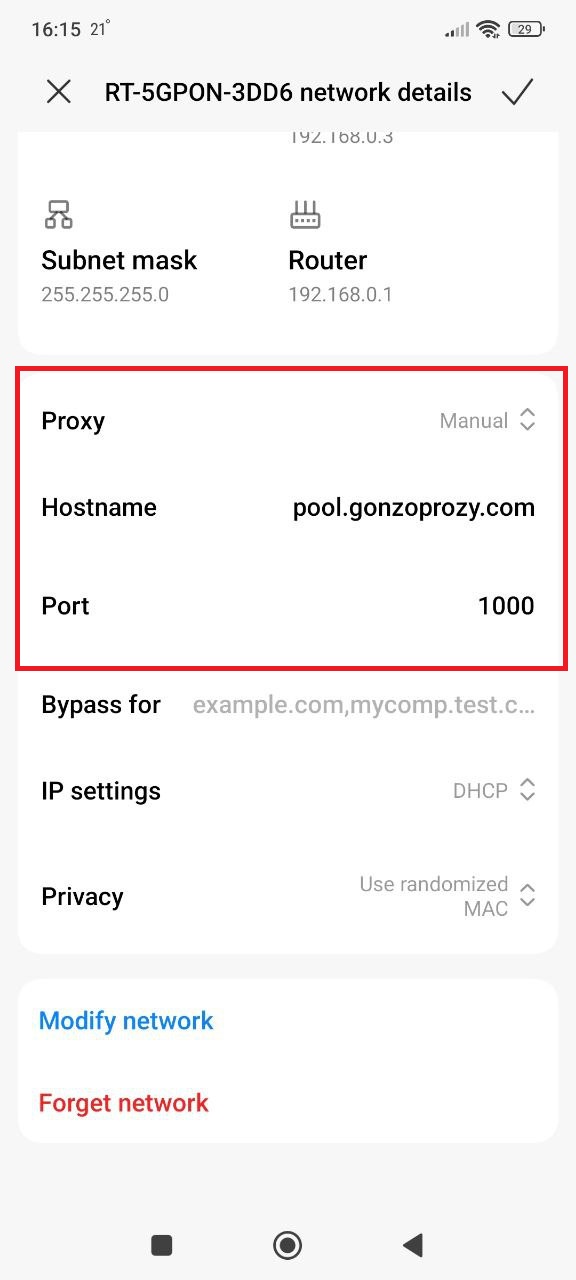
4. Enter proxy data
For example:
- Server/Host: pool.gonzoproxy.com
- Port: 1000
- Launch the browser, it'll ask for login and password, enter:
- Login: Gonzoj9CiIi_c_US_sd_79_city_Ozark_s_87231IXF_ttl_72h
- Password: RNW78Fm5
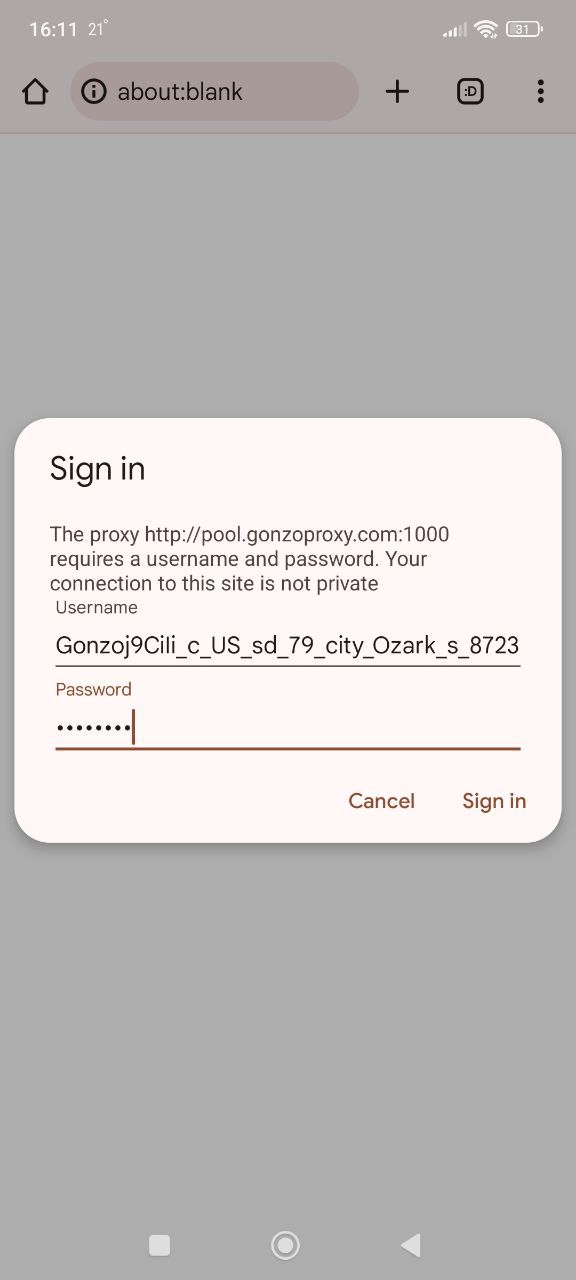
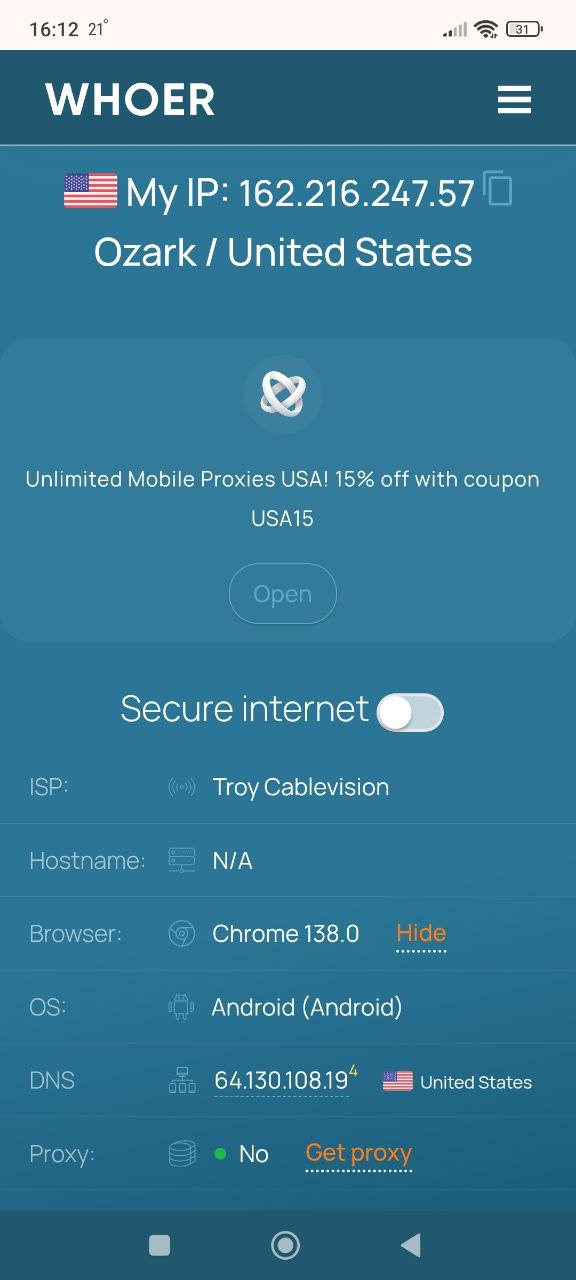
Go to whoer.net. Everything works!
iPhone:
- Open Settings, find the Wi-Fi section.
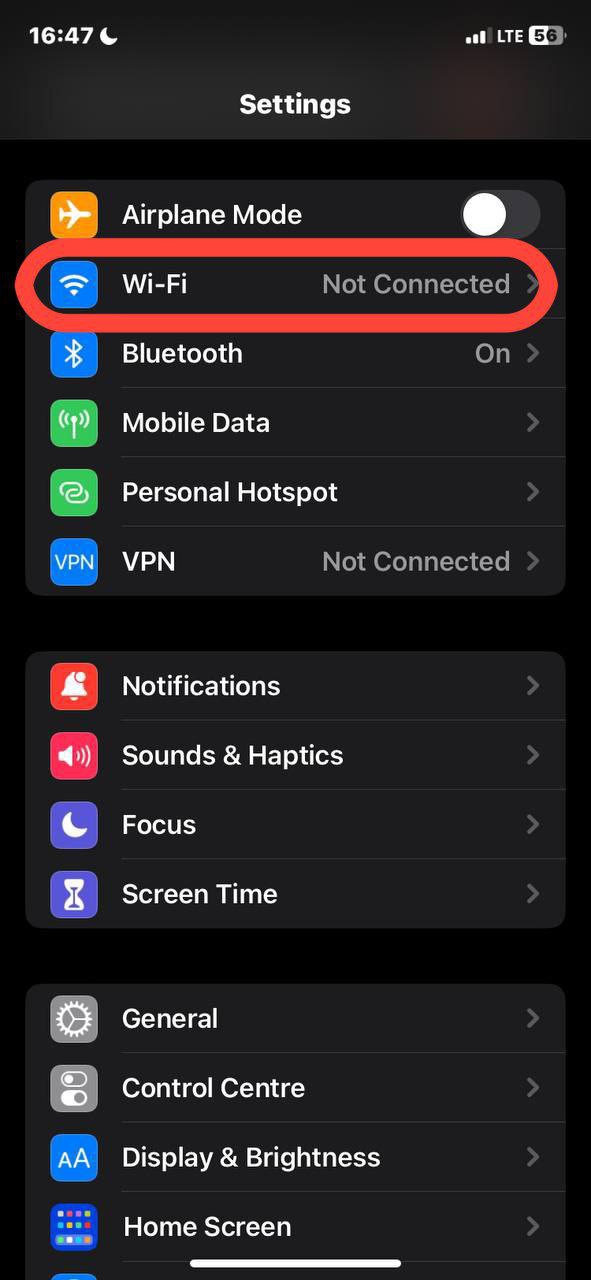
- See your network? Tap the info icon next to the name.
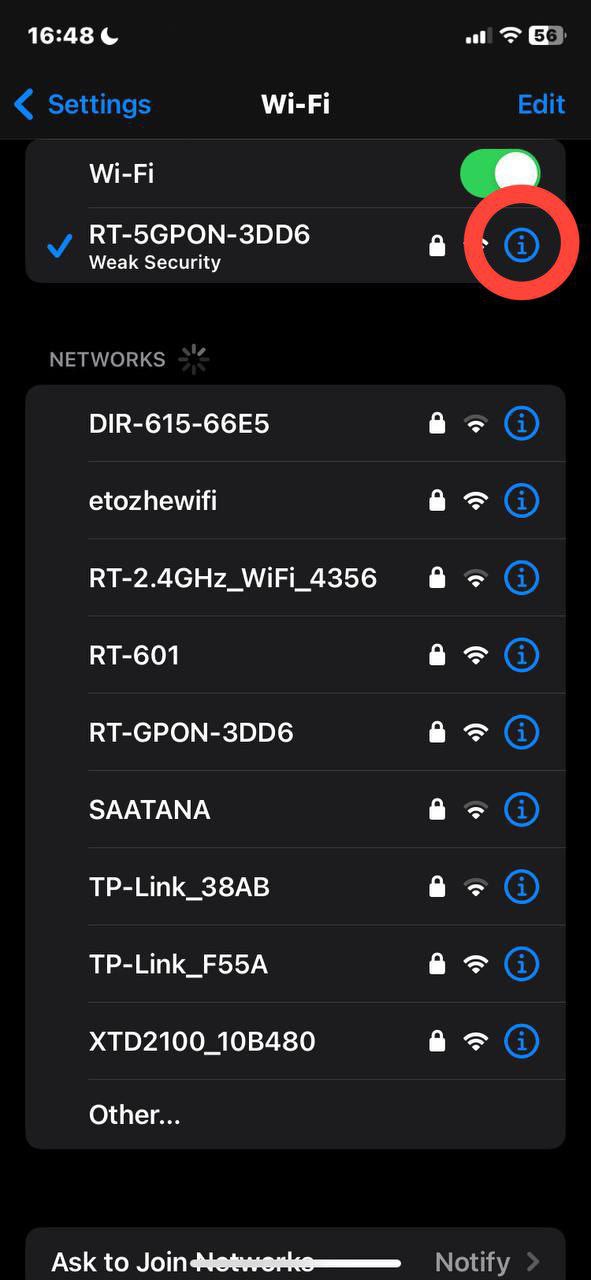
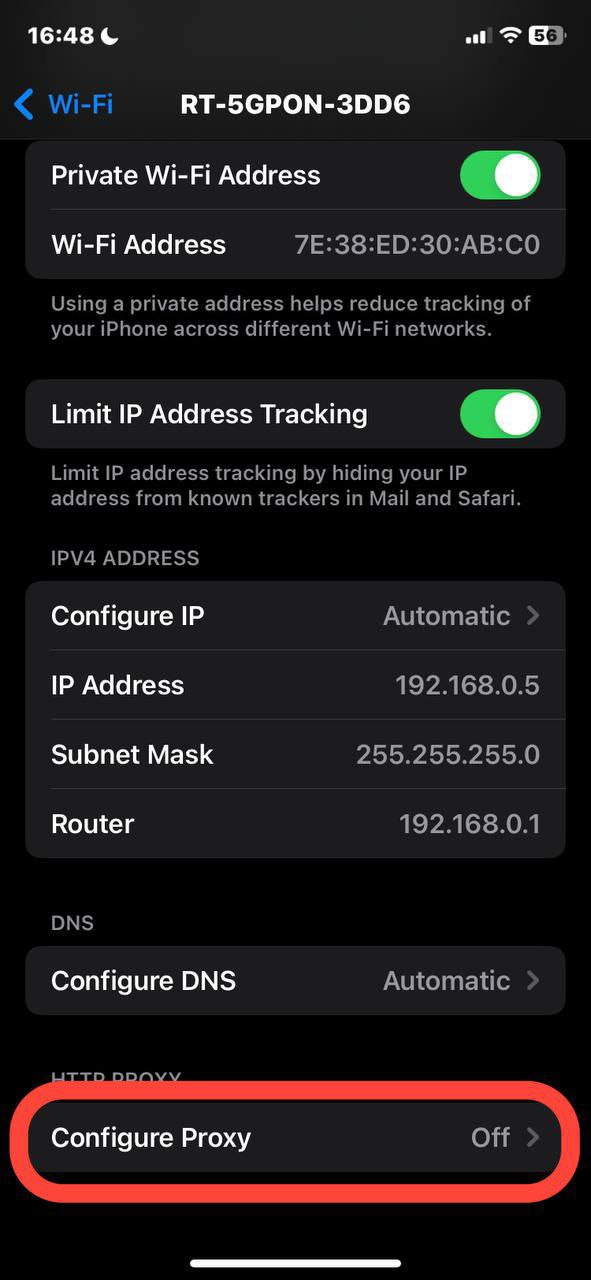
- Scroll down to "Configure Proxy". Change "Off" to "Manual".
- Enter the data from your provider: server address (looks like numbers 192.168.1.1), port. For paid proxies, add login and password.
- Save settings. Done, you're in another country.
Through browser extensions and plugins
Proxy extension for Yandex is totally for lazy people (in a good way). Go to the extension store, search for Proxy SwitchyOmega or Proxy Helper. These are top proxy plugins for Yandex browser, people love them.
Installed? Great. Click the extension icon (appears next to the address bar), add a profile. Enter proxy data. You can create a hundred profiles. For USA, for Germany, for Japan. Switch with a mouse click. Handy when you need to quickly check what competitors are up to in different countries.
How to check if proxy works
Set up? Let's check. Go to whoer.net or 2ip.ru (both work fine). The site will show your IP. If you see the proxy address, not your home one, great, it works.
But that's not all. Check DNS and WebRTC. These things can reveal your real IP even if the proxy works. Good checking services show all this. Especially important for proxy for YouTube Yandex browser. Should show the country where YouTube isn't blocked.
How to choose proxy for stable YouTube in Yandex.Browser
YouTube and proxy for TikTok in Yandex need the right country. Take USA, Germany, Netherlands. Everything works there without surprises. Check speed: 5 megabits is enough for regular video, need 25 minimum for 4K.
Residential proxies handle it fine. But if you plan to binge-watch shows for days, better get an unlimited plan. Mobile proxies also work great, especially if you're watching from a phone.
What to look for when buying
IP address base. The bigger, the better. If a provider has only a thousand addresses, half are probably already banned. Look for those with millions of IPs.
Should have city and provider selection. Some services charge extra for this. Avoid them. Automatic IP rotation is also a must have for long work.
And definitely a trial period or money back. Normal companies let you try. Tech support in Telegram or WhatsApp is also a sign. If they only communicate through tickets, that's last century.
Compatibility with extensions and antidetect browsers
If you're pro, you can't do without antidetects. Dolphin, AdsPower, Indigo. Proxies should work with them out of the box, no dancing with tambourines.
Take GonzoProxy for example. They have ready settings for all popular programs. P2P network of 20 million devices. IPs are clean, Yandex doesn't complain. They don't require KYC, which is rare nowadays. Support sits in Telegram 24/7, responds quickly. They give newbies promo code WELCOME15. 15% discount on first purchase.
First thing is geography. Open an IP checking site, look at the country. Need Germany but shows Poland? Change server, otherwise there'll be problems.
Test speed for sure. Speedtest will help. For video it's critical. Nobody likes buffering every ten seconds.
Check IP cleanliness. There are services that show address reputation. If IP is blacklisted, Direct will ban instantly. Don't even try.
And most important. Use different proxies for different tasks. Don't watch YouTube and run ads through the same server. Separate them. If something gets banned, you'll only lose part, not everything at once.
FAQ


Proxy for PC Yandex is no longer just a way to watch YouTube. It's a working tool for earning, saving, bypassing restrictions. Right proxies equal saved accounts, received bonuses, available content.
For regular tasks get residential. For important accounts, mobile. More expensive, but you'll sleep better. Leave server ones only for technical stuff.
From tested ones, GonzoProxy is a good option. 20 million real IPs, traffic doesn't expire (buy it and use even a year later), you can choose cities and providers for free. According to stats 90% of accounts don't get banned. Impressive number. For testing there's promo code WELCOME15, 15% discount for new users.