1xBet blocks are pissing off everyone who bets seriously. Yesterday everything was working fine, today — dead silence. And Liverpool's match starts in 20 minutes, they're giving great odds on total under. Sound familiar? Proxies solve this headache.
Why access to 1xBet might be restricted
RKN blocks bookmakers in batches. Providers get orders, add addresses to blacklists. And that's it, game over. One x bet gets hit regularly — both the main site and mirrors.
Bypass blocks and access to site/app
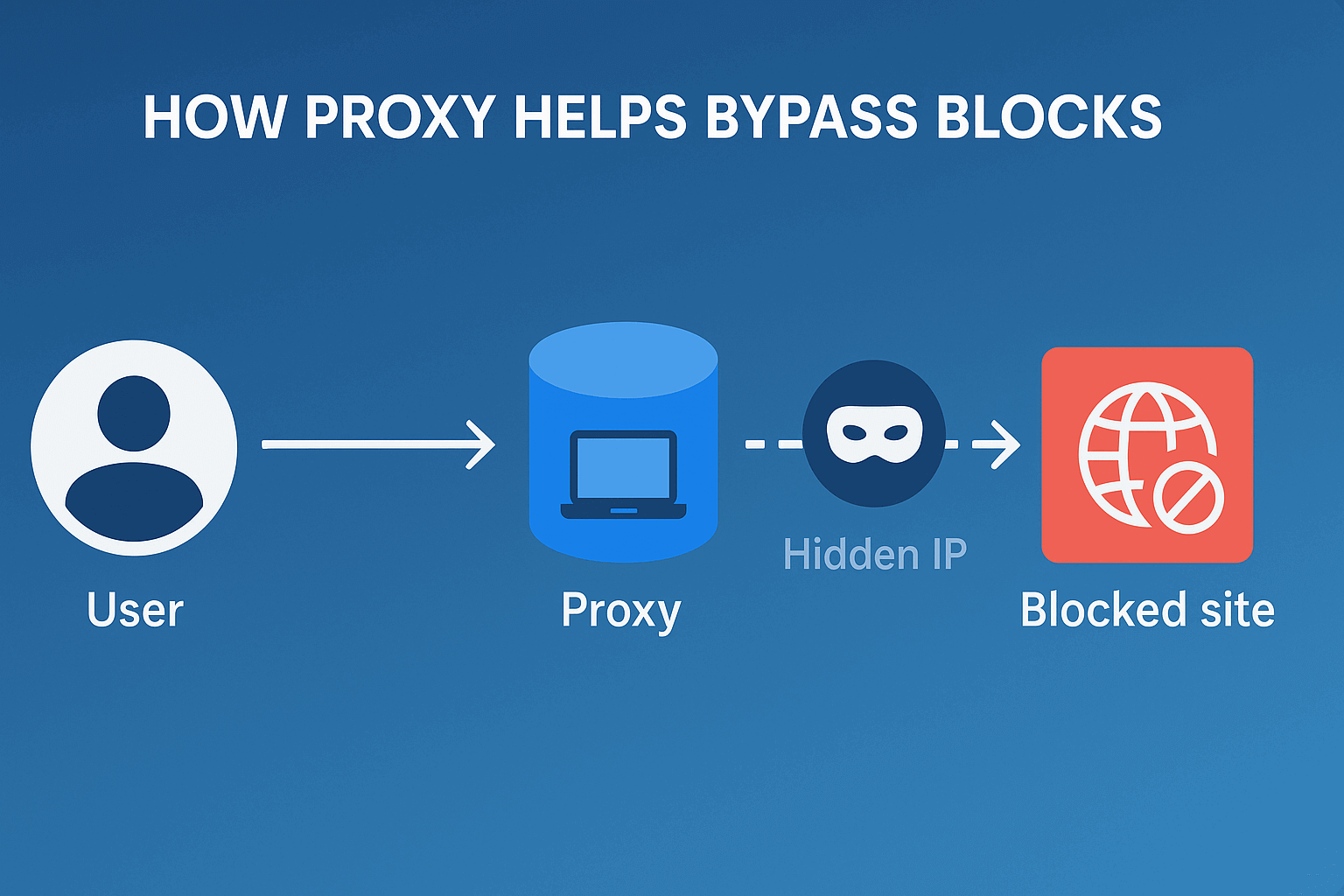
The scheme is simple. You connect not directly to 1xBet, but through an intermediate server somewhere in Europe. Your provider thinks the person went to some German site. And you're betting peacefully.
Maintaining stable connection for live betting
Live is all about speed. Salah scored, the odds for the Egyptian's next goal were 4.5, became 2.8. While the page is loading. With a proper proxy there's no such problem, everything flies.
Ability to play from different accounts
Many run 3-4 accounts. One for singles, second for accumulators, third for arbitrage. Log in from all with one IP? Security will immediately understand it's multi-accounting. They'll block everything. Forever.
Protection of personal data and anonymity
You understand how much data is transmitted, right? Cards, transactions, betting history. Proxy is additional protection. Definitely not unnecessary.
What the numbers say
Attack traffic has shifted to interfaces, not pages: 27% of bot attacks now target APIs, and financial services absorb 24% of all bot attacks and 46% of account-takeover attempts. Imperva Bad Bot Report 2026.

Contents
Proxies come in different types. Three types work for betting. Each has its pros and cons.
Mobile betting proxies
These are IPs from mobile operators — MTS, Beeline, Megafon and others. The bookmaker sees a regular person from a phone.
The trick with mobile is rotating IPs. The address changes itself. Set it up once, then it works automatically. For the 1xbet app it's perfect. Price bites, but reliability is maximum. Anti-ban systems can't ban a mobile operator's IP — there are millions of subscribers there.
Residential proxies
Home IPs of regular people. Someone's sitting in Warsaw, sharing internet for money. You connect through them.
For the bookmaker you're a Pole who decided to bet on Legia. All clean. Residential proxies are the safest for brute forcing. Speed is good, stability excellent. For stable work with 1xBet, residential proxies are considered optimal. Services like GonzoProxy provide an IP pool with different countries, allowing you to enter your account without suspicious checks and interruptions.
Data center proxies
Server IPs. Cheap and cheerful. Speed can be cosmic up to 1 Gbit/s. One problem — they're easily detected.
1xBet sees the IP belongs to hosting. Suspicious. They might enable additional checks. Or block completely. For one-time tasks it'll do, for permanent work — risky.
What to look for when buying
Country matters. Betting on Serie A? Get Italian proxies. Interested in Championship? Need English ones. The logic is clear — less suspicion from the bookmaker.
Protocol is how the proxy works. HTTP is enough for browser. Got special betting software? Need SOCKS5, it's more universal. Works with any programs.
Sessions is how many devices can use the proxy simultaneously. Only working from laptop? One's enough. Want from phone too? Two minimum. Or get unlimited right away, so you don't stress.
Checking functionality before use
Bought proxy server 1xbet? Don't rush to log into your main account. Test first.
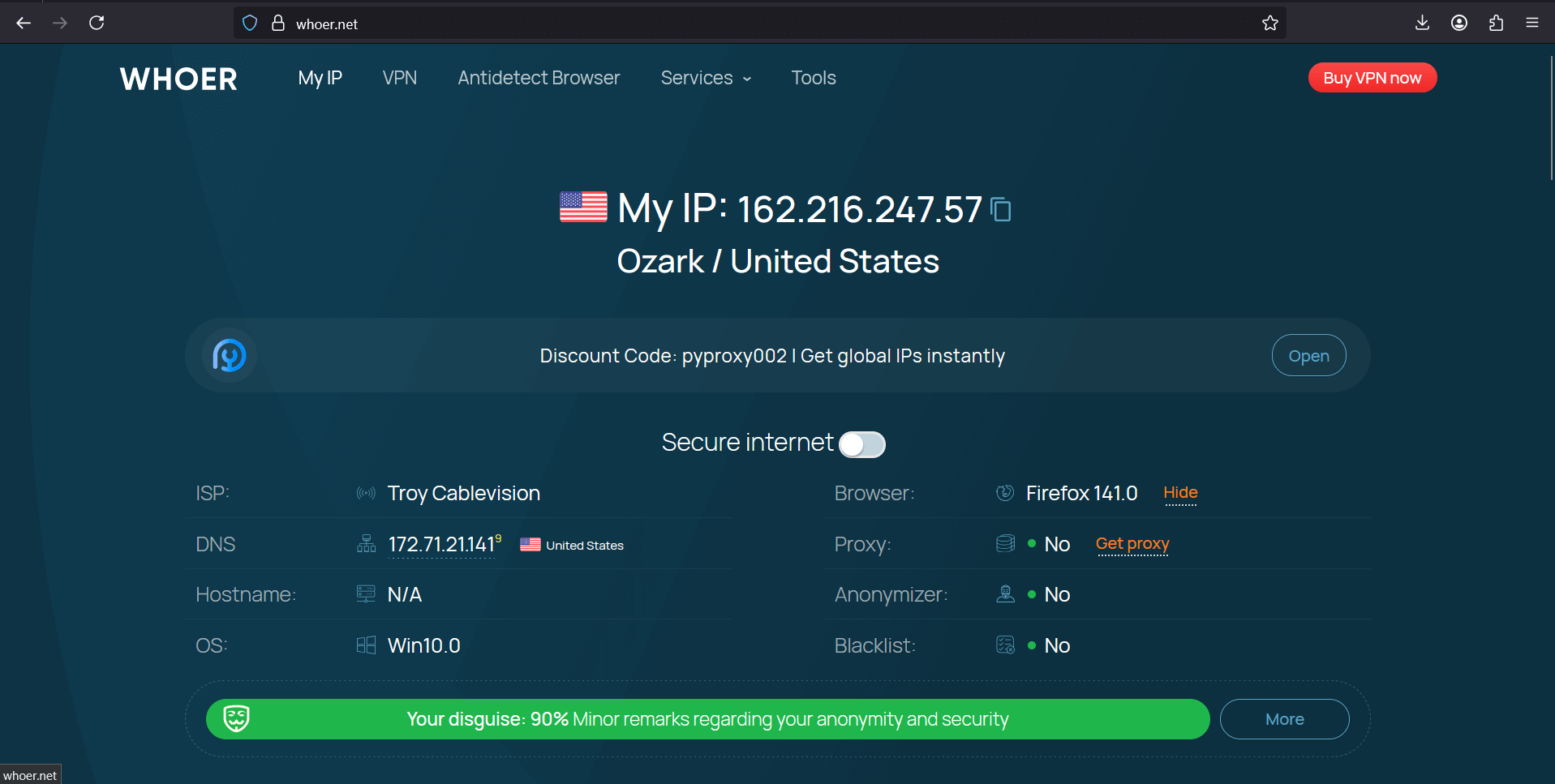
Go to 2ip.ru or whoer.net. Shows proxy country? Excellent. No? Something's wrong with settings. Check speed on Speedtest. Less than 5 megabits? Too little for live.
Create a test account. Throw in 100 rubles, make a couple of bets. Everything works? Can connect the main one.
Expert tips
Experienced cappers don't work without backup. Main proxy died during a top match? Backup saves the day.
For arbers rotation is mandatory. 50 bets per hour from one IP? Suspicious. Automatic change every 10 minutes and no questions. Melbet proxy is also better to take with rotation, they're strict with security there.
Windows
Windows: Settings → Network & Internet → Proxy → Manual proxy setup → Enter IP and port → Save.
Problem: all Windows traffic will go through proxy. Solution: use Proxifier or ProxyCap.
Let's look at how to set up Proxifier:
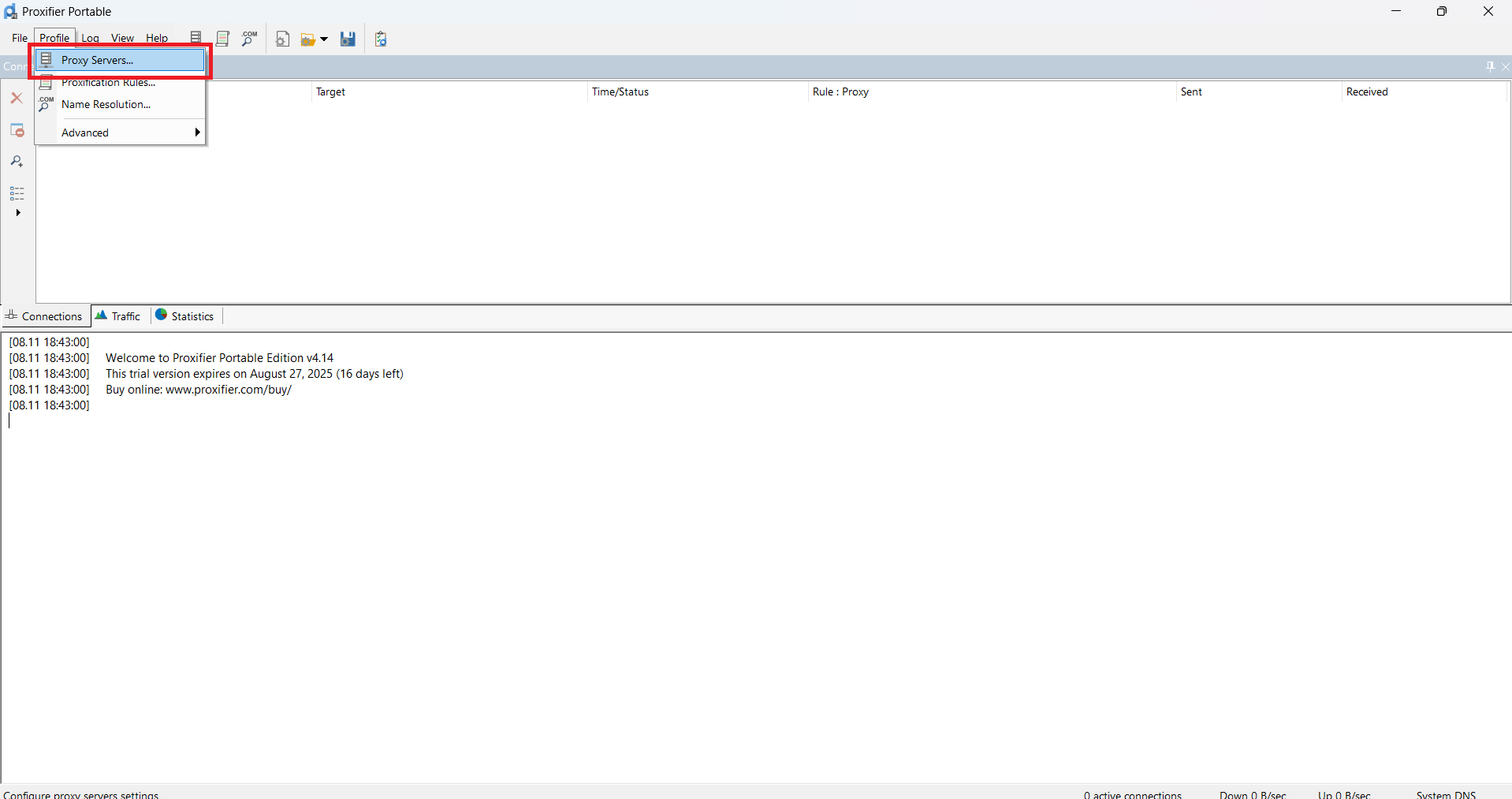
1. In Proxifier click on Proxy Servers
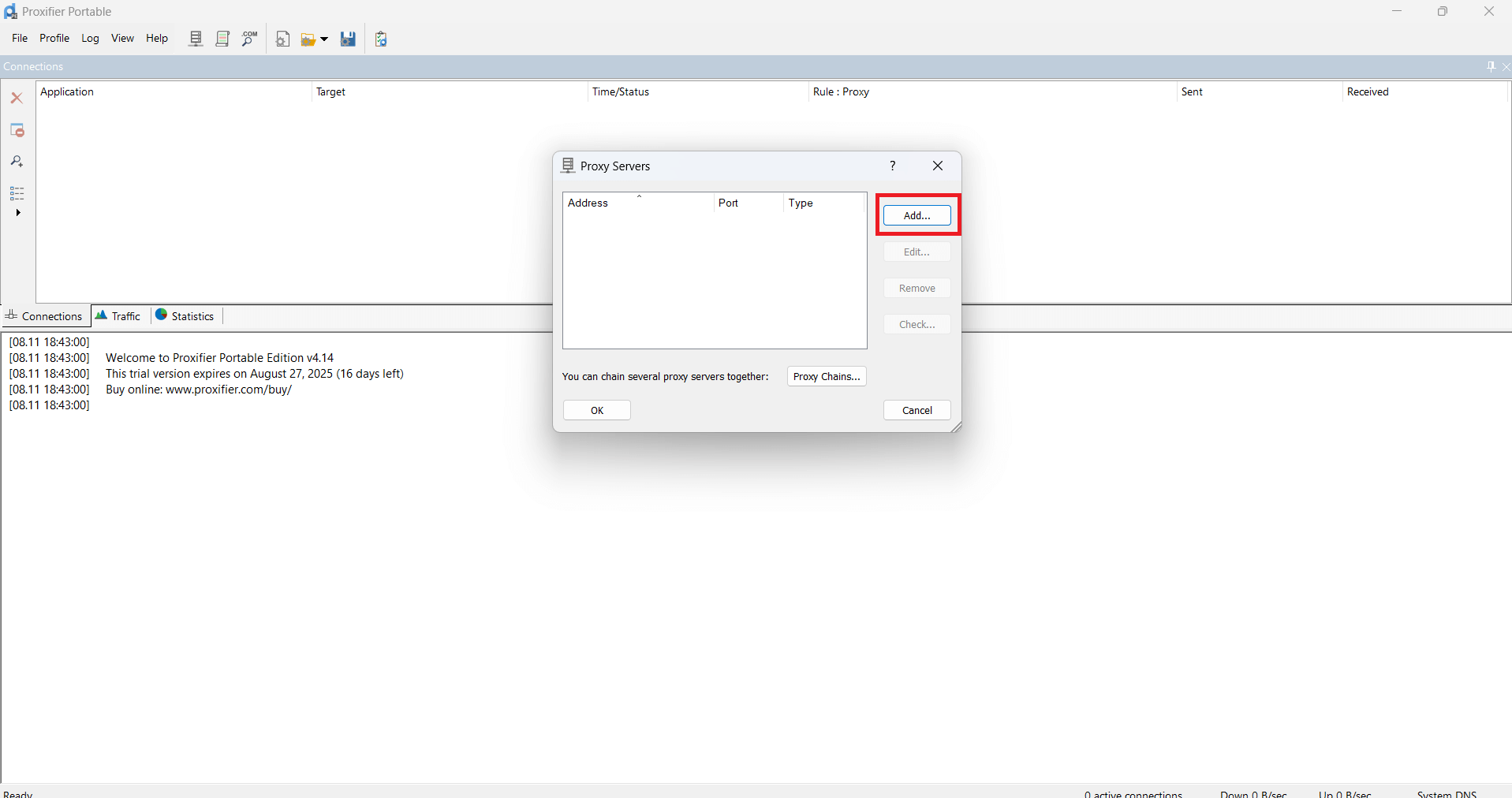
2. Then click Add
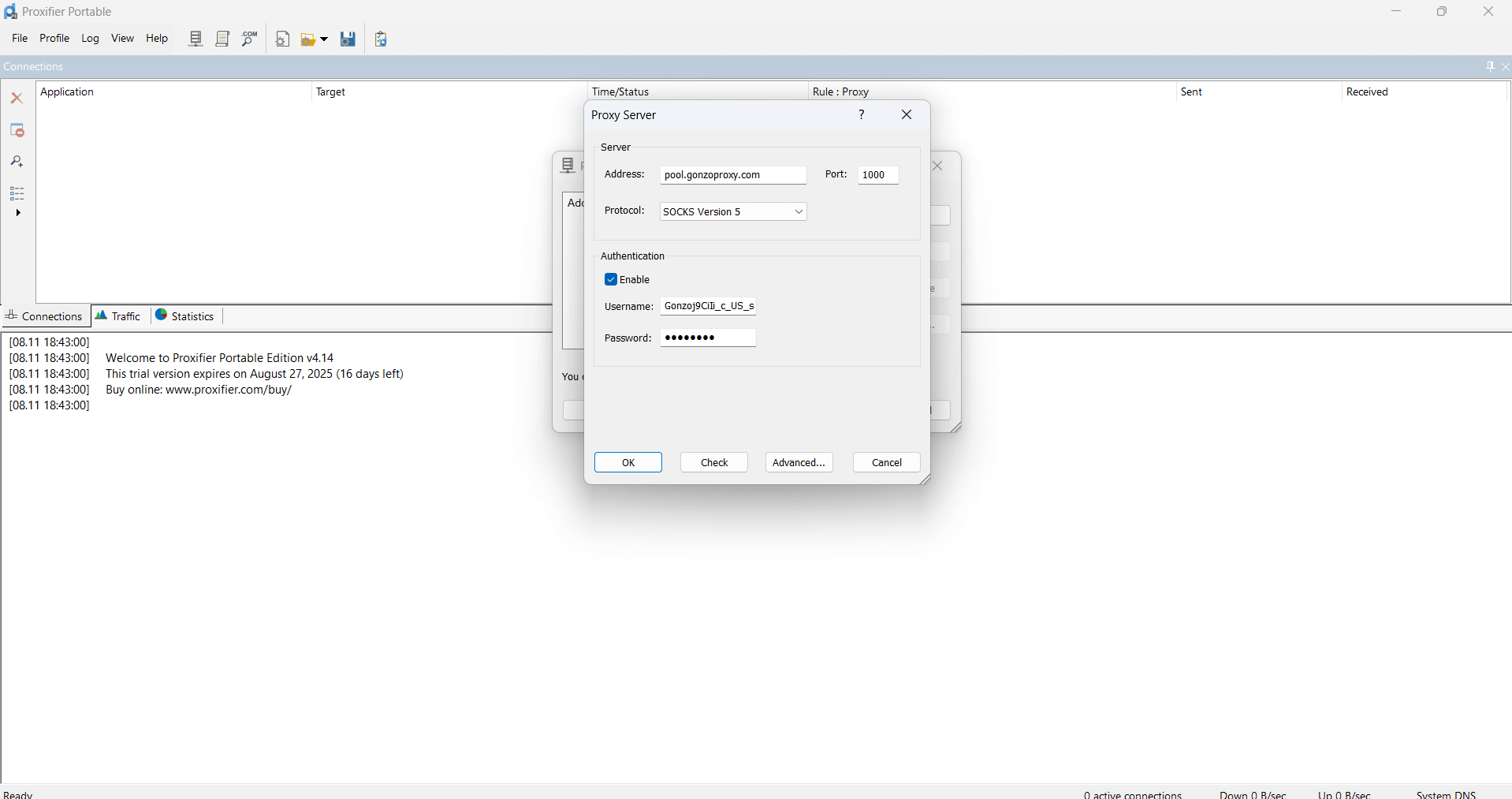
3. In the window that appears, insert proxy data
4. Click OK - OK
5. Go to whoer.net website. Everything works!
Android
Setting up proxy 1xbet on phones is a bit more complicated. But you'll manage.
1. Create a proxy in GonzoProxy. Here's an example:
pool.gonzoproxy.com:1000@Gonzoj9CiIi_c_US_sd_79_city_Ozark_s_87231IXF_ttl_72h:RNW78Fm5
2.Open phone settings, find Wi-Fi section
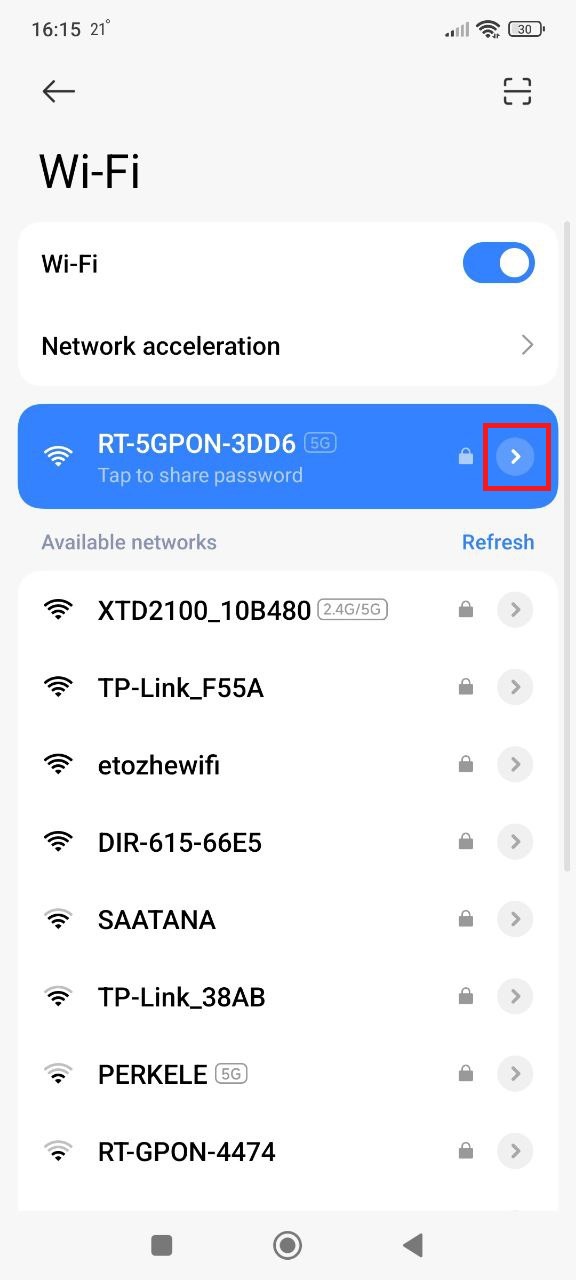
3. Tap on the arrow in your network name
4. Look for proxy and select manual setup
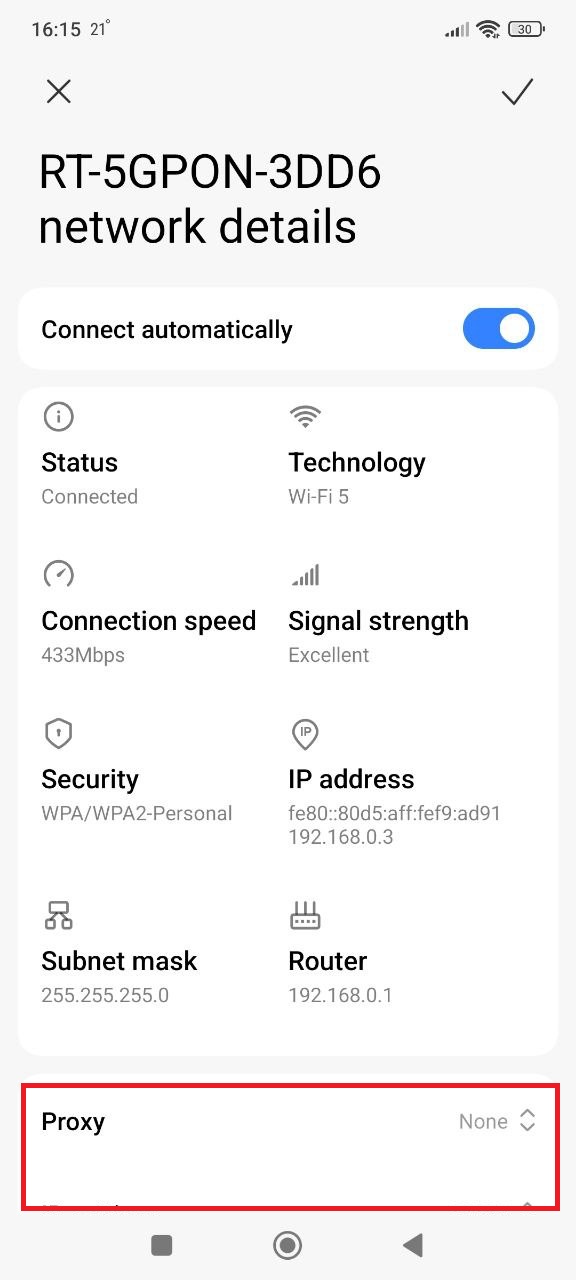
5. Enter data from GonzoProxy personal account:
- Server/Host: pool.gonzoproxy.com
- Port: 1000
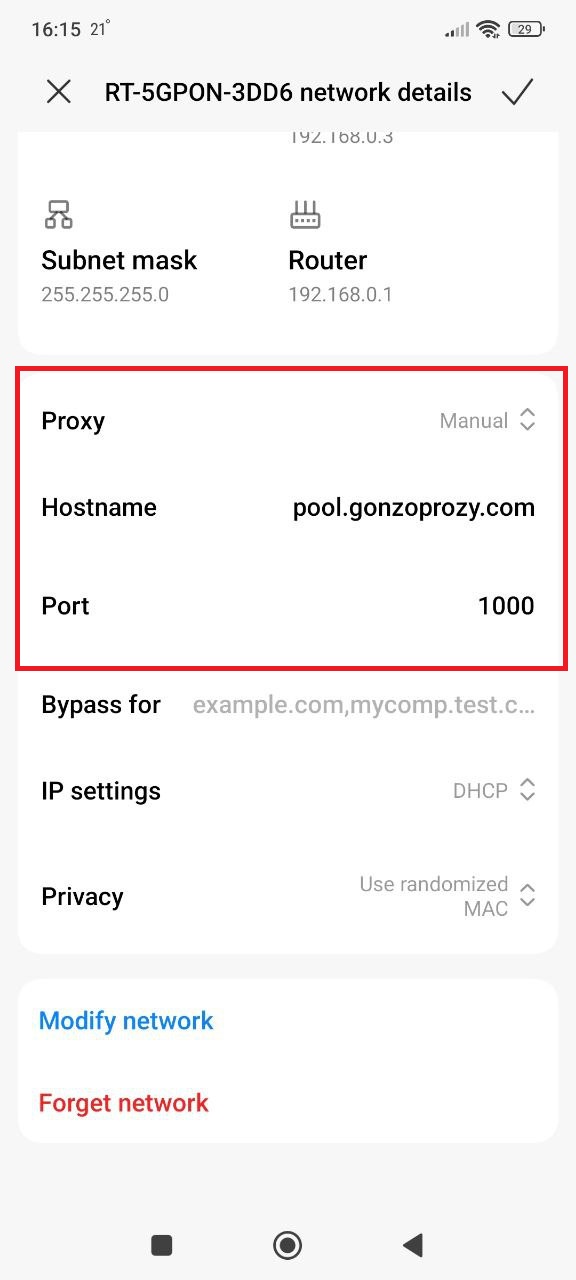
6. Launch browser, it will ask for login and password, enter:
- Login: Gonzoj9CiIi_c_US_sd_79_city_Ozark_s_87231IXF_ttl_72h
- Password: RNW78Fm5
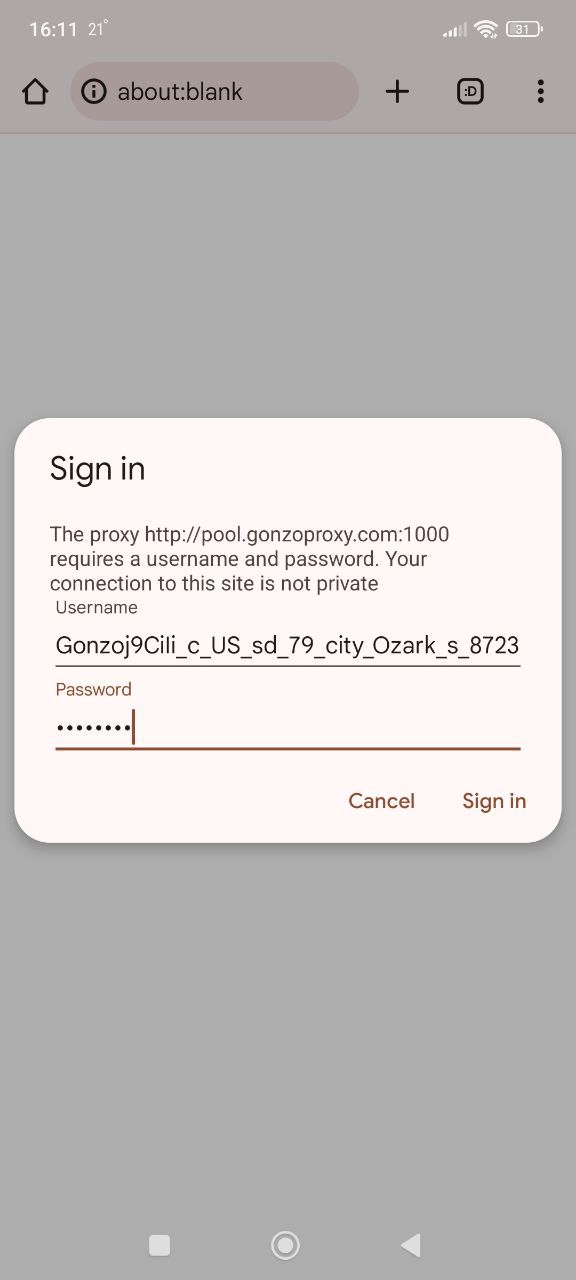
7. Go to whoer.net website. Everything works!
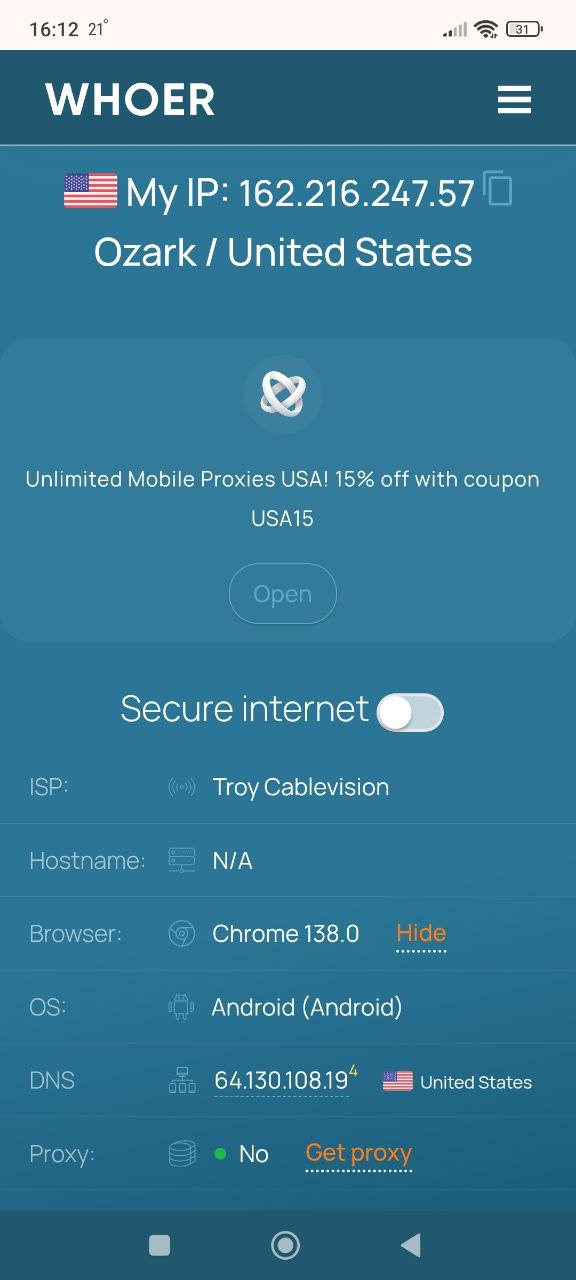
At the proxy selection step, specify IP and port. If you use mobile proxies, for example through GonzoProxy, connection data will be available in your personal account.
iOS (iPhone, iPad)
On iPhone it's simplest:
- Open Settings
- Tap Wi-Fi
- Next to your network, circle with letter i — tap it
- Scroll down to "Configure Proxy"
- Select "Manual"
- Server — your IP
- Port — your port
- Done (saves automatically)
Set up proxy for 1xbet on android? On iOS too? Can start betting.
Alternative ways to bypass blocks
VPN services
VPN is popular, but so-so for betting. Why? It routes all traffic through itself. Good for Netflix. But when you need to quickly update odds in live, lags start. Especially in the evening everyone turns on VPN to watch Champions League.
TOR and anonymizers
TOR is when your traffic jumps through servers in different countries. Complete anonymity. Speed? Forget it. 1xBet main page loads for a minute. Not an option for sports betting at all.
1xbet mirrors
The bookmaker churns out mirrors constantly. 1xbet.com blocked? There's 1xbet123.com. It's blocked? 1xbet456.com will appear. Endless cat and mouse game. You'll get tired looking for current links. Plus scammers make fake mirrors, steal passwords.
Proxies for bet 365 work the same way. Definitely more reliable than mirrors.
FAQ


Get mobile proxies if: you constantly bet from phone. Accounts must look maximally clean. Work with several bookmakers simultaneously. Ready to pay more for reliability.
Residential proxies are your choice when: need stability for days. Professionally engaged in betting. Use software for scanning lines. Looking for arbitrage. Large sums at stake.
Security checklist:
- Paid proxies from known providers — saving here is inappropriate
- Automatic IP change every 20 minutes — especially for active players
- Proxy geography = account geography (registered in Russia — Russian IPs)
- Different proxies for different accounts — always, no exceptions
- Test before important matches — better to double-check an hour before the game
- Minimum two working proxies — main and backup
- Current connection data — providers sometimes change servers
Proxy settings for 1xbet takes 5 minutes. But then no access problems. No blocks, no panic before an important bet. Take proven services, set up according to instructions — and forward, for profit.