Proxies for parsing: Complete guide for stable data collection
Try for $1.99 Try 300 MB of residential traffic. It never expires.
Contents 10 sections
- Why you need proxies for parsing
- What the numbers say
- Types of proxies used for parsing
- How to choose proxies for parsing
- Setting up and rotating proxies for parsing
- Technical tricks for bypassing blocks
- Practice: building a proxy pool for parsing
- Metrics and monitoring parsing quality
- Best practices and ready solutions
- Summary: Which proxy to choose for parsing
Why you need proxies for parsing
Site restrictions
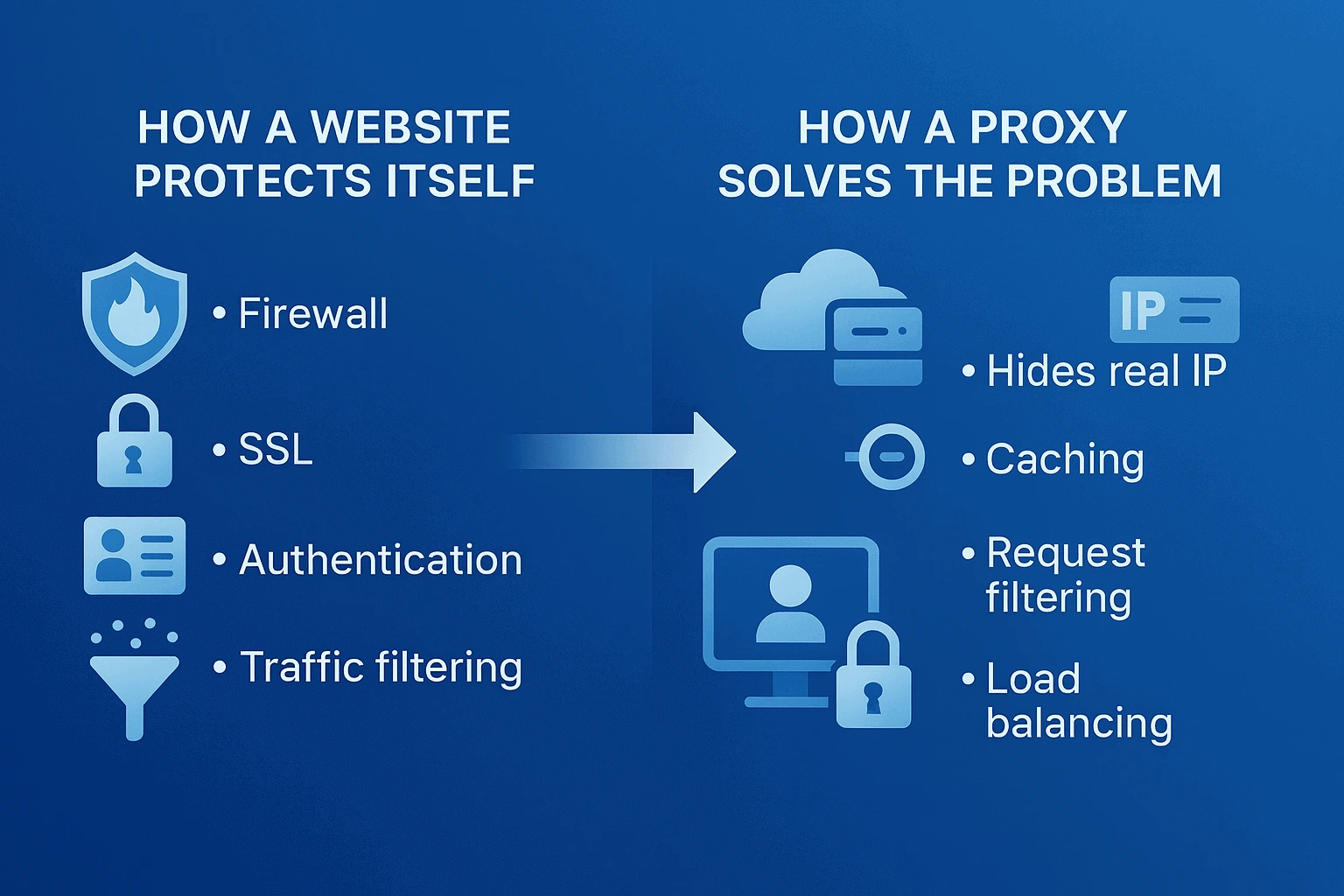
Try to scrape data from any major website without proxies and within a couple minutes you'll see a captcha or blocking message. That's the reality of today's internet. Site owners spend millions protecting against bots. Cloudflare, DataDome, PerimeterX - these systems track every visitor action. After a dozen quick page transitions, a captcha appears, and another minute later you get a full IP block. Anti-bot systems get smarter every day, and proxies for parsing remain the only way to collect data at scale.
How sites detect parsers
Picture this - a regular person reads an article for 30-60 seconds, clicks around with their mouse, sometimes goes back. A parser loads 50 pages per second, ignores images, never moves the cursor. The difference is obvious even to the simplest algorithm.
Technical markers are even easier to track. Parsers often use outdated User-Agents, don't load JavaScript, send requests at identical intervals. Some sites even check the resource loading order - a real browser requests CSS first, then images. A bot goes straight for the data. Parsing proxy servers masks these signs, but fully imitating human behavior is still tough.
Why parsing gets blocked quickly without proxies
The math is simple. An average online store gets 10-20 requests per minute from one visitor max. A parser sends 1000. Security systems trigger instantly. Even if you slow down, the behavior pattern will give away the bot in 10-15 minutes.
Real example - parsing products on a marketplace. Without proxies you manage to collect info on 50-100 items. Then comes a day-long or permanent ban. With IP rotation through proxy parsing online continues for hours, collecting tens of thousands of product cards.
How it works in practice:
- Scenario without proxy: 1 IP → 1000 requests → blocked in 5 minutes
- Scenario with proxy: 100 IPs → 10 requests each → site sees regular users
What the numbers say
Automated traffic is now the majority of the web: Imperva's 2026 Bad Bot Report puts bots at 53% of all web requests in 2025, against 47% from humans: the first year machines outnumbered people by this margin. Imperva Bad Bot Report 2026.
Types of proxies used for parsing
Datacenter: When they work and what risks
Server proxies cost pennies - a dollar each or less when buying in bulk. They work fast, ping rarely exceeds 100 milliseconds. But there's a catch - their IP addresses belong to hosting providers like Amazon AWS or DigitalOcean. Any decent security system knows these ranges by heart.
Where do these proxies work? News sites, unprotected blogs, government portals with open data. Where are they useless? Social networks, marketplaces, ticketing systems. Personal experience shows that for serious parsing, datacenter proxies only work as an auxiliary tool for testing scripts.
Residential: Balance of speed and anonymity
These are IP addresses of regular home users. The ISP assigned an address to a person, they installed special software and share their connection for money. The site sees a request from "grandma in Ryazan" or "student in Berlin" - no suspicions.
Speed suffers - instead of 50 milliseconds you get 200-500. But you can safely parse search engines, collect prices from Ozon or Wildberries, monitor Avito listings. Cost depends on quality. Good networks charge 4-6 dollars per gigabyte, you can find cheaper but half the addresses are already blacklisted.
Mobile: Bypassing antibots and cloudflare
Mobile carriers use NAT technology where thousands of subscribers access the internet through one external IP. Blocking such an address means cutting off an entire district or city from the site. That's why mobile proxies are almost invulnerable.
The price bites at 30-50 dollars per month for one channel. Speed fluctuates depending on carrier network load. But you can forget about Cloudflare and other protections because they almost always let mobile traffic through. Perfect option for parsing Instagram, TikTok, banking sites.
Free and public proxies: Why they don't work for stable parsing
You know where free cheese is found. Public proxies are addresses from hacked routers, infected computers, or honeypot traps for data collection. Terrible speed, one in ten works, those that work are already banned everywhere.
Tried collecting 1000 free proxies as an experiment. 73 were working. Only 8 could access Amazon. An hour later none worked. The time wasted fiddling with them costs more than a normal paid service.
| Proxy type | Speed | Anonymity | Cost | Blocking resistance |
|---|---|---|---|---|
| Datacenter | High (30-100ms) | Low | $0.5-3 per IP | Low (quickly banned) |
| Residential | Medium (200-500ms) | High | $3-8 per GB | High (rare bans) |
| Mobile | Medium (300-800ms) | Maximum | $30-60 per month | Maximum (almost never banned) |
| Free | Very Low (1000-5000ms) | None | Free | Zero (banned everywhere) |
How to choose proxies for parsing
Number of IP addresses and geography
Beginners often ask if 10 proxies are enough for parsing. Depends what you're parsing. For collecting news from a couple sites yes, for monitoring marketplace prices you need at least a hundred, better 500.
Geography is critical when working with local services. Yandex.Market shows different prices for Moscow and Vladivostok. Amazon won't let you in with a Russian IP at all. Get proxies from the country where the site's target audience is located. Exception is international resources like Wikipedia where geography doesn't matter.
Protocol support (HTTP(S), SOCKS5)
HTTP proxies are enough for 90% of web scraping tasks. All parsing libraries support them out of the box. SOCKS5 is needed for specific tasks like working with messengers, torrents, game servers. SOCKS5 also better hides traffic type, but for regular parsing it's overkill.
IPv6 is still exotic. Most sites don't support it or work poorly. IPv4 remains the standard, though addresses are getting scarcer and prices are rising.
API availability and flexible rotation
Without an API you'll have to manually go to your account for new proxy lists each time. For serious volumes this kills automation. A normal service provides an endpoint like api.service.com/get_proxy where the script fetches fresh addresses itself.
Rotation should be customizable for the task. For quick link collection - change IP every 10 requests. For parsing with authorization - hold session for 30-60 minutes. Services without flexible rotation settings are best avoided.
Quality metrics: Uptime, response time, percentage of "Live" IPs
Checklist when choosing a provider:
- Server uptime minimum 99% (check with monitoring for a week)
- Ping to proxy no more than 300ms for residential
- At least 85% of claimed IPs work in the pool
- Dead proxies replaced automatically in 10-30 seconds
- Concurrent connections available (minimum 100 threads)
- Support responds within an hour
Setting up and rotating proxies for parsing
Why you need IP rotation
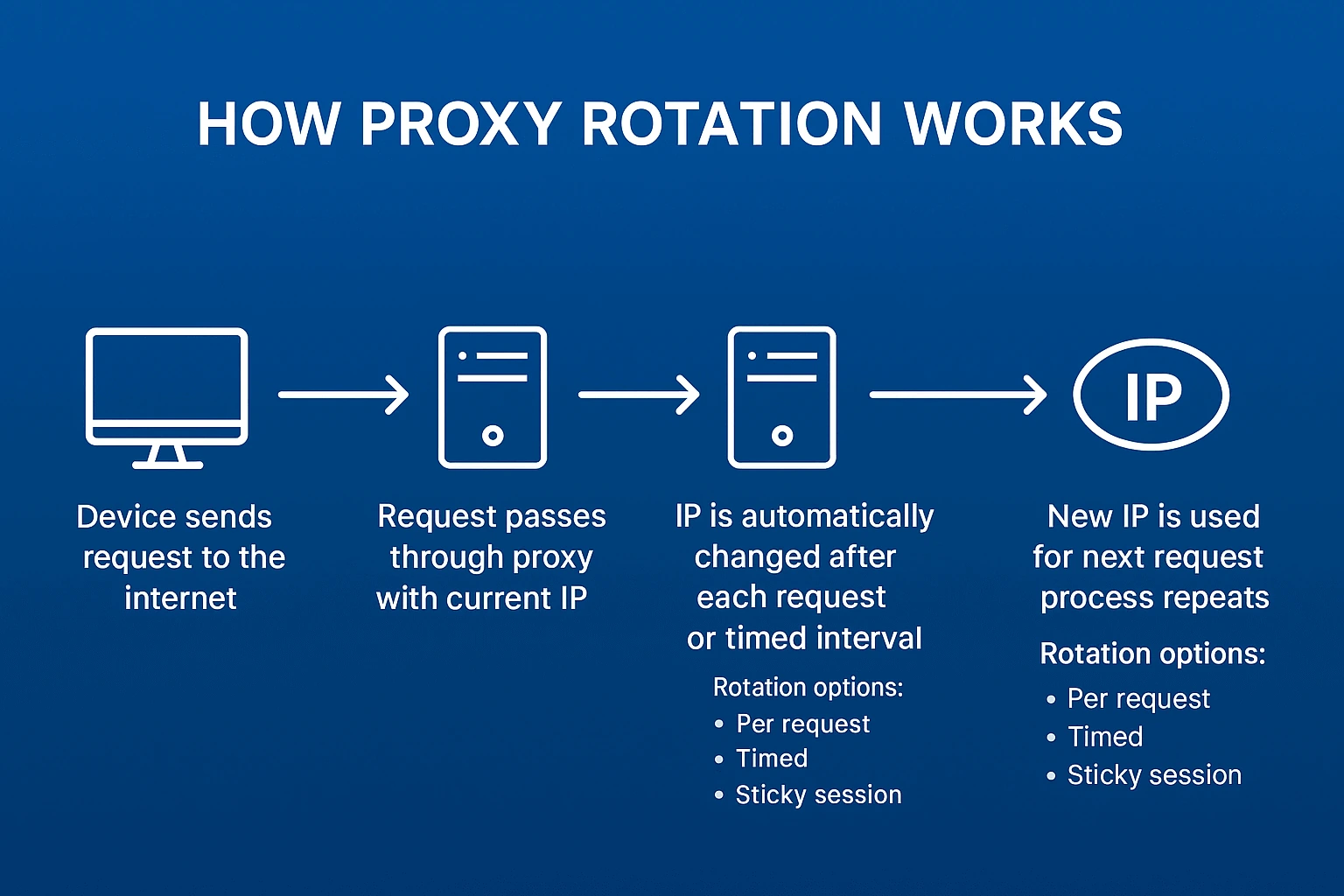
Even the most patient site will get suspicious if one IP scrapes the product catalog for days. Rotation creates the illusion of many independent users. Instead of one suspicious bot, the site sees a hundred regular visitors.
Proven in practice. Without rotation a parser lives 10-30 minutes, with proper IP changes it works for days. Main thing is not to overdo it because too frequent address changes also look strange.
Time-based vs request-based rotation
Time rotation is simpler to set up. Set a 5-minute interval and the parser changes IP by timer. Good for leisurely data collection when session stability matters. For example, when parsing forums or social networks with authorization.
Request rotation gives more control. New IP every 20 requests is optimal for aggressive catalog parsing. You can even randomize from 15 to 25 requests so there's no clear pattern.
TTL and sessions - working properly with "Long" proxies
Sticky sessions hold one IP for the entire action chain. Logged into site, authorized, browsed catalog - all from one address. Looks natural to the site.
TTL sets maximum connection lifetime. Set 3600 seconds and the proxy forcibly changes after an hour. This protects against situations where the parser gets stuck on one IP and starts hammering the site with identical requests.
Load balancing and thread distribution
Multithreading speeds up parsing dramatically, but balance is important here. 100 threads through 10 proxies means 10 simultaneous requests from each IP. Too much for one "user". Better to take 100 proxies and distribute one per thread.
Personal experience shows the optimal scheme where thread count equals proxy count divided by 2. So for 50 proxies we run 25 threads. Each thread works with two IPs alternately. Load is distributed, site isn't overloaded, data gets collected quickly.
For example, in GonzoProxy you can flexibly configure rotation and change IP every N seconds or after each request. Works effectively for collecting search engine results, parsing marketplaces, monitoring competitor prices.
Technical tricks for bypassing blocks
Fighting captchas
Captchas are any parser's headache. Solution options in order of increasing complexity and cost:
The simplest approach is reducing speed and adding random delays between requests. Helps in 30% of cases. Free but slow.
Anti-captcha services solve the problem for money. ReCaptcha costs 2-3 dollars per thousand solves, regular images are 10 times cheaper. Integrates in an hour, works reliably.
Advanced level - train a neural network on your own data. Requires a dataset of 10,000+ labeled captchas and a couple weeks messing with TensorFlow. But then it works free and fast.
JavaScript challenges and dynamic content
Cloudflare Under Attack Mode is a parser's nightmare. A spinner rotates for five seconds, tons of JavaScript checks execute, only then you're let onto the site. Requests and BeautifulSoup are powerless here.
The solution is browser automation. Selenium controls real Chrome which honestly executes all scripts. Slow, resource-intensive, but works almost everywhere. On a 4-core server you can run 10-15 browsers in parallel.
from seleniumwire import webdriver  # selenium-wire for proxy work

options = webdriver.ChromeOptions()
options.add_argument('--headless')  # no GUI, save resources

proxy_options = {
    'proxy': {
        'http': 'http://user:pass@proxy_ip:port',
        'https': 'https://user:pass@proxy_ip:port'
    }
}

driver = webdriver.Chrome(seleniumwire_options=proxy_options, options=options)
driver.get('https://protected-site.com')
# Wait for JavaScript to load
driver.implicitly_wait(10)
Cookie walls and fingerprint protection
Modern sites collect browser fingerprints including screen resolution, font list, graphics card version, timezone. If the fingerprint doesn't change when IP changes, they'll spot the parser.
The solution is antidetect browsers or libraries like puppeteer-extra-plugin-stealth. They randomize browser parameters, making each session unique. Serious overhead but justified for valuable data.
Retry logic for parsing
Networks are unstable things. Proxy dropped, site didn't respond, connection timeout. Without retry logic you'll lose half your data.
My proven algorithm:
- First attempt with main proxy
- Error? Wait 2-5 seconds (random), change IP
- Error again? Change User-Agent, clear cookies
- Third failure? Mark URL as problematic, postpone
- After 5 attempts - log and skip
Always distinguish error types. 429 (Too Many Requests) - reduce speed. 403 (Forbidden) - change proxy. 500 (Server Error) - wait, site is overloaded.
Practice: building a proxy pool for parsing
Where to get proxies
Options from worst to best:
Proxy lists on the internet are garbage 99% of the time. Don't even waste time.
Telegram channels with "cheap proxies" are a lottery. Maybe you'll get lucky, maybe you'll lose money.
Marketplaces like proxy-seller are average. Prices are inflated but at least there are some guarantees.
Direct suppliers are optimal for price/quality ratio. Bright Data, Smartproxy, Oxylabs for Western projects.
Your own pool through installing software on user devices will be cheap long-term, but needs initial investment and time to build up.
How to check if proxy is "Alive"
Basic check takes seconds:
import requests

def check_proxy(proxy_url):
    try:
        response = requests.get('http://ipinfo.io/json',
                              proxies={'http': proxy_url, 'https': proxy_url},
                              timeout=5)
        if response.status_code == 200:
            return response.json()['ip']  # returns proxy's external IP
    except:
        return None
But that's just the beginning. Need to check work with target site, measure speed, ensure IP isn't blacklisted. Full check of one proxy takes 30-60 seconds.
Automating checks and logging
Manual checking of hundreds of proxies is a road to nowhere. Need automation:
- Validator script checks new proxies when added
- Monitoring every 10 minutes tests random sample
- After each use mark success or problem
- Every hour full check of problematic addresses
- Daily report on pool status
Instead of manual checking you can use ready solutions. For example, e-commerce projects often use services like GonzoProxy - they let you quickly build an IP pool with geo-diversity and built-in rotation. This cuts setup time and increases parsing stability.
Metrics and monitoring parsing quality
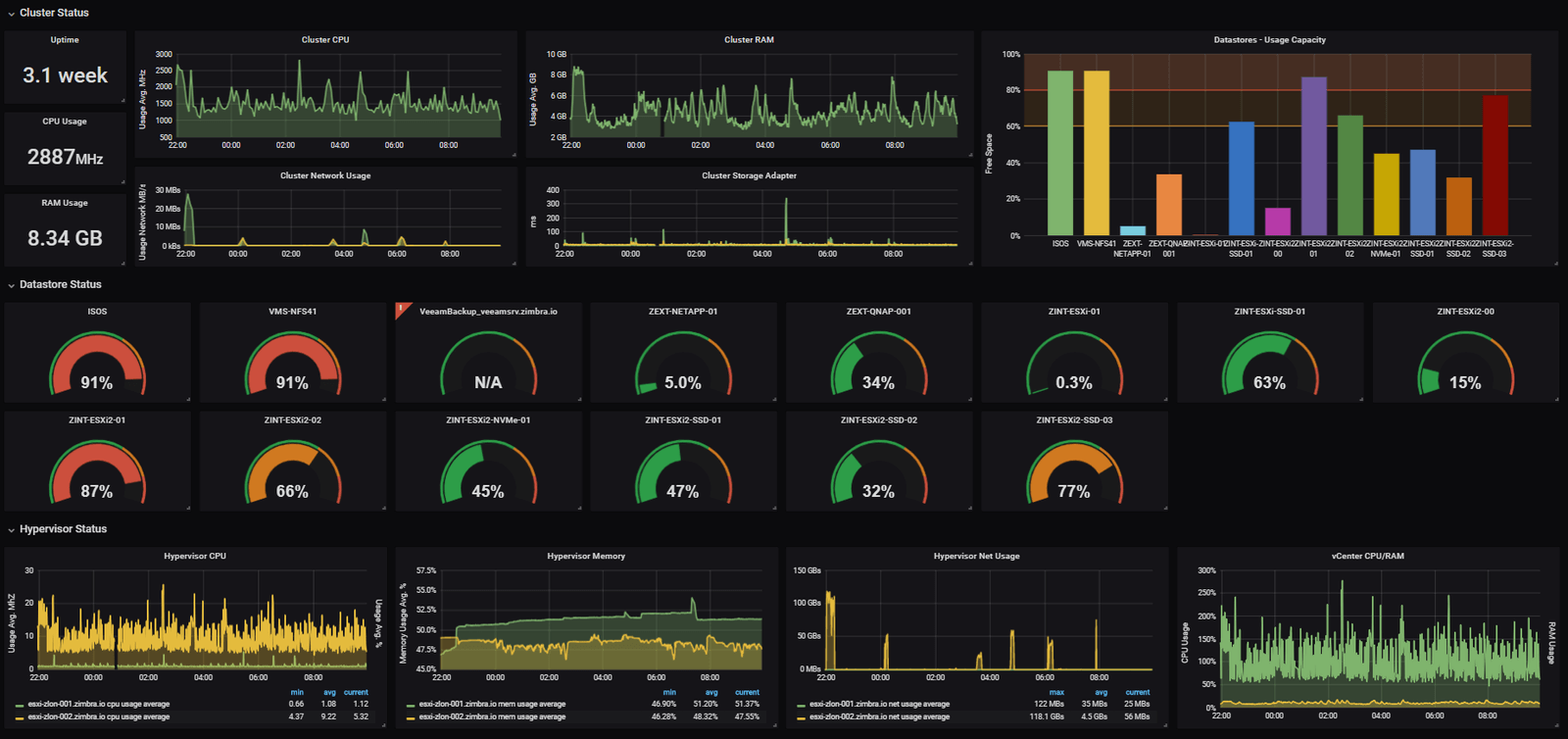
Average proxy response time
Normal indicators strongly depend on proxy type and distance to server. My personal benchmark after hundreds of projects:
Datacenter in same country: 30-80ms - excellent, 80-150ms - normal, over 150ms - find another provider.
Residential proxies: 150-300ms - good indicator, 300-500ms - working option, over 500ms - only if no other options.
Mobile is always slower: 400-800ms is considered normal. Here you're paying for quality, not speed.
Percentage of successful requests
If success rate drops below 85%, something's wrong. Possible causes:
- Site strengthened protection (need to adapt parser)
- Proxies banned (change provider or pool)
- Too aggressive settings (reduce speed)
- Technical problems on target side (wait it out)
Normal indicator for tuned system is 92-97% successful requests. Perfect 100% doesn't happen, internet is too unstable.
Number of IP bans and blocks
Acceptable percentage depends on parsing aggressiveness. With careful work maximum 2-3% of addresses get banned. With hard parsing of protected sites up to 10% is still normal.
If more than 15% of pool gets banned - time to change strategy. Either proxies are low quality or parser is too obvious.
How long proxy "Lives" under constant use
Statistics from real projects:
- Free proxies: 30 minutes - 2 hours. Then either die or get banned everywhere.
- Cheap datacenter ($0.5-1 each): 12-48 hours of active use.
- Quality residential: 5-10 days with reasonable load.
- Mobile proxies: 2-4 weeks, some work for months.
Key word is "reasonable load". If you hammer one site 24/7 from one IP, even mobile proxy won't last long.
Best practices and ready solutions
When It's better to get "Proxy as a Service"
Simple math shows if you spend more than 10 hours per month fiddling with proxies, time to get a ready service. Developer time costs more than the price difference between raw proxies and managed solution.
Ready services provide API, automatic rotation, dead IP replacement, statistics, support. Setup takes an hour instead of a week. For startups and agencies this is critical.
Open source tools for managing proxy pools
Time-tested solutions:
ProxyBroker - Python library for finding and checking proxies. Can collect free addresses from dozens of sources. Not suitable for production but fine for tests.
Rotating Proxy - simple wrapper for requests with automatic proxy change on errors. Minimalist and effective.
HAProxy - industrial load balancer. Overkill for simple parsing but indispensable for serious projects.
Squid - classic caching proxy. Saves traffic on repeat requests to same URLs.
ProxyChain - lets you build proxy chains for maximum anonymity. Speed drops dramatically but sometimes it's the only way.
Combining Proxies with Antidetect Browsers
Proxy + antidetect browser combo gives almost 100% masking. Browser changes device fingerprint, proxy hides real IP. Together they make the parser indistinguishable from a regular user.
Popular antidetects: Multilogin, GoLogin, AdsPower. Cost from $30 per month but pay off instantly for valuable data work.
GonzoProxy, for example, integrates out of the box with most antidetect browsers. Insert proxy data into browser profile and you're working. Especially convenient when combining parsing with managing ad accounts or social profiles.
Summary: Which proxy to choose for parsing
Quick rundown for different tasks:
Testing and learning - get a batch of cheap datacenter proxies, practice, understand the principles.
Parsing open data (news, blogs) - datacenter proxies with basic rotation, 50-100 pieces will do.
E-commerce and marketplaces - residential proxies are mandatory, minimum 200-300 addresses, preferably from different cities.
Social networks and messengers - only mobile proxies or premium residential with low fraud score.
SEO and SERP analysis - residential proxies with precise geo-targeting, separate pool for each country.
High-load scraping - mix of datacenter for simple tasks and residential for complex parts.
Tips for different parsing volumes:
Small parsing (up to 10,000 requests per day):
- 20-30 residential proxies with rotation every 30 minutes is enough
- Can manage without complex infrastructure - simple Python script with requests
- Datacenter proxies will work for unprotected sites
Mass parsing (100,000+ requests per day):
- Minimum 500 proxies in rotation, better 1000+
- Multithreading and load balancing are mandatory
- Mix of 70% residential and 30% datacenter to optimize costs
- Need monitoring system and auto-replacement of banned IPs
Price dynamics parsing:
- Stability is critical - use only residential or mobile proxies
- Geography matters - proxies should be from target audience region
- Set up sticky sessions for 30-60 minutes to imitate real shopping
- Always save cookies between sessions
Remember the main thing: saving on proxies results in lost time and data. Better to pay 20% more for quality service than constantly fight blocks and search for new addresses. In the long run, quality proxies for parsing always pay off.
Have a question?
Contact our team for help choosing a pool and country for your workflow.
Message us on Telegram.webp)