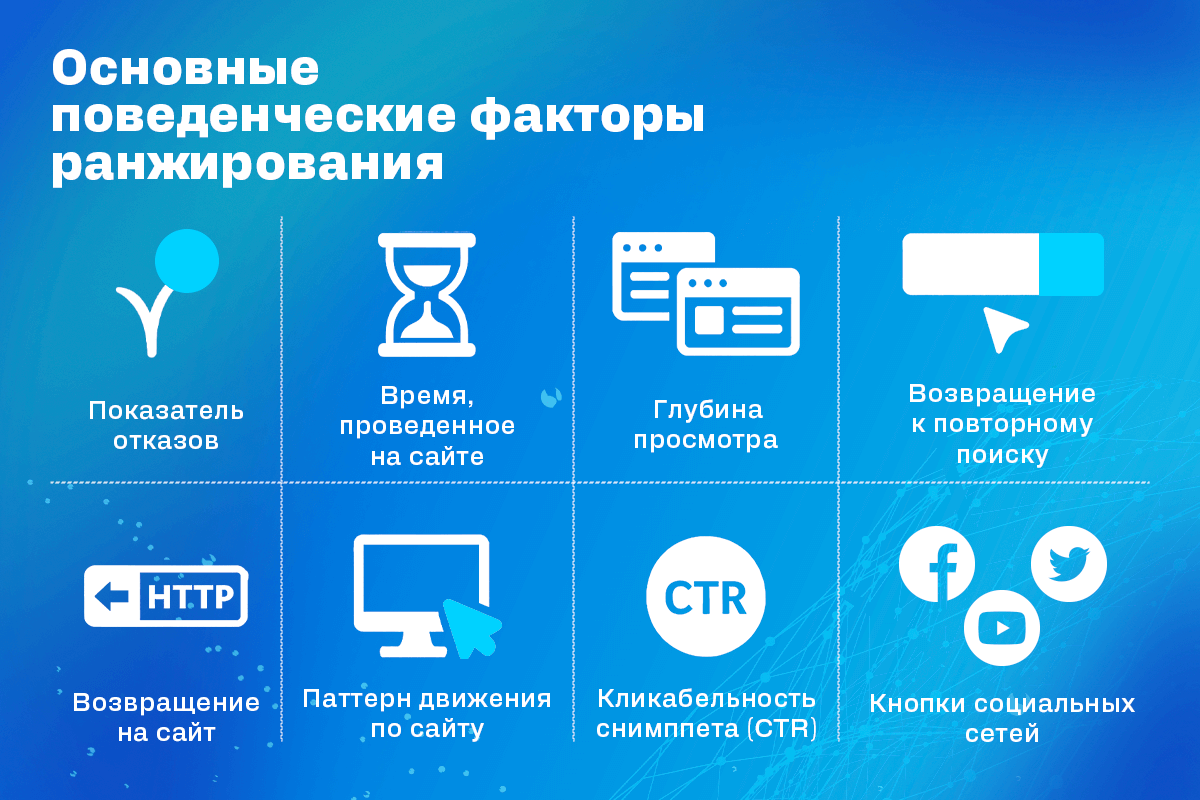
Behavioral factors (BF) are user actions on a website that search engines analyze — how long someone stays on a page, how many clicks they make, whether they return to the site, how fast they leave, etc. The better these metrics, the more "alive" your site looks to search engines — and that means higher rankings.
Contents
- Why you need proxies for Reddit
- Why Reddit might be blocked
- What restrictions does Reddit have
- Who needs proxies and how they help
- What you can do with proxies for Reddit
- How to choose the right type of proxy for Reddit
- Proxy vs VPN for Reddit
- How to set up and use proxies for Reddit
- Top proxy providers for Reddit in 2025
- Common problems and solutions
- Practical use case scenarios
- FAQ
- Conclusion
- Why LinkedIn requires using proxies
- How proxies help in working with LinkedIn tools
- Types of proxies for LinkedIn and selection criteria
- 10 best proxy providers for LinkedIn
- Setting up and using proxies
- Tips for safe LinkedIn outreach scaling
- Conclusion: how to build a stable system for working with LinkedIn through proxies
- How Amazon detects and blocks proxies
- Benefits of using proxies for Amazon
- Which proxy types work best for Amazon
- Best residential proxy providers for Amazon (2025)
- Key features of a good Amazon proxy provider
- How to set up a proxy for Amazon
- Common problems when working with proxies on Amazon
- How to use Amazon proxies for different tasks
- Best practices for safe Amazon proxy usage
- FAQ
- Conclusion – choose stability, not quantity
- Step 1 — Download and Install VMLogin
- Step 2 — Create a New Browser Profile
- Step 3 — Get Your Gonzo Proxy Credentials
- Step 4 — Configure Proxy Settings in VMLogin
- Step 5 — Verify Proxy Connection
- Step 6 — Launch Your Browser Profile
- Step 7 — Optional: Set Up Multiple Profiles / Rotating Sessions
- Step 8 — Troubleshooting Common Issues
- Step 9 — Start Automating with Gonzo Proxy + VMLogin
- What is an anonymizer in simple terms
- How anonymizers differ from proxies and VPNs
- How an anonymizer works
- Types of anonymizers and anonymity levels
- How to format proxies for working with anonymizers
- How to use an anonymizer to access blocked sites
- Advantages and risks of using anonymizers
- How to choose an anonymizer or proxy for your tasks
- FAQ
- Conclusion
- Why Trello is unavailable in Russia
- What is a proxy and how does it help with Trello?
- How to download and install Trello with a proxy
- How to register and log into Trello through a proxy
- Paying for Trello subscription through a proxy
- How to work in Trello through a proxy without interruptions
- Which proxies work best for Trello
- Top 5 mistakes and how to avoid them
- FAQ
- Conclusion
- How to sell quickly and effectively on Avito
- What is mass posting on Avito and why you need it
- Manual and automated mass posting
- Multi-accounting: how to manage multiple accounts on Avito
- Step-by-step launch plan
- How not to get banned with mass posting and multi-accounting
- Mass posting vs alternative sales methods
- FAQ
- Conclusion
- What Is a Proxy for Discord?
- Why You Should Use Proxies on Discord
- How to Use a Proxy on Discord
- Testing and Monitoring Proxy Performance
- Scenarios Where Discord Proxies Help
- Best Practices and Safety Tips
- Why Choose Residential Proxies for Discor
- Common Problems and Troubleshooting
- FAQ
- Final Thoughts — Keep Your Discord Setup Secure and Efficient
- Why TikTok gets blocked and doesn't always work with VPN
- How proxies and VPN differ for TikTok
- When it's better to choose VPN for TikTok
- When it's better to choose proxy for TikTok
- How to set up proxy for TikTok (short instruction)
- Risks and precautions when working with TikTok through VPN and proxies
- FAQ
- Conclusion
- What does transparent proxy mean
- How transparent proxy works in a real network
- Spheres of application for "invisible" proxy
- Advantages and disadvantages of transparent proxy
- Setting up transparent proxy: step by step
- Are transparent proxies secure
- Popular solutions for transparent proxy setup
- Checklist for working with transparent proxies
- FAQ
- Conclusion
- Why proxies are a must for Dolphin Anty
- Types of proxies you can connect to Dolphin
- Rotating vs Static
- Step-by-Step: How to Add a Proxy in Dolphin Anty
- Common proxy connection errors and fixes
- How to choose reliable proxies for Dolphin Anty
- Tips for optimizing costs
- Practical cases of using Dolphin Anty with proxies
- FAQ
- Final thoughts
- Types of proxies used for parsing
- How to choose proxies for parsing
- Setting up and rotating proxies for parsing
- Technical tricks for bypassing blocks
- Practice: building a proxy pool for parsing
- Metrics and monitoring parsing quality
- Best practices and ready solutions
- FAQ
- Summary: Which proxy to choose for parsing
- How proxies work in traffic arbitrage
- Types of proxies for arbitrage and their features
- What problems do proxies solve in arbitrage
- Top proxy providers for arbitrage in 2025
- Comparison table of proxy providers
- How to pick the right proxies for arbitrage
- How to set up proxies for arbitrage
- Safe proxy usage tips
- FAQ
- Conclusion
- What are residential proxies needed for?
- How do residential proxies work?
- How do residential proxies differ from others?
- Connecting residential proxies from GonzoProxy
- Examples of using GonzoProxy residential proxies in Python
- Pros and cons of residential proxies
- How to check residential proxies
- Common usage errors
- FAQ
- Conclusion
- Why does Facebook often block accounts and cards?
- Why use a virtual card for Facebook Ads?
- Multicards.io — a trusted virtual card service for Meta Ads
- Should you buy or create Facebook ad accounts?
- Why proxies are essential
- What kind of proxies are best for Facebook Ads?
- GonzoProxy — premium residential proxies for Facebook Ads
- How to safely link a virtual card to Facebook Ads
- Final recommendations
- What’s a DePIN farm and why should you care?
- So, what exactly is DePIN?
- Other DePIN projects already killing it
- What do you need to start your DePIN farm?
- How to create profiles and set up the antidetect browser
- How to choose and set up a proxy?
- What about Twitter/X accounts?
- How to get email accounts?
- Before you launch — one last tip!
- How to properly chain your accounts?
- How modern fraud detection systems track violators
- Google Ads: anti-fraud specifics in 2025
- How to tell your proxies aren't working?
- Why most proxies no longer work with ad platforms
- How to select and verify proxies for ad platforms
- Strategy for stable operation with ad platforms
- Conclusion: don't skimp on infrastructure
When the same person (or bot) visits a site repeatedly from the same IP, it’s easy to spot. But when you’ve got hundreds of visits from different IPs — now that looks interesting.
Proxies are like a disguise. They make it look like your site is being visited by lots of different users from different cities or even countries. In reality, it’s usually just one script running through hundreds of proxies to boost BF.
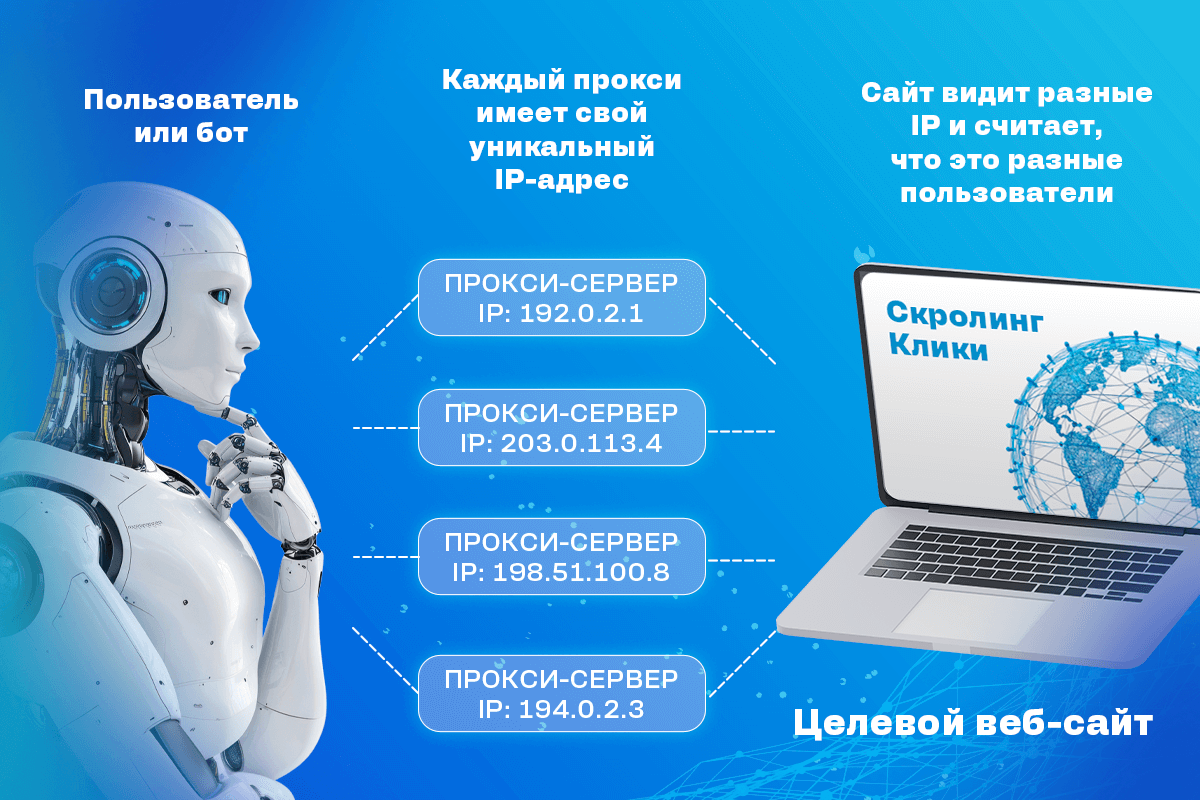
Here’s how it works:
- You run a script or software for boosting BF
- Each visit goes through a proxy — each with a different IP
- The script simulates real user behavior: scrolling pages, moving the mouse, clicking stuff
- Yandex sees activity and thinks your site is popular, so it ranks it higher
This is how proxy visits work to boost behavioral metrics in the eyes of search engines.
Is it effective? Yes — if you use quality proxies. It’s especially important to choose IPs that fit your goals: right location, frequent rotation, and no “dirty” history.
There are two main types:
⚠️ Using cheap or low-quality proxies can easily get you flagged. Better to go with a trusted provider right away.
- Automatic IP rotation every 5–10 minutes
- Clean IPs (no bans, no spam history)
- Broad IP location coverage
- Fast, stable connection
- Compatible with tools like Zennoposter, BAS, Webvisitor, etc.
If you don’t want to take risks — just buy proxies for behavioral boosting from GonzoProxy. It’s one of the few services that offer:
- Large proxy pool with fast rotation
- No KYC — access 95% of sites right away
- High speed and connection stability
- UK-based company with 3 years in the business
- Unlimited simultaneous threads
- Traffic doesn’t expire
- Full support for popular automation tools
How to get started
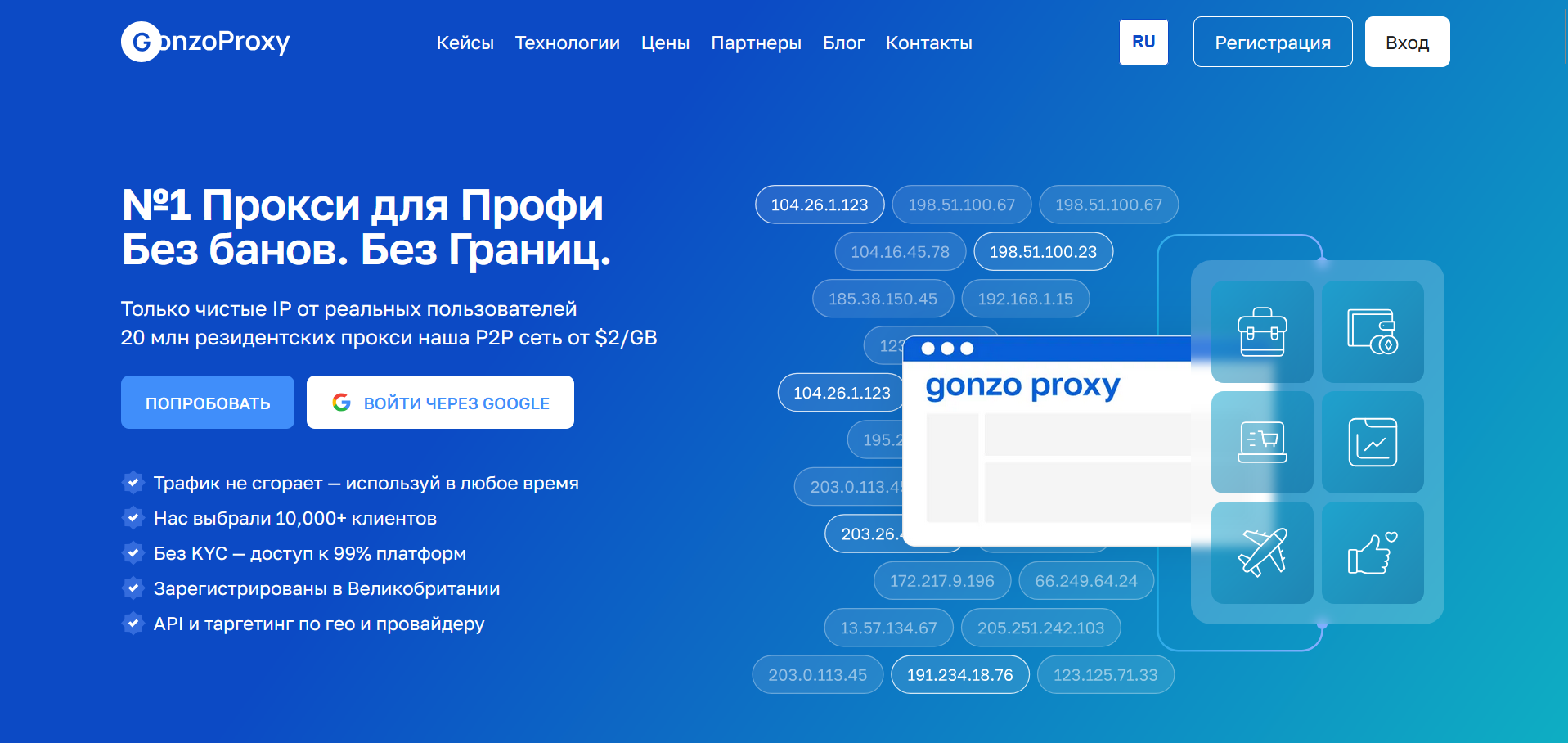
1. Sign up at gonzoproxy.com
2. Choose your type — mobile or residential proxies for BF boosting
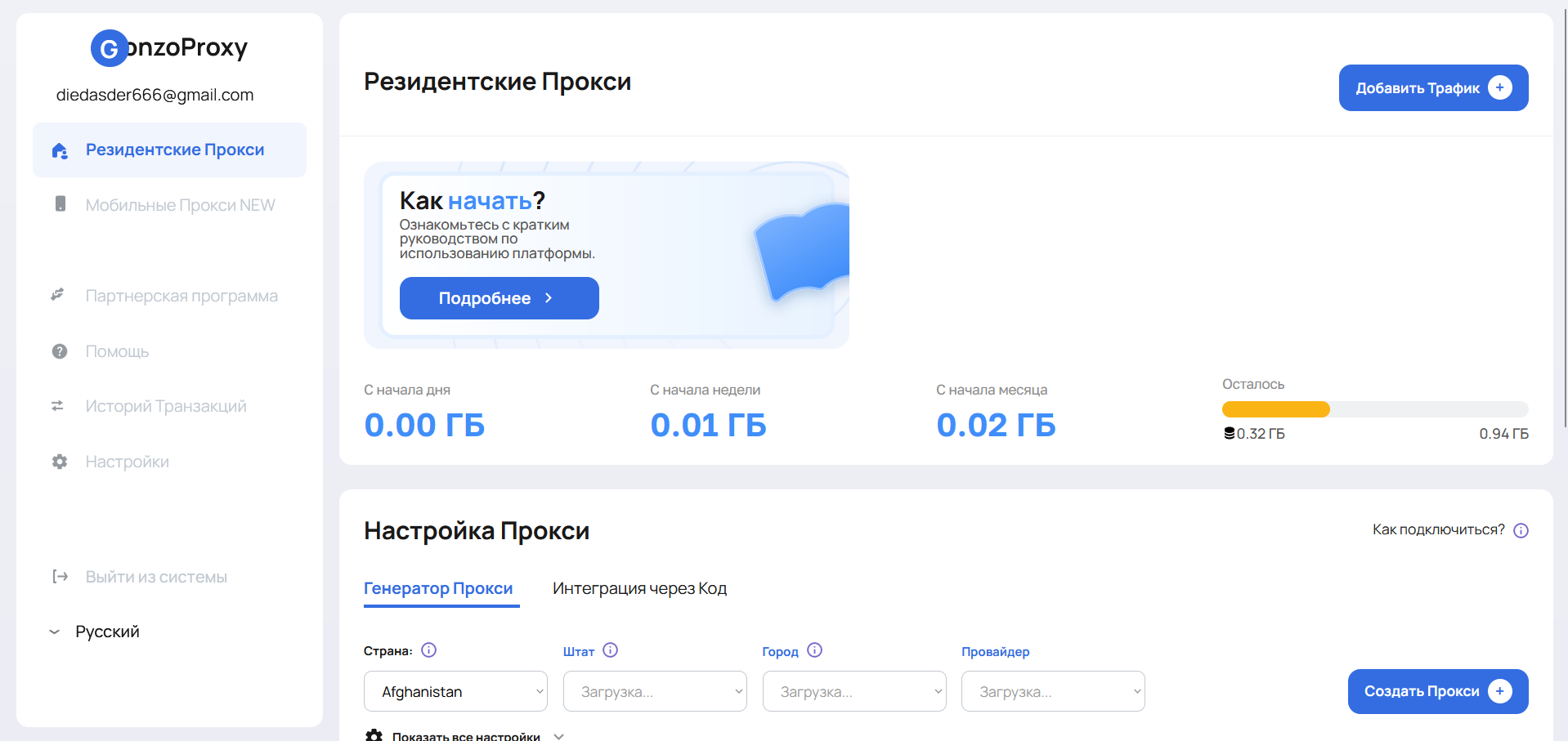
If you choose residential proxies, pick a rotation mode:
- Sticky IP — same IP kept from 30 seconds to 7 days
Great for social media, crypto, and anything needing session consistency - Randomize IP — IP changes on every requestBest for scraping, mass registrations, scripts, and fast BF boosting
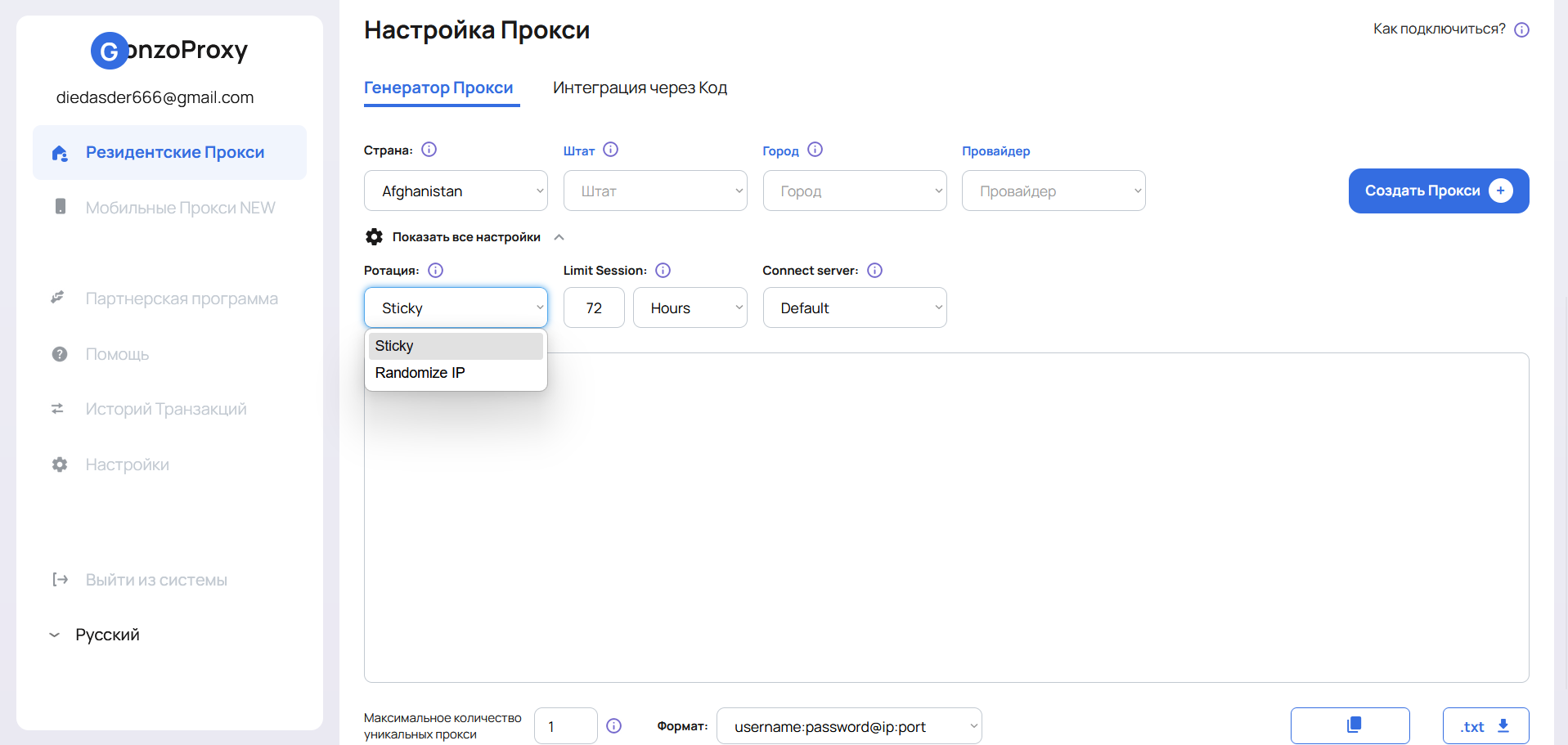
4. Integrate the proxies into your software (BAS, Zenno, Webvisitor, etc.) and start working
How much does it cost?
Proxies for BF boosting are available with two payment models:
🔹 Residential Proxies — Pay per traffic volume. Prices range from $2 to $6.5 per GB. Traffic doesn’t expire. Good for moderate boosting, testing, or combining with other traffic sources.
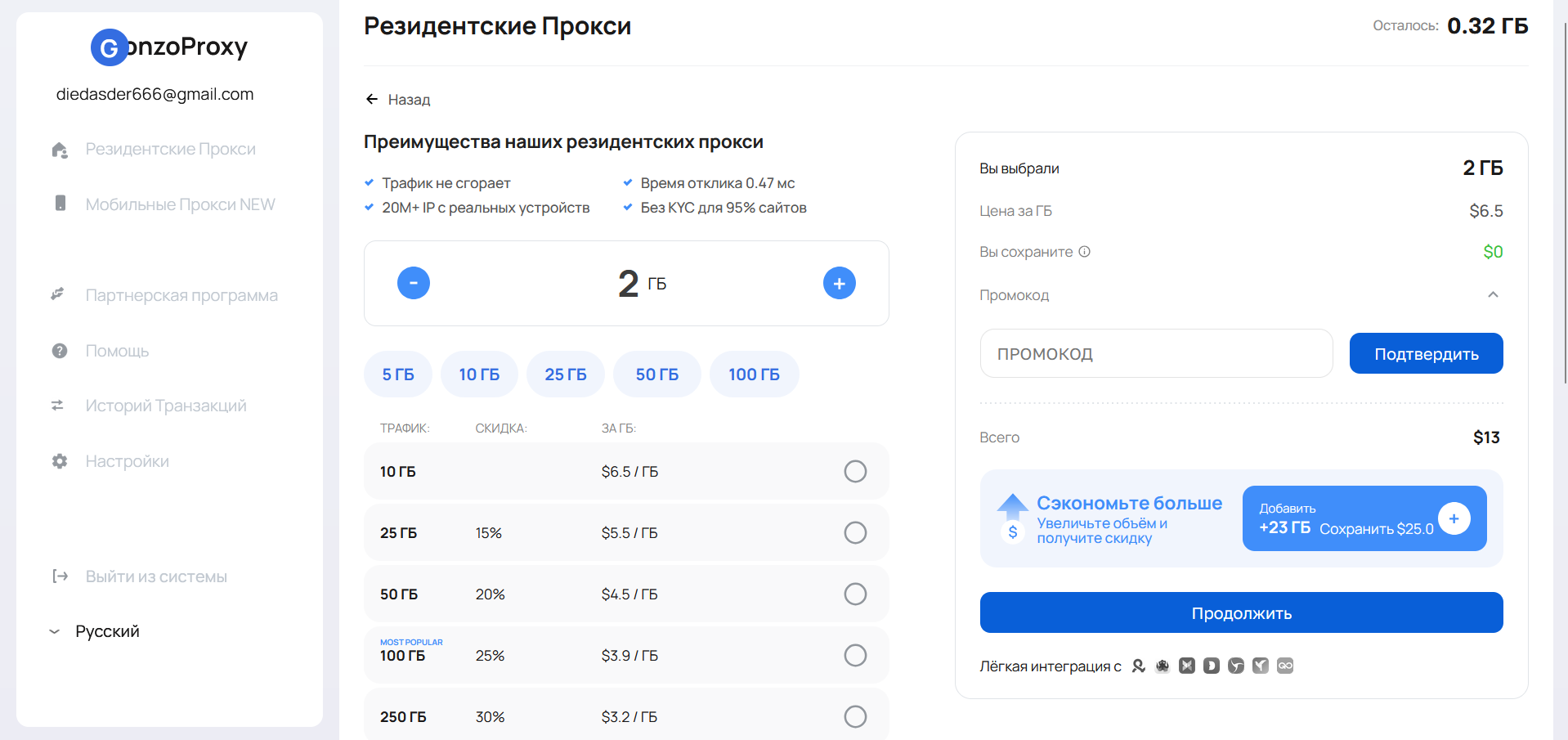
🔹 Mobile Proxies — Unlimited usage. You pay by days, not traffic. Minimum plan: $7 for 3 days. Great for aggressive boosting and 24/7 activity since mobile IPs have high trust.
Bonus: What else are these proxies good for?
- Scraping search engine results
- Automating SEO tasks
- Mass account registrations
- Bypassing blocks and anti-bot systems
How to boost BF the right way: warming up, scenarios & smart Tips
Just setting up proxies isn’t enough. To make sure your boosting works and doesn’t raise red flags in Yandex, you need to simulate real user behavior.
🔄 Warm up your traffic: start slow
Sudden traffic spikes are a common reason for getting flagged. So:
- Keep visits under 5–10 per day during the first days
- Use a wide proxy pool with rotation
- Mix mobile and residential proxies
- Gradually increase volume — about 10–20% daily
🔥 Pro tip: For the first 7 days, warm up your bots (boost internal behavior). Then start sending some of the traffic through search queries — this raises CTR and strengthens the effect.
📲 Effective behavior scenarios
Variety and realism are key. Here are a few go-to setups:
Scenario 1: Search Engine Visitor
- Types a keyword in Yandex/Google
- Scrolls search results (2–3 times)
- Clicks on your site
- Scrolls, clicks, reads for 40–90 seconds
- Visits another page
- Leaves or returns to search
Scenario 2: Branded Visit
- Enters the site directly or via bookmark
- Uses the menu
- Views 2–3 pages
- Interacts with content (clicks images, buttons, videos)
Scenario 3: Mobile Traffic
- Mobile user-agent (iPhone/Android)
- Short sessions (15–40 sec)
- Light scrolling, 1–2 taps, quick exit
Scenario 4: External Traffic
- Visit from Telegram, forum, YouTube, or social media
- 1–2 pages, irregular behavior
- Great for building natural-looking traffic background
⚙️ What you must simulate
🚫 What not to do
- Run hundreds of visits with one behavior script
- Use static (non-rotating) proxies
- Use the same user-agent across all sessions
- Visit with the same keyword 100 times a day
- Go full force with no warm-up phase
FAQ
Yes — if you want to quickly and effectively move your site up in Yandex. BF boosting isn’t magic — it’s a tool. Like any tool, it only works in skilled hands.
The key is high-quality proxies, moderation, and constant performance tracking.
Proxies help build a natural-looking traffic profile that improves behavioral metrics — and your search ranking. But the better the proxies, the lower your risk of getting penalized.
Need reliable mobile or residential proxies that actually work for boosting BF? Go with GonzoProxy — a trusted, convenient provider with great value for the price.
🎯 Don’t wait while your competitors pull ahead. Start boosting your behavioral signals with proxies today — and watch your site climb the ranks.