Every day, websites collect terabytes of information about visitors. Your IP address, location, browsing history turn into a commodity for advertising companies. Anonymous proxy servers help break this surveillance chain by hiding real data from prying tracking systems.
Over the past three years, the number of requests for anonymous proxies has grown by 80%. The reason is simple: blocks have become tougher, and the cost of mistakes in business is higher. One of our clients from arbitrage lost 47 Facebook ad accounts in a week because of one burned IP. After switching to residential proxies, the problem disappeared.
A regular proxy simply changes your address to its own. An anonymous one goes further and completely erases traces that could reveal the use of an intermediary. The difference is critical for those working with strict platforms like Google Ads or TikTok.

Contents
- What an Anonymous Proxy Service Represents
- How an Anonymous Proxy Works
- Proxy Anonymity Levels
- Types of Anonymous Proxies
- Main Benefits of Using Anonymous Proxies
- Risks and Limitations
- How to Set Up and Use an Anonymous Proxy
- Solving the "Anonymous Proxy Detected" Error
- How to Choose a Reliable Anonymous Proxy Service
- FAQ
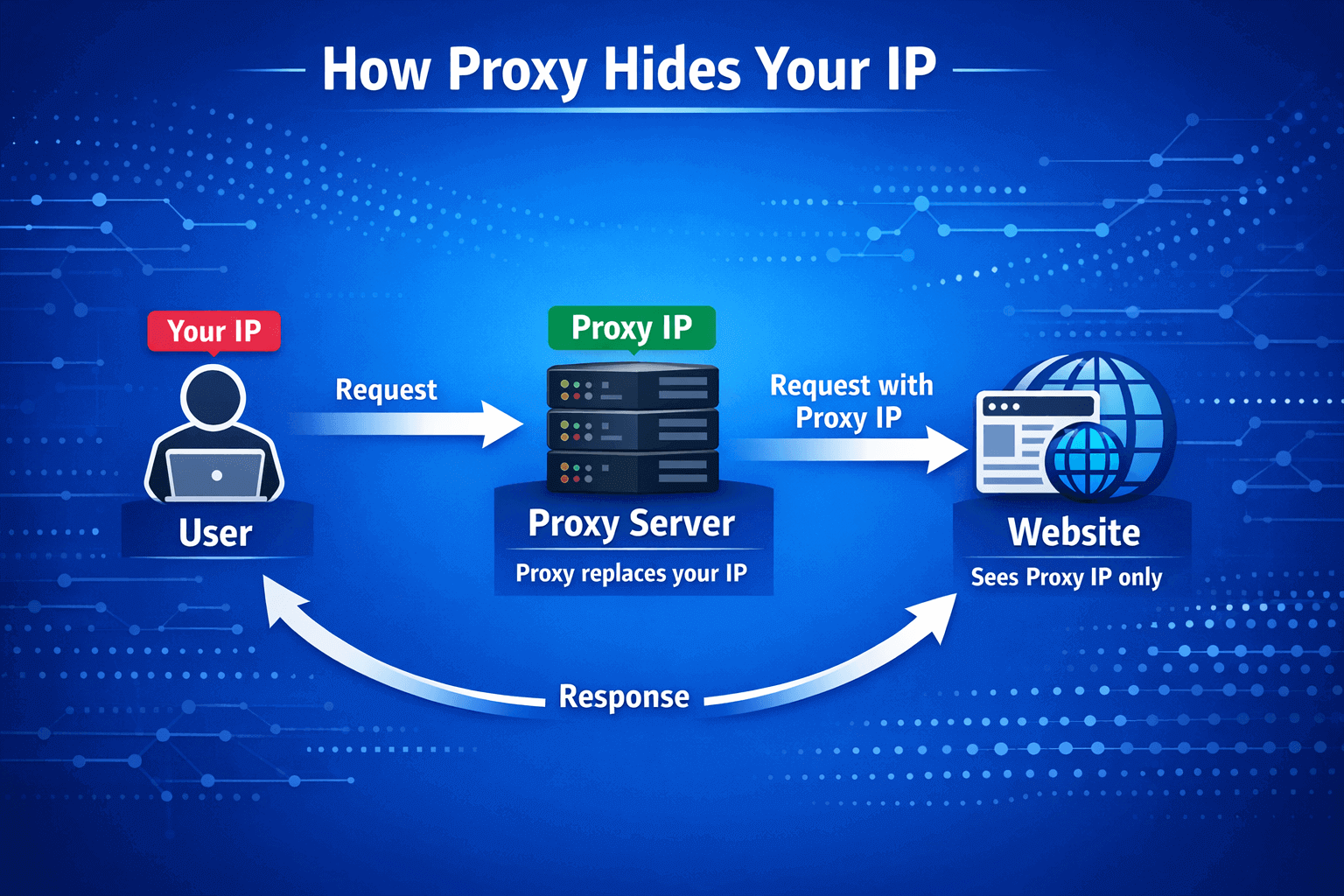
An anonymous proxy server stands between you and the target site like a digital bodyguard. When you open a page, the request first goes to the proxy. It accepts it, cleans all identifiers and sends it further under its own name. The site sees only the proxy IP and considers it a regular visitor.
Technically, HTTP headers X-Forwarded-For, Via and Proxy-Connection are removed. These fields give away the intermediary during verification. Without them, determining a proxy becomes a challenging task.
Modern providers give access to millions of addresses. The GonzoProxy network operates more than 20 million real devices from 150 countries. These are not server IPs from data centers, but real home connections of people who share internet for money.
The main difference from a regular proxy is that an anonymous proxy doesn't just hide your IP. It makes it impossible to track the very fact of using an intermediary. A regular proxy can easily leak your real address in headers, even if everything looks clean on the surface.
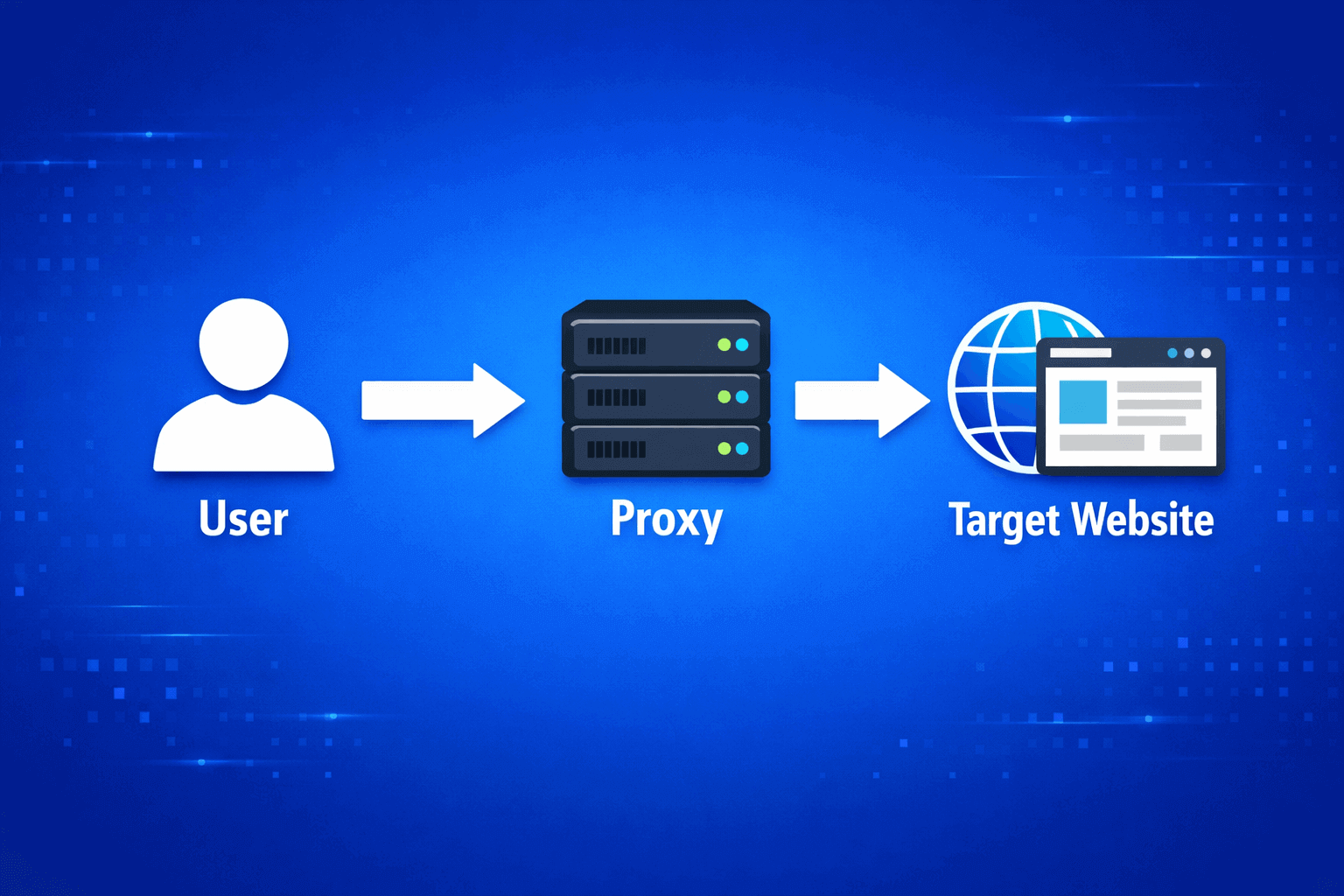
The process begins the moment you click on a link. The browser doesn't fly straight to the site, but first connects to the proxy at the specified address and port. The proxy catches the request, breaks it into parts and cuts out everything unnecessary. Then it assembles a new request with its own data and sends it to the site.
For the target resource, this looks like a visit from a regular user from the proxy's location. When the response comes, the proxy passes it to you unchanged. Simple scheme, but the devil is in the details.
Speed depends on three things. First: where the server is physically located relative to you and the site. The farther, the greater the delay. Second: how loaded the specific proxy is with other users. Third: what type of connection is used.
Residential proxies from home networks work slower than server ones, but look natural. One parser client overpaid for speed and took data center IPs. Two days later, Amazon blocked all 200 accounts. Had to recreate everything on residential addresses.
Not every proxy really protects your privacy. There are three levels with different masking quality.
- Transparent proxies hide nothing at all. Neither your IP nor the fact of an intermediary. Everything is visible in the headers. They're used in offices to control employees, but for anonymity they're useless.
- Anonymous proxies hide your real address but honestly tell the site you're using a proxy. Via or Proxy-Connection headers give away the intermediary. For bypassing geo-blocks it's enough, but serious platforms detect this instantly.
- Elite proxies provide maximum protection. All identifiers are cut out completely. The request looks like from a regular person without any intermediaries. Can only be detected by deep pattern analysis, which is expensive and available to few.
According to our statistics, 70% of commercial tasks require elite level. Arbitrageurs on Facebook use only highly anonymous solutions. The platform learned to catch medium level and bans without warning.
1. Protocol-specific Anonymizers (HTTP, SOCKS4/5, SSL)
- HTTP proxies work only with web traffic. They understand request structure and change headers on the fly. Fast but specialized. Suitable for browsers and web applications.
- SOCKS proxies are more universal, work at a low network level. SOCKS4 supports only TCP without authorization. SOCKS5 adds UDP and different login methods. Can pass any traffic: mail, torrents, FTP. One developer configured SOCKS5 to test a mobile application from different countries. Saved a month of business trips.
- SSL proxies encrypt the segment between you and the proxy. Protects from data interception in cafes or airports. But beyond the proxy, traffic can go open if the site is without HTTPS.
2. Protocol-independent Anonymizers (Multi-layer, Hybrid, VPN-like)
- Multi-layer systems build a chain of several proxies in a row. The request jumps through two-three servers before reaching the goal. Each node knows only neighbors, nobody sees the full picture. Almost impossible to trace, but speed drops significantly.
- Hybrid solutions mix proxy with VPN. Create an encrypted tunnel plus use proxy for anonymization. Double protection: VPN hides proxy from the provider, proxy hides you from the site.
- VPN-like proxies intercept all traffic at the system level. Don't create a virtual interface, just redirect packets. Faster than VPN, but fewer guarantees against DNS leaks.
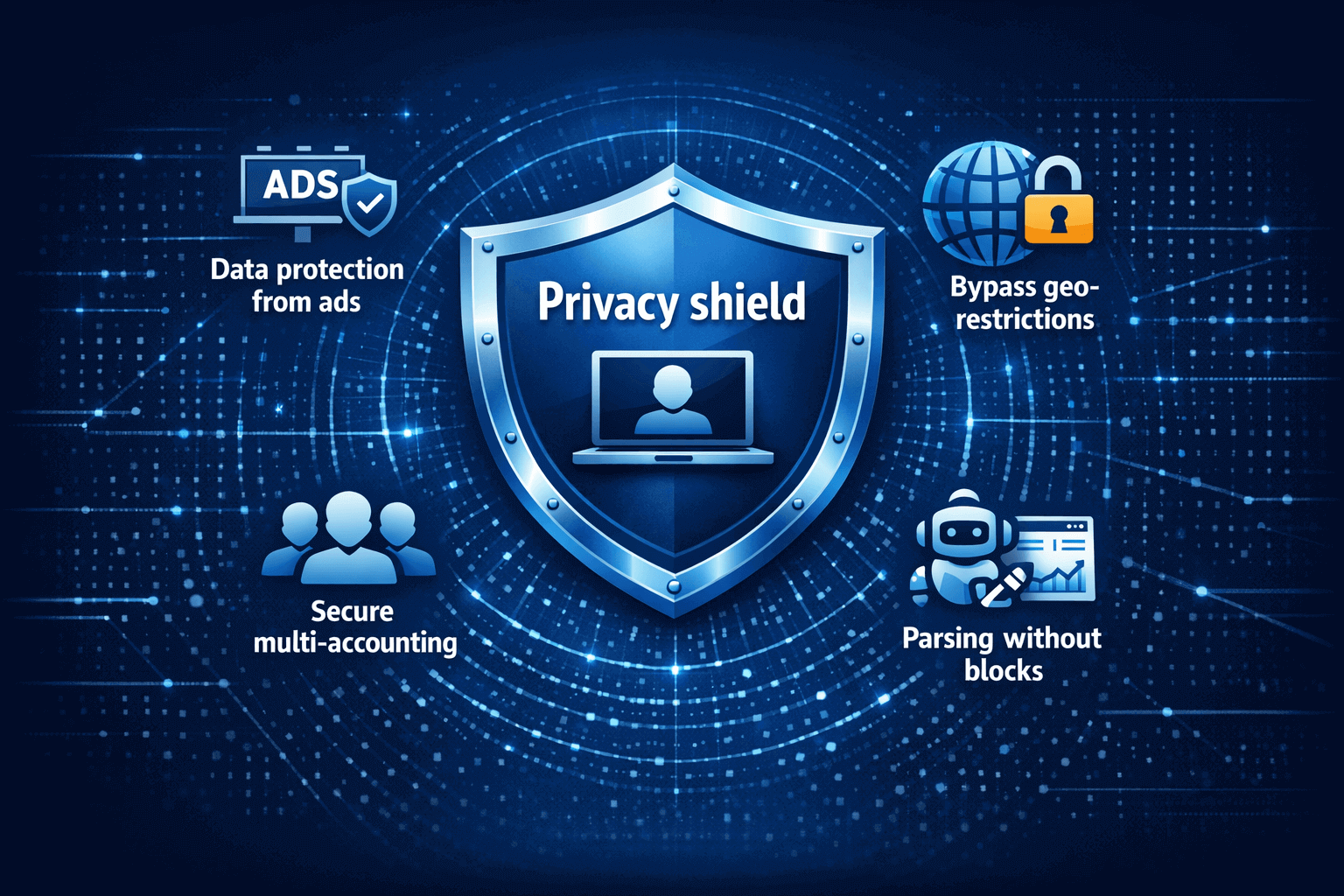
- Protection of data from advertising networks remains the main reason. Sites physically cannot learn your location, provider or device. One client worked with 50 Instagram accounts for different brands. Through anonymous proxies online, the platform saw 50 different people from different cities. Not a single ban in six months.
- Bypassing geo-restrictions opens access to blocked content. Netflix shows different catalogs by country. Stores change prices depending on region. With a proxy, you choose the needed country and get full access.
- Safe multi-accounting is critical for business. Facebook links profiles by IP and digital fingerprints. One IP for several accounts is a guaranteed ban. With a separate proxy for each account, the platform sees different users.
- Parsing without blocks saves money. Sites ban IPs for frequent requests. Proxy rotation distributes the load so each address makes an acceptable number of requests. The site doesn't see suspicious activity.
Free vs Paid Anonymous Proxies - What's the Difference?
1. Free proxies look tempting only at first. According to our measurements, 60% of public lists contain non-working or burned addresses. They work unstably, speed drops to kilobits per second, delay reaches several seconds.
The security of free services raises questions. Someone pays for servers and channels. If the service is free, the owner earns otherwise. Often it's selling your data, embedding ads in traffic or intercepting passwords.
2. Paid services provide a different level. Stability is guaranteed by contract. At GonzoProxy, uptime is 99.6% thanks to ISO/IEC 27001:2017 certification. Speed is optimized, the provider controls the load.
Can Proxy Use Be Traced and How Legal Is It?
- Technical detection is possible in several ways. Services check IPs in databases of known proxies. Others analyze behavior and look for anomalies. Advanced systems look at response time and network characteristics.
- WebRTC can leak the real IP even with a configured proxy. Technology for video calls establishes a direct connection bypassing intermediaries. If you don't block WebRTC in the browser, the site will get the real address. Same with DNS leaks when requests go directly.
- Proxy quality affects detection. Cheap data center IPs are caught easily, they're in known hosting ranges. Residential from home devices are harder to detect, they look like regular users.
- Legality depends on country and purposes. In most places, using proxies for privacy is legal. Problems begin with fraud, copyright violations or bypassing protection. The tool is neutral, application matters.
Browser Setup (Chrome, Firefox, Edge)
- In Chrome, you open three dots, then Settings, System
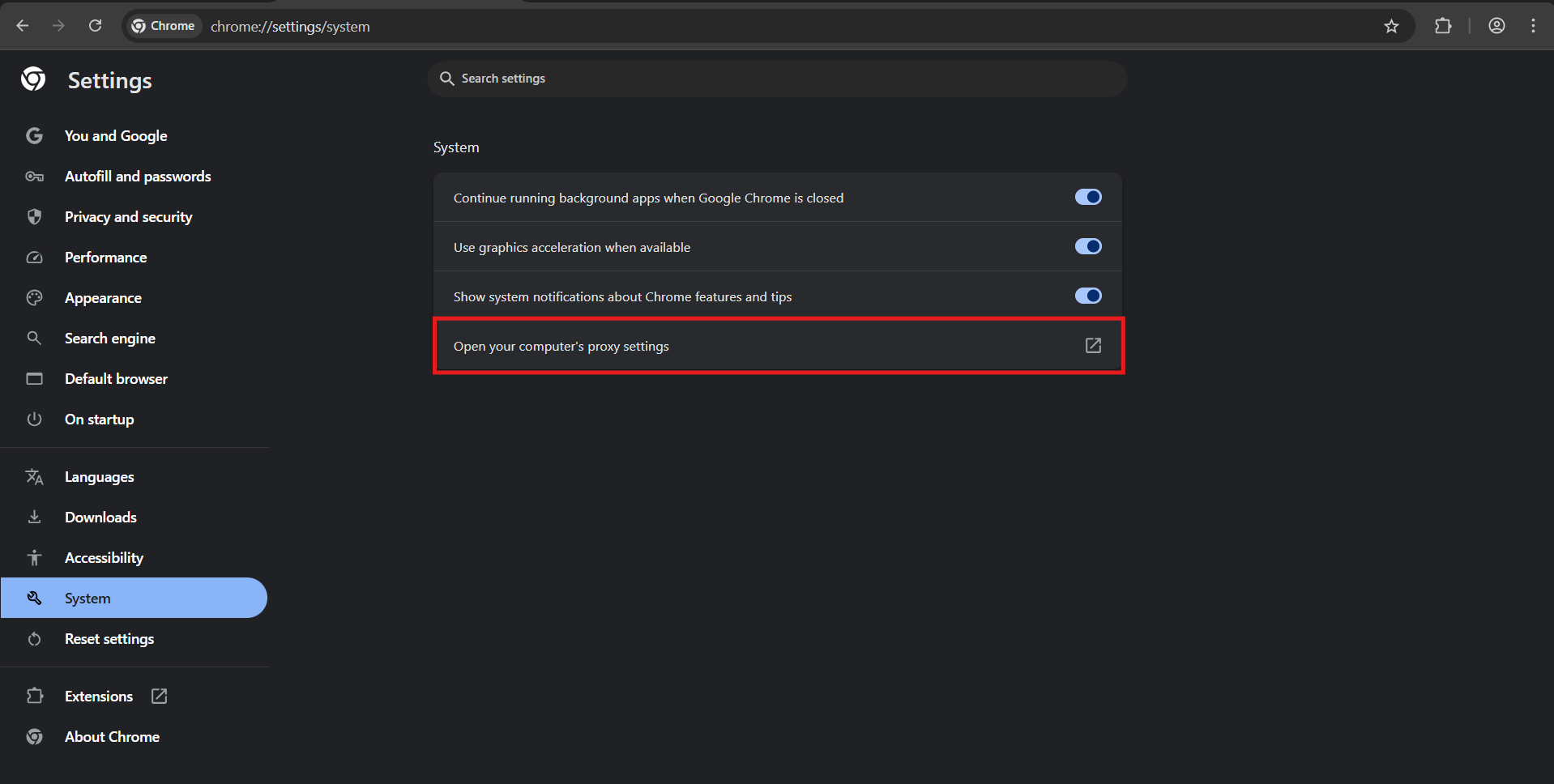
- "Proxy server settings". Then we get redirected to system settings.
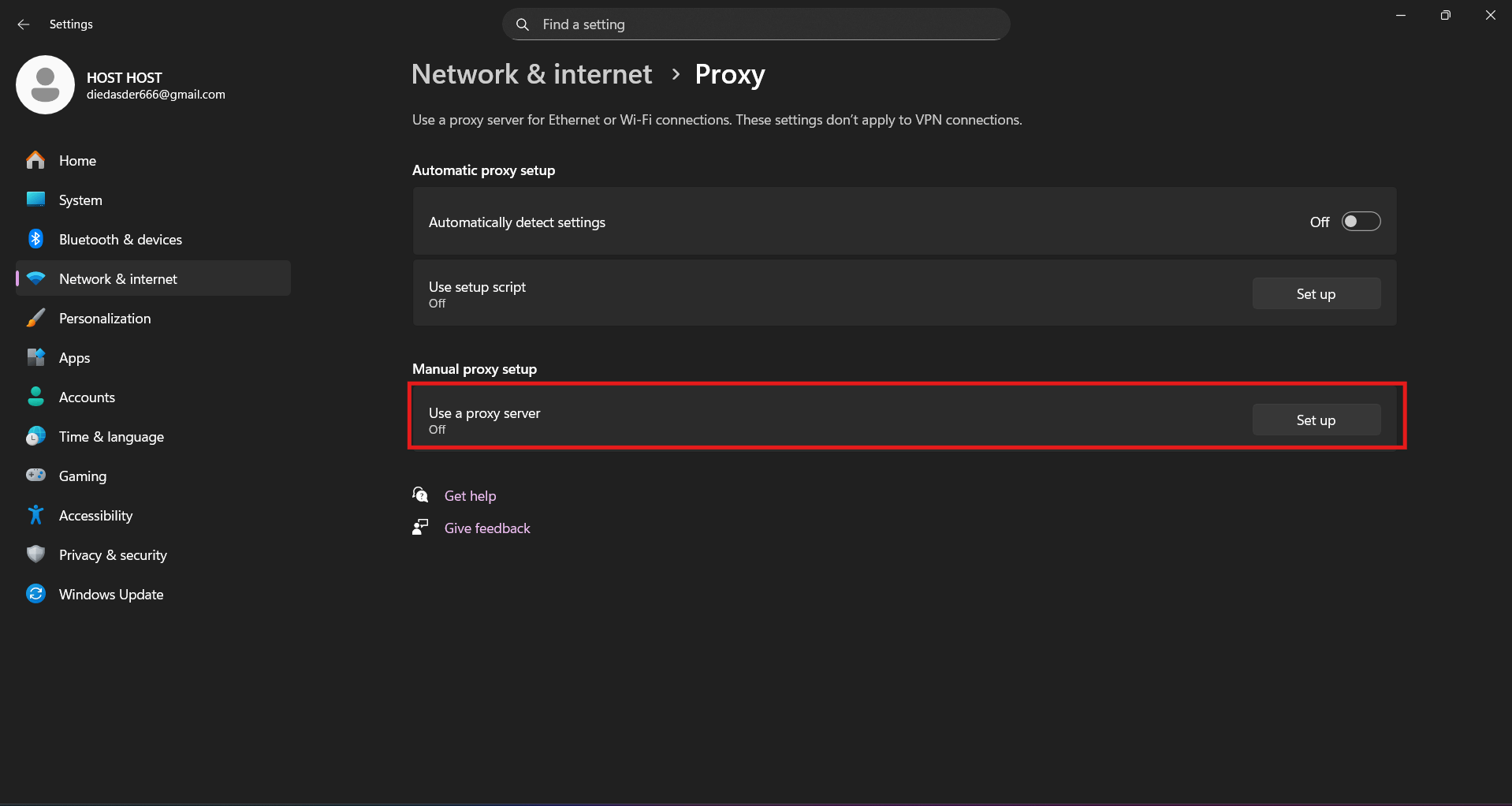
- You turn on the "Use a proxy server" toggle. In the address field, enter the IP from the GonzoProxy panel and port. Click save.
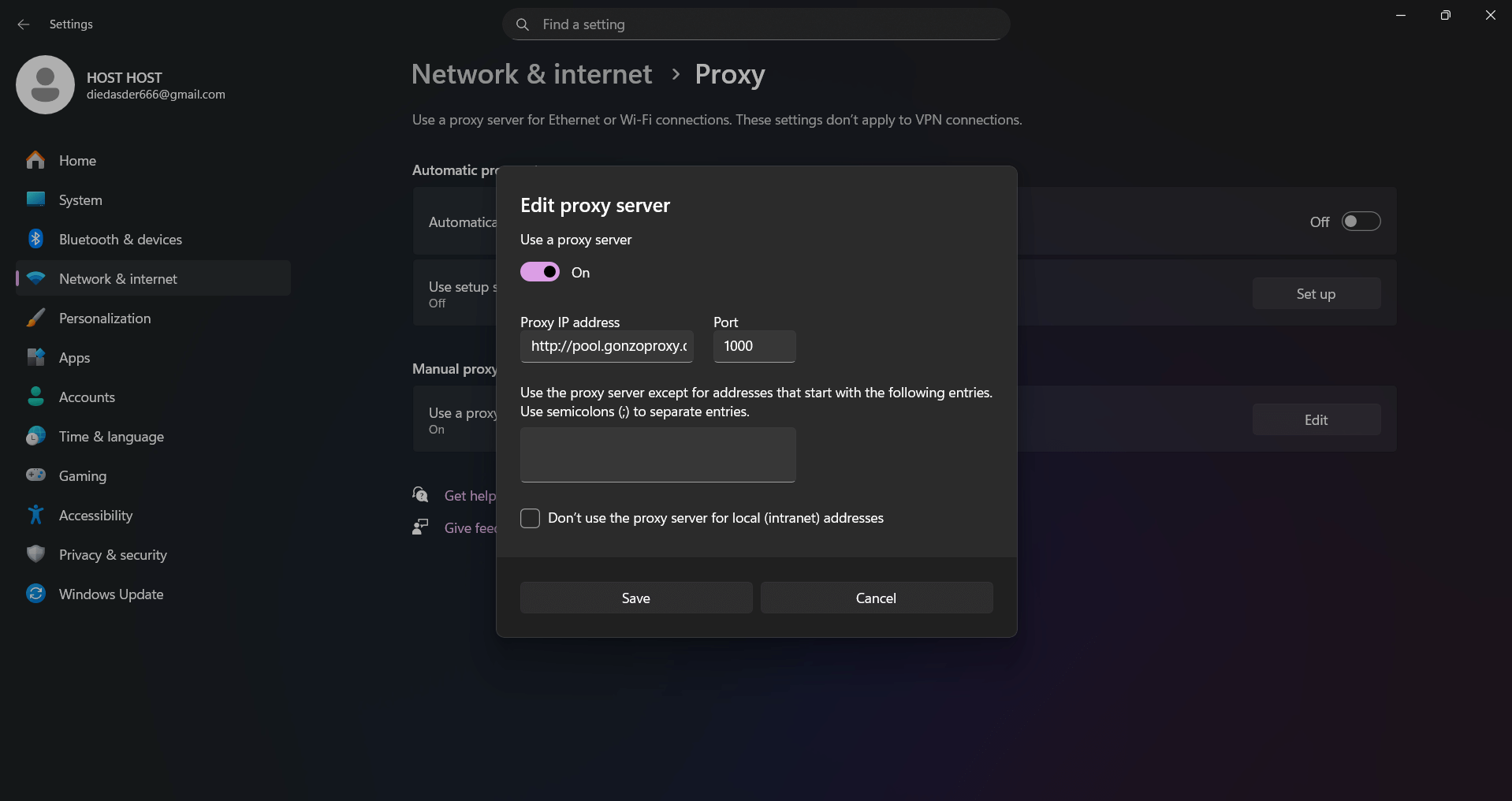
- Go to the browser, here it will request login and password from the proxy.
- In Firefox, you click three lines
- then Settings, scroll down to the "Network Settings" section.
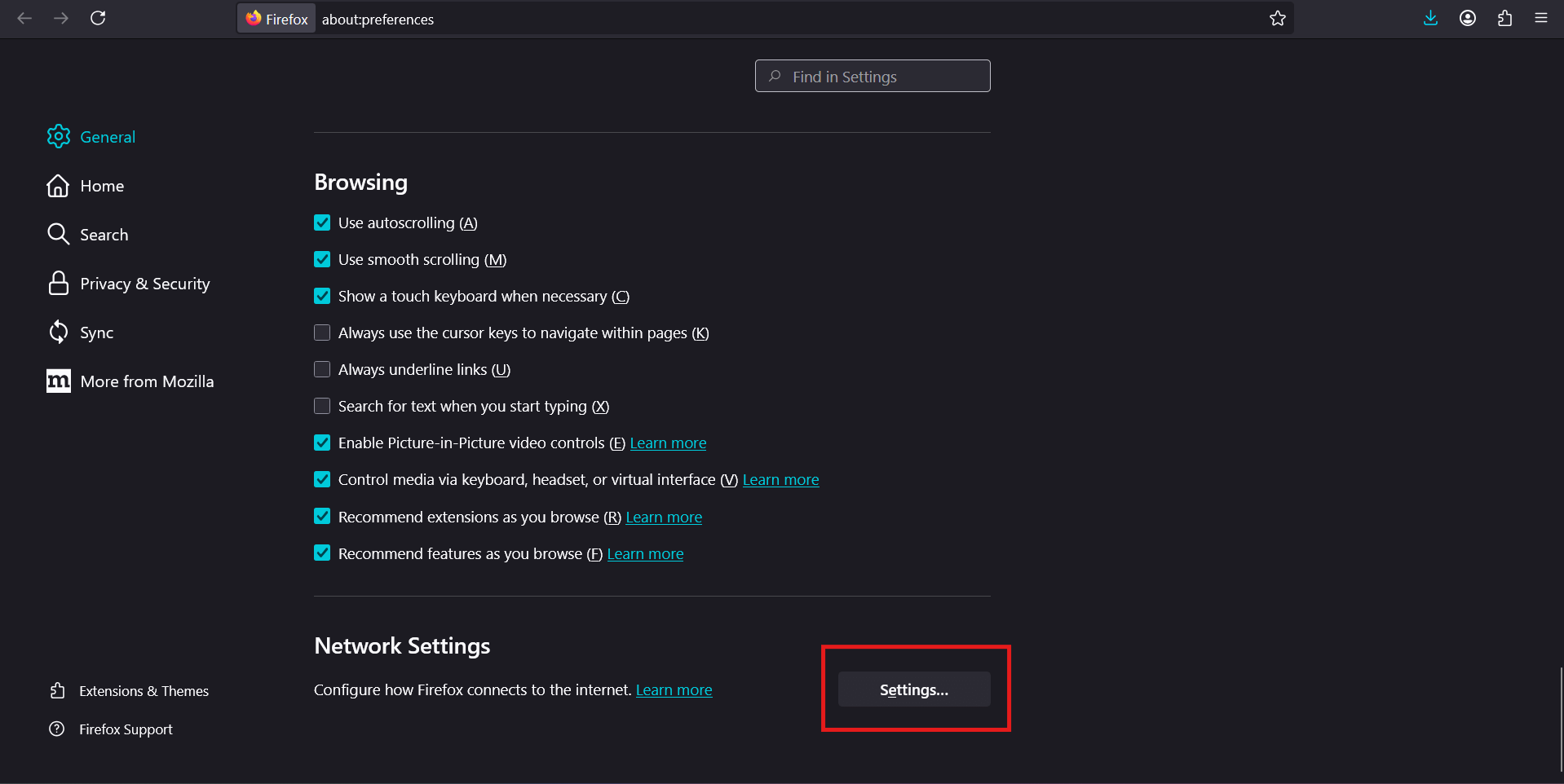
- Select "Manual configuration", enter the data. On first connection, the browser will request login and password.
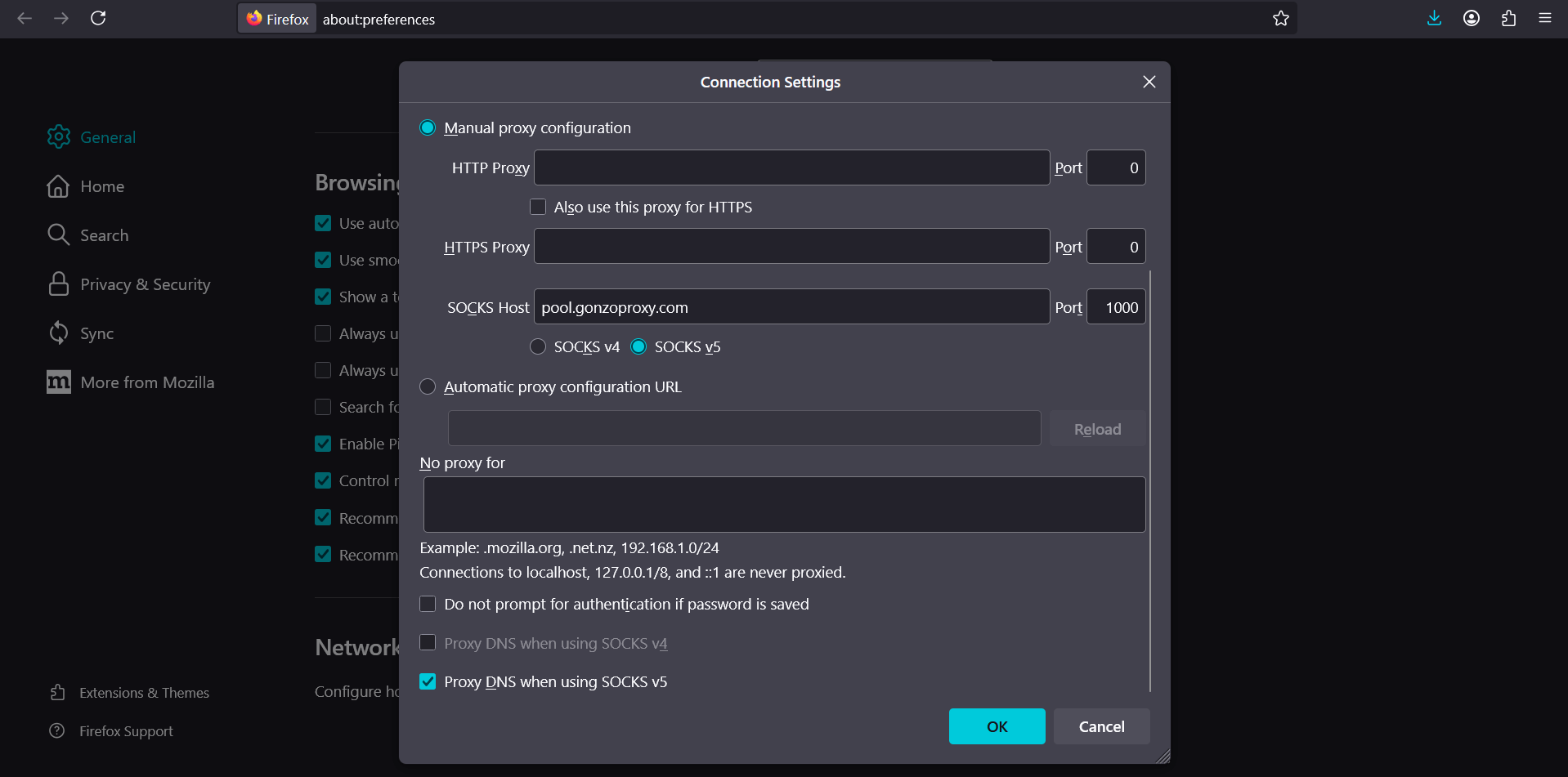
- Edge uses Windows system settings. To configure only for Edge, you need extensions from the store. Install a proxy extension, enter data, activate the connection.
System-level Configuration (Windows, macOS, Linux)
- Windows offers built-in tools. Open "Settings", go to "Network and Internet", select "Proxy server".
- Enable manual configuration, enter address with port. You can add exceptions for local addresses.
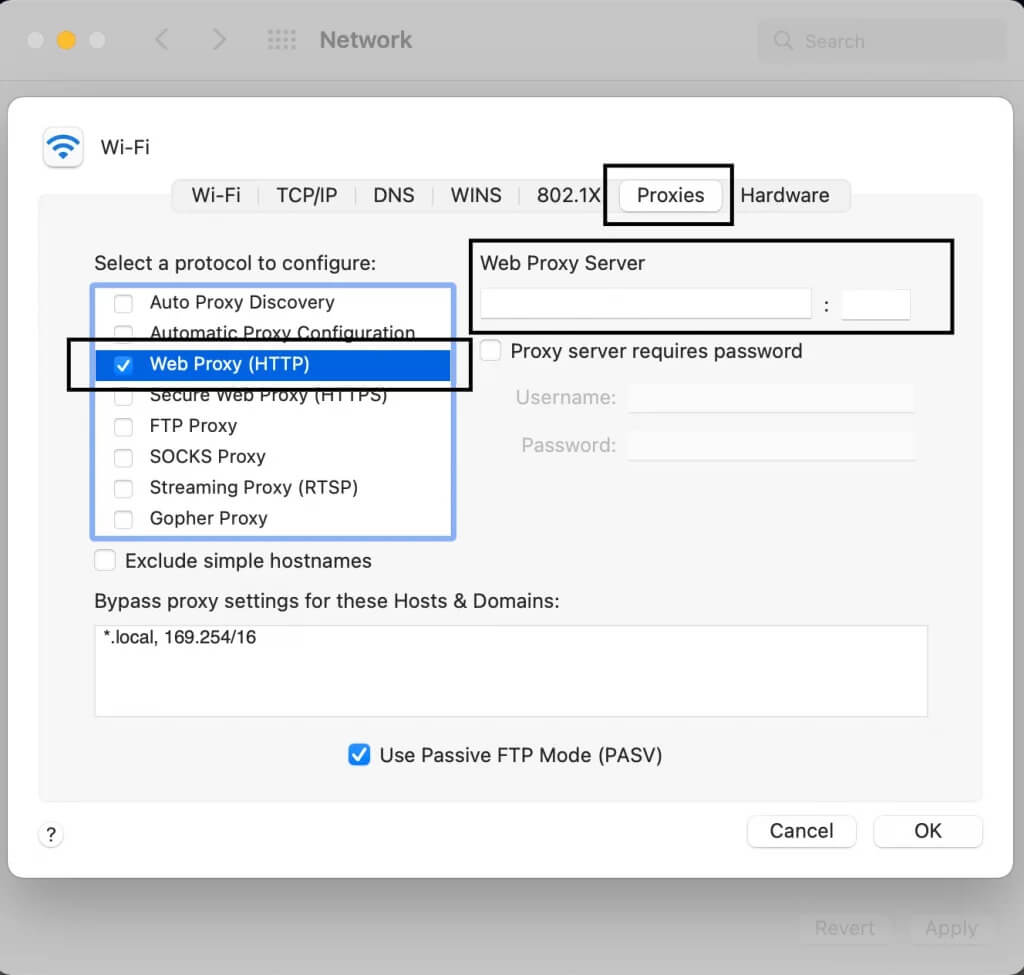
- macOS has a convenient interface. Go to "System Settings", select "Network", open active connection. Click "Advanced", go to "Proxies".
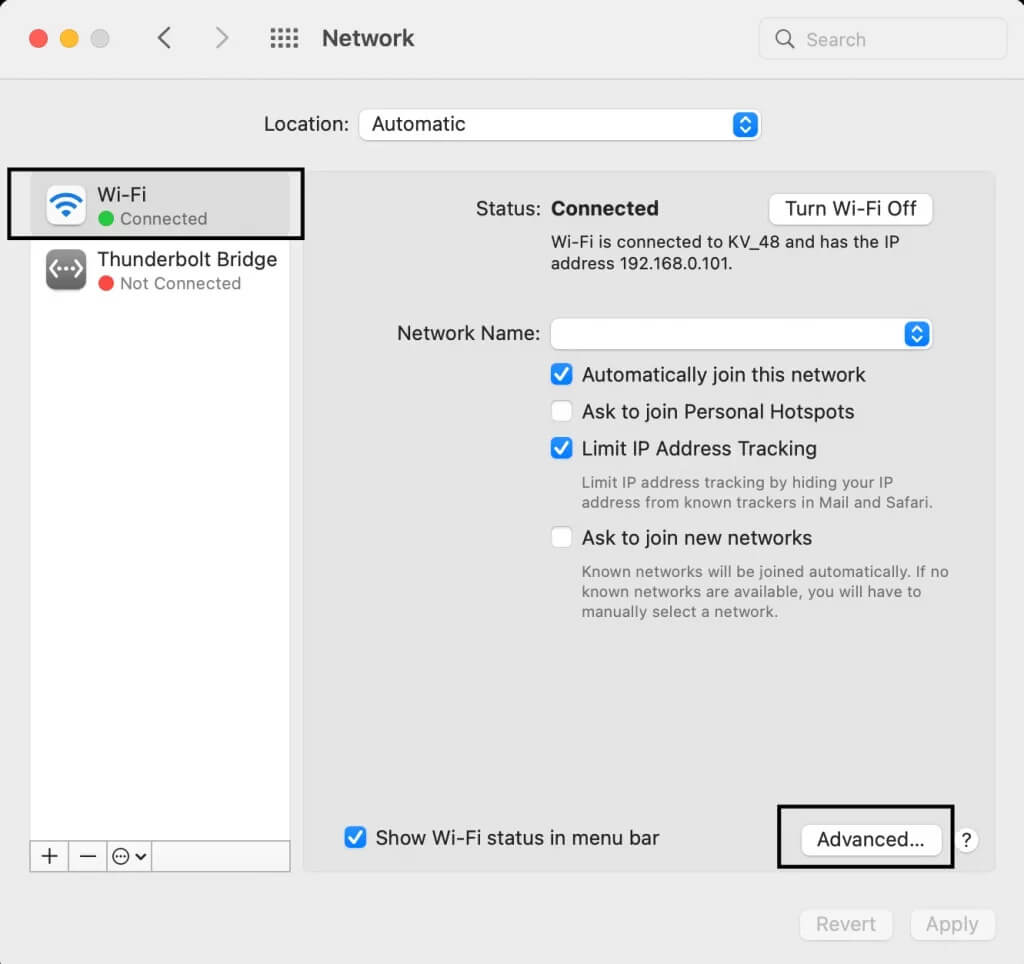
- Check needed protocols, enter data.
- Linux offers several ways:
- In systems with NetworkManager, configuration through graphical interface
- For command line, export http_proxy and https_proxy variables in bashrc
The message "anonymous proxy server detected" appears when the site identified the intermediary and blocked access. Each cause has its solution.
Known IPs lead to blocking. Platforms maintain proxy databases and compare addresses. Solution: switching to residential proxies from real devices.
Poor anonymization gives away proxy through headers. Incorrectly configured server passes X-Forwarded-For or Via. Switch to elite high-anonymity proxy.
WebRTC causes real IP leak. Browser establishes direct connection bypassing proxy. Disable WebRTC in settings or install a blocking extension.
IP pool size determines flexibility. A few thousand addresses mean high risk of getting a burned IP. The best anonymous proxies offer millions of addresses. GonzoProxy has a network of 20+ million real devices in 150 countries.
Selection checklist:
- Pool over 10 million IPs
- Residential addresses from real devices
- Coverage of needed countries and cities
- Speed from 50 Mbps
- Uptime over 99%
- IP rotation with session configuration
- API for automation
- 24/7 support with response under 10 minutes
Don't believe promises of "unlimited for $5". Quality infrastructure costs money. Residential proxies cost providers at least $1-2 per gigabyte. Suspiciously low price means deception: data center IPs disguised as residential or burned addresses.
FAQ


Anonymous proxies moved from the "for geeks" category to must-have for anyone earning in digital. And it's not about some paranoid protection from special services. No. This is a banal necessity if you're driving traffic, farming accounts or collecting data from sites.
The most valuable thing here is control. You decide what platforms see about you. Where you're connecting from. How deeply you mask yourself. One client last month lost 50 Facebook cabinets because he saved on proxies and took cheap data center IPs. Lost about $12,000 in net profit. After that, he bought normal residential ones and works without problems.
It will only get worse in terms of detection. Platforms invest millions in bot and multi-account detection systems. What worked a year ago is now caught instantly. Residential proxies have become not just desirable but mandatory for those working with FB, Google, TikTok. Server IPs don't work there at all anymore.
The main thing when choosing is not to fall for cheapness. If you see "unlimited proxies for $3 a month", it's a scam. Either they'll sell you burned addresses or they'll leak your data sideways. Normal residential ones cost from $2 per gigabyte, and that's an adequate price for a working solution. At least then you won't have to restore blocked accounts and explain yourself to moderation.