Selling on Amazon now is nothing like it was a couple years back. The platform tightened up security checks, and even honest sellers risk getting banned just because they logged in from the wrong spot. Data scraping turned into an obstacle course too. Amazon's algorithms got so good at spotting bots versus real users that working without the right tools is basically impossible.
Residential proxy servers became a lifesaver for many. They let you bypass restrictions legally and safely without breaking marketplace rules.
What is an Amazon proxy and why you need one
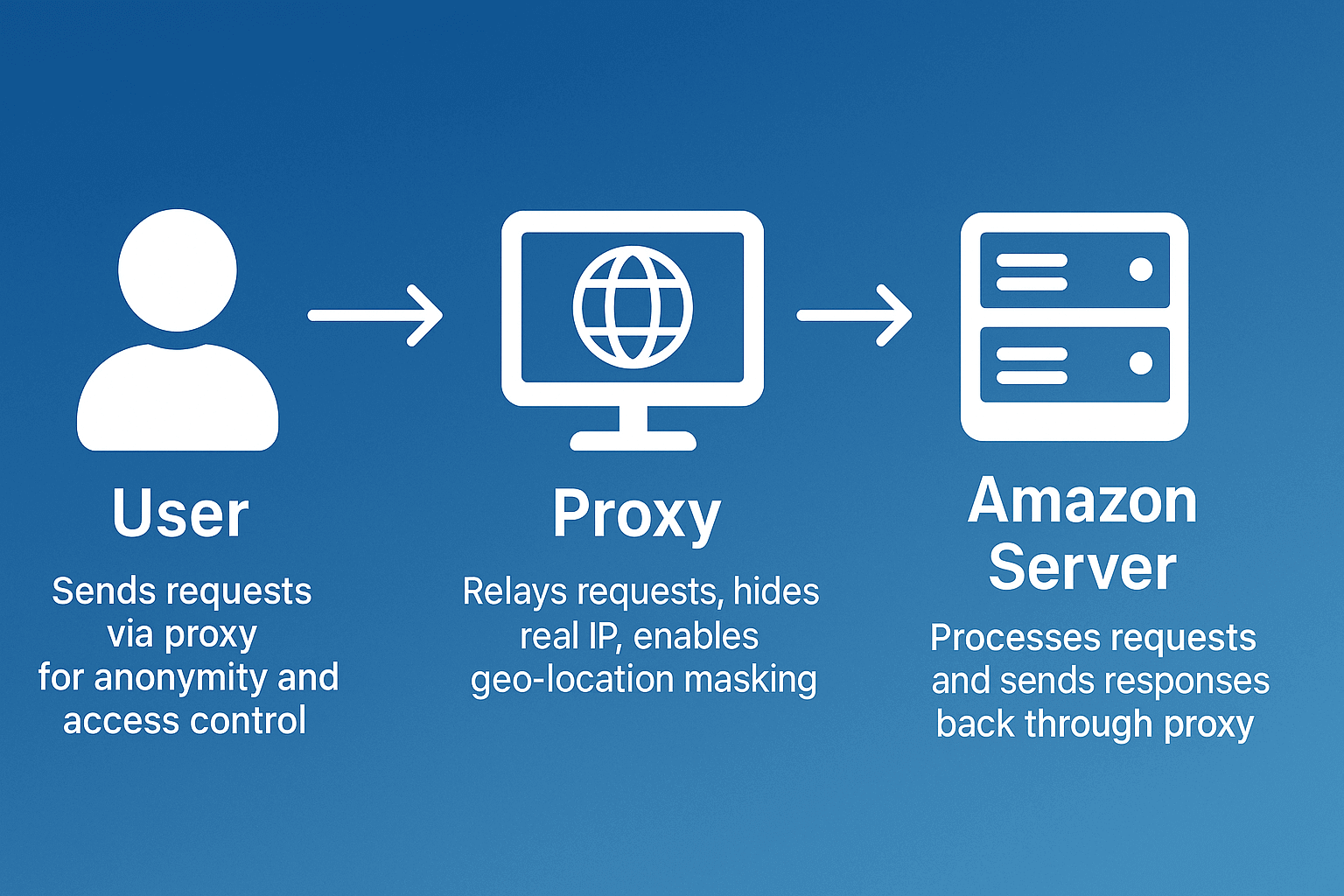
Proxies work simply. You open Amazon, but the request first hits an intermediary server. This server swaps your IP for its own and contacts Amazon on your behalf. The site sees the proxy address, not your real IP from Moscow or St. Petersburg. The proxy can be located in any country, whether it's the States or Germany.
Here's what using proxies for Amazon work gives you:
- Hides your real location and IP address. Amazon can't figure out where the connection is actually coming from.
- Prevents bans and captchas. When the system sees a regular home IP with natural behavior, it doesn't make you prove you're not a robot ten times over.
- Opens access to regional marketplace versions. You can explore American, German, Japanese Amazon without geographic restrictions.
- Lets you collect data safely. Scraping prices, product descriptions, and competitor reviews becomes possible without risking a ban.
- Gives you the ability to manage multiple seller accounts. Each store runs through its own separate IP, and Amazon can't link them together.
- Speeds up automation processes. Thanks to address rotation, you can process huge volumes of data quickly without failures.
Last winter an experiment was conducted among sellers. Some of them started working through proxies. This group saw bans drop by 70 percent. That result held for all three months.
What the numbers say
Automated traffic is now the majority of the web: Imperva's 2026 Bad Bot Report puts bots at 53% of all web requests in 2025, against 47% from humans — the first year machines outnumbered people by this margin. Imperva Bad Bot Report 2026.

Contents
- How Amazon detects and blocks proxies
- Benefits of using proxies for Amazon
- Which proxy types work best for Amazon
- Best residential proxy providers for Amazon (2025)
- Key features of a good Amazon proxy provider
- How to set up a proxy for Amazon
- Common problems when working with proxies on Amazon
- How to use Amazon proxies for different tasks
- Best practices for safe Amazon proxy usage
Amazon's security system keeps learning new tricks. Over the past year and a half, Amazon's algorithms changed seriously. Started catching details they used to miss. The trigger was a wave of fraud in 2023. After that, the platform began aggressively cleaning out dishonest sellers.
Here are the main methods Amazon uses to detect suspicious connections:
- Shared datacenter IPs are used by hundreds of people simultaneously. Amazon collects databases of these ranges and tracks them. If the system spots a datacenter address, heightened attention kicks in.
- Many requests from one IP in a short time looks suspicious. A real person can't click that fast. Algorithms understand this and react accordingly.
- Login attempts from different regions in a short period. Imagine logging in from Berlin, then five minutes later from Singapore. Planes don't fly that fast, and the system gets it perfectly.
- Browser fingerprint or cookie mismatches. Different browser parameters with the same IP instantly give away a deception attempt. Cookies don't match, user-agent is different, screen resolution jumps around.
How the detection system works
Interesting point about residential proxies. They work precisely because they use real people's IP addresses. These addresses have history. Someone logged into social media, watched videos, read news. Amazon sees a regular user, not a suspicious datacenter.
Here's a real story from one client. Guy ran four Amazon stores, used cheap datacenter proxies. Everything worked fine for about a month and a half, then bam – all four accounts banned in one day. Standard reason: suspicion of violating multiple account rules.
Had to redo the whole workflow. Switched to residential IPs, set up rotation every twenty minutes, spread accounts across different locations. Four months passed since then, everything's clean. Moreover, sales nearly doubled simply because now you can calmly work with all stores at once without fearing another ban.
Proxies open up tons of opportunities for those seriously working with Amazon. Let's break down specific situations where they really help out.
Managing multiple stores without headaches. Stores in different niches require different approaches. Amazon looks warily at sellers with multiple accounts. They might consider it a violation and block everything at once. A separate proxy for each account solves the problem. Looks like independent sellers from different places. Demand for this nearly doubled over the year.
Collecting competitor data. Need to track how competitor prices change? Or gather all reviews for a specific product category? Try doing this without proxies. Amazon will quickly notice the activity and start demanding proof you're human, not a bot. With proper IP rotation, you can calmly scrape thousands of pages daily.
Testing ads in different regions. Amazon advertising differs by region. Americans see one thing, Europeans another, Asians a third. To evaluate effectiveness in a specific country, you need to see it through their eyes. One marketer started making separate creatives for each market. Clicks went up by a third.
Automated inventory monitoring. For big sellers it's critically important to know when a competitor runs out of a popular item. That's the best moment to adjust your prices or launch promos. Automated scripts with proxies can track hundreds of products round the clock non-stop.
Exploring regional marketplace versions. Each country has its own Amazon with its own products and prices. German, Japanese, Canadian marketplaces can differ significantly from the American one. With proxies you can calmly explore all markets, look for profitable purchase conditions, or find non-obvious niches.
Mobile app testing. Developers often test their apps on behalf of users from different countries. Mobile proxies let you simulate a real connection from the needed region and check how everything works.
Proxies come in different types, and not all are equally good for Amazon work. Here's what you need to know about each type.
Residential proxies win by a huge margin. These are real addresses of ordinary people sitting at home online through their provider. Amazon simply doesn't see the difference between such traffic and actions of a real buyer.
If you're interested in diving deeper into technical details, read our detailed material about different types of proxy servers. Everything's explained there.
There are dozens of proxy providers on the market, but most don't cut it for Amazon work. We selected services we've tested ourselves and can recommend.
GonzoProxy
GonzoProxy is tailored for e-commerce and offers a huge pool of residential addresses. Over 90 million IPs in almost two hundred countries. The States are especially well covered, with addresses available from over forty states. For working with American Amazon, this is gold.
What can the service do? First, flexibly configure IP rotation. You can change addresses every minute or keep the same one for up to 7 days. Second, there's an API for automating the whole process. Third, geotargeting works down to specific city and provider. Plus unlimited traffic and ISO/IEC 27001 certification for data security.
Who's it for? Sellers with multiple accounts, those seriously into scraping, long-term projects.
How much? From two and a half dollars per gigabyte when buying a large package. There's a START15 promo code that gives 15% off your first purchase.
BrightData
One of the old players on the market, working since 2014. The residential network has over 72 million IPs. Has advanced features like automatic retry on failed requests.
What can the service do? Automatic route optimization, built-in unblocker for complex sites, detailed usage analytics. Integrates with Puppeteer, Selenium, Playwright.
Who's it for? Big businesses with budget, enterprise solutions, large-scale scraping projects.
How much? From eight and a half dollars per gigabyte. Pay-as-you-go model available.
ProxyLab
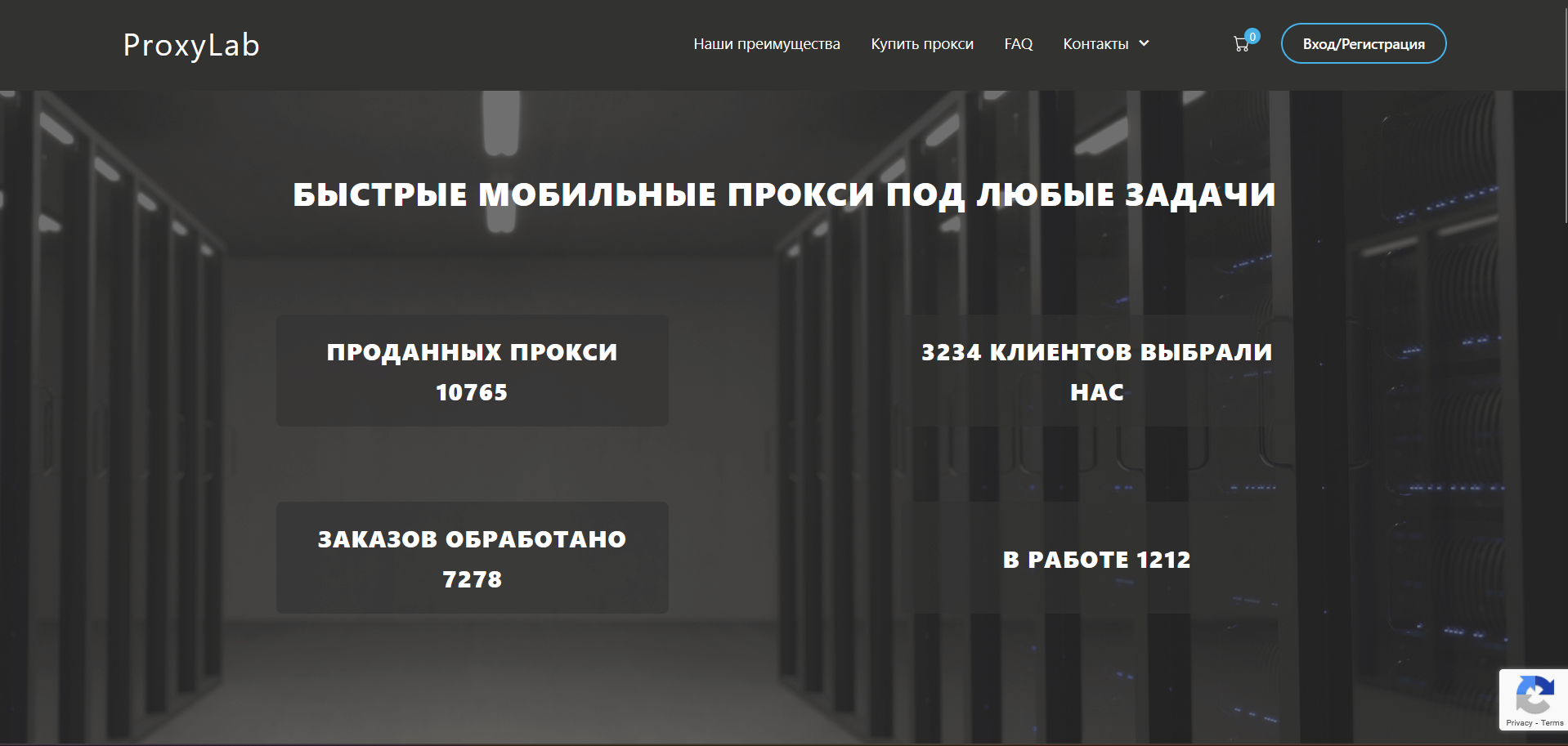
Russian service with presence in CIS. Servers in USA and Europe. Offers personal residential proxies, when IP is assigned to you long-term.
What can the service do? 24/7 support in Russian. Activation usually within an hour after payment. Can choose specific region.
Who's it for? Russian-speaking users, working with European Amazon versions.
How much? From 80 dollars monthly for personal residential proxy.
Proxy Seller
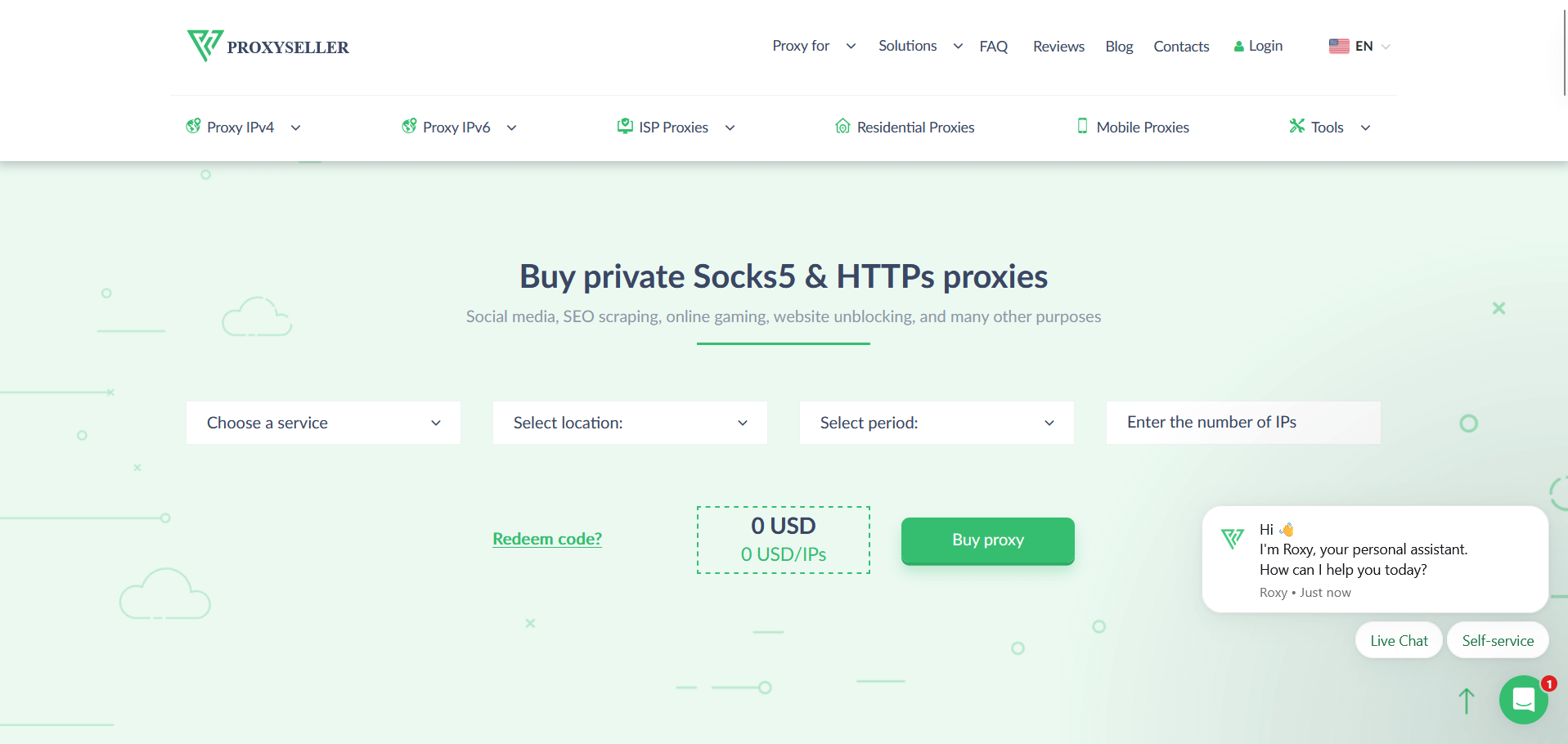
Provider with flexible tariffs. Main focus on ISP proxies, static residential for Seller Central work. Over 800 thousand such addresses available.
What can the service do? Supports HTTP(S) and SOCKS5. Can rent IPv4 and IPv6. No traffic restrictions.
Who's it for? Working in one account, stable scraping tasks.
How much? ISP proxies from dollar seventy-seven cents per IP monthly.
ProxyIO
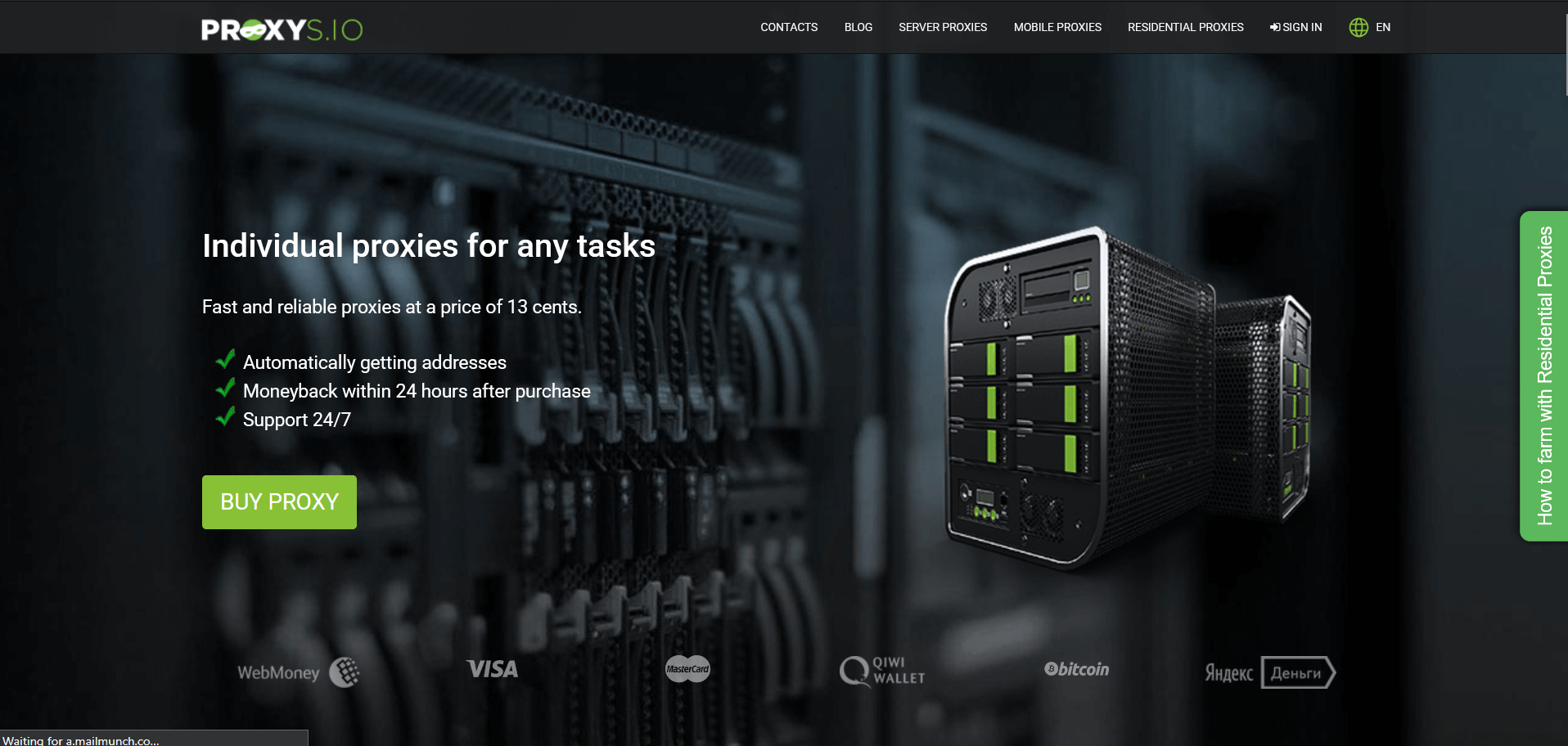
Young company. Betting on simplicity. Basic control panel, couple clicks to set up geotargeting and rotation parameters.
What can the service do? Automatic IP testing before issuing. Can add up to ten of your IP addresses to whitelist. Documentation with code examples.
Who's it for? Beginners, medium projects, developers.
How much? From three and a half dollars per gigabyte.
IPRoyal
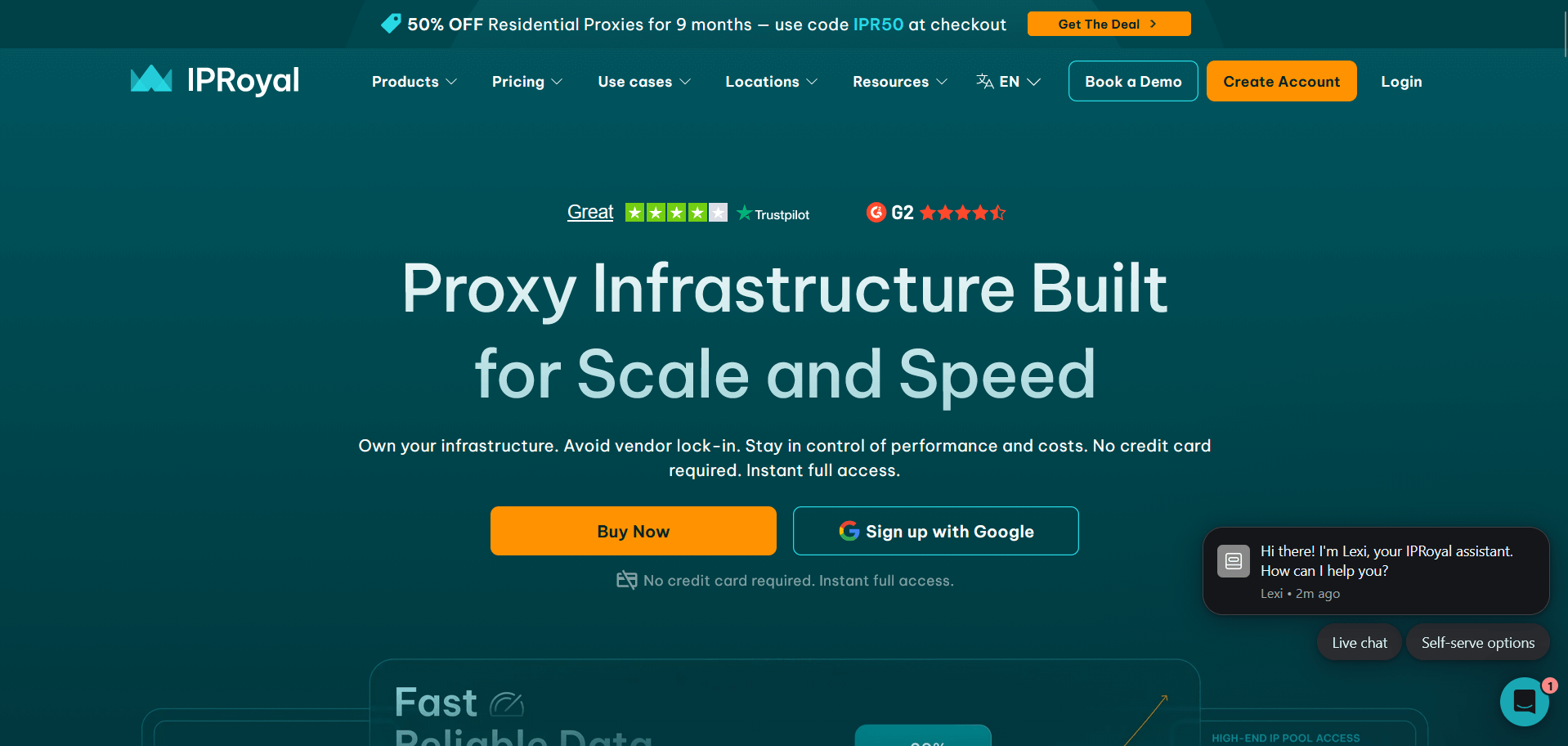
Lithuanian provider leaning toward ethics. Only use proxies with owner consent. Pool about 8 million addresses.
What can the service do? Average ping, standard speed, no hidden fees. Coverage of Latin American and African countries.
Who's it for? Projects focused on ethics, working with non-standard regions.
How much? From dollar seventy-five cents per gigabyte.
Proxy-Cheap
Budget option for beginners. Suits those not ready to invest serious money right away.
What can the service do? Pool of six million residential IPs. Registration simple, document verification not required. Free 100 megabyte trial available.
Who's it for? Beginners, small projects, testing ideas.
How much? From 99 cents per gigabyte when buying large package.
When choosing the best proxy for Amazon work, pay special attention to these points.
- Real residential IPs. Datacenters don't work with Amazon anymore. Only need genuine home addresses. Check that provider honestly writes proxy type in description and doesn't pass off server IPs as residential. Scams are rare, but happen.
- Flexible geotargeting. Ability to choose not just country, but specific state or city is very important. Prices and products on Amazon in California can noticeably differ from Texas, though it's one country.
- Address rotation management. You decide yourself how often to change IP. For scraping, changing every couple minutes works. For seller account work, better use same address all day to avoid suspicion.
- Stability and speed. Uptime should be no lower than 99.5 percent. Average response speed about a second. Slow proxies drag down work and can cause Amazon suspicion, because too big delays between actions look weird.
- API and convenient panel. If doing automation, can't do without API. Through it you can programmatically manage all settings, view statistics, and change proxies on the fly without logging into account each time.
- Data security. Proxy provider can see all your traffic, including passwords on unprotected connections. ISO/IEC 27001 certification shows the company passed independent security check. Not a guarantee, but at least some indicator of seriousness.
- 24/7 support is important. Proxies break usually at night or on weekends. Providers with live chat respond in couple minutes, not make you wait a day.
- Transparent pricing. Look at full cost, not just base rate. Sometimes they write one dollar per gigabyte, then turns out each IP change costs extra. Or they add premium for popular countries. Calculate everything beforehand.
By the way, all these things are already collected in GonzoProxy. No need to search for ideal provider bit by bit, just choose suitable plan with needed geography and work.
Setup looks more complicated than it actually is. Now we'll show step by step for different situations.
Step 1. Choose a reliable provider
Register with a proper provider. Can try GonzoProxy, price and quality are more or less balanced there. After registration, panel with connection settings will open.
You'll get server IP address (or its name), connection port (usually 8080 or 3128, but could be different), login and password.
Step 2. Configure proxy in system
On Windows
Go to Settings, find "Network & Internet", then "Proxy".
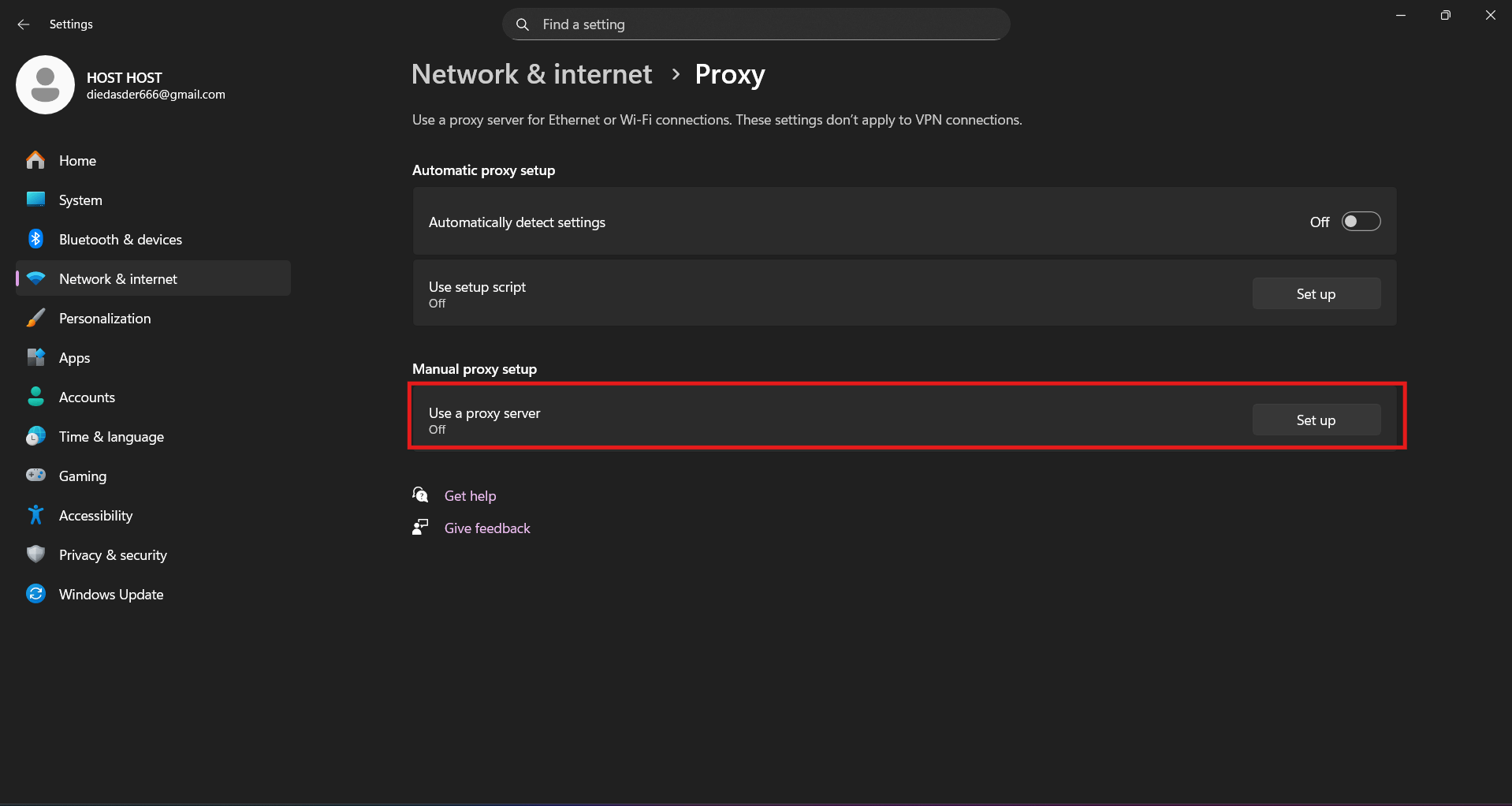
Paste address with port. Save.
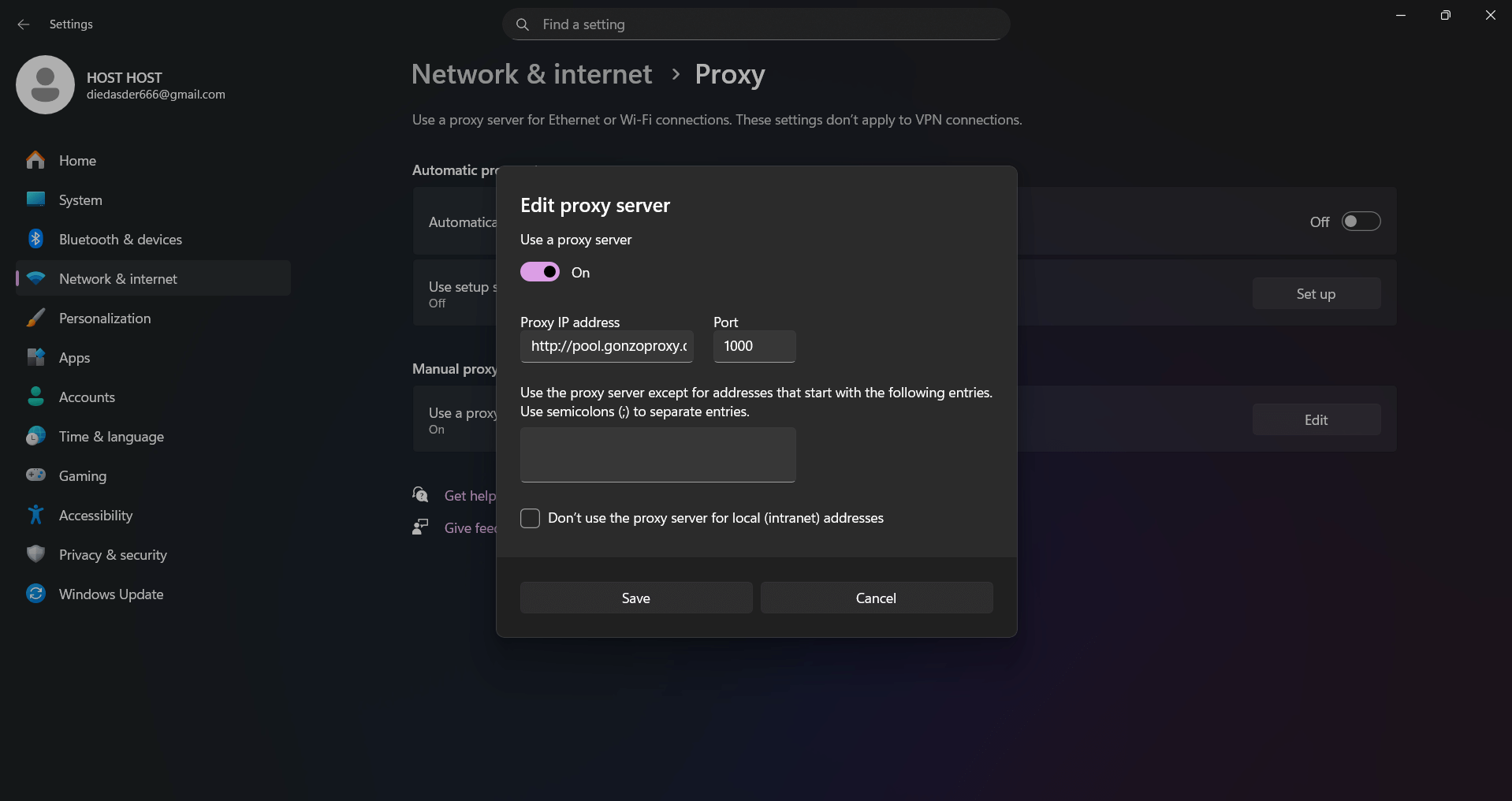
Open any browser. You'll be asked to enter login and password.
On macOS
Go to System Settings, then "Network". Click on your connection, there's an "Advanced" button. "Proxies" tab. Enable HTTP, HTTPS or SOCKS5. Enter proxy data. Apply.
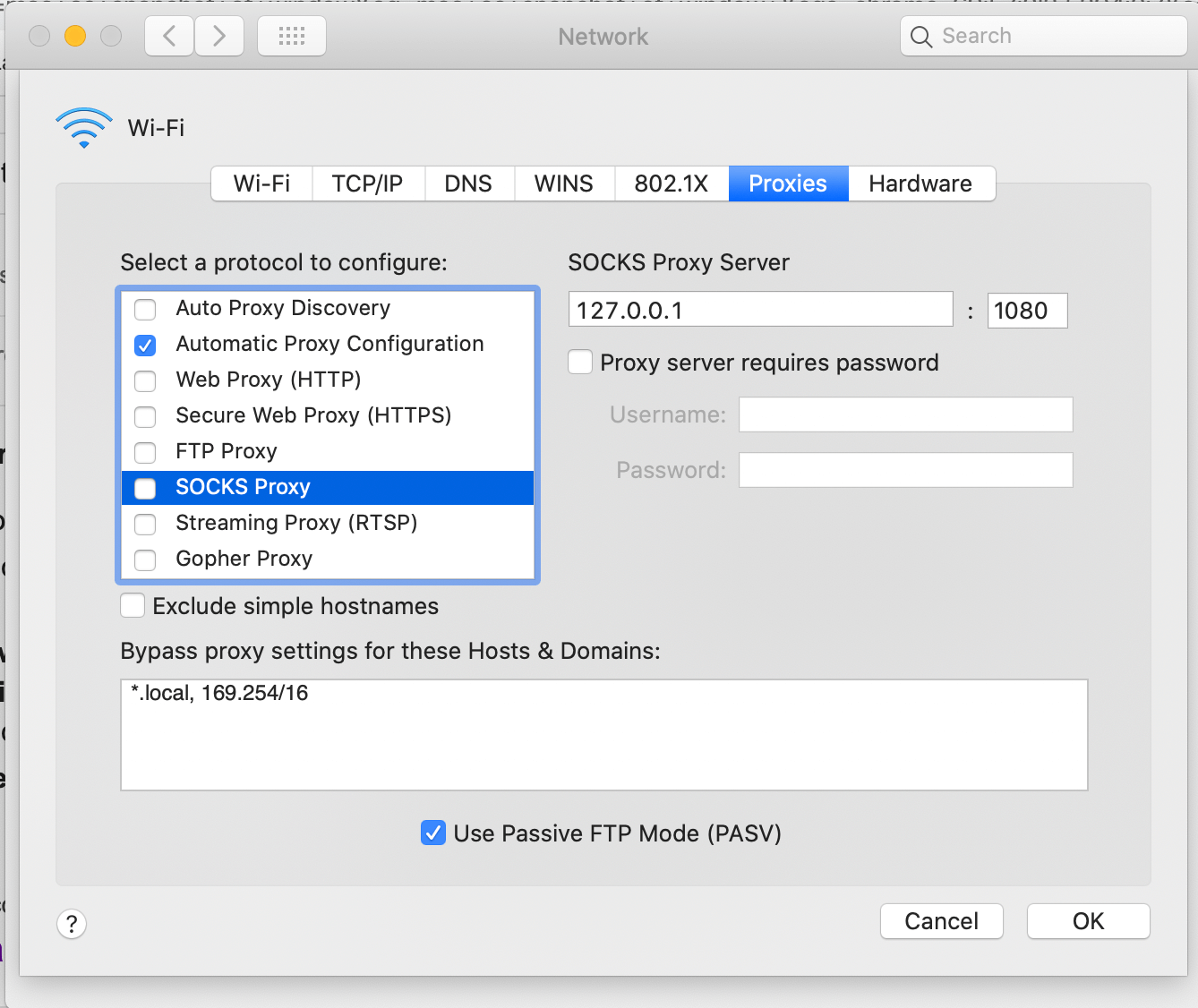
In Chrome and Firefox browsers
In Chrome open three dots, then Settings, System
- "Proxy server settings". Then it'll take us to system settings.
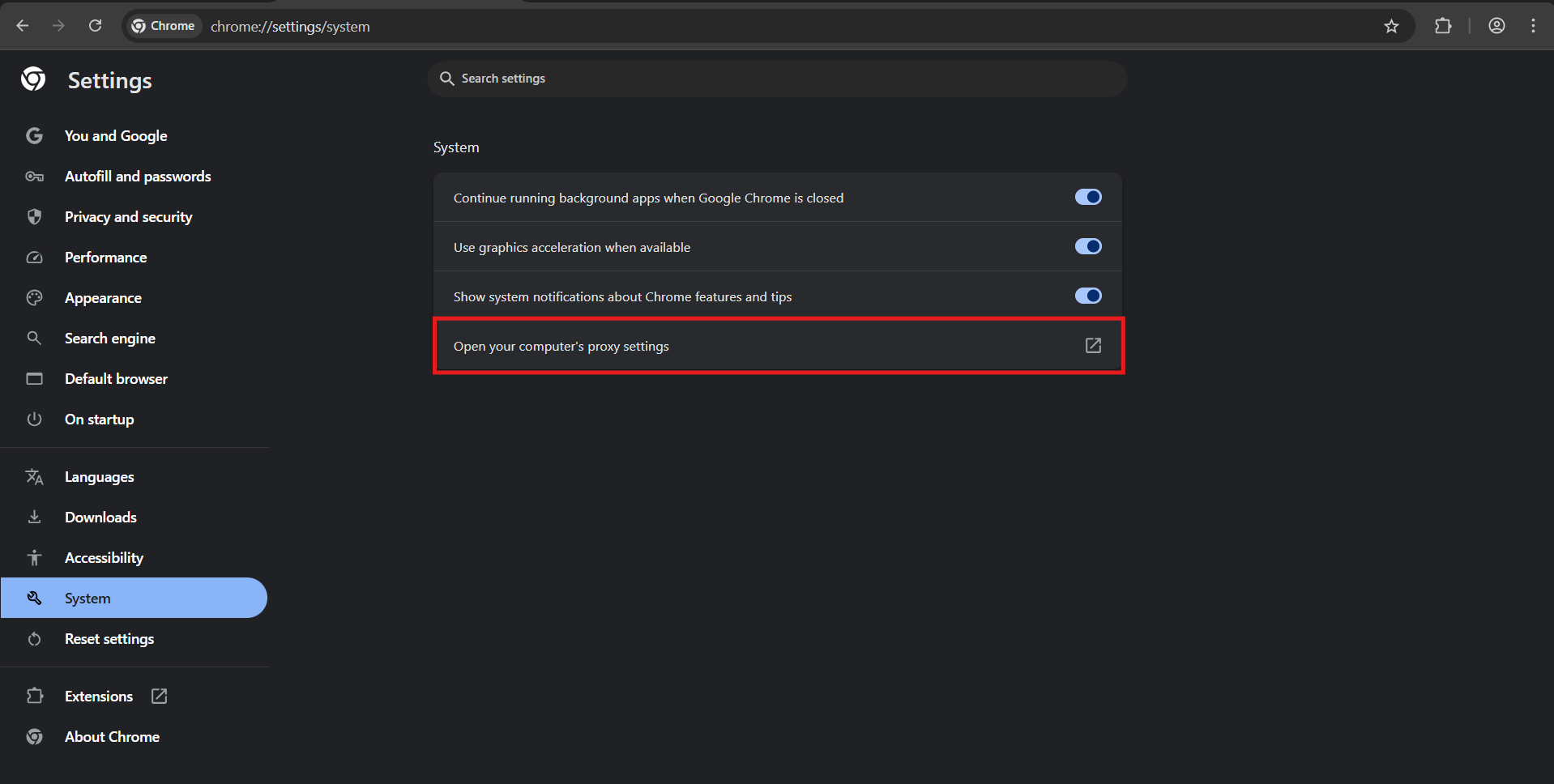
- Turn on toggle "Use proxy server". In address field enter IP from GonzoProxy panel and port. Click save.
- Go to browser, here it'll ask for proxy login and password
Firefox lives its own life, it has separate proxy settings from system ones.
In Firefox click three lines
- Then Settings, scroll down to "Network Settings" section
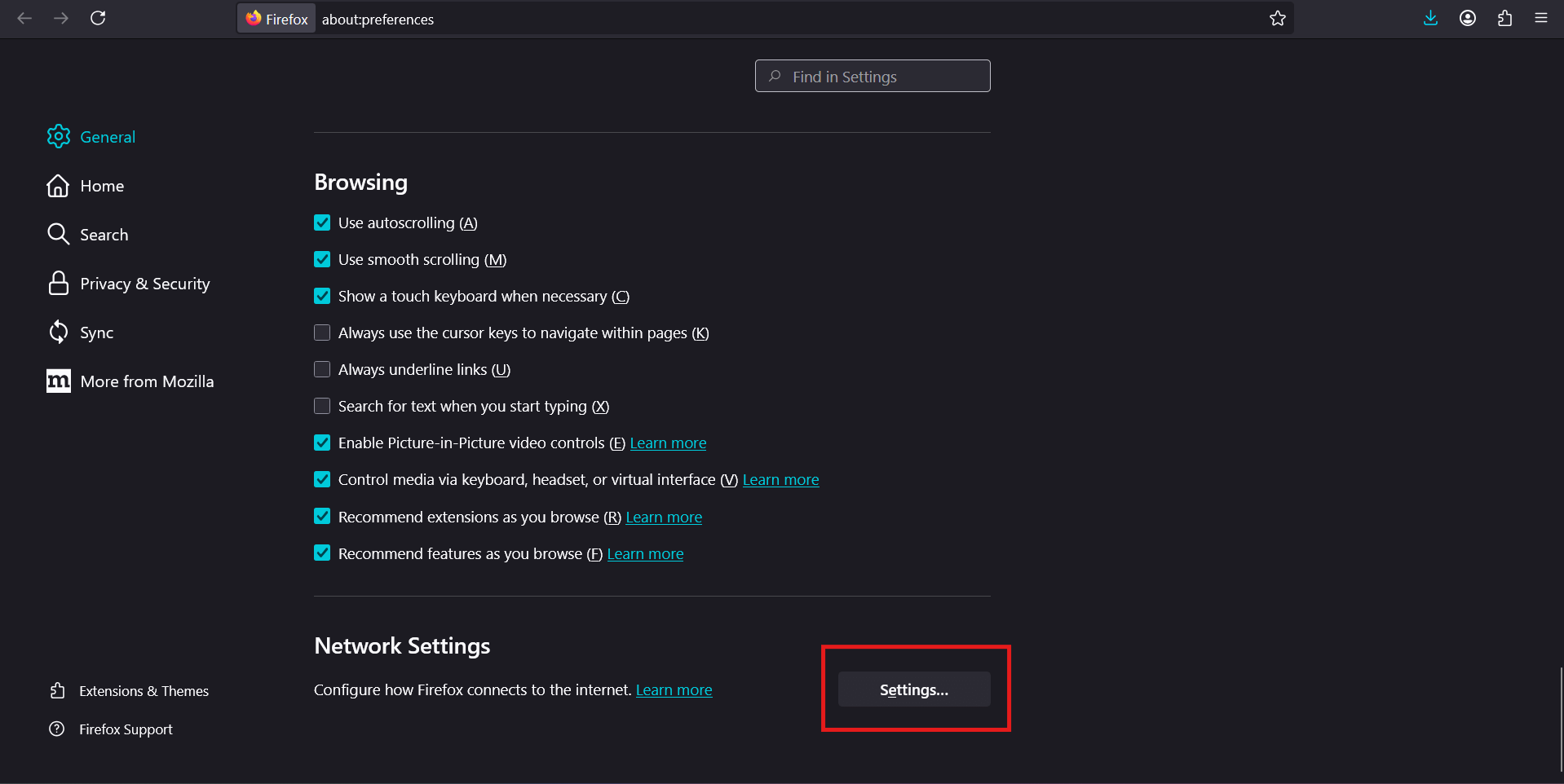
- Choose "Manual proxy configuration", enter data
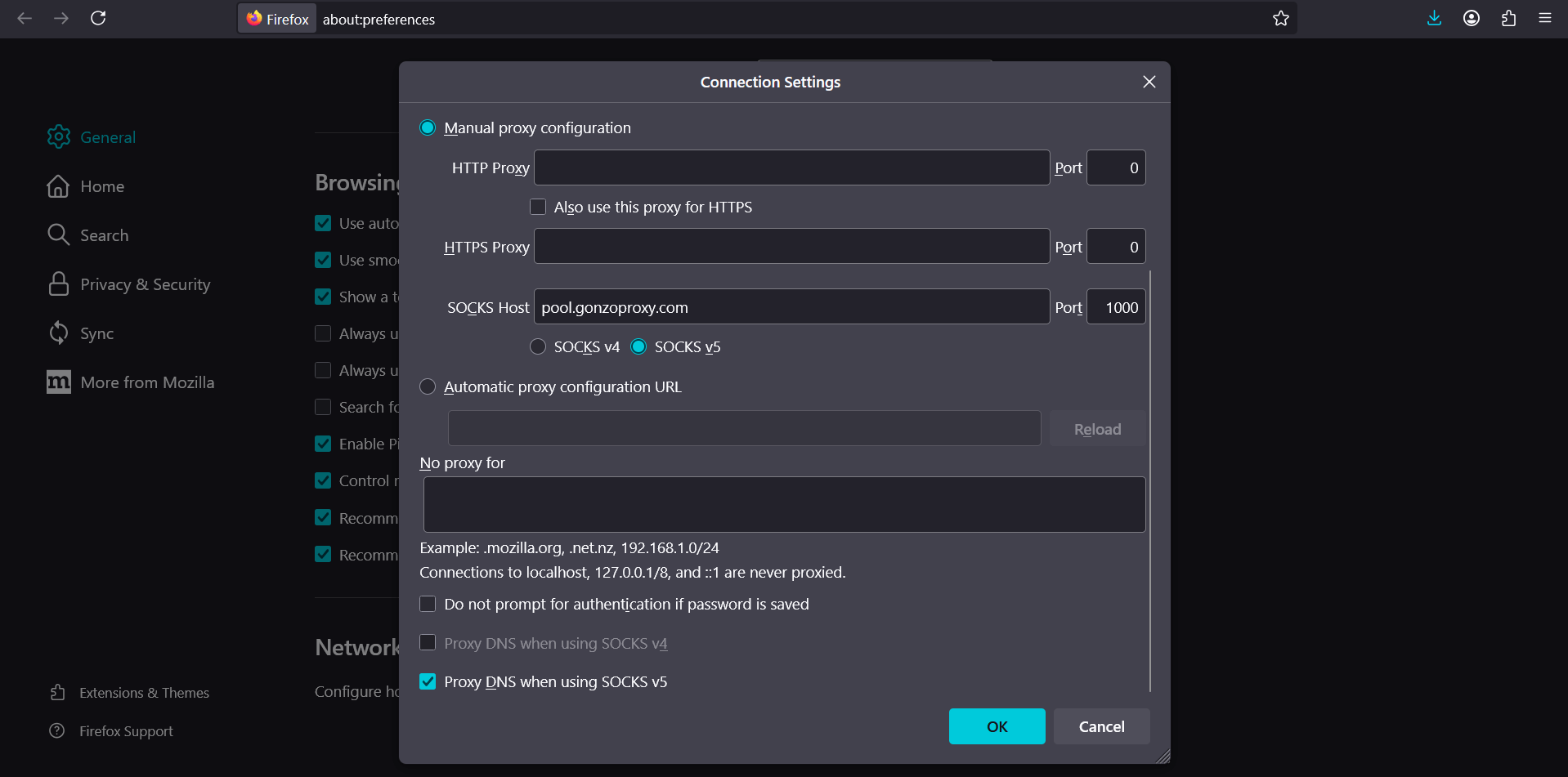
- Open any link in browser, it'll ask for proxy login and password
Method works for simple tasks, but inconvenient. If need to frequently switch between proxies or use several at once, you'll tire yourself out.
In automation tools
If writing scraping scripts in Python, proxy configured right in code. Here's simple example with requests library:
import requests

proxies = {
  'http': 'http://username:password@proxy-server:port',
  'https': 'http://username:password@proxy-server:port',
}

response = requests.get('https://www.amazon.com', proxies=proxies)
For Selenium need to pass proxy in driver options. Detailed examples usually in your provider's documentation.
Step 3. Check the connection
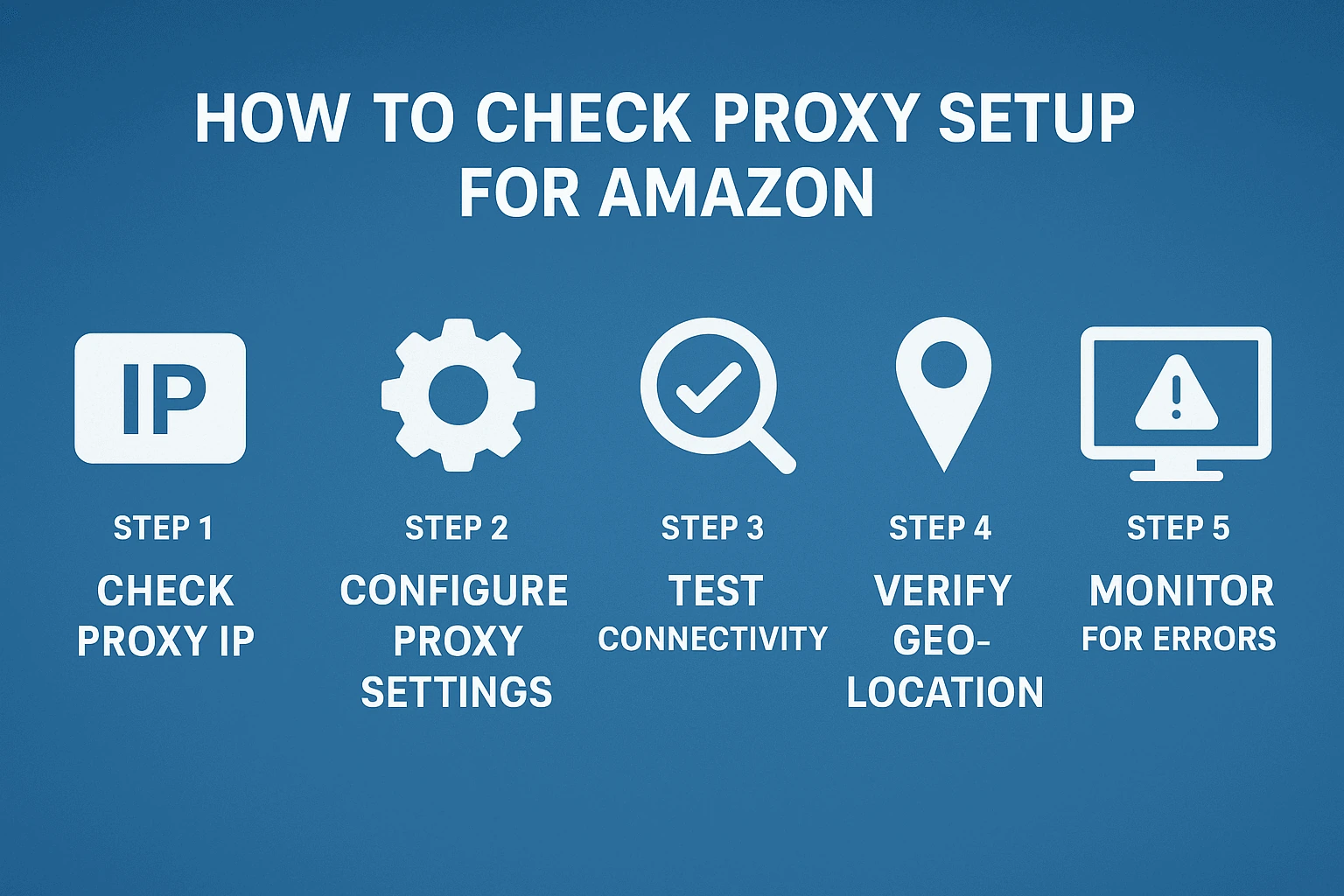
Before starting work, definitely test everything. Open whoer.net or ipinfo.io and look what it shows. You should see proxy IP address and location, not your real data.
What to pay attention to when checking? IP should be different, not your real one. Geolocation should match chosen proxy region. Shouldn't be any marks like proxy detected or VPN. WebRTC shouldn't show your real IP, can check this on same whoer.net.
If want to learn more checking methods, we have detailed guide on this topic.
Even quality proxies sometimes throw surprises. Here are most common situations and how to deal with them.
Access denied error
Your IP got into Amazon's block list. Most often happens when using datacenter proxies. Switch to residential address or choose different country. If using rotation, try increasing interval between changes. Too frequent IP changes also look suspicious to algorithms.
Endless captchas
This is sign you're making too many requests too fast. Reduce scraping frequency, add random delays between actions. Normal to pause two to seven seconds between clicks. Also check user-agent and cookies settings, they should stay same within one session.
Seller Central blocked
If Amazon blocked seller dashboard, likely you mixed different IP types or used datacenter proxy. For Seller Central always use only residential or ISP proxies, and preferably same IP for long time. Try not logging into one account from different addresses simultaneously.
Slow page loading
If proxy drags, problem might be in server overload or poor quality of specific IP. Try changing address, choose geolocation closer to your physical location. Or contact provider support, they can provide faster server.
Proxy suddenly stopped working
Check account balance, maybe funds or traffic ran out. Make sure connection data didn't change. Some providers sometimes change ports or hosts without warning. Check if IP rental period expired, if using personal proxies.
Each task requires its own approach to setup. Let's break down most popular situations.
For sellers with multiple accounts
Task is this. You run three, four, maybe five Amazon stores. Want to avoid account linking by platform algorithms.
What to do? Assign separate residential proxy to each account. Set up sticky session for day so IP doesn't change constantly. Important point. Never log into different accounts from one address, even accidentally. Use password manager and anti-detect browsers like AdsPower or Multilogin. They isolate digital fingerprints of each account.
Common mistake? Switching between accounts on one computer without changing proxy. Amazon sees identical browser parameters and immediately links accounts together.
For scraping large data volumes
Task is collect information about ten thousand products. Prices, descriptions, ratings, buyer reviews.
What to do? Use residential proxies with automatic rotation every one to three minutes. Set up random delays between requests, from second to five. Imitate human behavior. Scroll pages, click different elements. Add captcha handling to script or use automatic solving services like 2captcha.
Real case. One client scraped competitor prices on five thousand products daily. Using one IP got blocked after 50-70 requests. After implementing rotation with hundred residential proxies collects all data in two hours without single captcha.
For marketers and analysts
Task is check how your product ranks in Amazon search across different US states or countries.
What to do? Use proxies with detailed geotargeting down to city level. For checking positions in California choose address from Los Angeles or San Francisco. Save cookies between checks so results are stable. ISP proxies work best because they give static IP with long session.
Important nuance. Amazon personalizes search results based on user's viewing history. For experiment purity use incognito mode or clear cookies before each new check.
For developers and programmers
Task is write automated tool for price monitoring or posting products automatically.
What to do? Choose provider with good API documentation and code examples in popular languages. Implement retry logic in your script. If request didn't go through from one IP, automatically switch to next. Keep error logs and track problematic addresses to exclude them from rotation.
Architecture recommendation. Before launching main script first create proxy list and check each one. Make sure all work. Otherwise launch parser and half proxies turn out dead. Waste time and nerves.
To maximally extend proxy life and avoid bans, follow simple rules.
Don't mix different proxy types in one account
If started working through residential proxy, don't switch to datacenter. Amazon remembers where each account usually connects from. Sharp change in connection type will raise red flags in security system.
Maintain browser parameter consistency
For each account keep same settings. One browser, one screen resolution, one time zone, same extensions. If this changes, Amazon might notice. Anti-detect browsers help save these parameters between sessions automatically.
Change IPs gradually
Regular person doesn't teleport from New York to Seattle every minute. For seller accounts optimal to use one address all day. For scraping rotation once every three to five minutes works, no more often.
Follow reasonable request frequency limits
Even with proxies don't send more than 20-30 requests per minute. For Amazon this is still suspicious, whatever clean IP might be. Too active behavior attracts security system attention.
Use proxies from same regions as your business
If officially registered as seller in USA, don't use Seller Central login proxies from Asia or Eastern Europe without good reason. This looks weird and raises questions.
Check IPs for blacklist inclusion
Residential addresses can also be in blacklists. If before you this IP was used by someone not very honest, address might have been entered in database. Check weekly through mxtoolbox.com or similar.
Forget about free proxies
Free proxies are almost guaranteed ban. They're slow, unreliable, often steal data. And long entered by Amazon in all possible blacklists.
Create separate profiles for different projects
For each client or project make separate profile in anti-detect browser. This way avoid situation when blocking one project drags others along. Each has own proxies, cookies, settings. This protects from cross-blocking.
Interesting data from our small study. In last quarter of past year we analyzed 250 seller accounts using proxies. Turned out 92 percent of successfully working accounts followed all points above. And among blocked only 18 percent followed these rules. Connection is obvious.
FAQ


Working with Amazon through proxies long stopped being option. This is necessity for serious business on platform. Quality residential proxies protect seller accounts from bans, make data scraping safe, open access to regional markets.
Main thing is not chase lowest price. One reliable provider with good reputation worth dozen cheap services with dead IP addresses. Over past two years we tested over thirty proxy providers. Best ones are those who invest in address pool quality, not in aggressive marketing and loud promises.
If just starting work with Amazon proxies, recommend starting with GonzoProxy. All needed functions collected here, detailed documentation available, adequate support ready to help with setup. Use START15 promo code at registration and get 15 percent discount on first payment. This is enough to test service in real conditions and understand how much proxies change rules of game in Amazon work.
Remember simple thing. In 2025 working with Amazon without proxies is same as going out in rain without umbrella. Technically possible, but why get wet when there's simple solution at hand?

![Top 10 Geosurf Alternatives and Competitors [2026]](/assets/696a47ea854a36d67efb9776_16.%20geosurf.webp)