MarsProxies has been holding its position in the top proxy services for several years now. But sometimes you need something different. Maybe the price doesn't fit, maybe you want to expand the functionality, or maybe you're just interested in comparing with other options. This review covers 10 alternatives with real numbers and features of each provider.
Proxy services differ greatly from each other nowadays. One gives a huge IP pool but charges a lot. Another offers low prices but geography limps. A third one bets on speed, sacrificing the number of addresses. The choice depends on the task. For Amazon parsing you need one thing, for TikTok account farming something completely different, and for Google Ads a third thing.
What the numbers say
IPv6 has crossed the halfway mark in practice: Google's own measurement shows about 47% of its users arriving over IPv6 (4 August 2026), peaking above 50% at weekends — the swing itself is a residential signal, since home connections dominate off-hours. APNIC, measuring differently, reports roughly 42% worldwide capability. Google IPv6 Statistics.

Contents
Each service was tested in practice:
- Facebook ad accounts were tested, parsing of major marketplaces was launched, work with geoblocks was checked. No theory from descriptions on websites. Only what worked in practice.
- The main evaluation parameters: fraud score of IP addresses (how clean they are), uptime (how often connection drops), technical support speed (how long to wait for response), tariffs (what's included in the price and are there hidden fees), protection from bans on popular platforms. Also checked how quickly the system replaces dead IPs and how accurately geotargeting works.
Results turned out different. Someone showed excellent performance in arbitrage but failed in parsing. Another service gave stability for long campaigns but problems started with fast rotation.
Overview
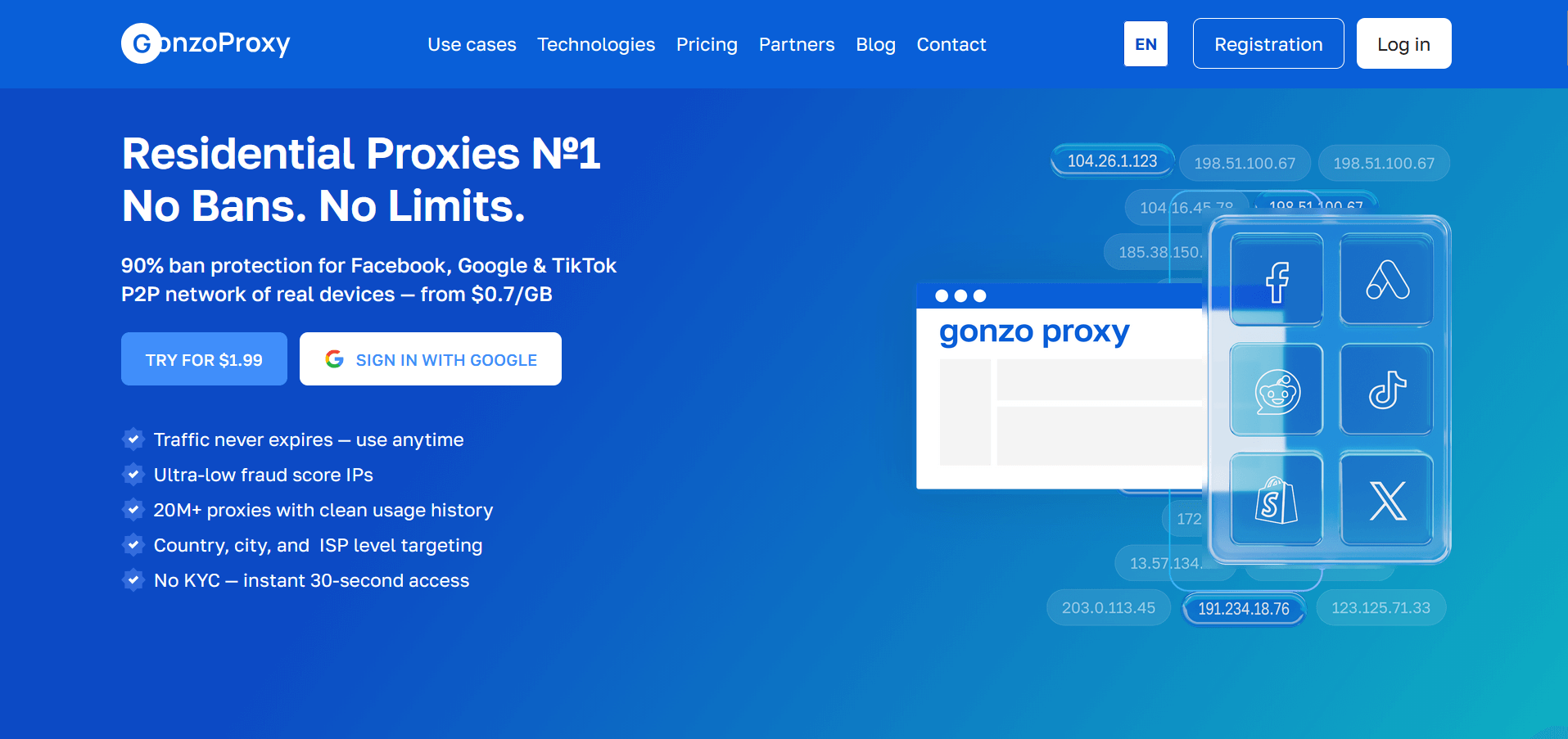
GonzoProxy works through a P2P network of 20+ million real devices. These aren't data centers, but regular computers and phones of people around the world. The company is officially registered in the UK, has been on the market for three years. More than 10 thousand users, 300+ reviews collected on various platforms.
Proxy Types
Residential proxies (pay for traffic) and unlimited mobile proxies are offered. Residential IPs come from home connections, look like regular users to websites. Mobile proxies use 3G/4G/5G carriers, provide maximum trust from platforms.
Key Features
- The main difference from other providers is that traffic is stored forever. Buy 100 GB today, use it even in a year. With competitors, the entire balance is usually written off at the end of the month. Proxies are created for free in any quantity, money is charged only for spent gigabytes.
- Geotargeting is configured down to city and provider. At most services, ISP selection costs extra money, here it's included in the basic tariff. Sticky session holds IP for up to 7 days. When the donor device disconnects, the system automatically finds a similar address with the same parameters.
- API allows automating proxy creation and management. HTTP and SOCKS5 with authorization by IP or login-password are supported. Compatibility with 500+ tools, including all popular antidetect browsers.
Advantages and Disadvantages
What works well:
- IP fraud score below 0.1%, Facebook and Google rarely ban accounts (90% pass)
- Traffic doesn't disappear over time, this is the only such service
- Access without documents in 30 seconds
- Telegram support responds 24/7 in a few minutes
- 99.6% uptime confirmed by ISO certificate
Where there are limitations:
- Mobile proxies only in Ukraine and Poland so far
- Can't choose specific operator for mobile IPs
Ideal Use Cases
- GonzoProxy works well for traffic arbitrage. Accounts live long without bans, which saves money on their recovery.
- Account farms in social networks also show stable results.
- Geotargeted advertising works accurately thanks to provider selection.
- Parsing of protected platforms goes without constant blocks.
- Content auto-upload, A/B testing of campaigns, working with multiple profiles simultaneously - all these tasks are handled normally. For long-term projects, the perpetual traffic function is important, no need to worry about unused balances.
Pricing and Free Trial
Residential proxies:
- 1-24 GB: $6.5/GB
- 25-49 GB: $5.5/GB
- 50-99 GB: $4.5/GB
- 100-249 GB: $3.9/GB
- 250-499 GB: $3.2/GB
- 500-999 GB: $2.75/GB
- 1000+ GB: from $2.5 to $2.0/GB
Unlimited mobile proxies: $45 per month. New clients get promo code START15 for 15% discount on first purchase.
Overview
Bright Data appeared in 2014 and is considered the largest proxy provider. Offices work around the world, client base includes Fortune 500 companies. Pool contains 72 million IP addresses in 195 countries.
Proxy Types
Residential, datacenter, mobile and ISP proxies are available. ISP proxies combine speed of server IPs with stability of residential ones.
Key Features
- Bright Data offers ready-made APIs for parsing popular sites. Browser extension simplifies work without software setup. Proxy manager automates rotation and retry attempts on errors. System determines optimal proxy type for each request itself.
- Site unblocking function works automatically through intelligent routing. Fine-tuning of User-Agent, cookies and other request parameters is supported. Dedicated IP pools are available for enterprise clients.
Advantages and Disadvantages
Strong sides:
- Largest IP address pool on the market
- High connection speed even on residential proxies
- Advanced tools for developers
- Reliability for large-scale projects
Weak sides:
- Minimum payment from $500
- Confusing pricing system with various surcharges
- Mandatory KYC verification
- Traffic is written off monthly
Ideal Use Cases
Bright Data suits large companies engaged in large-scale data parsing. Price monitoring on thousands of sites, information gathering for market analytics, checking ad campaigns in different regions. For small projects, the service is excessive in functionality and expensive in price.
Pricing and Free Trial
Residential proxies from $8.4 per GB. ISP proxies from $12.75 per IP per month. Datacenter from $0.90 per IP. Mobile from $15 per GB. 7-day trial period available.
Overview
NetNut launched in 2018 with specialization in ISP proxies. These proxies give datacenter speed with residential IP quality. Company makes direct contracts with internet providers.
Proxy Types
ISP proxies (main product), residential and datacenter. Static residential IPs are also present in the lineup.
Key Features
- NetNut offers static ISP proxies with unlimited traffic. IP doesn't change throughout subscription period, which is important for certain tasks. Speed reaches datacenter proxy level. Direct ISP contracts ensure channel stability without drops.
- Rotational residential proxies support targeting by countries and cities. Dashboard shows detailed usage statistics in real time. API allows automating proxy management.
Advantages and Disadvantages
What's good:
- ISP proxies show high speed
- Stable connection without breaks
- Unlimited traffic on most tariffs
- Low ping for working with sites
What's not so good:
- Geography is limited compared to major providers
- High entry threshold by price
- Traffic resets every month on residential proxies
Ideal Use Cases
NetNut is tailored for SEO monitoring and search engine parsing. When high speed without frequent IP change is needed, ISP proxies solve the task. Site position checking, SERP data collection, work with analytical tools.
Pricing and Free Trial
ISP proxies from $300 for 20 IPs per month. Residential from $7 per GB. Datacenter from $1.20 per IP. Trial access provided upon individual request.
Overview
SOAX appeared in 2019 with focus on proxy settings flexibility. Service develops functionality for working with social networks and e-commerce platforms.
Proxy Types
Residential proxies, mobile (3G/4G/5G) and datacenter. Residential IP pool contains 5+ million addresses.
Key Features
- SOAX gives flexible IP rotation with interval settings from 60 seconds. Geotargeting works at country and city level. Browser extension allows using proxies without additional software.
- Control panel shows traffic consumption for each proxy. API supports programmatic proxy creation and management. IP address whitelist simplifies team work.
Advantages and Disadvantages
Pros:
- Wide geography coverage
- Convenient control panel
- Tech support responds quickly
- Browser extension works stably
Cons:
- Traffic burns at month end
- Prices above market average
- Limits on number of parallel streams
Ideal Use Cases
SOAX suits well for managing multiple accounts on social networks. Work with ad accounts, small parsing tasks, geocontent checking. For large-scale parsing might be pricey.
Pricing and Free Trial
Residential proxies from $99 for 8 GB. Mobile from $99 for 8 GB. Datacenter from $99 for 300 ports. Free 3-day trial gives access to 100 MB.
Overview
Proxy-Seller has been working since 2011, specializes in individual IPv4 and IPv6 proxies. Present in Russia and CIS markets.
Proxy Types
Individual IPv4 and IPv6 proxies, residential proxies, mobile proxies. Main product is personal IP addresses for long term.
Key Features
- Proxy-Seller offers dedicated IP addresses used by only one client. Can choose specific subnet and country. HTTP, HTTPS and SOCKS5 protocols supported.
- Proxy activation happens instantly after payment. Control panel is simple, shows status of each proxy. Non-working IP replacement done through support ticket.
Advantages and Disadvantages
Strong sides:
- Low price for individual proxies
- Ease of use
- Fast activation after payment
- Suitable for basic tasks
Weak sides:
- Geography limited for residential proxies
- Not suitable for tasks with frequent IP changes
- Tech support sometimes responds slowly
Ideal Use Cases
Proxy-Seller convenient for working with mail servers, account registration, simple automation tasks. When you need one stable IP for a month, this option saves money.
Pricing and Free Trial
IPv4 proxies from $1.40 per proxy per month. IPv6 from $0.30. Residential from $3 per GB. Mobile from $80 per month. Trial period not provided.
Overview
StormProxies exists since 2016, bets on rotational proxies for SEO tasks. Service is simple and clear for beginners.
Proxy Types
Rotational residential proxies, back-connect proxies. Addresses change automatically by timer.
Key Features
- StormProxies automatically rotates IPs every 3 or 15 minutes depending on chosen tariff. Traffic unlimited on most plans. Setup simple, can start working in couple minutes.
- Proxies optimized for popular SEO tools like Scrapebox, GSA and others. HTTP protocol only support simplifies usage.
Advantages and Disadvantages
What works:
- Unlimited traffic included in tariff
- Elementary setup
- Suitable for basic SEO tasks
- Low entry threshold by price
Where there are problems:
- Small IP pool
- Accurate geotargeting doesn't work
- Speed sometimes drops
- HTTP protocol only
Ideal Use Cases
StormProxies tailored for checking site positions in search engines, light SERP parsing, work with simple SEO tools. For complex tasks functionality insufficient.
Pricing and Free Trial
From $50 per month for 5 ports with rotation every 15 minutes. From $160 for 40 ports. One-day test costs $2.
Overview
Zyte (formerly Scrapinghub) works since 2010 as full web scraping platform. Proxy solutions integrated into overall product ecosystem.
Proxy Types
Smart Proxy Manager - system that automatically chooses between residential and datacenter proxies depending on target site.
Key Features
- Zyte uses intelligent request routing to bypass blocks. System determines itself what proxy type needed for specific site. Automatic captcha solving built into service.
- Integration with Scrapy and other popular frameworks works out of box. API well documented. Personal tech support available for complex tasks.
Advantages and Disadvantages
Strong sides:
- Excellent quality for complex parsing
- Automatic captcha solving
- Professional support
- Deep integration with parsing tools
Weak sides:
- High cost
- Enterprise segment orientation
- Beginners hard to understand functionality
Ideal Use Cases
Zyte suitable for large-scale commercial parsing, data collection from well-protected sites, data science projects. Excessive for simple tasks.
Pricing and Free Trial
From $25 for 1000 successful requests. Residential proxies from $3 per GB. Enterprise plans on individual terms. Free plan includes 1000 requests.
Overview
Nexus Proxy launched in 2020 with idea to balance price and quality. Service developing, adding new features.
Proxy Types
Residential, ISP and datacenter proxies. Pool contains several million IP addresses.
Key Features
- Nexus Proxy offers automatic IP rotation out of box. Geotargeting allows choosing region and city. Sticky sessions last up to 30 minutes.
- Control panel shows basic usage statistics. API available for automating proxy creation. HTTP, HTTPS and SOCKS5 supported.
Advantages and Disadvantages
Pros:
- Acceptable prices
- Simple interface
- Fast account activation
- Basic functionality works stably
Cons:
- IP pool smaller than leaders
- Tech support available only during business hours
- Geography coverage limited in some regions
Ideal Use Cases
Nexus Proxy suitable for small and medium parsing projects, testing web applications in different regions, working with geocontent.
Pricing and Free Trial
Residential proxies from $4 per GB. ISP from $150 for 10 IPs. Datacenter from $1 per IP. Three-day test with money back.
Overview
IPRoyal appeared in 2020 and offers wide choice of proxy types. Company emphasizes ethical IP collection.
Proxy Types
Residential, datacenter, ISP proxies and mobile 4G/5G. Each type optimized for specific tasks.
Key Features
- IPRoyal collects IPs through Royal Proxies Pawns program, where users voluntarily share internet connection for money. Such approach ensures address quality.
- Pricing flexible: can pay by hours, by megabytes or take unlimited plans. API allows integrating proxies into own systems. IP whitelist simplifies team work.
Advantages and Disadvantages
Strong sides:
- Competitive prices
- Ethical IP collection model
- Many different proxy types
- Good address quality
Weak sides:
- Traffic written off monthly
- In some regions IP pool smaller
- No long-term traffic storage
Ideal Use Cases
IPRoyal handles well competitor price monitoring, marketplace parsing, work with ad networks. Excellent fit for medium-scale tasks.
Pricing and Free Trial
Residential proxies from $1.75 per GB. ISP from $1.80 per IP per day. Datacenter from $1.20 per IP per month. Mobile from $5 per GB. Money back within 7 days.
Overview
Rayobyte (formerly Blazing SEO) works since 2015. Specialization - proxies for SEO specialists and marketers.
Proxy Types
Datacenter, ISP and residential proxies. Dedicated proxies - company's main product.
Key Features
- Rayobyte offers dedicated proxies with 99% uptime guarantee. Non-working IPs replaced instantly without contacting support. Usage statistics show detailed information for each proxy.
- Dashboard convenient, all settings in one place. API well documented. HTTP, HTTPS and SOCKS5 support.
Advantages and Disadvantages
What's good:
- Datacenter proxies stable
- Price-quality ratio acceptable
- Reliable support
- Fast replacement of non-working IPs
What's not so good:
- Residential proxies more expensive than competitors
- Traffic burns at month end
- Geographic coverage average
Ideal Use Cases
Rayobyte suitable for SEO site audit, tracking positions in search engines, work with social networks. Datacenter proxies good for tasks where IP cleanliness not critical.
Pricing and Free Trial
Datacenter from $2 per IP per month. ISP from $5 per IP. Residential from $7 per GB. Money back works three days.
Proxy choice built on specific tasks:
Traffic arbitrage requires clean IPs with low fraud score. Facebook and Google harshly ban suspicious accounts, so address quality more important than quantity. Sticky sessions from 24 hours help accounts look natural.
Parsing large data volumes requires different approach. Speed, large IP pool and fast rotation capability come first. Price per gigabyte matters when need to collect terabytes of information.
Multi-accounting on social networks works on principle one proxy per one account. Targeting down to city critical so all profiles look from same region. Static IP needed for long-term account management.
Pricing model greatly affects final costs. Providers with monthly traffic write-off suit projects with stable load. If work volume jumps from month to month, such model leads to money loss. Perpetual traffic storage saves budget with unstable load.
Tech support becomes important when something breaks at peak moment. Response time in few minutes versus several hours can cost money. Ready configs for popular antidetect browsers save setup time.
MarsProxies alternatives exist for any taste and budget. For arbitrage need clean IPs and long sessions. For parsing speed and pool volume more important. For multi-accounting accurate geotargeting critical.
GonzoProxy stands out with perpetual traffic storage. Purchased gigabytes remain on account without time limits. This profitable for seasonal projects and unstable load. Residential IPs from real devices provide 90% ban protection on Facebook, Google and TikTok.
Registration takes 30 seconds without documents. Proxies created free in any quantity, payment only for spent traffic. Telegram support works 24/7, responds in few minutes. View tariffs and register.

![Top 10 Geosurf Alternatives and Competitors [2026]](/assets/696a47ea854a36d67efb9776_16.%20geosurf.webp)