Step-by-step guide to using GonzoProxy residential proxies 🚀
Try for $1.99 Try 300 MB of residential traffic. It never expires.
Contents 4 sections
Residential proxies
Residential or mobile: which one to take
Residential proxies are billed per gigabyte and the traffic never expires: no subscription, you pay only for what you actually use, out of a pool of more than 20,000,000 addresses. That suits volume work: parsing, price monitoring, checking ads across countries, running many accounts on different IPs. Mobile proxies are billed per day with unlimited traffic: $7 for 3 days, $15 for 7 days, $45 for 30 days, and hold one carrier IP for the whole period. Rule of thumb: traffic is the limit, residential; time and IP trust are the limit, mobile. mobile proxy guide.
These are proxies with IP addresses from real devices (WiFi) all around the world. Our pool already has over 20,000,000 unique IPs! They don’t look like proxies, so websites see you as a regular user.
They’re perfect for: Creating accounts without getting blocked Boosting SEO Working with ad accounts Buying limited items faster than anyone Developing software
How to start using residential proxies?
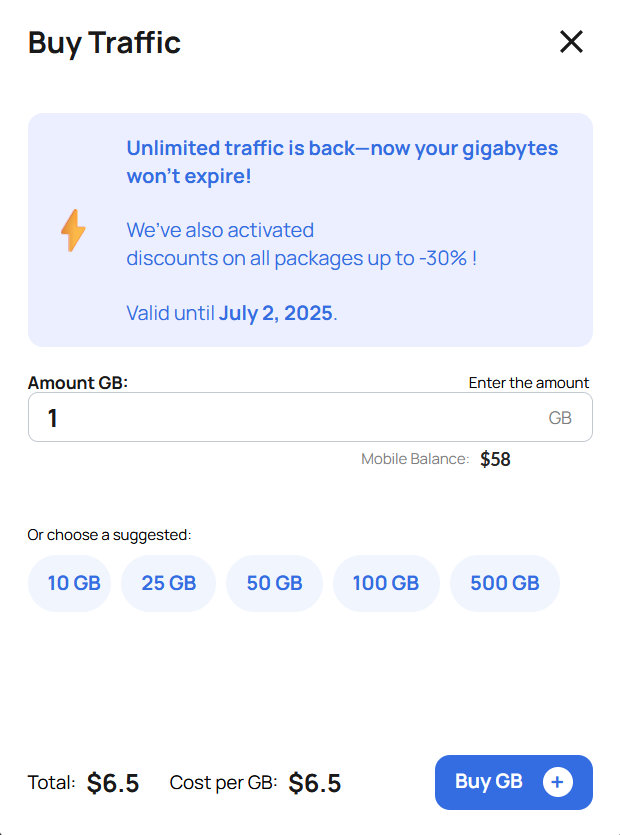
First, buy traffic (measured in gigabytes) No expiration date. You only pay for the data you use. Price per 1 GB depends on how much you buy: from $6.5 to $2
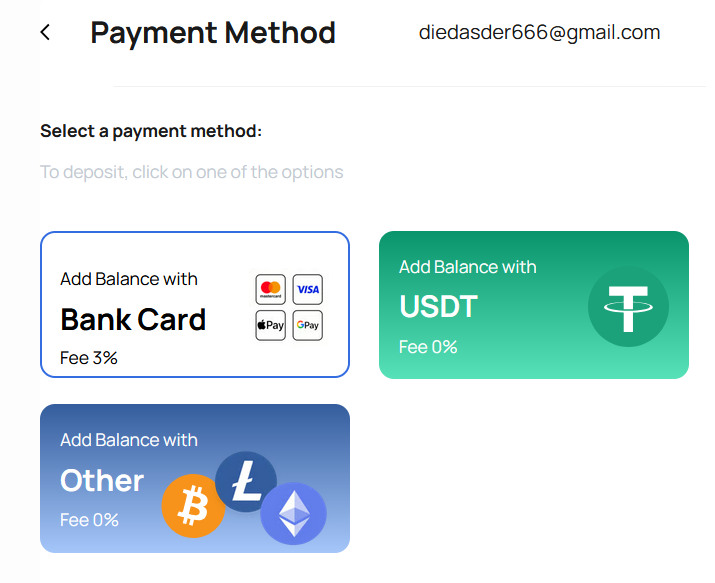
We support crypto payments (supported coins): USDT | BTC | LTC | TRX | ETH | XMR | POL | BNB | USDC | SOL | DASH | DOGE | TON | BCH | AVAX | DAI | VERSE | SHIB | HMSTR
After payment, your purchased traffic will appear in the top right corner.
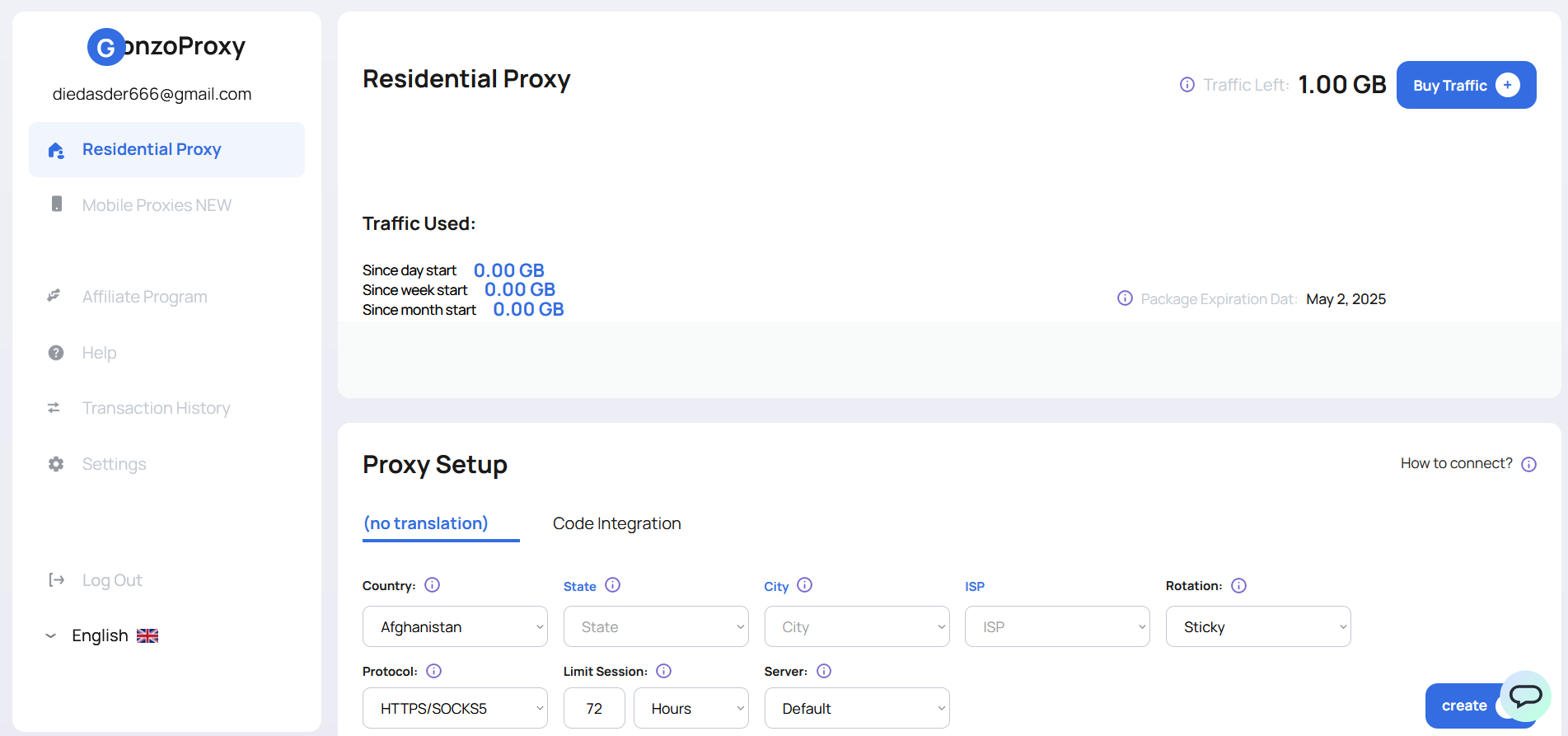
Set up your proxies
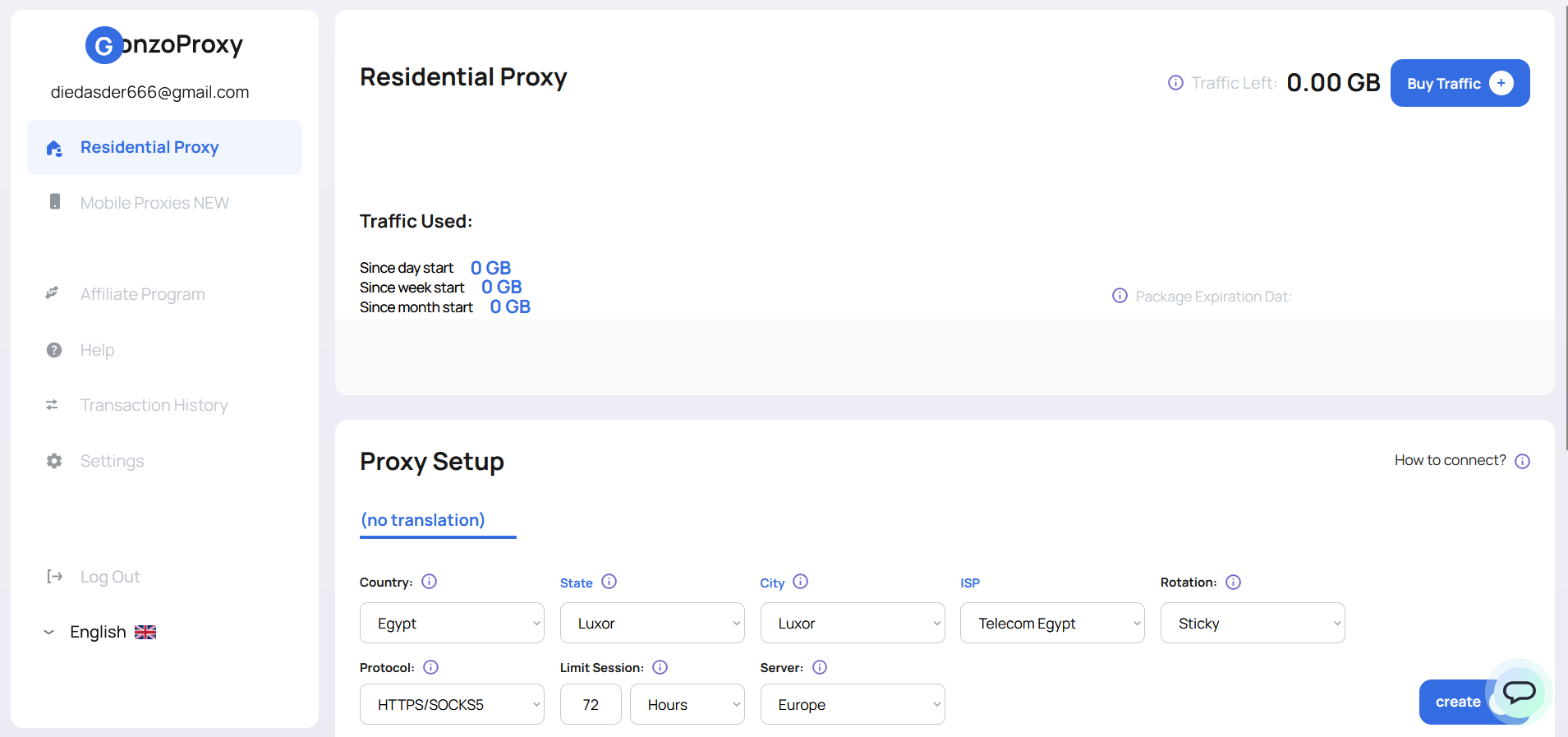
In the Proxy Setup window, you can generate proxies with the settings you need:
Country: choose where your IPs should be from.
City/State/ISP: if you're working with accounts, it's best to stick to one city to avoid bans.
Rotation: how often the IP changes: Sticky: the IP stays the same for the entire session. Randomize IP: a new IP for each request (great for devs).
Protocol: choose how you'll connect: HTTPS or SOCKS5 (All GonzoProxy residential proxies support both automatically)
Limit Session: set how long your IP should stay the same. For example, 72 hours = your IP won’t change during that time.
Server: choose the region (Europe, Asia, USA)
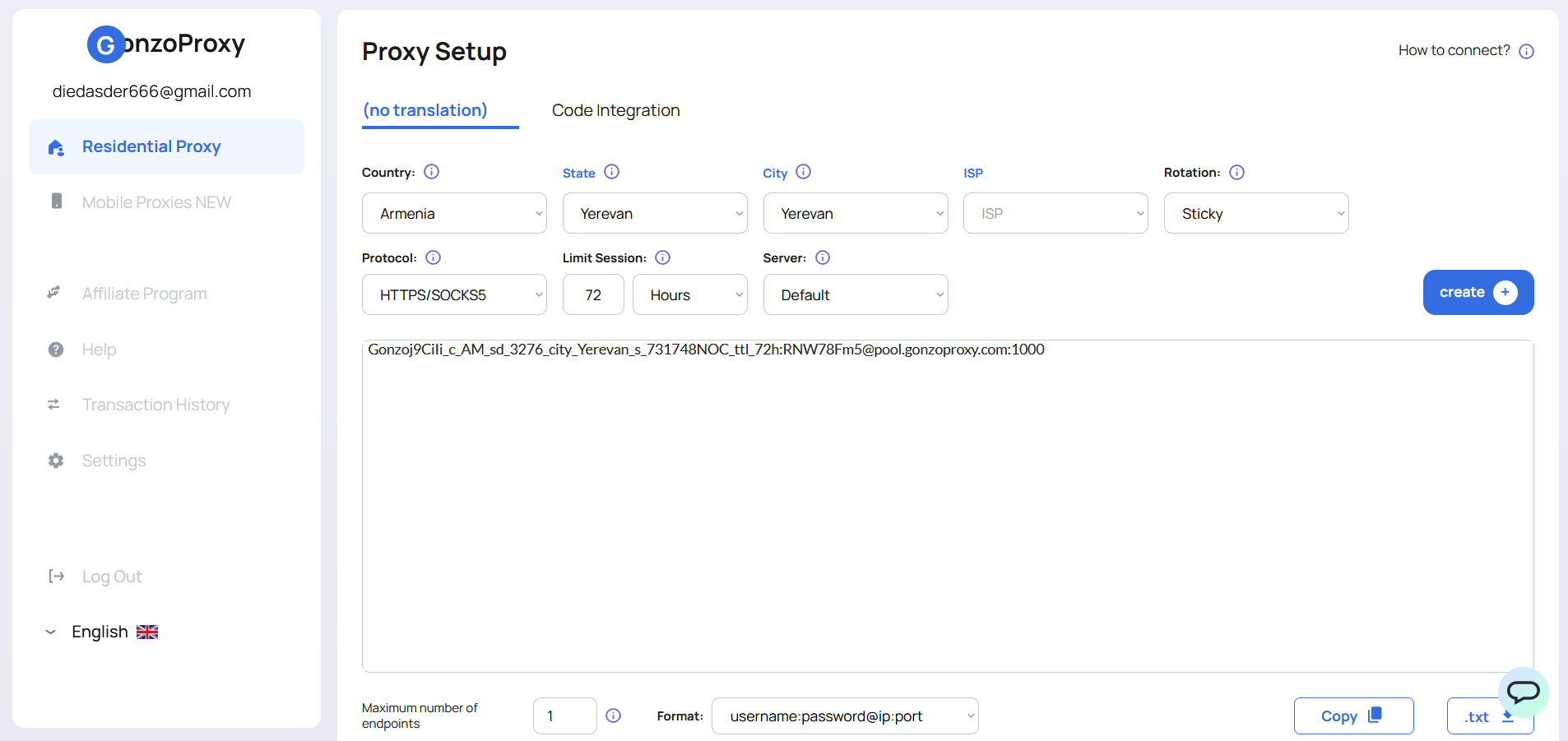
Example: Generate an Armenian proxy that rotates every 72 hours.
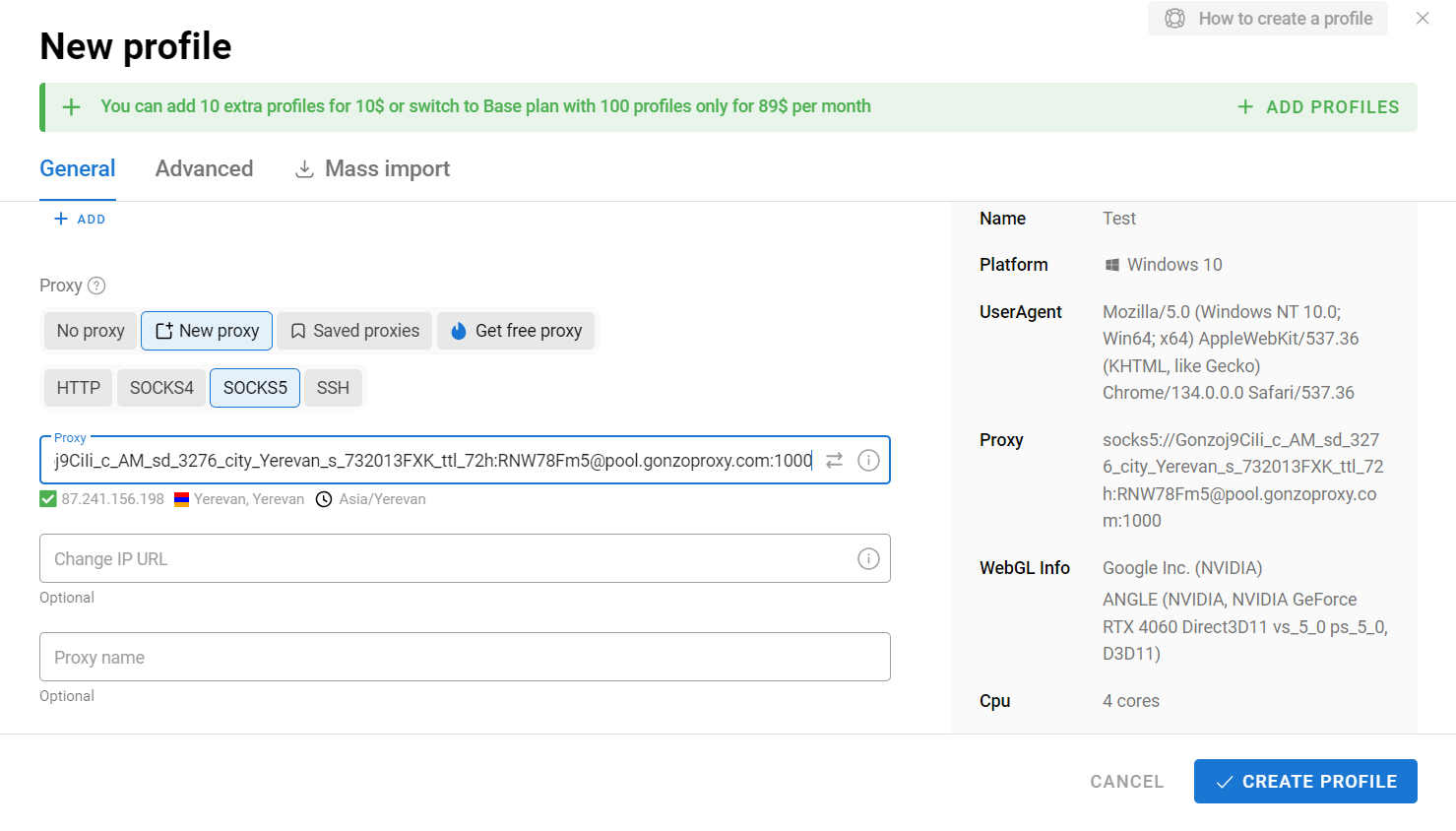
Load your proxies into any anti-detect browser (like Dolphin Anty).
Create a new profile and add your proxy. Test if it works.
Try it on websites like: Gmail | Facebook | Binance | Instagram You can also double-check your IP and location onwhoer.net: everything looks perfect!
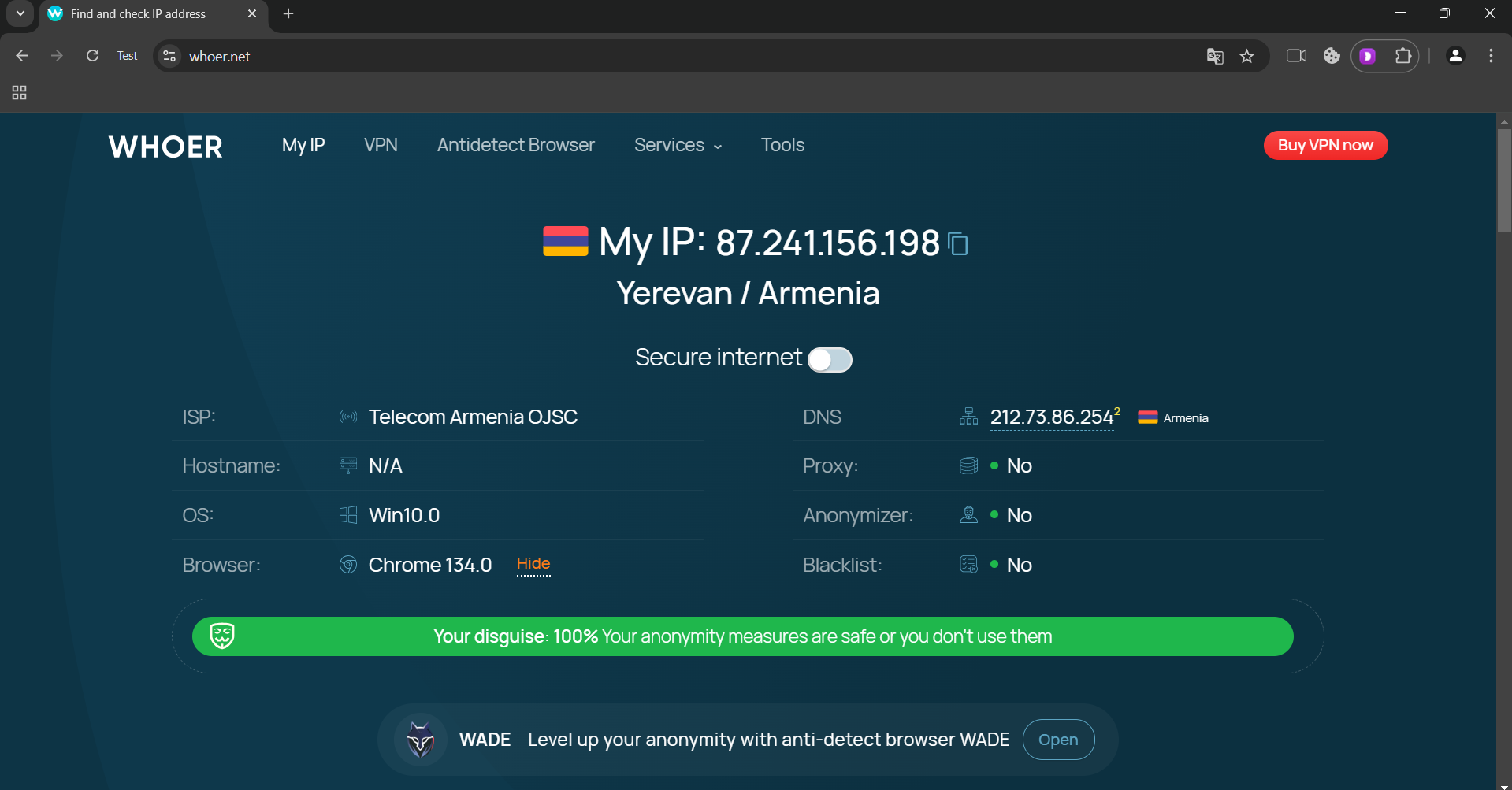
That’s it! You’re now ready to use residential proxies hassle-free!
_________________________________________
Try it here: GonzoProxy.com
Don’t forget to follow us on socials: we post updates, discounts, and useful guides: Telegram channel: @GonzoProxy Telegram chat: @GonzoProxy_Chat Twitter: GonzoProxy Support: @gonzoproxy_bot
We’re always here if you need anything!
Have a question?
Contact our team for help choosing a pool and country for your workflow.
Message us on Telegram