Mobile proxies

Contents
- Why you need proxies for Reddit
- Why Reddit might be blocked
- What restrictions does Reddit have
- Who needs proxies and how they help
- What you can do with proxies for Reddit
- How to choose the right type of proxy for Reddit
- Proxy vs VPN for Reddit
- How to set up and use proxies for Reddit
- Top proxy providers for Reddit in 2025
- Common problems and solutions
- Practical use case scenarios
- FAQ
- Conclusion
- Why LinkedIn requires using proxies
- How proxies help in working with LinkedIn tools
- Types of proxies for LinkedIn and selection criteria
- 10 best proxy providers for LinkedIn
- Setting up and using proxies
- Tips for safe LinkedIn outreach scaling
- Conclusion: how to build a stable system for working with LinkedIn through proxies
- How Amazon detects and blocks proxies
- Benefits of using proxies for Amazon
- Which proxy types work best for Amazon
- Best residential proxy providers for Amazon (2025)
- Key features of a good Amazon proxy provider
- How to set up a proxy for Amazon
- Common problems when working with proxies on Amazon
- How to use Amazon proxies for different tasks
- Best practices for safe Amazon proxy usage
- FAQ
- Conclusion – choose stability, not quantity
- Step 1 — Download and Install VMLogin
- Step 2 — Create a New Browser Profile
- Step 3 — Get Your Gonzo Proxy Credentials
- Step 4 — Configure Proxy Settings in VMLogin
- Step 5 — Verify Proxy Connection
- Step 6 — Launch Your Browser Profile
- Step 7 — Optional: Set Up Multiple Profiles / Rotating Sessions
- Step 8 — Troubleshooting Common Issues
- Step 9 — Start Automating with Gonzo Proxy + VMLogin
- What is an anonymizer in simple terms
- How anonymizers differ from proxies and VPNs
- How an anonymizer works
- Types of anonymizers and anonymity levels
- How to format proxies for working with anonymizers
- How to use an anonymizer to access blocked sites
- Advantages and risks of using anonymizers
- How to choose an anonymizer or proxy for your tasks
- FAQ
- Conclusion
- Why Trello is unavailable in Russia
- What is a proxy and how does it help with Trello?
- How to download and install Trello with a proxy
- How to register and log into Trello through a proxy
- Paying for Trello subscription through a proxy
- How to work in Trello through a proxy without interruptions
- Which proxies work best for Trello
- Top 5 mistakes and how to avoid them
- FAQ
- Conclusion
- How to sell quickly and effectively on Avito
- What is mass posting on Avito and why you need it
- Manual and automated mass posting
- Multi-accounting: how to manage multiple accounts on Avito
- Step-by-step launch plan
- How not to get banned with mass posting and multi-accounting
- Mass posting vs alternative sales methods
- FAQ
- Conclusion
- What Is a Proxy for Discord?
- Why You Should Use Proxies on Discord
- How to Use a Proxy on Discord
- Testing and Monitoring Proxy Performance
- Scenarios Where Discord Proxies Help
- Best Practices and Safety Tips
- Why Choose Residential Proxies for Discor
- Common Problems and Troubleshooting
- FAQ
- Final Thoughts — Keep Your Discord Setup Secure and Efficient
- Why TikTok gets blocked and doesn't always work with VPN
- How proxies and VPN differ for TikTok
- When it's better to choose VPN for TikTok
- When it's better to choose proxy for TikTok
- How to set up proxy for TikTok (short instruction)
- Risks and precautions when working with TikTok through VPN and proxies
- FAQ
- Conclusion
- What does transparent proxy mean
- How transparent proxy works in a real network
- Spheres of application for "invisible" proxy
- Advantages and disadvantages of transparent proxy
- Setting up transparent proxy: step by step
- Are transparent proxies secure
- Popular solutions for transparent proxy setup
- Checklist for working with transparent proxies
- FAQ
- Conclusion
- Why proxies are a must for Dolphin Anty
- Types of proxies you can connect to Dolphin
- Rotating vs Static
- Step-by-Step: How to Add a Proxy in Dolphin Anty
- Common proxy connection errors and fixes
- How to choose reliable proxies for Dolphin Anty
- Tips for optimizing costs
- Practical cases of using Dolphin Anty with proxies
- FAQ
- Final thoughts
- Types of proxies used for parsing
- How to choose proxies for parsing
- Setting up and rotating proxies for parsing
- Technical tricks for bypassing blocks
- Practice: building a proxy pool for parsing
- Metrics and monitoring parsing quality
- Best practices and ready solutions
- FAQ
- Summary: Which proxy to choose for parsing
- How proxies work in traffic arbitrage
- Types of proxies for arbitrage and their features
- What problems do proxies solve in arbitrage
- Top proxy providers for arbitrage in 2025
- Comparison table of proxy providers
- How to pick the right proxies for arbitrage
- How to set up proxies for arbitrage
- Safe proxy usage tips
- FAQ
- Conclusion
- What are residential proxies needed for?
- How do residential proxies work?
- How do residential proxies differ from others?
- Connecting residential proxies from GonzoProxy
- Examples of using GonzoProxy residential proxies in Python
- Pros and cons of residential proxies
- How to check residential proxies
- Common usage errors
- FAQ
- Conclusion
- Why does Facebook often block accounts and cards?
- Why use a virtual card for Facebook Ads?
- Multicards.io — a trusted virtual card service for Meta Ads
- Should you buy or create Facebook ad accounts?
- Why proxies are essential
- What kind of proxies are best for Facebook Ads?
- GonzoProxy — premium residential proxies for Facebook Ads
- How to safely link a virtual card to Facebook Ads
- Final recommendations
- What’s a DePIN farm and why should you care?
- So, what exactly is DePIN?
- Other DePIN projects already killing it
- What do you need to start your DePIN farm?
- How to create profiles and set up the antidetect browser
- How to choose and set up a proxy?
- What about Twitter/X accounts?
- How to get email accounts?
- Before you launch — one last tip!
- How to properly chain your accounts?
- How modern fraud detection systems track violators
- Google Ads: anti-fraud specifics in 2025
- How to tell your proxies aren't working?
- Why most proxies no longer work with ad platforms
- How to select and verify proxies for ad platforms
- Strategy for stable operation with ad platforms
- Conclusion: don't skimp on infrastructure
Mobile proxies run through real smartphones using mobile internet. That means websites see you as a regular phone user.
Perfect for:
✅ Creating accounts
✅ Working with mobile apps and platforms
📌 Bonus: All mobile proxies come with unlimited traffic — you only pay for the days you use.
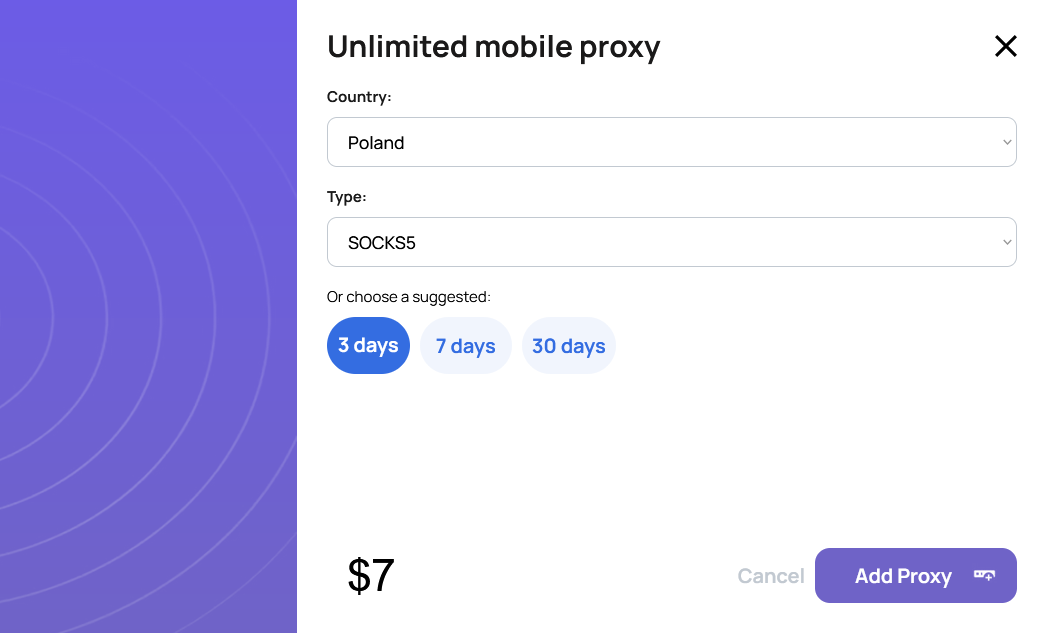
1. Choose:
🌍 The country you want your IP from
🔌 Proxy type — HTTP or SOCKS5
2. Pick a plan:
💰 $7 — 3 days
💰 $15 — 7 days
💰 $45 — 30 days
3. Pay the way that works for you:
🔹 From your account balance
💳 Bank card
💰 Or crypto:
USDT | BTC | LTC | TRX | ETH | XMR | POL | BNB | USDC | SOL | DASH | DOGE | TON | BCH | AVAX | DAI | VERSE | SHIB | HMSTR
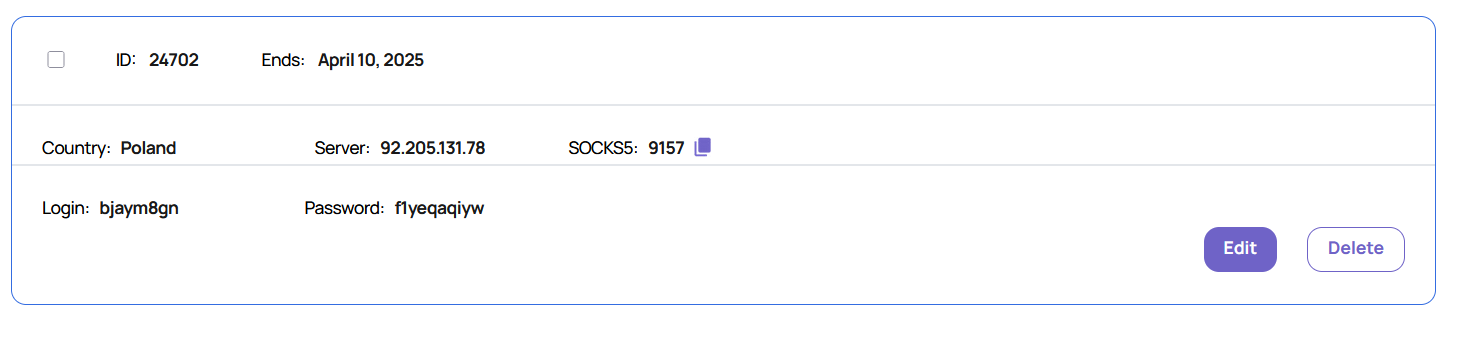
After payment, your proxy gets activated and is ready to go! 🔥
Load your proxy into any anti-detect browser (like Dolphin Anty).
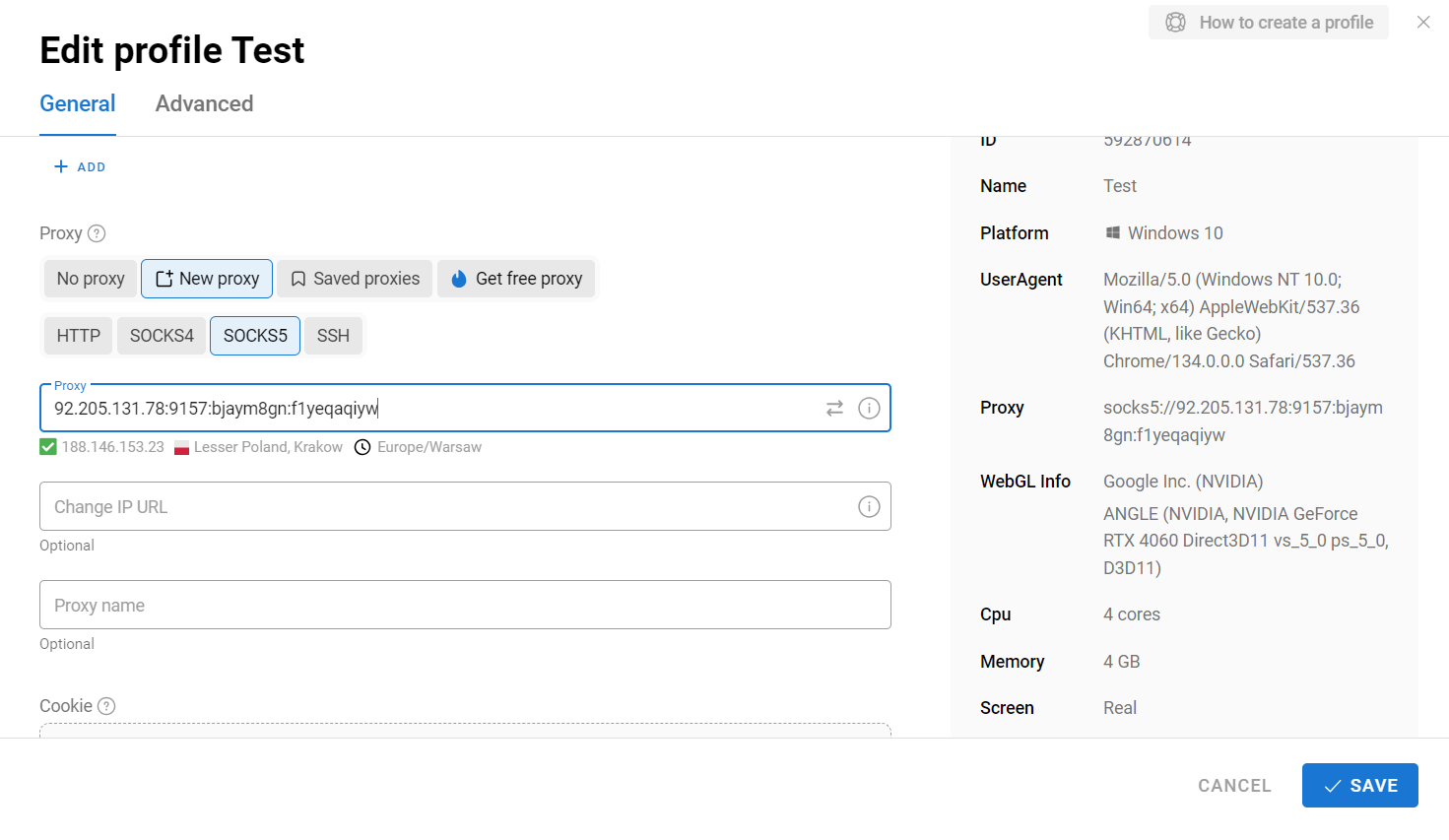
🔎 Try it on websites like:
📩 Gmail | 📘 Facebook | 💰 Binance | 📸 Instagram
📍 You can also double-check your IP and location on whoer.net — everything looks perfect! 🎯
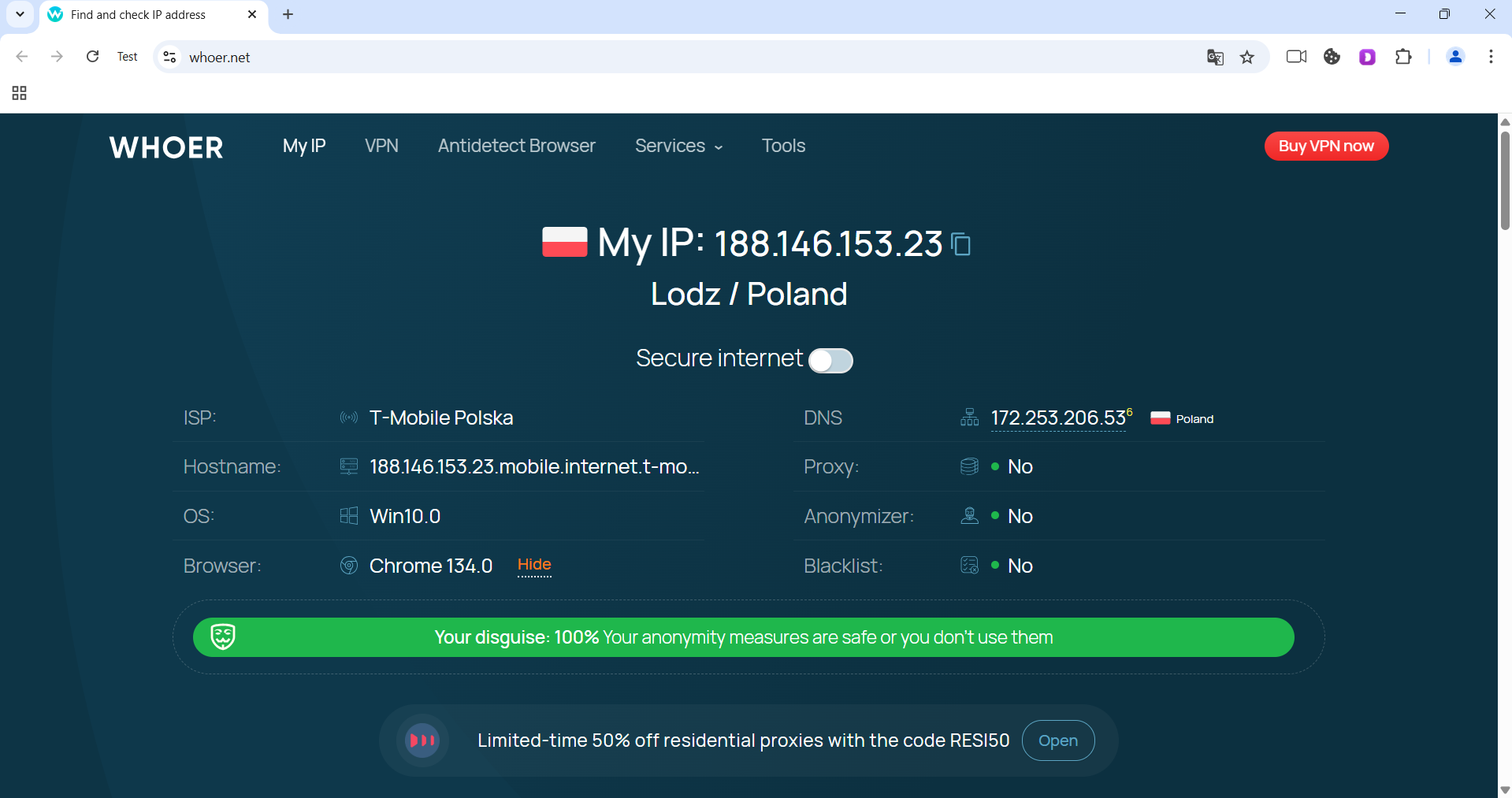
That’s it! 🚀 You’re now ready to use mobile proxies without limits!
_________________________________________
👾 Try it here: GonzoProxy.com
📢 Don’t forget to follow us on socials — we post updates, discounts, and useful guides:
Telegram channel — @GonzoProxy
Telegram chat — @GonzoProxy_Chat
Twitter — GonzoProxy
Support — @gonzoproxy_bot
We’re always here if you need anything! 💬