Contents
- VPN and Proxy: Key Differences
- What is a Proxy Server?
- What is VPN?
- Security and Privacy
- Speed and Performance
- When Should You Use a Proxy Server?
- When Should You Use VPN?
- Is It Worth Using VPN and Proxy Together?
- Mistakes When Choosing Between VPN and Proxy
- Busting Myths About VPN and Proxy
- VPN or Proxy: How to Choose the Right Option?
- FAQ
- Conclusion
- What is a proxy server for Google Chrome and why do you need it
- How proxy works in Chrome browser
- Ways to configure proxy in Google Chrome
- Setting up proxy in Google Chrome through Windows
- Setting up proxy in Google Chrome through macOS
- Setting up proxy for Chrome through extensions
- Setting up proxy in Chrome on Android
- Setting up proxy in Chrome on iPhone and iPad
- Connection check and speed test
- Typical errors when working with proxy in Chrome
- FAQ
- Conclusion
- Why you need proxies for Reddit
- Why Reddit might be blocked
- What restrictions does Reddit have
- Who needs proxies and how they help
- What you can do with proxies for Reddit
- How to choose the right type of proxy for Reddit
- Proxy vs VPN for Reddit
- How to set up and use proxies for Reddit
- Top proxy providers for Reddit in 2025
- Common problems and solutions
- Practical use case scenarios
- FAQ
- Conclusion
- Why LinkedIn requires using proxies
- How proxies help in working with LinkedIn tools
- Types of proxies for LinkedIn and selection criteria
- 10 best proxy providers for LinkedIn
- Setting up and using proxies
- Tips for safe LinkedIn outreach scaling
- FAQ
- Conclusion: how to build a stable system for working with LinkedIn through proxies
- How Amazon detects and blocks proxies
- Benefits of using proxies for Amazon
- Which proxy types work best for Amazon
- Best residential proxy providers for Amazon (2025)
- Key features of a good Amazon proxy provider
- How to set up a proxy for Amazon
- Common problems when working with proxies on Amazon
- How to use Amazon proxies for different tasks
- Best practices for safe Amazon proxy usage
- FAQ
- Conclusion – choose stability, not quantity
- Step 1 — Download and Install VMLogin
- Step 2 — Create a New Browser Profile
- Step 3 — Get Your Gonzo Proxy Credentials
- Step 4 — Configure Proxy Settings in VMLogin
- Step 5 — Verify Proxy Connection
- Step 6 — Launch Your Browser Profile
- Step 7 — Optional: Set Up Multiple Profiles / Rotating Sessions
- Step 8 — Troubleshooting Common Issues
- Step 9 — Start Automating with Gonzo Proxy + VMLogin
- What is an anonymizer in simple terms
- How anonymizers differ from proxies and VPNs
- How an anonymizer works
- Types of anonymizers and anonymity levels
- How to format proxies for working with anonymizers
- How to use an anonymizer to access blocked sites
- Advantages and risks of using anonymizers
- How to choose an anonymizer or proxy for your tasks
- FAQ
- Conclusion
- How to sell quickly and effectively on Avito
- What is mass posting on Avito and why you need it
- Manual and automated mass posting
- Multi-accounting: how to manage multiple accounts on Avito
- Step-by-step launch plan
- How not to get banned with mass posting and multi-accounting
- Mass posting vs alternative sales methods
- FAQ
- Conclusion
- What Is a Proxy for Discord?
- Why You Should Use Proxies on Discord
- How to Use a Proxy on Discord
- Testing and Monitoring Proxy Performance
- Scenarios Where Discord Proxies Help
- Best Practices and Safety Tips
- Why Choose Residential Proxies for Discor
- Common Problems and Troubleshooting
- FAQ
- Final Thoughts — Keep Your Discord Setup Secure and Efficient
- Why TikTok gets blocked and doesn't always work with VPN
- How proxies and VPN differ for TikTok
- When it's better to choose VPN for TikTok
- When it's better to choose proxy for TikTok
- How to set up proxy for TikTok (short instruction)
- Risks and precautions when working with TikTok through VPN and proxies
- FAQ
- Conclusion
- What does transparent proxy mean
- How transparent proxy works in a real network
- Spheres of application for "invisible" proxy
- Advantages and disadvantages of transparent proxy
- Setting up transparent proxy: step by step
- Are transparent proxies secure
- Popular solutions for transparent proxy setup
- Checklist for working with transparent proxies
- FAQ
- Conclusion
- Why proxies are a must for Dolphin Anty
- Types of proxies you can connect to Dolphin
- Rotating vs Static
- Step-by-Step: How to Add a Proxy in Dolphin Anty
- Common proxy connection errors and fixes
- How to choose reliable proxies for Dolphin Anty
- Tips for optimizing costs
- Practical cases of using Dolphin Anty with proxies
- FAQ
- Final thoughts
- Types of proxies used for parsing
- How to choose proxies for parsing
- Setting up and rotating proxies for parsing
- Technical tricks for bypassing blocks
- Practice: building a proxy pool for parsing
- Metrics and monitoring parsing quality
- Best practices and ready solutions
- FAQ
- Summary: Which proxy to choose for parsing
- How proxies work in traffic arbitrage
- Types of proxies for arbitrage and their features
- What problems do proxies solve in arbitrage
- Top proxy providers for arbitrage in 2025
- Comparison table of proxy providers
- How to pick the right proxies for arbitrage
- How to set up proxies for arbitrage
- Safe proxy usage tips
- FAQ
- Conclusion
- What are residential proxies needed for?
- How do residential proxies work?
- How do residential proxies differ from others?
- Connecting residential proxies from GonzoProxy
- Examples of using GonzoProxy residential proxies in Python
- Pros and cons of residential proxies
- How to check residential proxies
- Common usage errors
- FAQ
- Conclusion
- Why does Facebook often block accounts and cards?
- Why use a virtual card for Facebook Ads?
- Multicards.io — a trusted virtual card service for Meta Ads
- Should you buy or create Facebook ad accounts?
- Why proxies are essential
- What kind of proxies are best for Facebook Ads?
- GonzoProxy — premium residential proxies for Facebook Ads
- How to safely link a virtual card to Facebook Ads
- Final recommendations
- What’s a DePIN farm and why should you care?
- So, what exactly is DePIN?
- Other DePIN projects already killing it
- What do you need to start your DePIN farm?
- How to create profiles and set up the antidetect browser
- How to choose and set up a proxy?
- What about Twitter/X accounts?
- How to get email accounts?
- Before you launch — one last tip!
- How to properly chain your accounts?
- How modern fraud detection systems track violators
- Google Ads: anti-fraud specifics in 2025
- How to tell your proxies aren't working?
- Why most proxies no longer work with ad platforms
- How to select and verify proxies for ad platforms
- Strategy for stable operation with ad platforms
- Conclusion: don't skimp on infrastructure
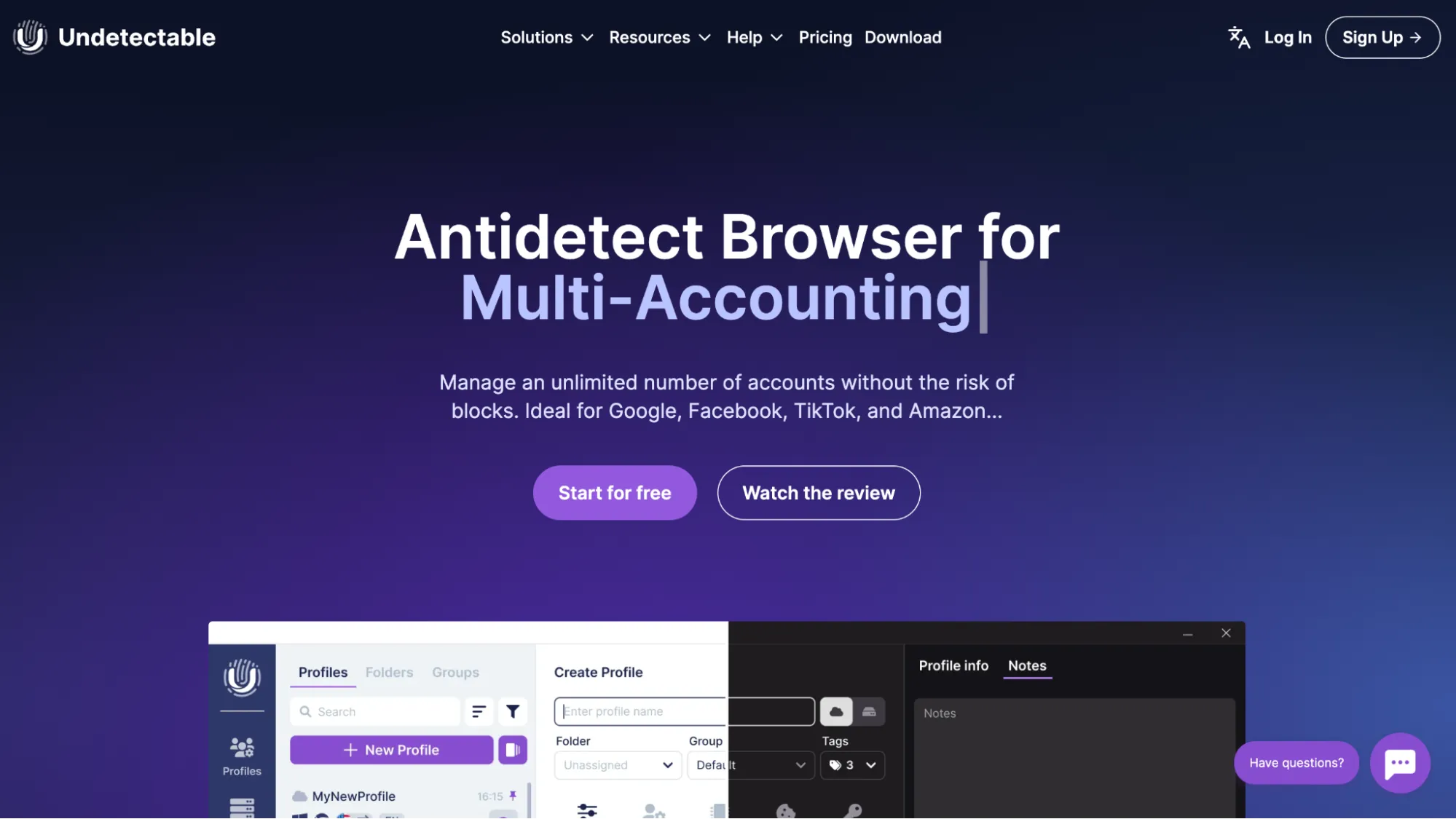
Undetectable browser is an anti-detect browser designed to hide your personal data online by changing the digital fingerprints of your device. Supporting online anonymity, the browser alters details like IP address, User-Agent, system language, fonts, and other parameters, shielding you from tracking and identification.
There are 3 versions: for Windows 10/11, for devices with macOS (M series), for macOS on Intel processors.
Top toolkit:
- Cookies-bot: warms up profiles for required GEO in a few clicks,
- Import/export of proxies, cookies, profiles, User-agents, and sessions
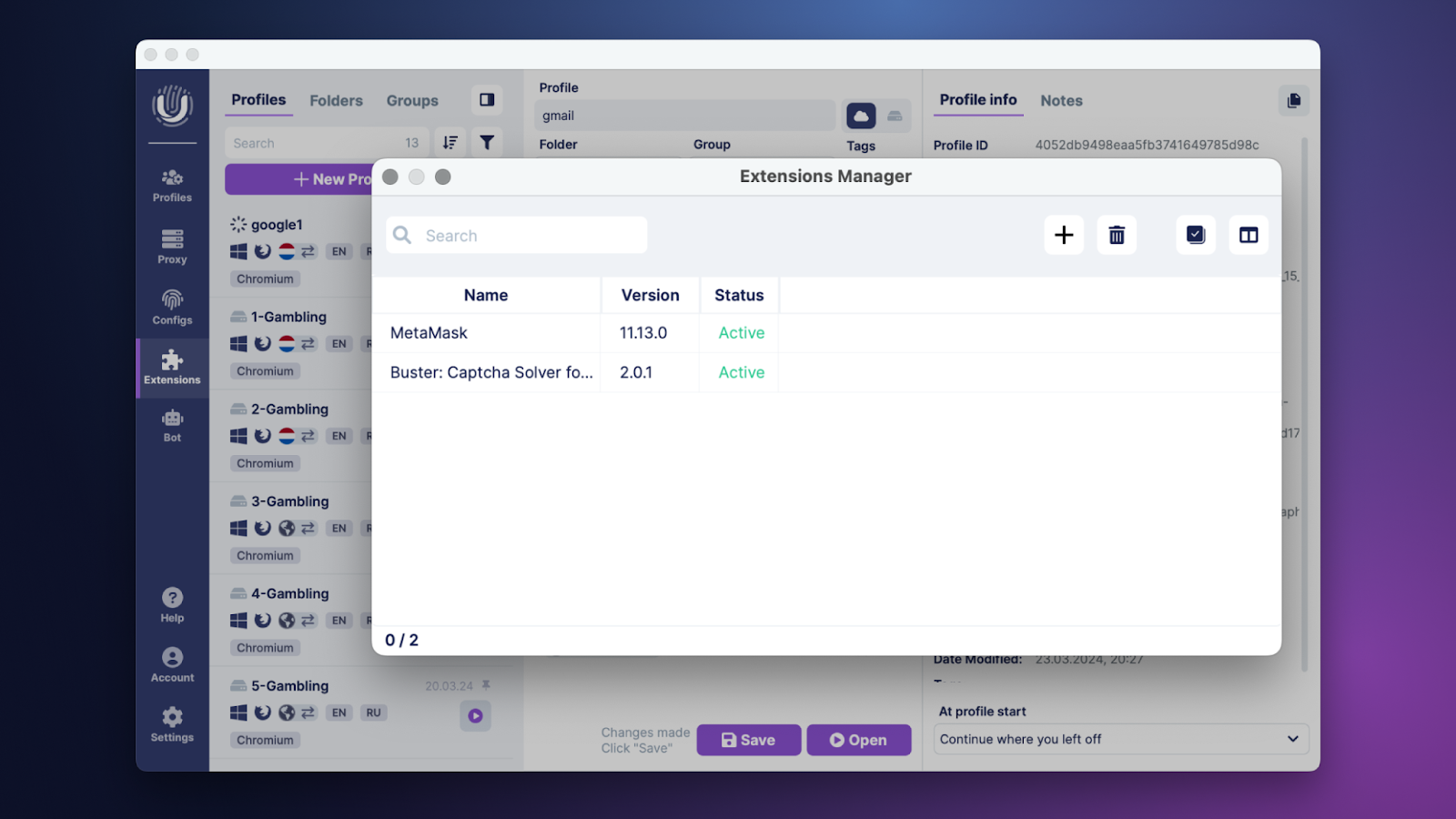
- Mass-profiles + bulk installation of extensions, managers for work
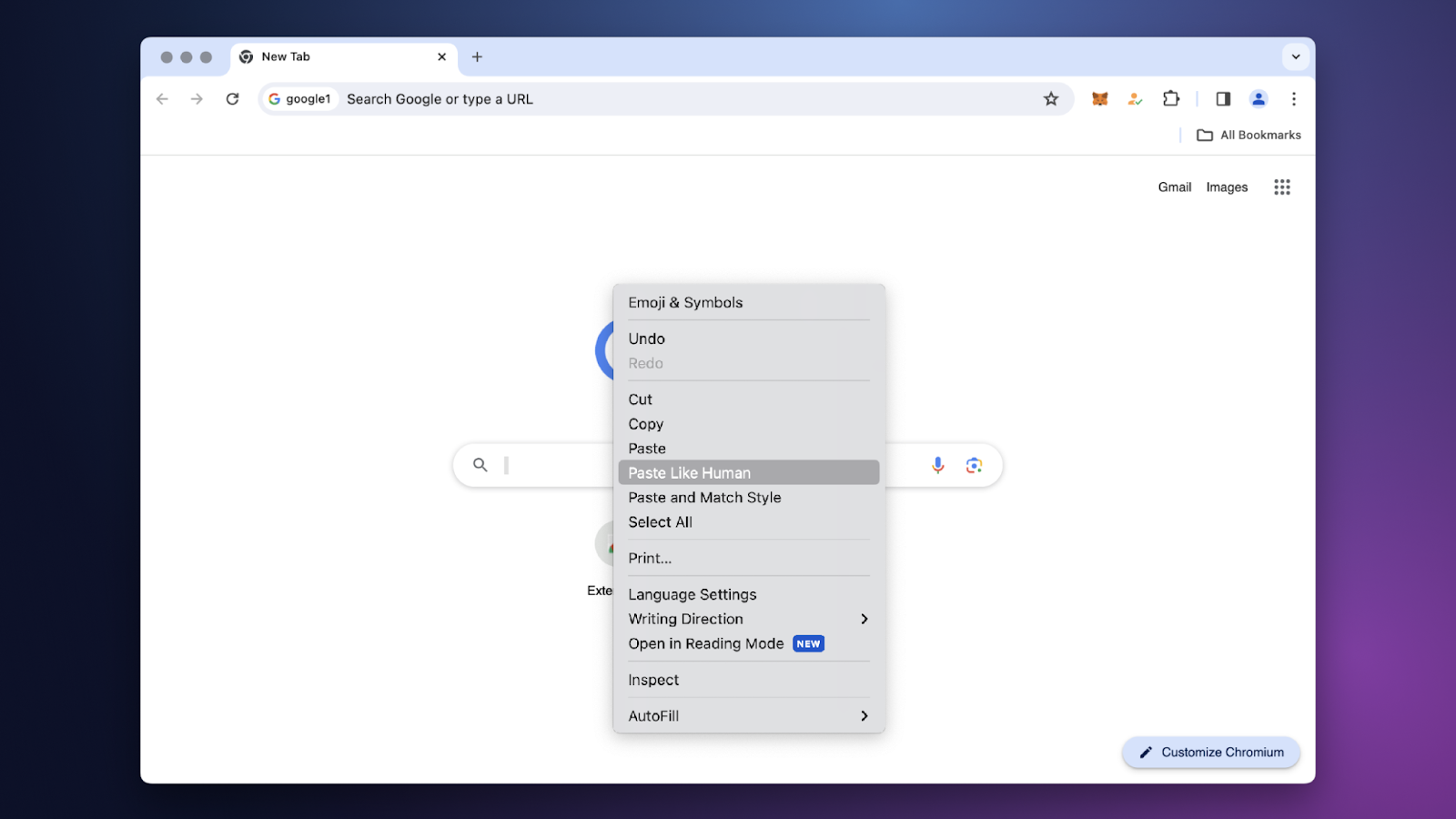
- "Paste like a human" - text insertion like a real user, reducing the risk of automation detection
- Quick proxy verification, bookmarks, custom configurations
- Synchronizer that allows simultaneous management of multiple browser profiles. Your actions in the main window will be replicated in other windows. For example, typing, opening new tabs, etc.
- Automate actions via API using popular libraries such as Puppeteer, Playwright and Selenium.
Undetectable Browser offers a wide range of tools that make working with profiles convenient and secure:
- Mass Profile Creation and Management
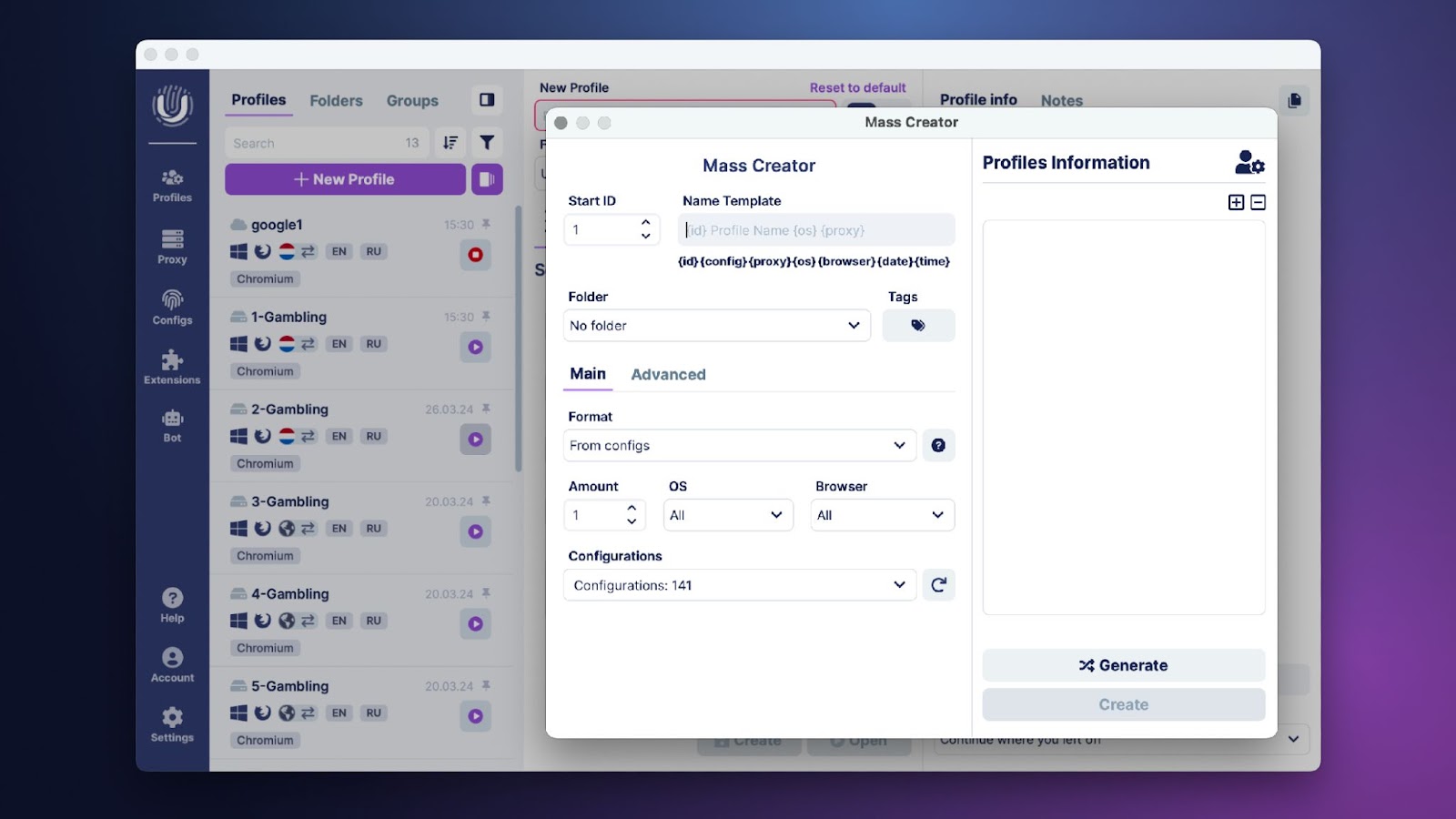
One of Undetectable’s Browser main advantages is its mass profile creation capability. With the built-in profile generation feature, you can create hundreds of unique profiles with just a few clicks. The program also includes managers that allow you to manage proxies and extensions in bulk, which is highly convenient for efficiently handling multiple accounts without the need to manually configure each profile individually.
- Cookies-Bot for Automatic Profile Warm-up
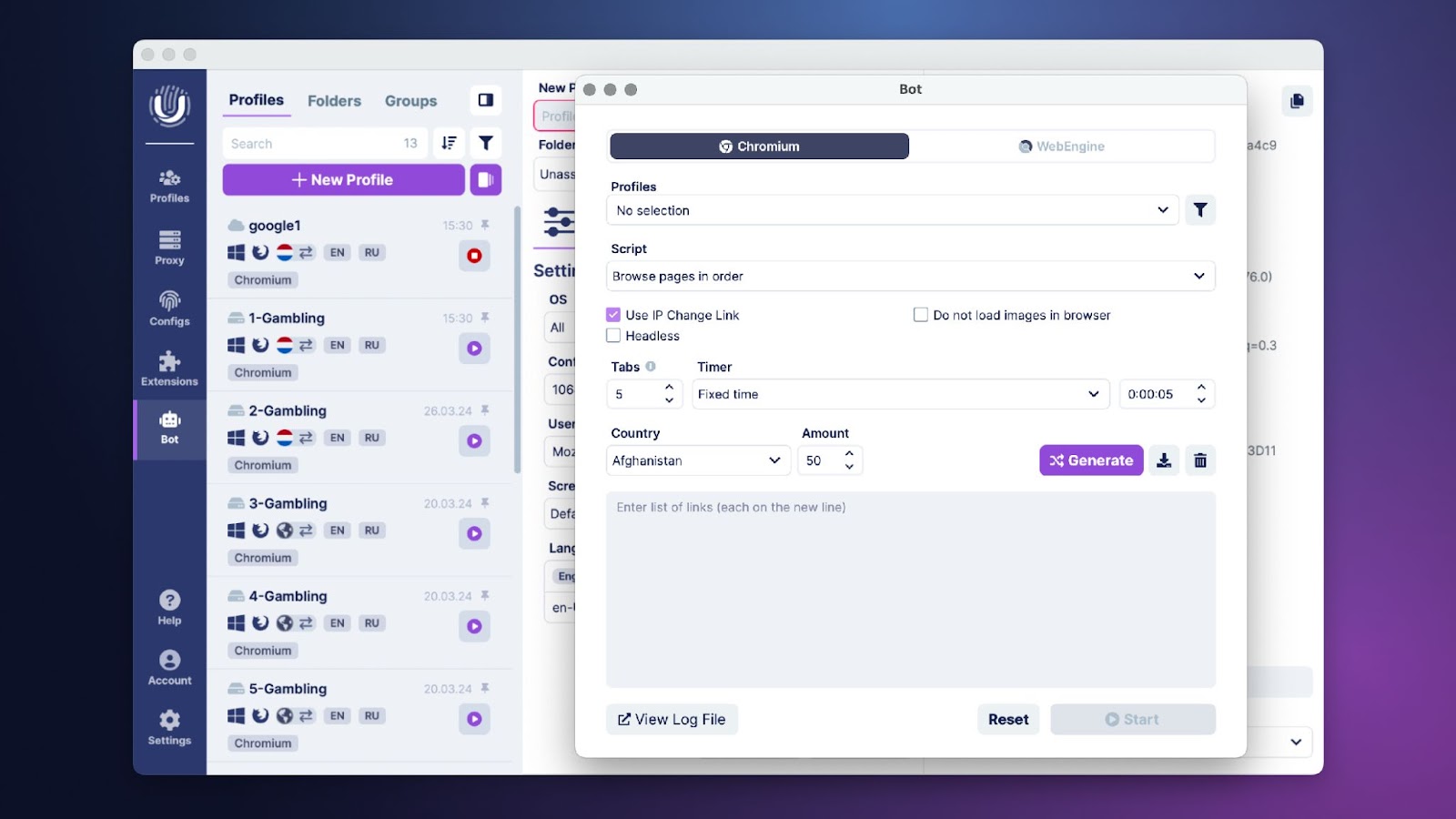
In Undetectable Browser, the process of accumulating cookie files to create a natural activity history for profiles is fully automated through a specialized bot.
The cookies-bot automates the "cookie farming" process, making profiles less suspicious. Combined with the popular site generator, the warming process becomes highly relevant to the chosen geographic location, which greatly increases trustworthiness with site security systems.
- Bulk Extension Installation
Allows you to add extensions to multiple profiles simultaneously, as well as remove them when necessary.
- Synchronizer
Lets you manage multiple profiles at the same time. The sync function fully replicates user actions in the main window across all other windows, which is especially useful for repeating actions across multiple profiles.

- "Paste Like Human"
A feature that mimics real human behavior while pasting text. It adjusts speed and pauses, making the action appear as natural as possible and reducing the likelihood of detection by automation algorithms.
Undetectable Browser has flexibility in profile management, as they can be saved:
- locally on the device,
- in the cloud,
- on your own server.
This is a significant advantage for users working with accounts, crypto wallets, and confidential data. Local storage minimizes security risks associated with using third-party storage solutions.
The Undetectable Browser is designed to meet the needs of both individual users and large teams. For team convenience, Undetectable Browser includes over 33 access permission settings, an intuitive interface, and handy tools for account management.
Undetectable Browser offers flexible pricing for different needs:
- Free: Suitable for testing the functionality, includes basic tools;
- Base: Provides unlimited local profile creation and access to essential features;
- Professional and Custom (advanced plans): Offer cloud storage, proxy and local profile export, additional settings - expanding opportunities for professional use both individually and in teams.
FAQ
Undetectable Browser - is a powerful solution for those who value security, anonymity, and efficiency online. Its tools allow professionals to manage multiple accounts, work with cryptocurrency wallets, and collect data without the risk of blocks.
Try it today and download Undetectable Browser to experience its capabilities firsthand!
A free plan is available for testing.
A nice bonus for all users - promo code GONZOPROXY20 - 20% discount on the first purchase of any license.
In case of having any questions, you can contact customer support:
Keep up with the latest news on social media:
- Telegram chat: https://t.me/undetectable_ENchat,
- News channel: https://t.me/undetectable_io,
YouTube: https://www.youtube.com/watch?v=wWKc2Q49SMs.