.webp)
What Dolphin Anty is and why you need it
Forget everything you knew about account management. Dolphin Anty changes the game completely. It’s not just a browser — it’s a whole masking system that hides your real data so skillfully that even Facebook and Google’s smartest algorithms throw up their hands.
How It differs from regular browsers
Here’s a simple experiment. Open any site with Chrome or Firefox. What happens? The site instantly reads your system version, graphics card model, list of installed plugins, screen resolution, and a hundred more parameters. All of that adds up to a unique fingerprint — like a digital version of your actual fingerprint.
Dolphin works differently. Each profile gets its own unique set of characteristics. One profile pretends to be a MacBook in California, another — an old laptop in Poland, a third — a tablet from Japan. And websites believe it! Why? Because the substitution happens on a deep level — down to emulating the GPU and font rendering.
The role of anti-detect technology
Do you know how Facebook catches multi-accounters? Their smart system compares hundreds of signals: five accounts with the same screen resolution — suspicious. Same browser version and timezone? Even worse. And if they all log in from the same IP? Game over.
Dolphin’s anti-detect tech breaks those links. Each profile lives its own life, with its own settings, cookies, and history. Platforms see different people on different devices. Magic? Nope. Just clever engineering.

Contents
- Why proxies are a must for Dolphin Anty
- Types of proxies you can connect to Dolphin
- Rotating vs Static
- Step-by-Step: How to Add a Proxy in Dolphin Anty
- Common proxy connection errors and fixes
- How to choose reliable proxies for Dolphin Anty
- Tips for optimizing costs
- Practical cases of using Dolphin Anty with proxies
Imagine this: you put on five different masks, speak in different voices, but… walk out the same door every time. Stupid, right? That’s exactly what working in Dolphin without proxies looks like. The browser hides the device, but the IP address stays the same.
Mass account work turns into a disaster without proxies:
- Facebook bans all accounts at once if it catches one violation
- TikTok starts limiting actions after just 3–4 accounts per IP
- Amazon shuts down all linked stores with no chance of recovery
- Google Ads hands out a permanent ban on all ad accounts
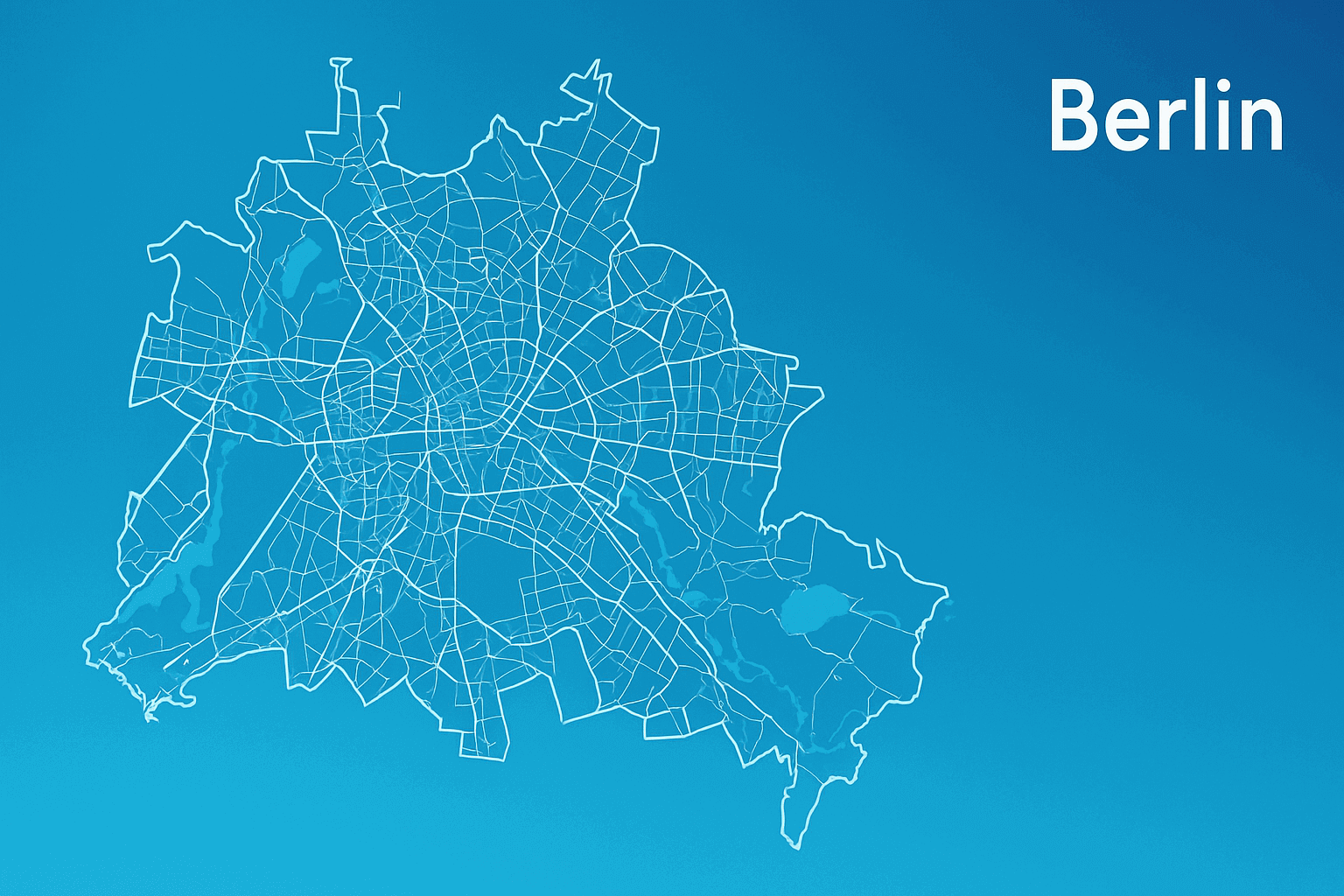
Bypassing restrictions becomes real, not a myth. Want to see what prices Americans see on Amazon? Or which ads competitors run in Germany? Without proxies from those countries — no way. With them — go ahead, choose any city, even down to a specific district.
Security stops being just a buzzword. Each profile gets its own IP. Even if one account gets banned, the others keep working. No chain reactions, no mass bans.
Datacenter (Server) proxies
Let’s be honest: this is for beginners or quick tests. Super cheap, lightning fast, but get flagged almost instantly.
Residential Proxies
The golden middle. These are IPs of regular people — folks who installed a special app and share their internet for rewards. Sites see home internet from a normal provider and relax.
Mobile Proxies
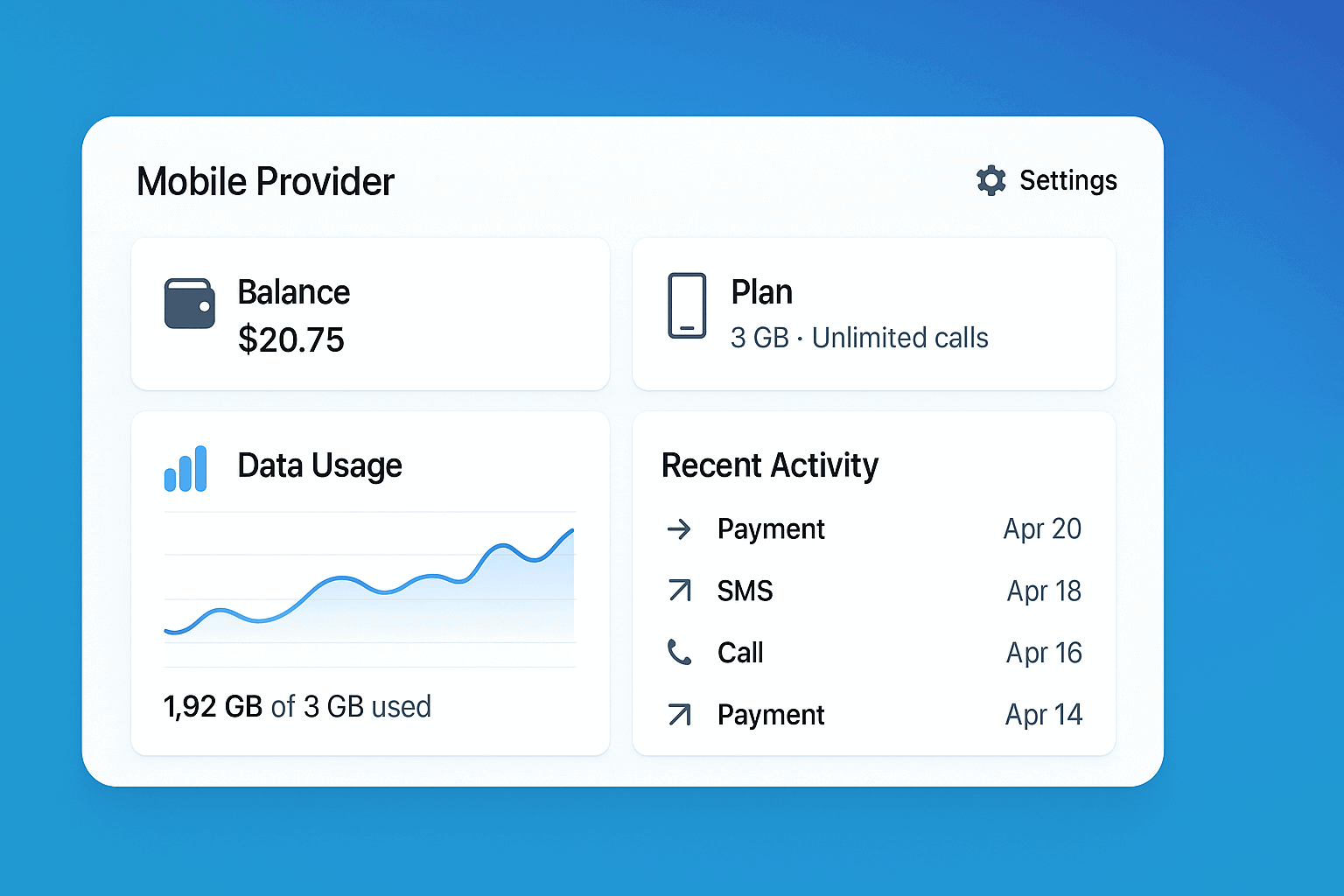
The king’s choice. Social platforms love mobile traffic — over 70% of users are on phones. Expensive, but nearly flawless. Especially good for Instagram, TikTok, and banking apps.
Step 1. Create a new profile
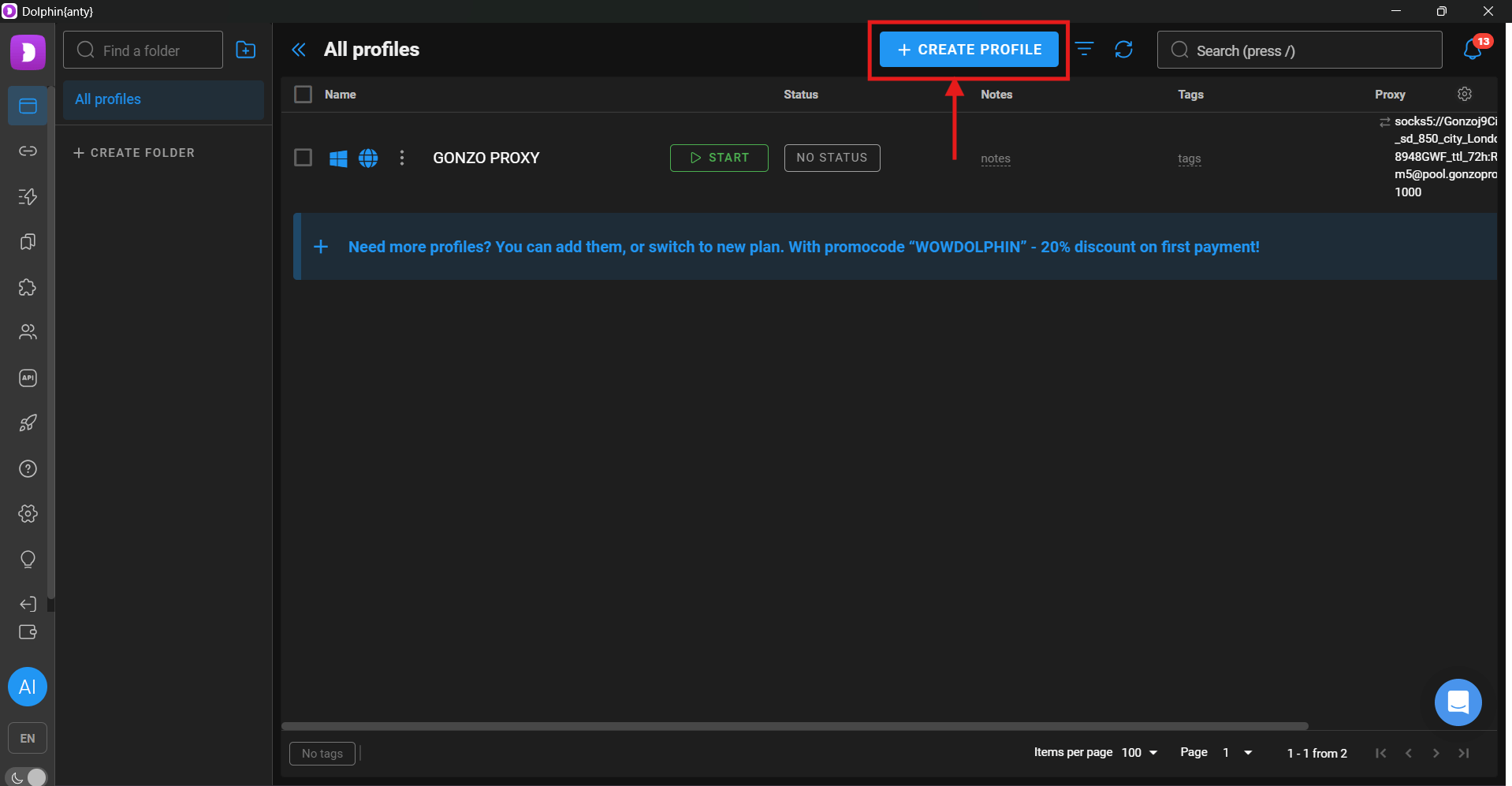
Launch Dolphin, click the big “Create Profile” button. A settings window opens. First thing — give it a clear name. Not “Profile_1,” but something meaningful: “FB_USA_Women_Clothing” or “Amazon_DE_Seller.” You’ll thank yourself later.
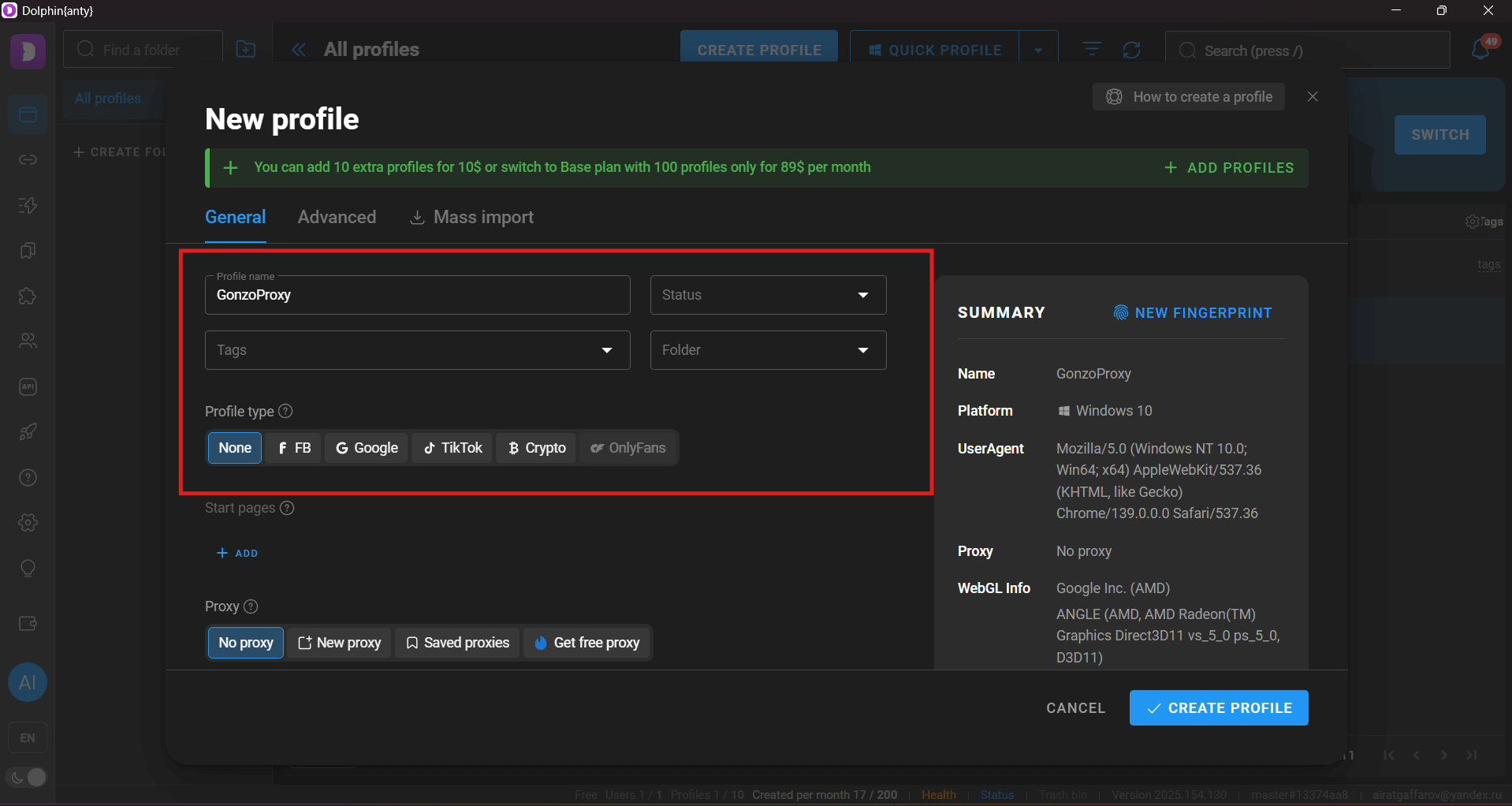
Step 2. Add proxy details
Switch to the “Proxy” tab. Don’t rush. First choose the protocol — usually HTTP/HTTPS or SOCKS5.
Then enter:
- Server address (IP or domain like proxy.example.com)
- Port (often 8080, 3128, or 1080)
- Login and password from your proxy provider
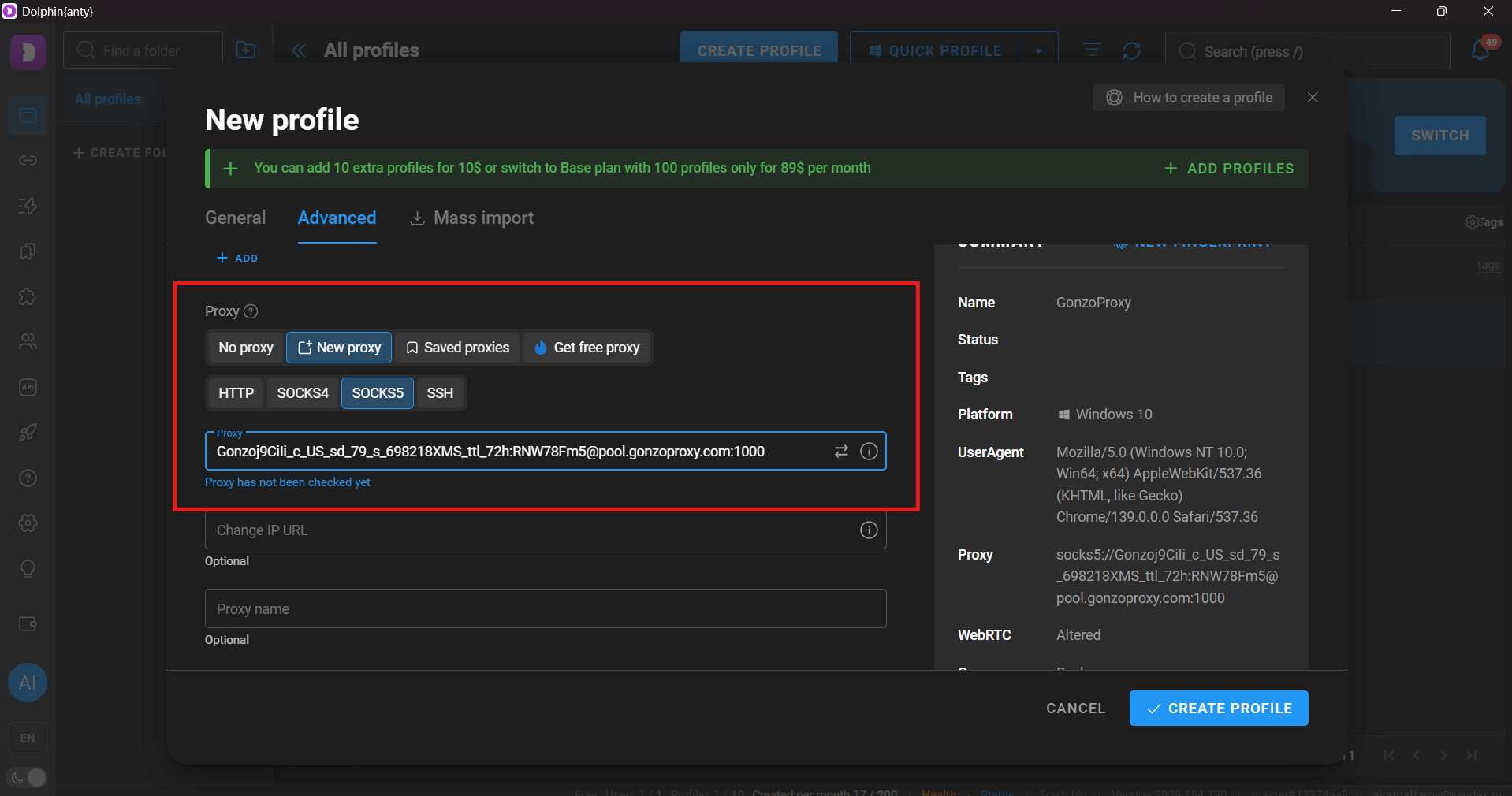
Tip: copy the data directly from your provider’s dashboard. One typo and you’ll waste half an hour debugging.
Step 3. Test the connection
See the “Check Proxy” button? Always click it! Dolphin will show the country, city, and provider. Compare it with what you bought. Sometimes they sell you “USA,” but in reality, it’s Canada. Small thing, but critical for some platforms.
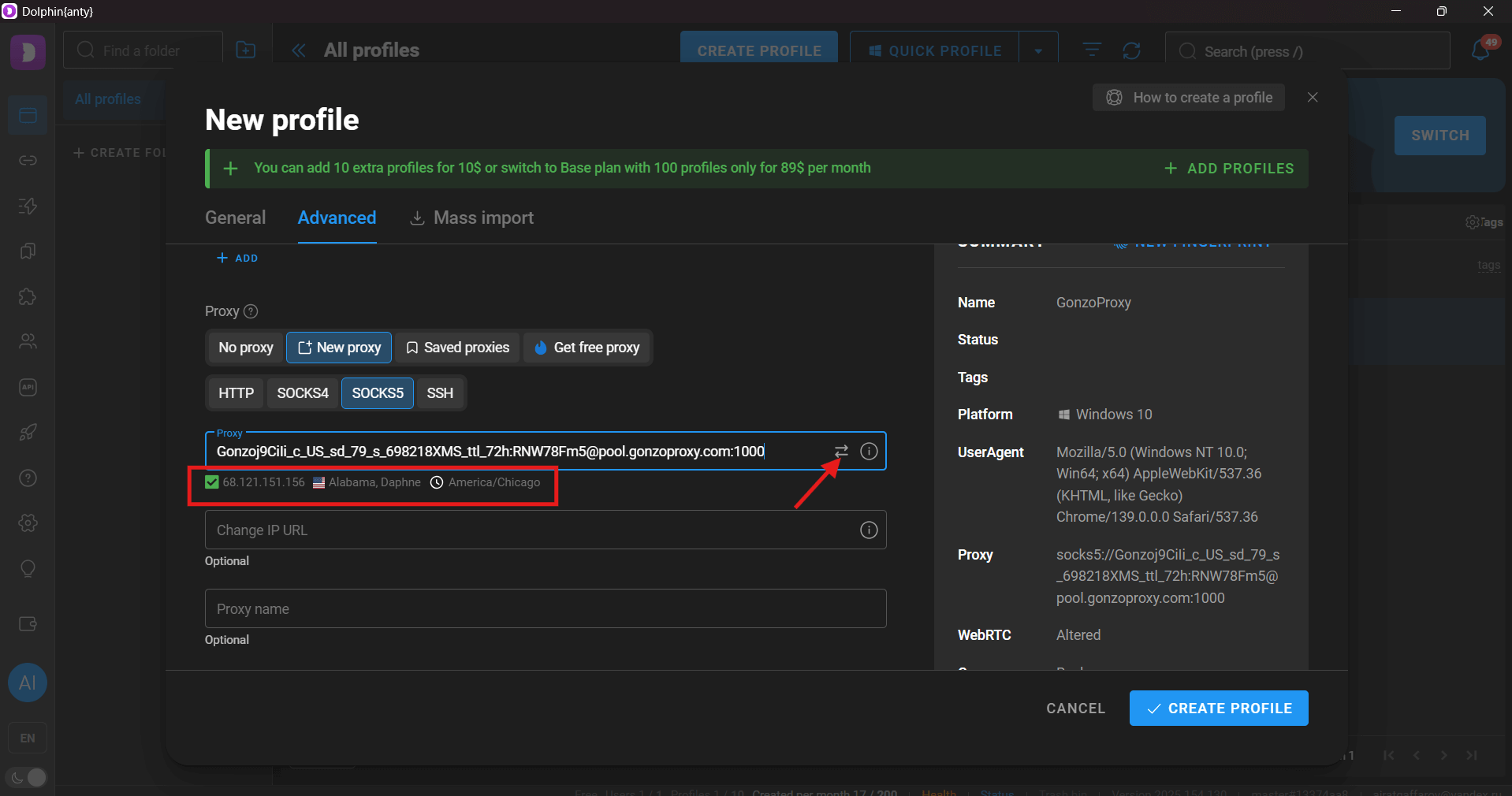
Step 4. Configure fingerprint
Next, choose the OS. Tip: stick to the most popular combos — Windows 10, Windows 11, or MacOS. Exotic stuff like Linux draws extra attention.
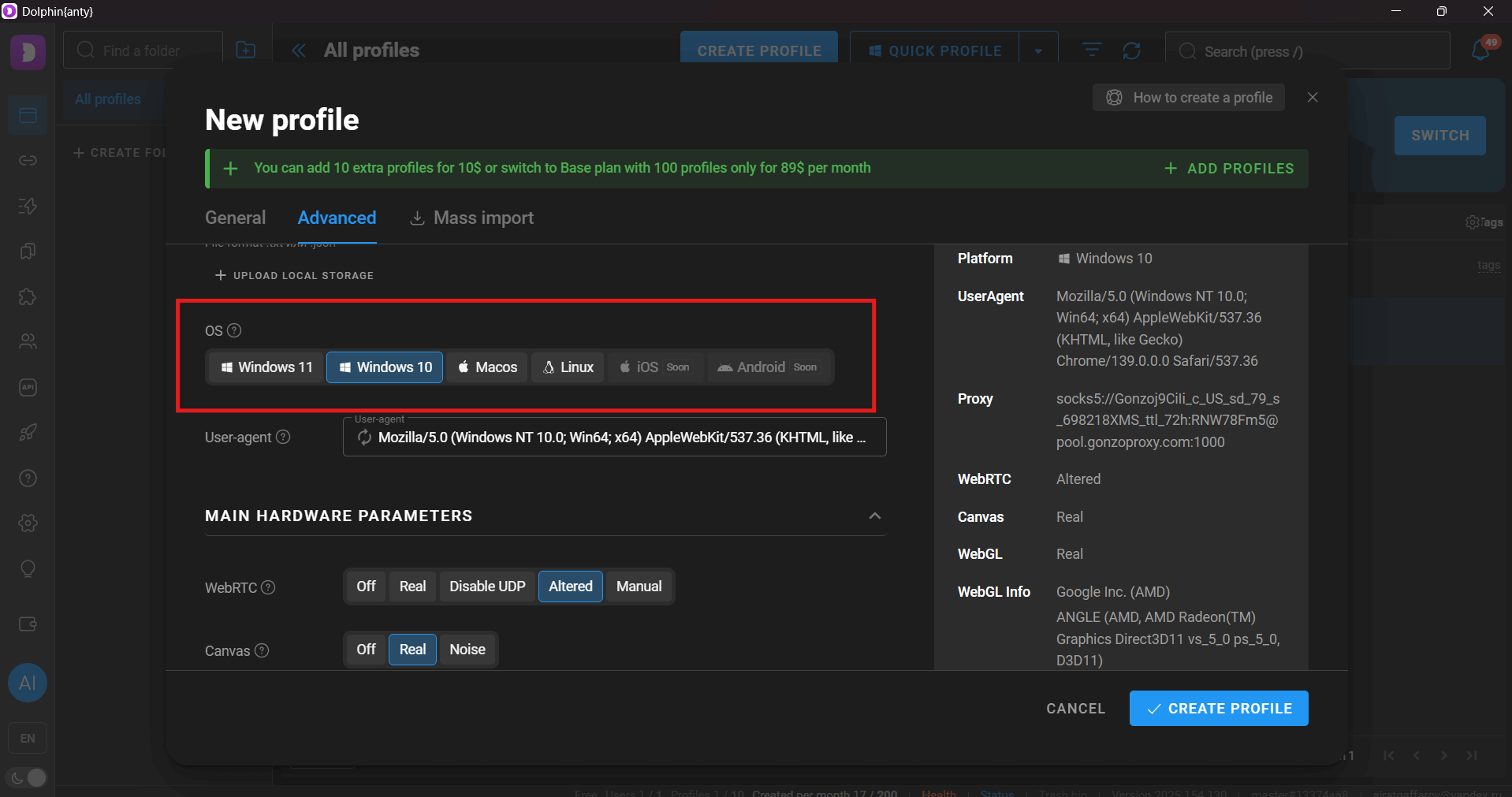
The browser auto-generates device parameters, but double-check. Timezone must match the proxy. System language too. If the proxy is from Berlin but the system language is Russian, that looks suspicious.
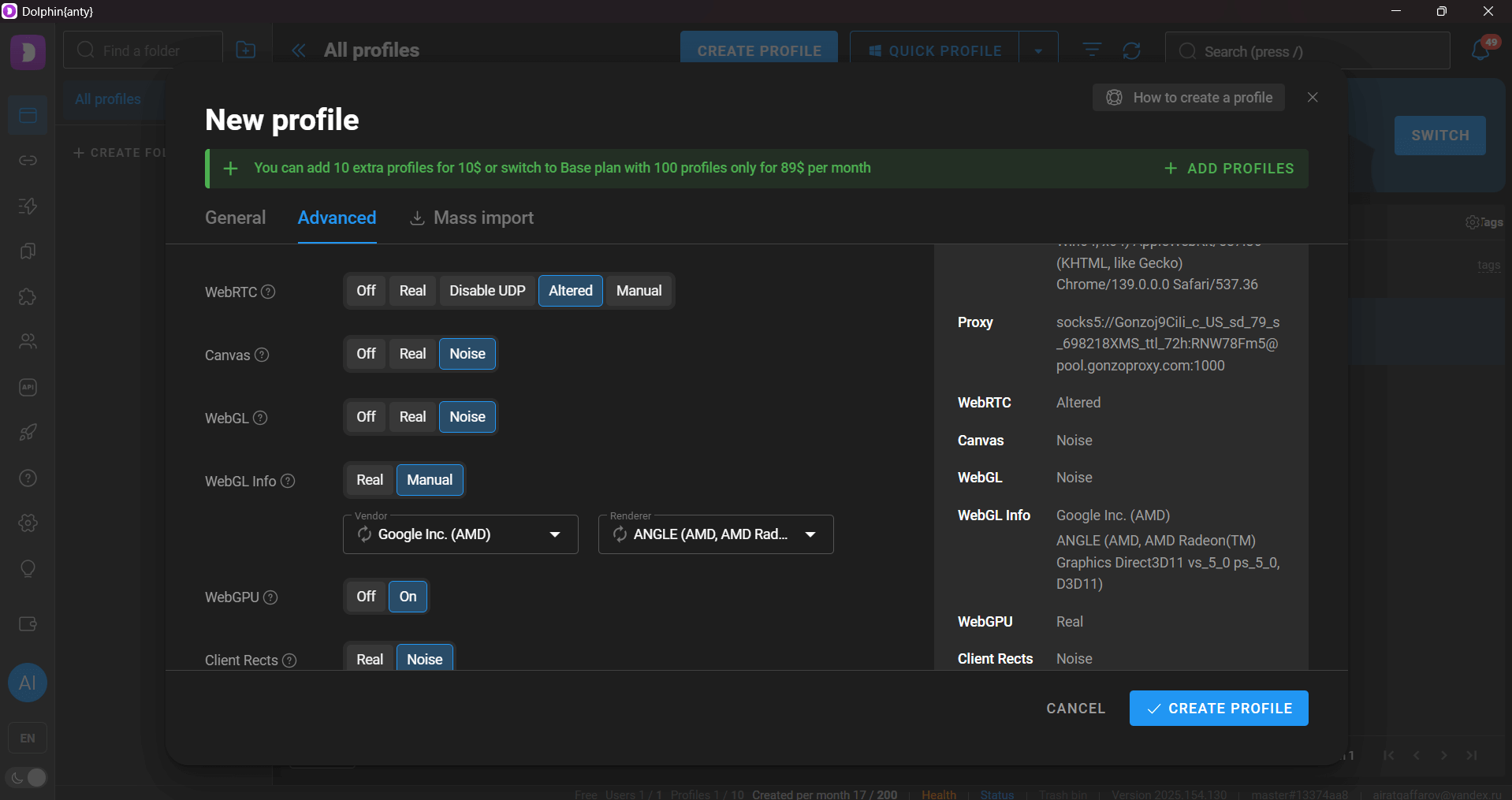
Step 5. Launch the profile
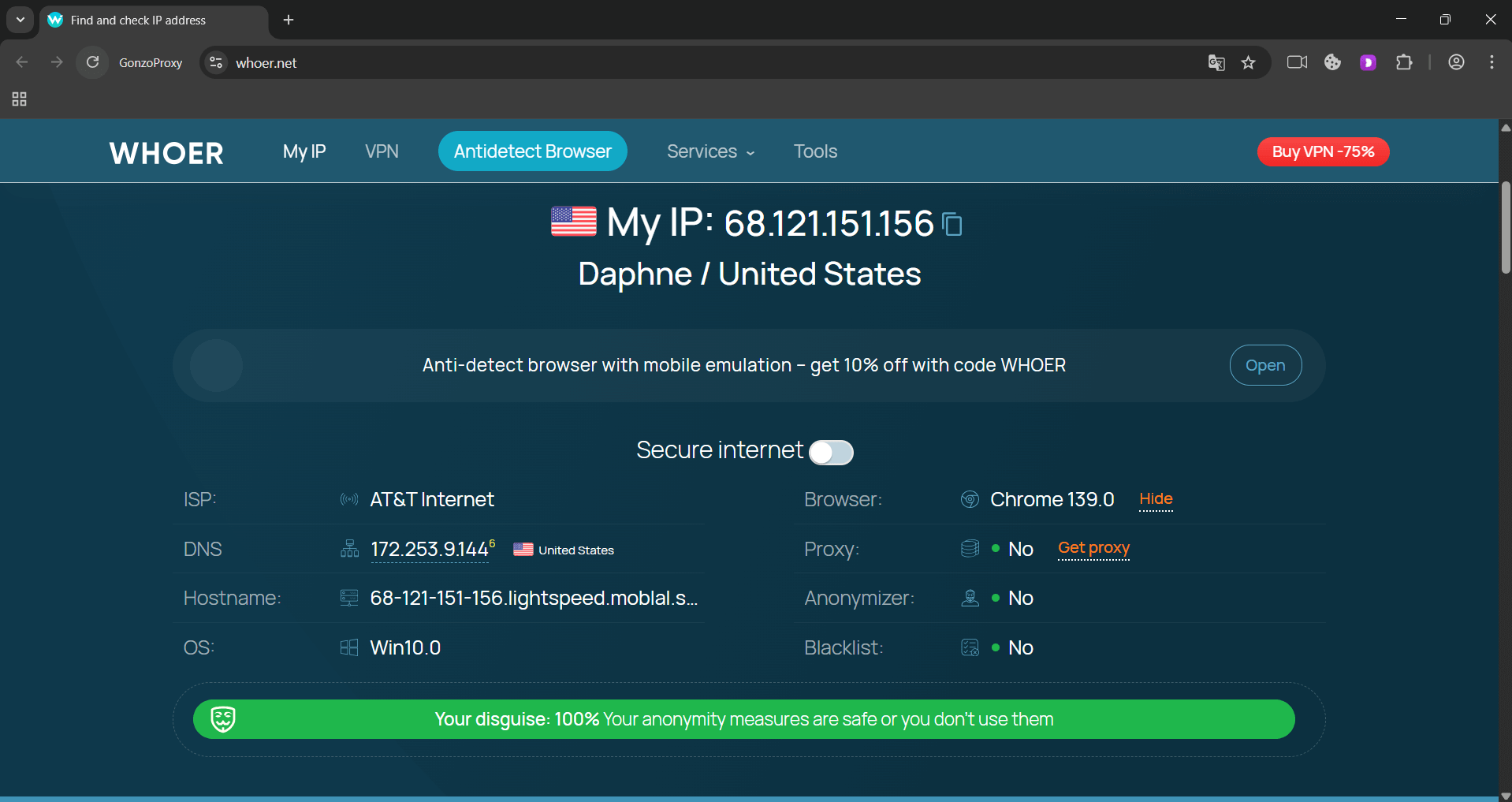
Save, launch. Browser opens — first thing, go to 2ip.ru or whoer.net. Check IP, country, and leaks. Everything matches? Perfect. You’re good to go.
“Proxy not working in Dolphin”
Classic. In 90% of cases, the reason is simple:
Error during connection check
If you see error 407 — it’s an authorization issue. Maybe your proxy uses IP-auth but you’re entering a password? Error 503 — server overloaded or down. Try another proxy from the pool.
Geolocation issues
Sometimes proxy shows one country but sites detect another. Reasons:
- WebRTC leaks real IP (disable in settings)
- DNS servers reveal location (use proxy provider’s DNS)
- Timezone mismatch with IP (fix in profile settings)
What to look for
Here’s a quick checklist to save your nerves:
- Provider been around for over a year? Good.
- Offers trial or money-back? Even better.
- Fast, helpful support? Take it.
- Reviews mention frequent bans? Run.
- Can pick a specific city? Big plus.
Matching proxy geo to accounts
Golden rule: log in from where the account was created. Registered Facebook in New York? Use US proxies — ideally from the same state. Logging in from Russia = instant document check.
Hack: if you’re running dozens of Dolphin profiles at once, use time-rotating proxies. For example, in GonzoProxy, you can set IP rotation every 30 minutes — traffic gets used more efficiently, while security stays strong.
Running ad campaigns
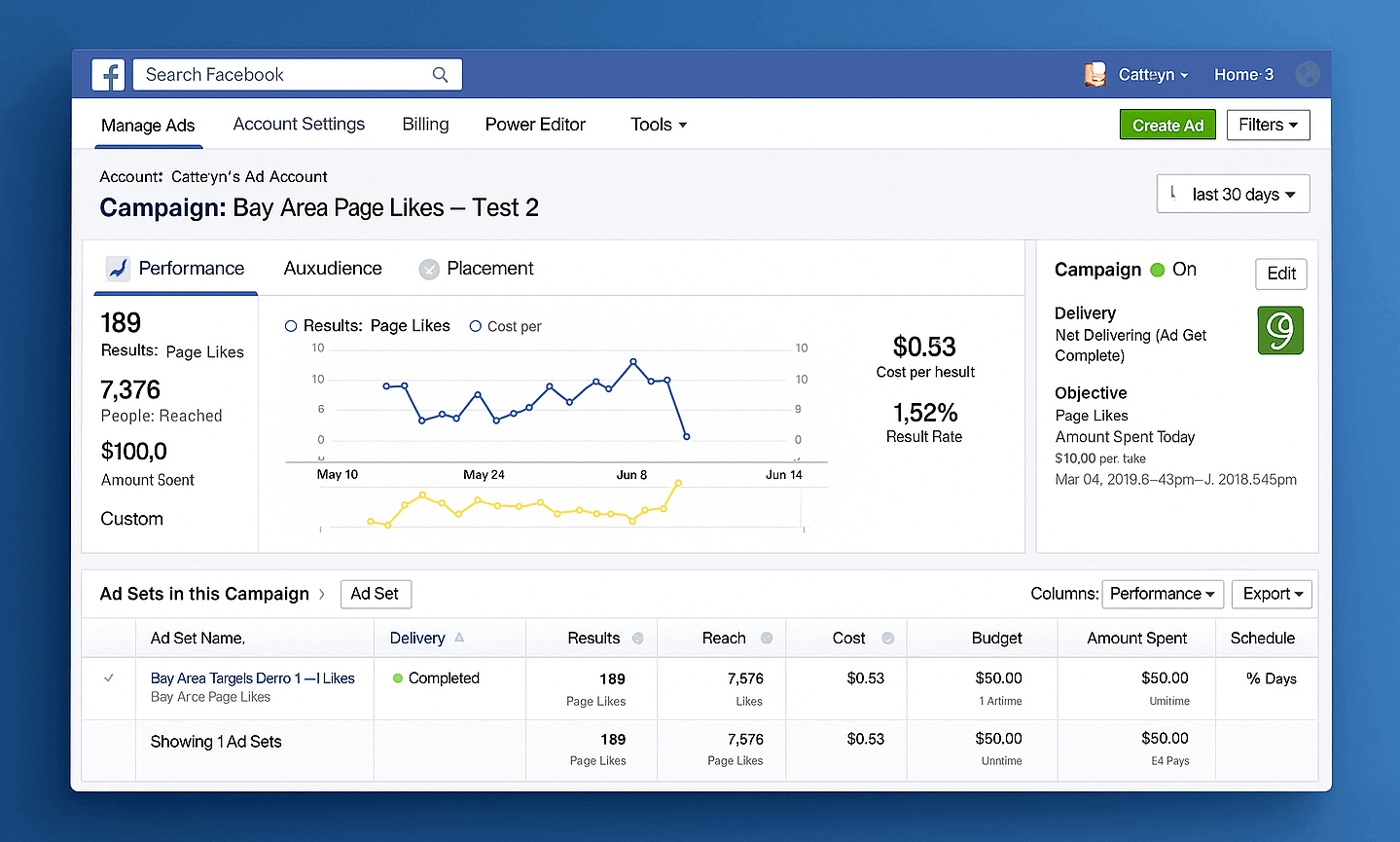
Real case: an affiliate team manages 50 Facebook Ads accounts. Each account = its own Dolphin profile with a residential proxy from the target geo. Result? One account gets banned, the other 49 keep working. Before, Facebook banned them all together.
Managing marketplace accounts
An Amazon seller tests five niches. Each = a separate seller account. All managed via Dolphin, each with its own static US proxy. Amazon has no idea it’s the same person.
Working with social networks
An SMM agency runs 200 Instagram accounts for clients. The trick is in the details: for European brands, they use proxies from Germany or France, even choosing specific ISPs. In GonzoProxy, this takes two clicks — select the country and even a provider like Deutsche Telekom. Instagram sees a normal German user.
FAQ


Working in Dolphin without proper proxies is like driving a Ferrari on bicycle tires. Possible, but why? Pick proxies based on your goals, match geo carefully, check performance regularly. And remember: cheap proxies today = lost accounts tomorrow. Invest in quality solutions, and Dolphin will pay off every dollar.